TheUltraRunner
Members
-
Joined
-
Last visited
Everything posted by TheUltraRunner
-
@alancha actually they have probably updated some of the modules of the car despite no visible changes in the system information.
-
I have a VRS TSI with DCC, now with over 8000 km, and I can nothing but to recommend the DCC. For me there is quite a big difference between driving modes. I usually drive in Normal but switch to Comfort when driving on bad roads or on longer drives on the highway. My car doesn't have that fake sound in Comfort. Only in Normal and Sport.
-
@VAGProf and this? Is this true? Did they maybe changed the whole unit?
-
Yes, I agree. All black would also fit nice.
-
Thanks @Skodev I know your story. Really bad it turned out the way it did. :(
-
I'm not a member of any of these forums. Found one example through google search https://www.volkswagenforum.co.uk/threads/golf-8-issues.38293/
-
And you can still put some more clothes on.
-
People have the same issues with all cars in the VAG group.
-
Could be they got updates at the dealer? Call your local Skoda dealer and ask if any updates are available for your car.
-
Got it now. Yes, I guess it would make more sense.
-
Sorry, I'm not sure what exactly are you referring to?
-
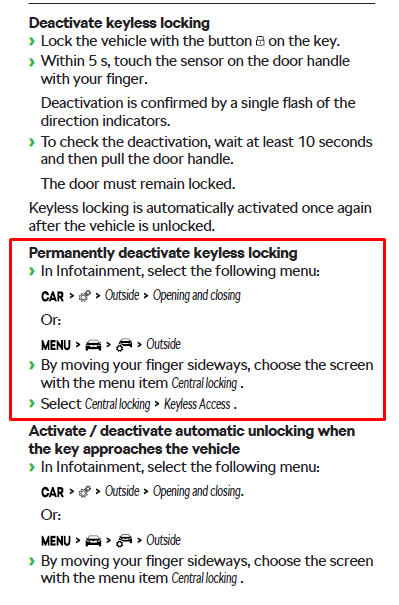
From owners manual.
-
I'm glad it works!
-
I guess it would be best if you visit your dealer so they can check if it's enabled or not.
-
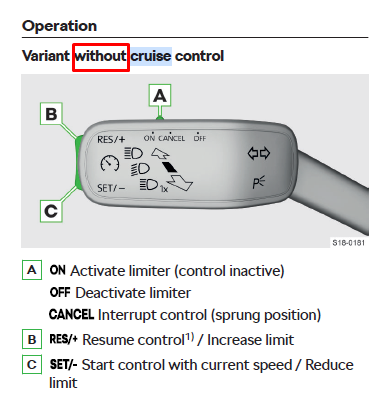
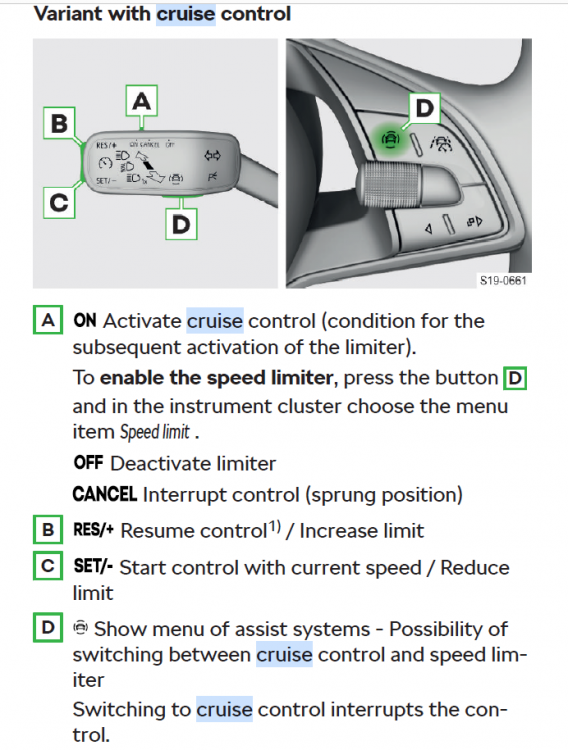
According to the owners manual, this one is without cruise control.
-
Some small updates (like maps, some minor fixes, t&c, etc) are OTA updates. And these are all automatically downloaded and you get a notification when they are available to install. All other updates need to be carried out by the dealer.
-
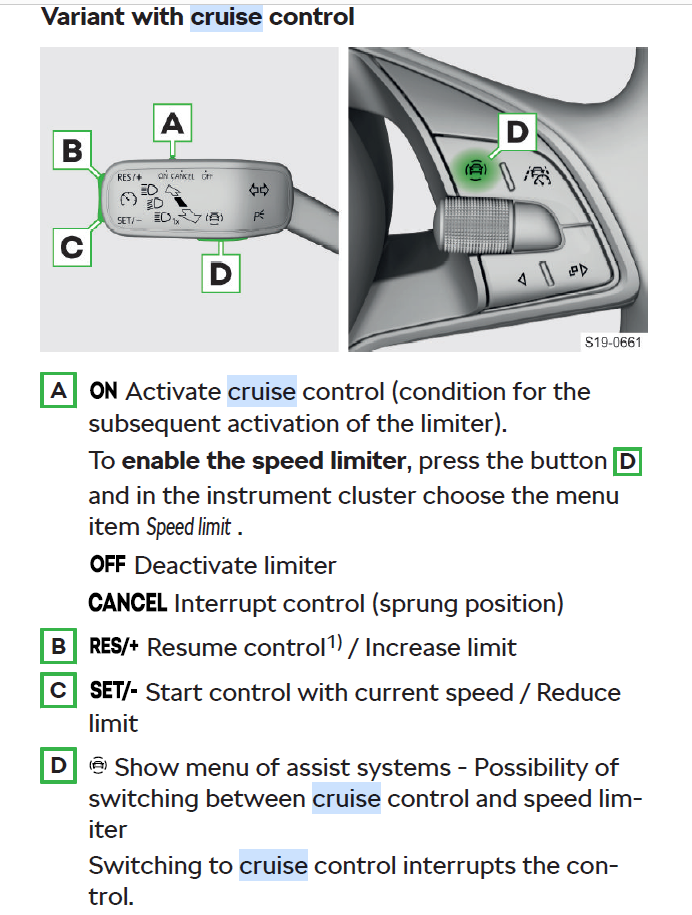
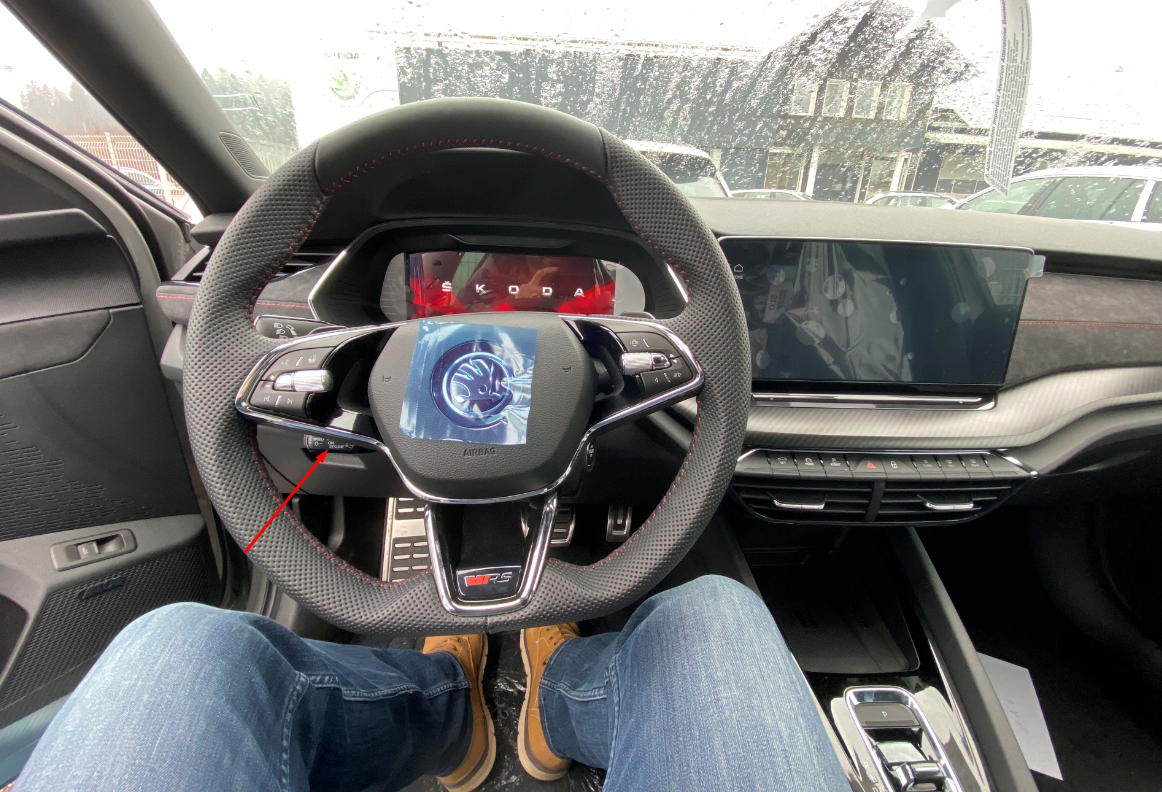
Do you have this one? If yes, did you switch the "A" button to ON?
-
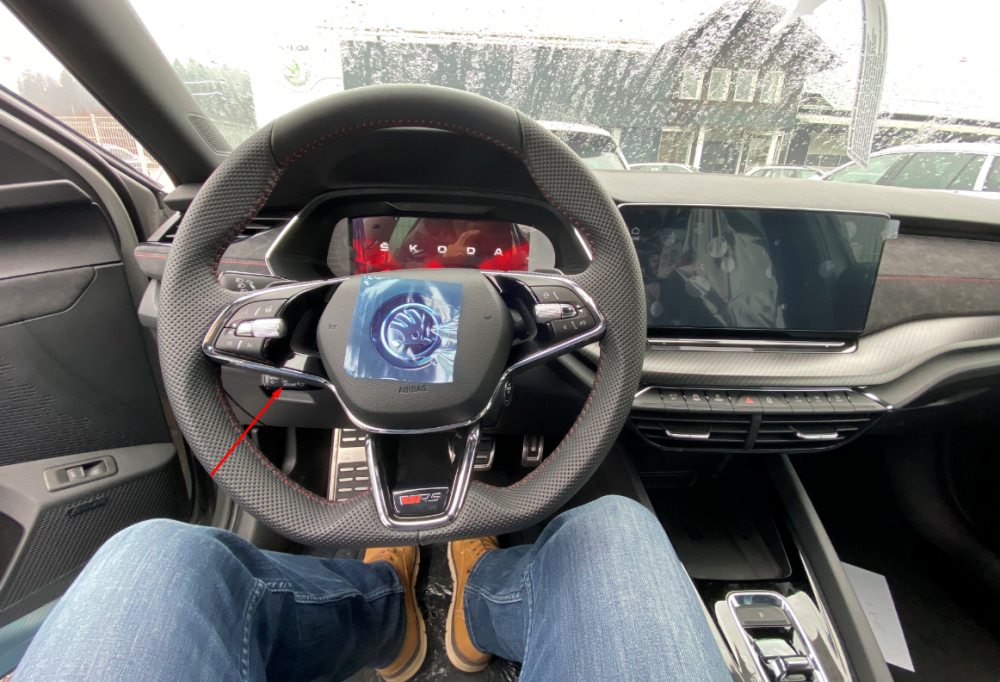
As @GreenlineIIEstate said, the cruise control stalk needs to be in the position towards you.
-
I see your point. It's possible people got that kind of impression. And yes, sometimes no information is better than misleading one. This certainly wasn't my intention. I apologize to all the people who thought like that.
-
@PetrolDave I'm sorry if that is your impression. I really hope this is not what the majority of people here think. Otherwise would be best if I stop posting right now. Since deceiving people is really not my attention. I already wrote in some other thread about the modules having their own software and their own versions not related to SW version visible in the infotainment. Unfortunately the SW and HW versions are the only versions we can compare since others are not easily visible. And in my opinion, upgrading of the main infotainment software (mainly from 1788 to 1803) helped reducing errors quite a lot to quite a few people (not only on this forum). But all these are just speculations. I'm by no mean any kind of expert and I don't have any insight on how these updates really work. I'm just gathering information from other forums and FB groups and try to put together and write down what I think. I 100% agree with you about the VCDS and OBD scans. But most owners (including me) don't have access to that thus not really useful at the moment.
-
I think we were already aware of that. At least I was. If comparing to the PC I think SW version in the sys info is like a version of Windows and other car modules are like different pieces of PC hardware/components each one having it's own drivers. Each component can be updated separately but everything needs to work together with the main system software.
-
Hi @noli You can check instructions in this thread
-
Never had an issue with the kessy. It works flawlessly.
-
I like it too. Unfortunately it's just a photoshop. Here in Slovenia it's impossible to homologate original wheels which are different size than the ones allowed originally for the car. :(
-
Yes. All major updates need to be done by the dealer. OTA updates are only small ones. Like navigation update, etc.