Frankenfurter
Members
-
Joined
-
Last visited
Everything posted by Frankenfurter
-
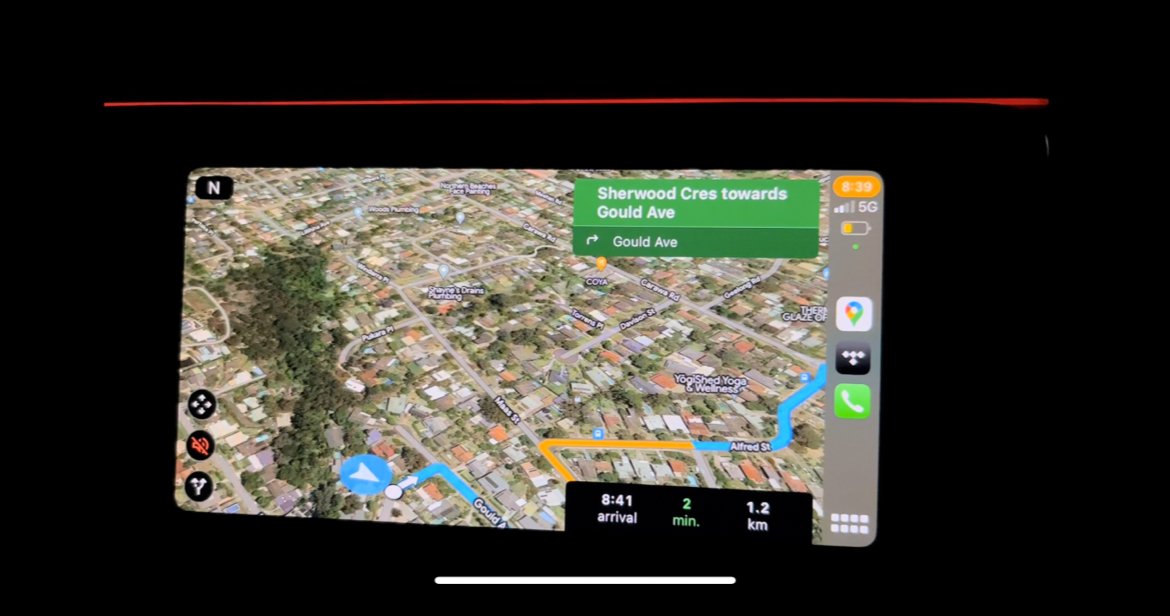
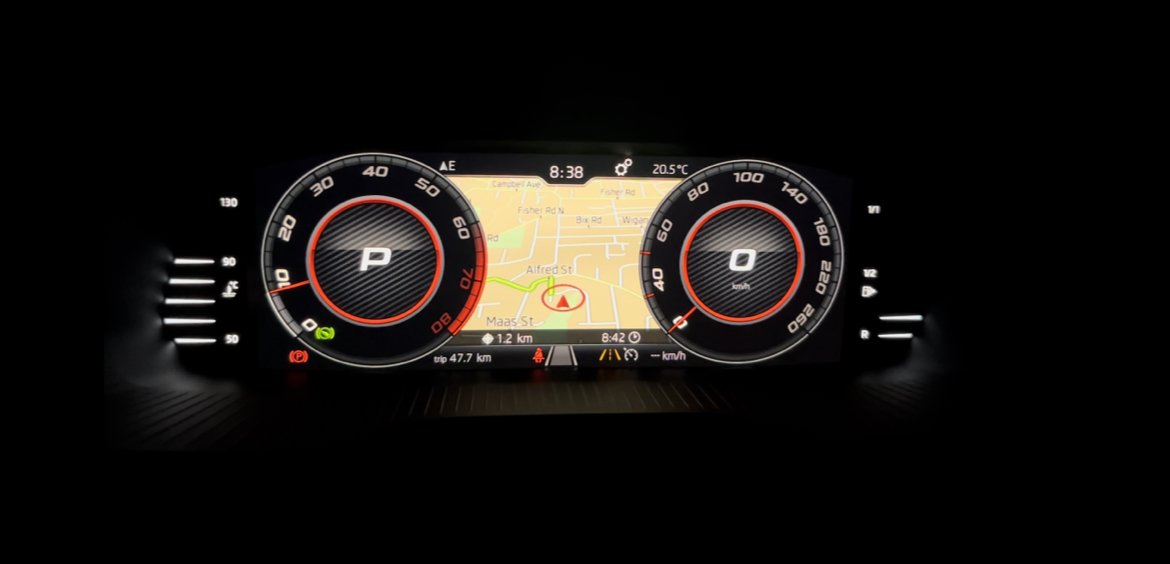
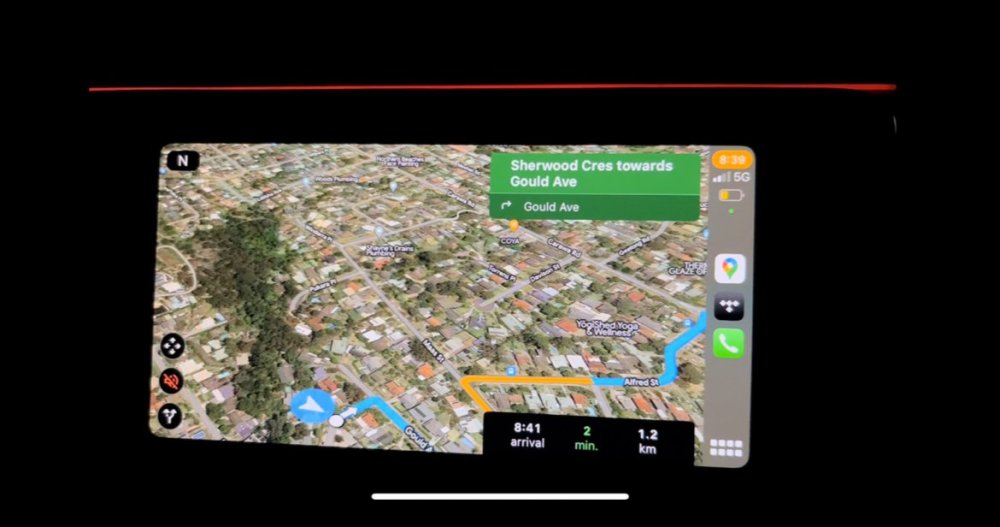
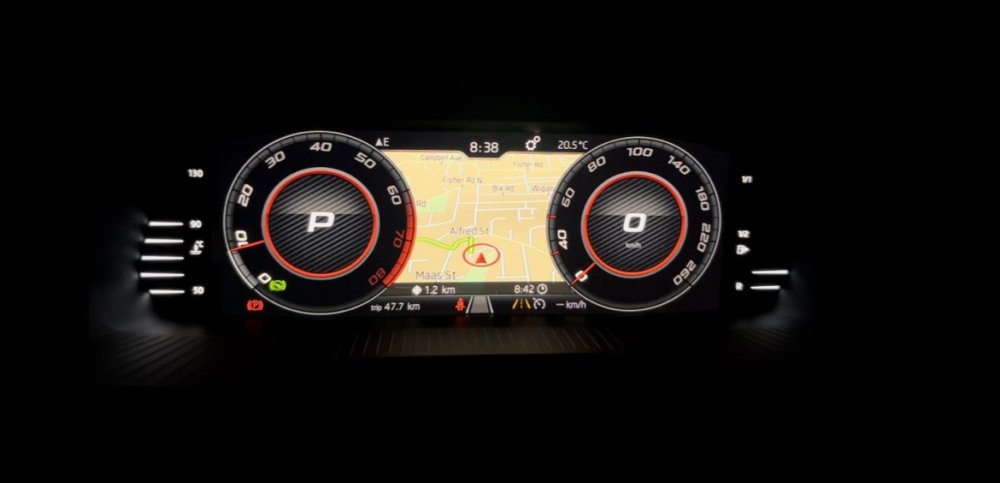
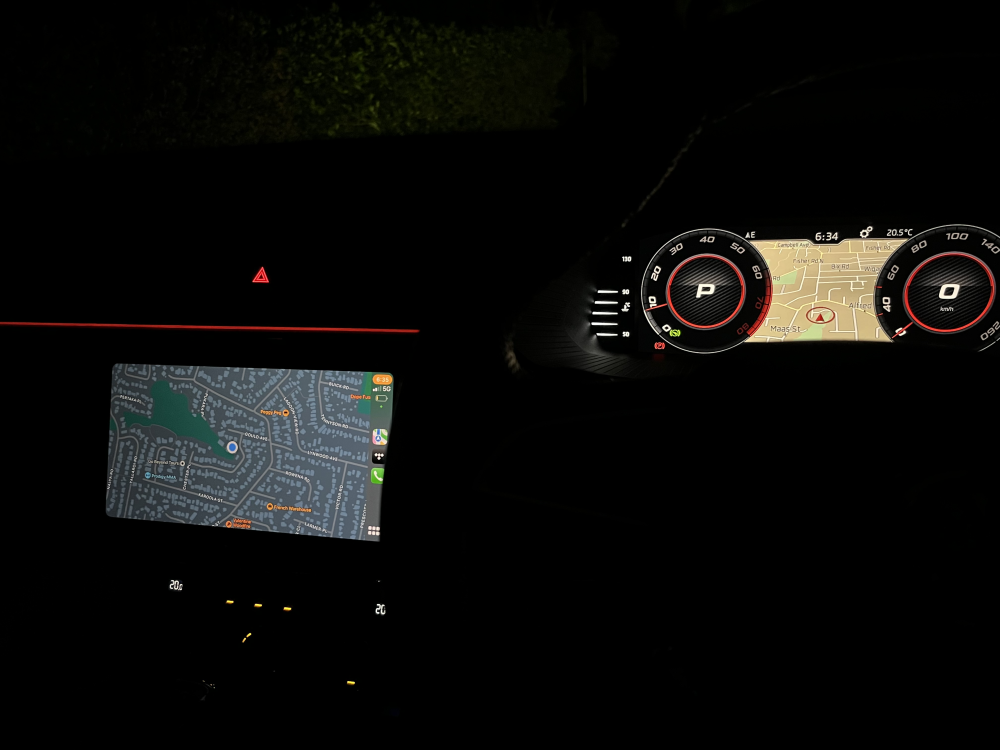
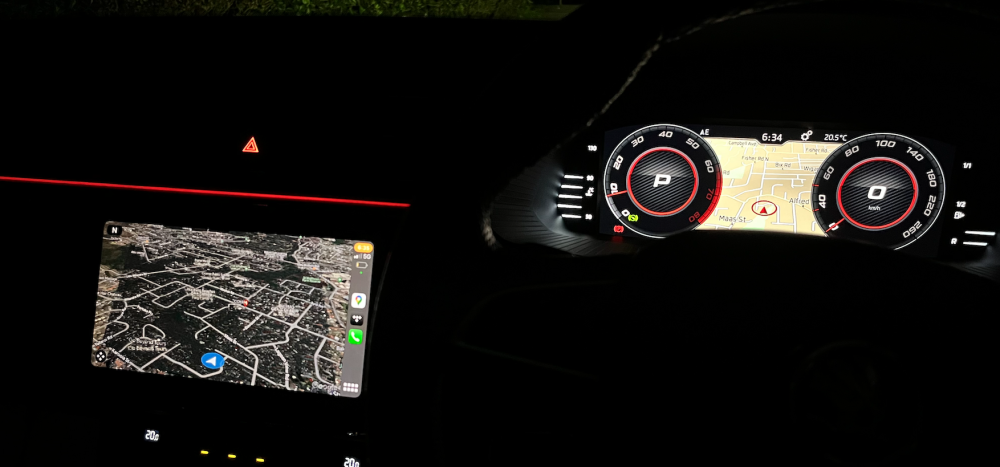
Just to clarify, I had to manually enter the destination into both Google Maps and Skoda Navigation. They do not communicate the destination to each other. Doing this would not really be all that helpful or necessarily result in the same route being guided. This was more of a test to show that even with destinations loaded and active in both, the two would still function and show at the same time. These are the key screen shots from the clip and shows the screens separately in two images but they are indeed displaying simultaneously. I pan between them in the clip.
-
Bonus clip of the same destination loaded into both Google Maps and Skoda Nav with both showing simultaneously. Skoda nav destination line is pale green and not so easy to see on the video. IMG_3126.MOV
-
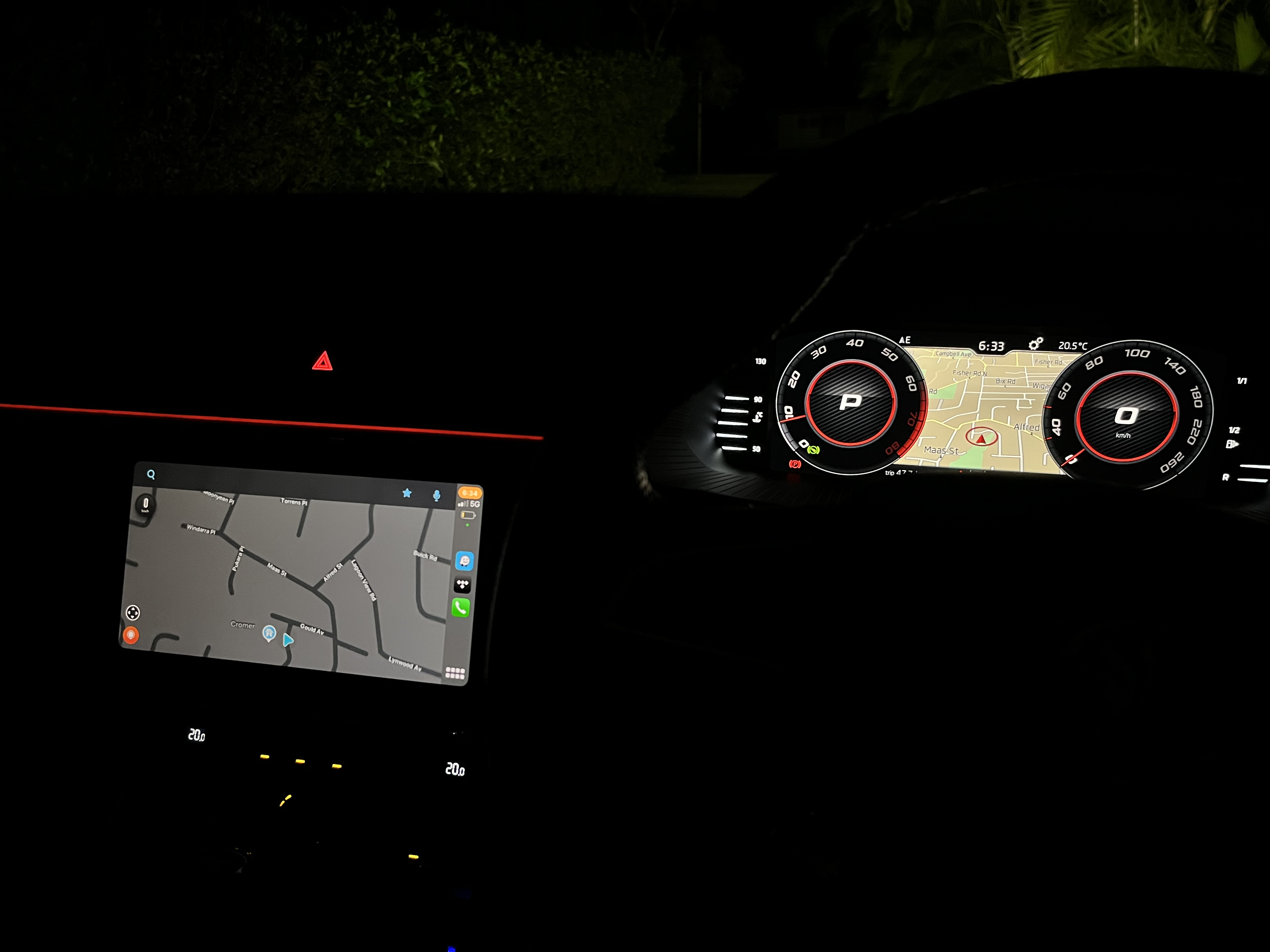
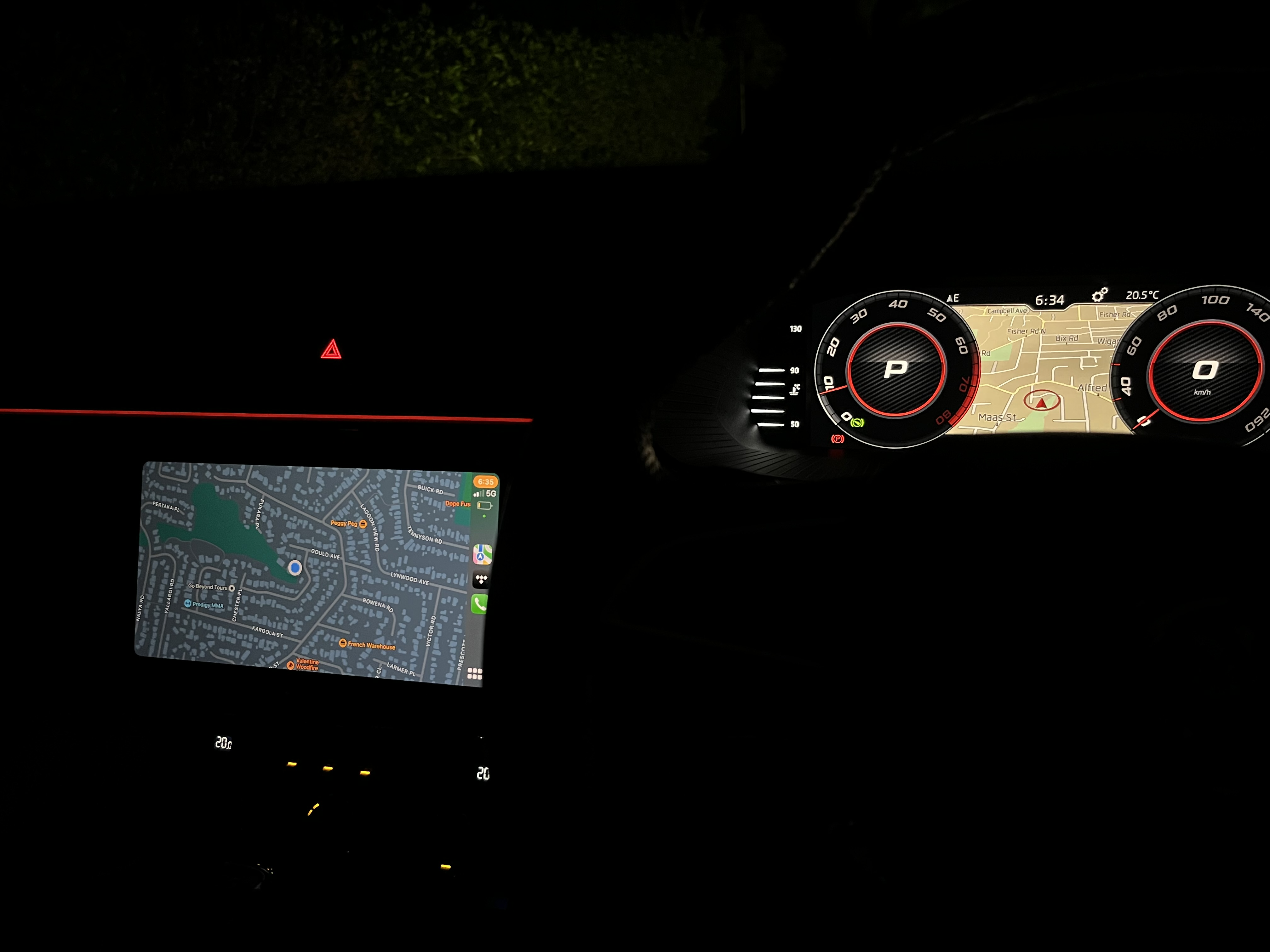
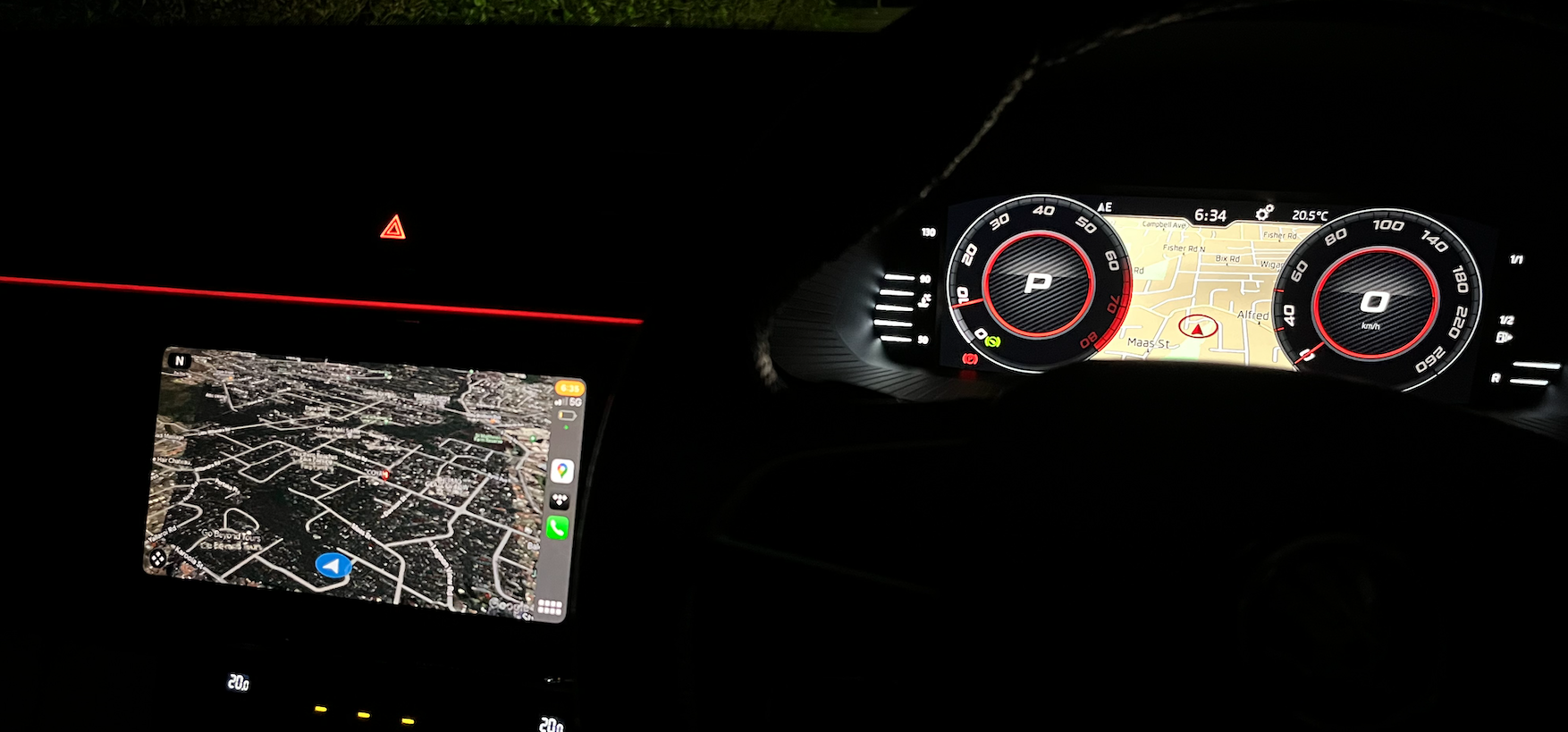
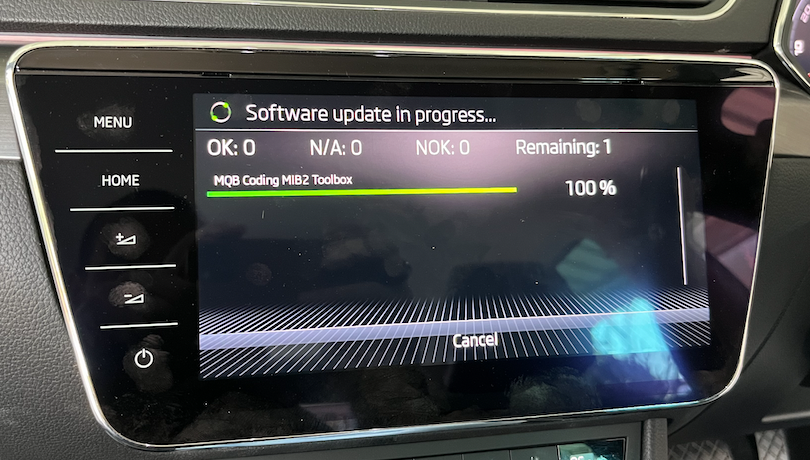
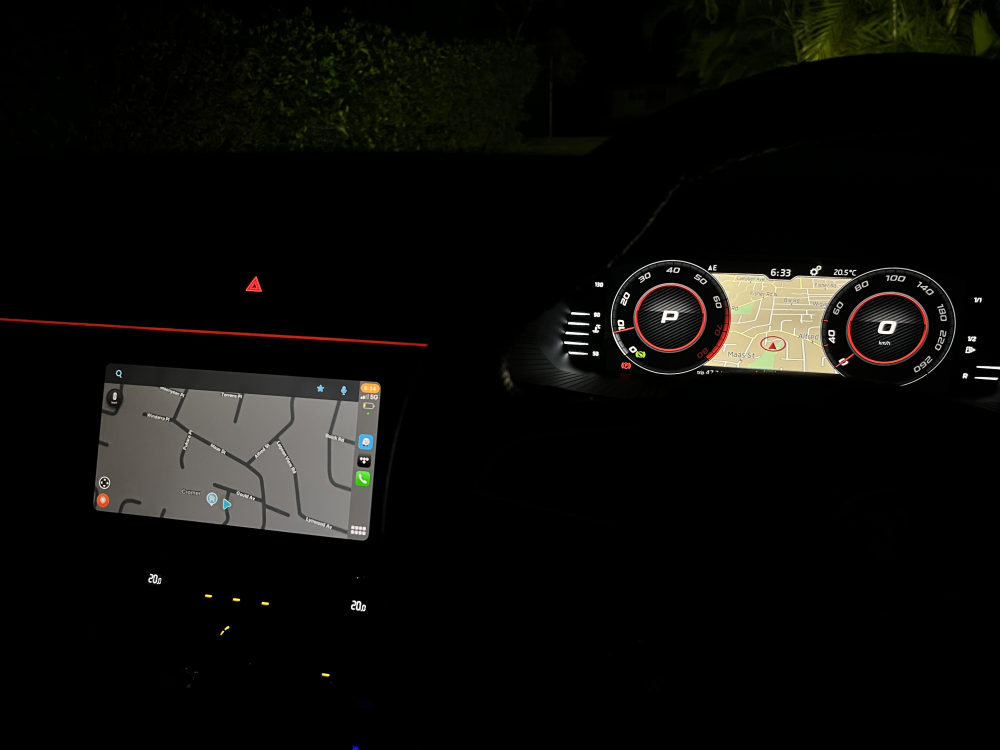
Reviving this old thread with some good news for MIB 2 and 2.5 owners (confirmed for Apple CarPlay, may also work with AA). PLEASE NOTE: This is potentially dangerous and could theoretically brick your MIB unit if mistakes are made or your unit is not capable of the function. Please read all the materials on the MIB toolbox page and consult your local ODIS/VCP/VCDS expert for guidance. I'm entirely unqualified to do this and did so under the supervision of someone with MIB Toolbox experience. The MIB Toolbox has a solution for this titled "Add patch/command to ignore smartphone navigating status" located here: https://github.com/jilleb/mib2-toolbox/pull/189?fbclid=IwAR11ECCMpulVlDEz4p3R0g0Lr2SB-XQ3vfVqEoPG3fCI9DtBj1IdKq3NqCY This requires download of the toolbox from the latest link on the page onto a properly formatted SD card and then following the prompts through the Green service menu to the MIB Toolbox navigation folder, where the "Add patch/command to ignore smartphone navigating status" item is stored. Executing that loads java code to the MIB unit. Once executed the head unit looks like this: After upload the unit reset and was tested. All 3 of my mapping apps worked and the Virtual Cockpit map stays on for all including Waze, Apple Maps and Google Maps. Apologies for the crap photos. Waze: Apple Maps: Google Maps:
-
-
So heard back from VW Australia via mechanic that the shock parts 3q0513045AA and 3q0512009AF/AA are interchangeable for a Superb Mk3 4x4. I don't necessarily trust them 100% because they recently gave bad advice on a Tiguan clockspring but that's their input.
-
Also, It looks like there's more than one seller advertising 3q0513045AA and 3q0512009AA as the same part number and in at least two different countries. I've chased this up with VW to see if they are in fact the same part. Looks like the cars these 3q0512009AA parts came from early B8 MQB Passat/Superb models from 2016/2017.
-
It's just an example and even if this particular seller has been smoking vast amounts of crack, the pricing is consistent with what you see at wreckers. It's shared as an example only. You can generally find better prices from local wreckers anyway. I recently picked up two non-leaking front shocks (3Q0413031AK) for about AUD 200 each from wreckers. Interestingly, (and as per your list) along the way my independent mechanic chased VAG about DCC shock part number compatibility because the shop has a perfectly good used Passat Alltrack 3Q0413032 front DCC strut lying around. After many calls to VW and Skoda Australia passed got passed up the chain, they confirmed the core shock with coil and strut mount removed was interchangeable with the 3Q0413031AK. We weren't sure so when i got the 3Q0413031AK delivered we sat them down next to each other and all the dimensions measured exactly the same. Haven't tested it yet but could be an interesting source of new spares if they function identically.
-
Just FYI, the Borsehung EOM replacement comes with a 4 year warranty, I understand all the others come with 1 year. Call your independent mechanic and ask him to call the wholesalers for price and delivery quotes. If you’re feeling lucky you can get some used ones for about 1/3 the price of new. Here’s an example of used ones: https://www.ebay.com.au/itm/175322616887?mkcid=16&mkevt=1&mkrid=705-154756-20017-0&ssspo=OFzw1ruVQCm&sssrc=2349624&ssuid=Y3bFCPbiQQO&var=&widget_ver=artemis&media=COPY
-
You could raise a dispute with ACCC that the warranty is not being honored within a reasonable timeframe and demand that Skoda instead pay for another qualified mechanic to do the diagnosis and repair work. You could also raise a complaint with Fair Trading if you feel their behavior is unacceptable. Things tend to happen faster when you use the consumer protections at your disposal here.
-
I suggest you go full Karen on them and tell them the shocks are creaking (which is where i'm at and is what happens when they start running out of "mist"). I was about to start another thread on DCC shock replacement but maybe I can weave it in here and still be on topic... I have a 2017 Superb with DCC and i have leaking shocks all round. It's out of warranty and i don't have time to start another VAG ACCC fight under Australian Consumer Law so i'm going to replace them myself. Now, I have received quotes from my trusty indi mechanic for Monroe or Borsehung at about AUD 650 a corner. I have also had a look at various used parts out there and noticed that some of the original skoda part numbers (or at least those listed on Skoda Parts) seem to cross over into other models like Passat Alltrack. My question is: Does anyone know what (if any) other VAG group models use interchangeable DCC shock part numbers for front/rear?
-
This is just awesome! Thanks @ApertureS and @langers2k for pushing ahead with this and sharing! @langers2k how do the extreme comfort++ and sport++ setting feel compared to the stock settings?
-
Ah that sucks. My (crude) understanding is that whoever you use to do the VCP or ODIS work should be able to download or source the firmware you need regardless. The German site linked seems to have used an Arteon file ("arteon_dcc_5q0907376c.zdc") which i can see exists on a Russian VCP resource. I've already shared the links and resources I've gathered to date with my friendly local VCP/ODIS expert who is going to take a few weeks to get his head around it and some of the other tweaks i want to try. I imagine it may need a few attempts too. Are you able to share the Rev C flash file you managed to find? You can PM me if you don't fancy sharing it on the thread. In any case, once I have this worked out I'll be happy to line people up with the resources I've found.
-
This link that ApertureS shared is actually from a German guy with an Octavia who did this! https://www.glaskugelservice.de/codierung/dcc-auf-index-c It looks like either the Passat set simply worked or he modified it.
-
I'll be discussing this at length with my ODIS/VCP expert and will try to take notes on the steps he takes. I'm expecting this may take a little time as he's not specifically worked on this modification before but I'll be sure to update here as progress is made.
-
Oh WOW! Thank you very much! That’s absolutely fantastic and hugely appreciated. I’ll work on getting this done in early September at the same time as my virtual cockpit install and will report back with the progress. Thanks again, @ApertureS!
-
If it feels a bit much you can always ask a good local independent mechanic to remove the trim for you. Would probably take them about 30 minutes tops and you could keep using the car with it removed while it dries out at home. At the same time you could fire off a few emails to Skoda wreckers out there in the UK and ask them how much the front lighting strips would cost. I can't imagine those dash parts are in high demand.
-
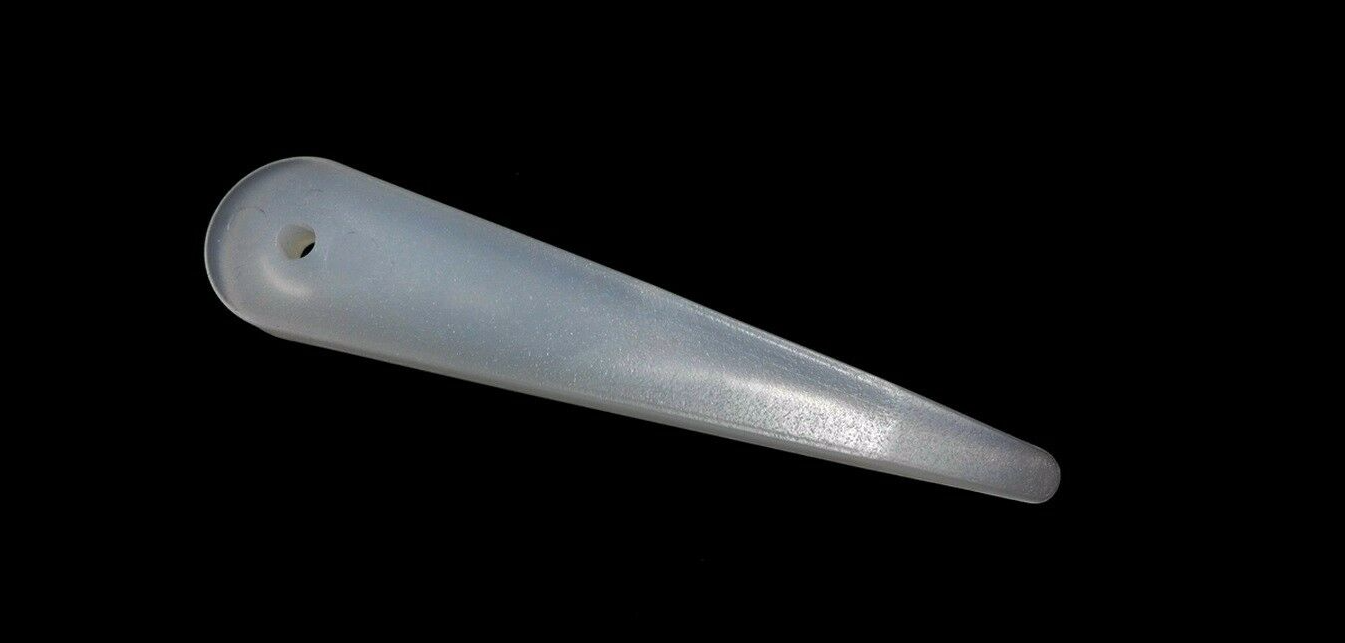
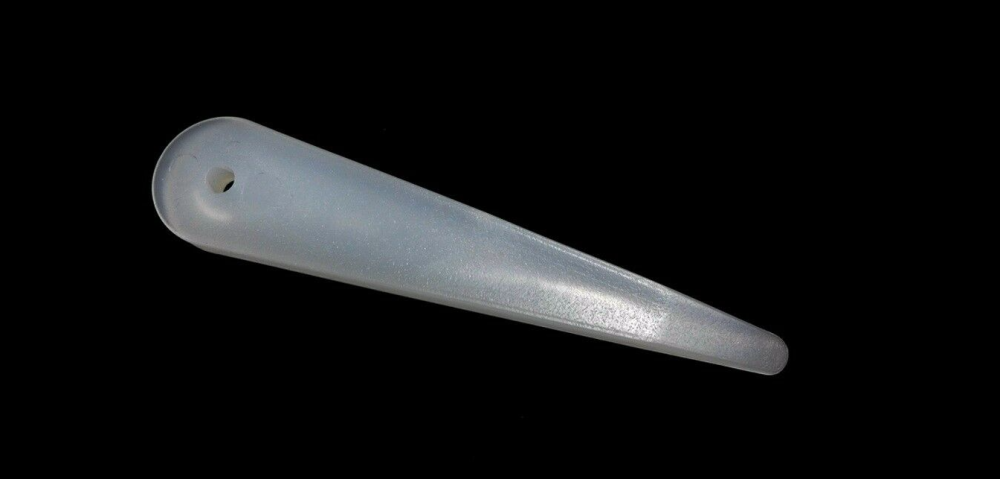
FYI disassembly wedge 3409 from VW looks like this: Just a cheap set of plastic interior trim wedges from your local auto shop will do the trick.
-
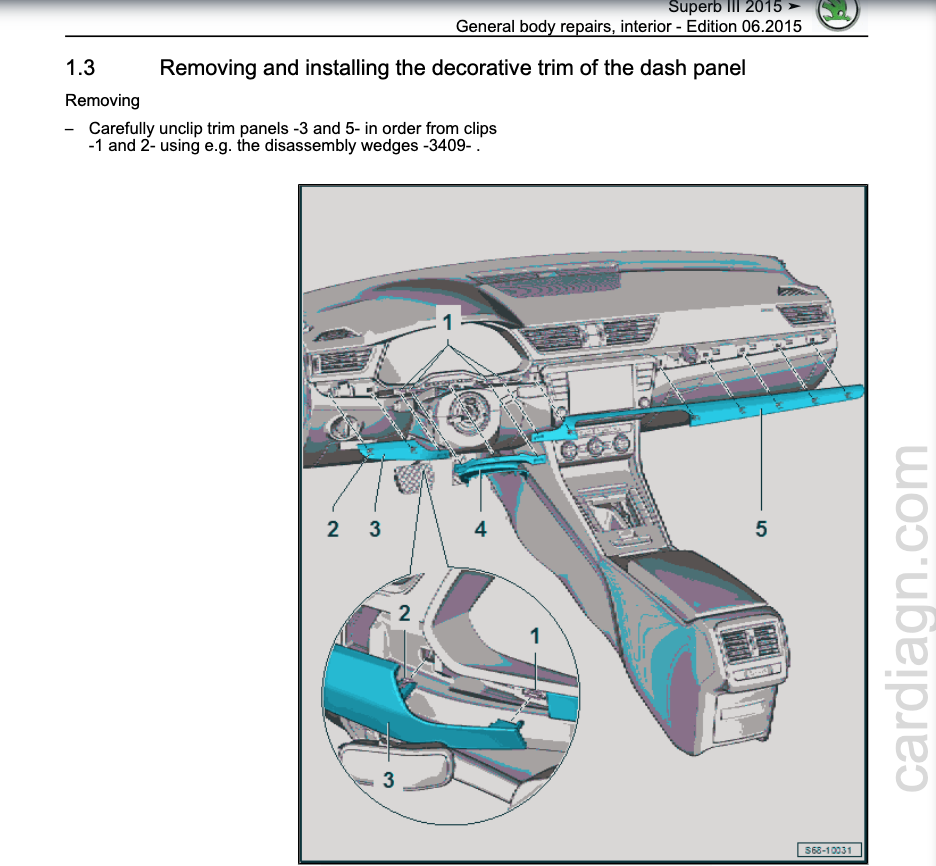
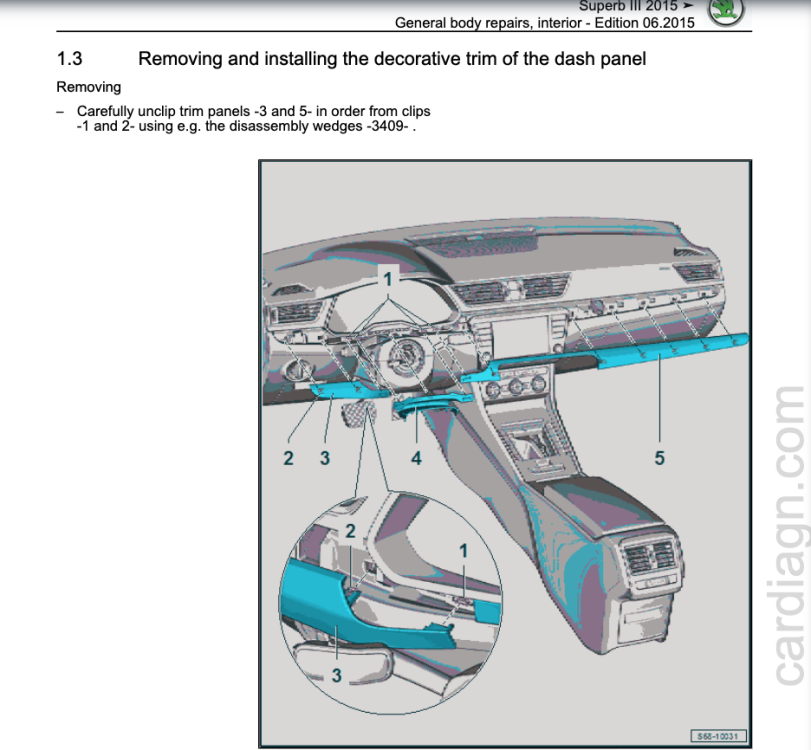
Hi Hastein, You can find the workshop manual for interior repairs here: https://cardiagn.com/skoda-superb-iii-general-body-repairs-interior/ This may help you on how to remove that piece. Discussion on treating water damaged electronics: https://electronics.stackexchange.com/questions/350302/does-water-actually-damage-or-only-temporarily-disable-electronics-until-drying If there is mineral residue dried on the LED strip internals it may be very difficult to remove it if the strip is sealed. If anything it needs to be cleaned with something like pure water or isopropyl alcohol etc and left to fully dry.
-
Looks cooked. I'd be taking it back there and demanding they fix it or pay for it. They should have insurance for this stuff. The pieces can be purchased at least as a whole kit and maybe individually. Here's an example... https://www.aliexpress.com/item/1005003796134046.html?spm=a2g0o.productlist.0.0.828a582c6RtrBS&algo_pvid=5b053f4c-f1ec-45fc-8deb-60cfcc753ebe&algo_exp_id=5b053f4c-f1ec-45fc-8deb-60cfcc753ebe-2&pdp_ext_f={"sku_id"%3A"12000027192269781"}&pdp_npi=2%40dis!AUD!474.85!474.85!!!!!%402101e9d516600206495887793e9302!12000027192269781!sea&curPageLogUid=ibdu7yKbC1b9
-
@ApertureS I’ve actually already found a dataset for the slider function linked in here: https://www.golfmk7.com/forums/index.php?threads/what-did-you-do-to-your-mk7-today.316916/page-2469#post-7851841 Thanks to Cuzoe from the Mk7 forum. The drawback is that his dataset is modified for his DCC retrofit into a golf so while the functional data is in there I’m not sure it’s in the best format for input into a Superb. There is also a user Chillout on that forum who has done this and has the necessary files but he has not been online since July so I’m hoping he replies to my DM. His conclusion was the 3 bullet points in my original post are what you need to complete it: https://www.golfmk7.com/forums/index.php?threads/dcc-suspension-mod-by-installing-the-dsc-sport-controller.385091/page-2#post-7654299 further discussion on it here from post 31: https://www.golfmk7.com/forums/index.php?threads/bilstein-b6-suspension-chasis-rebuild.386543/page-3#post-7862187 I’ll certainly update this thread with my progress if anyones interested.
-
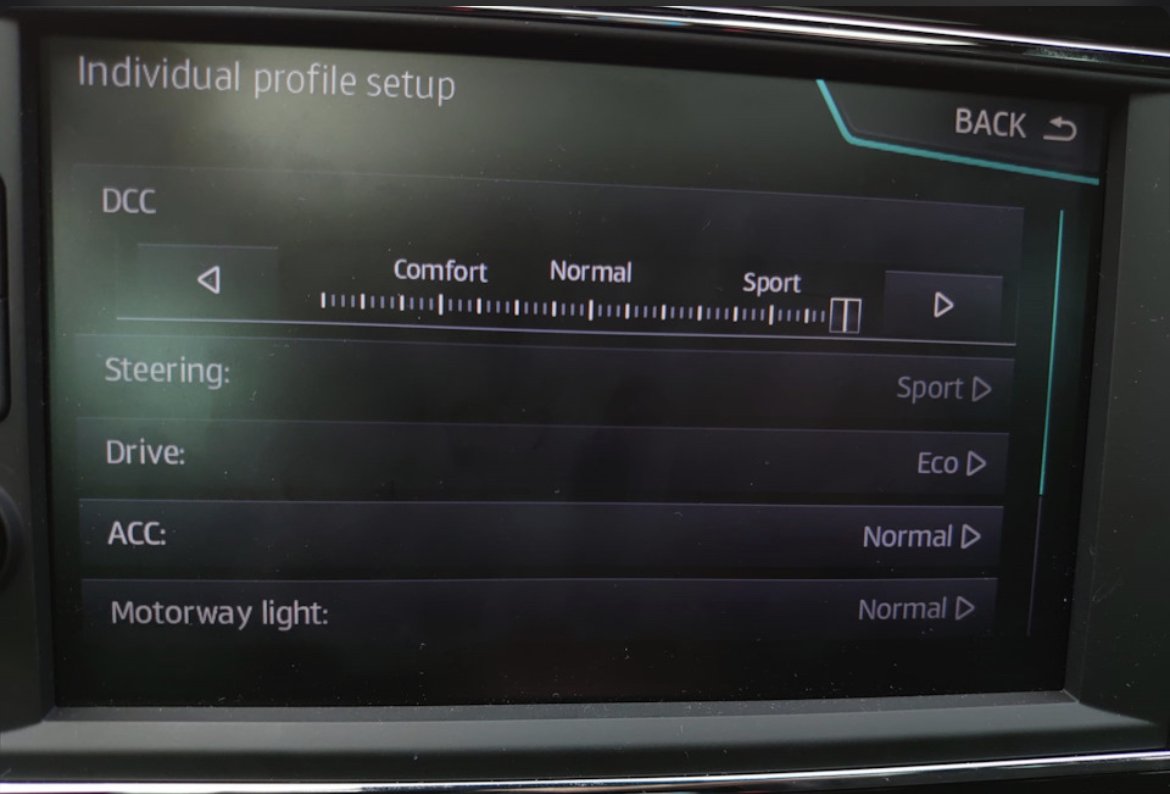
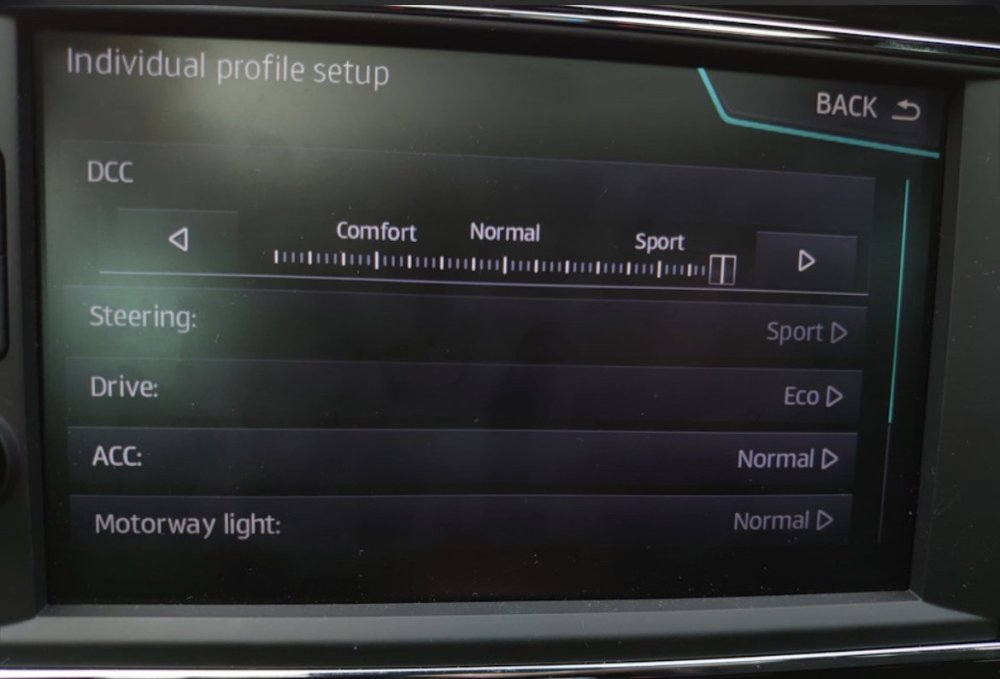
DCC Slider Adjustment Mod (I’m looking for anyone with experience doing this or data required for this) 2020+ Arteon and Passats equipped with DCC now come with a slider in Individual driving mode that allows you select DCC settings from 0-15 instead of just Comfort - Normal - Sport. This allows settings softer than comfort (LOL), firmer that Sport and everything in between. Photo below for reference. I understand the Mk4 Octavia too has this and I’m waiting to hear if the 2020+ Superb also has it. Turns out this is something that is possible to modify into your DCC equipped car through coding. Apparently, to do this you need: - DCC Firmware from 2020/2021 Arteon or Passat. They have the 0-15 range. - The right DCC parametrisation that goes with this firmware. - FPA dataset (Gateway dataset that holds the settings for your driving profiles) that enables the slider. This can be flashed with ODIS or VCP only. Anyone out there have any experience with this? I’ve found some threads on Golf Mk7 forums but have not been able to get the firmware or datasets as they come from the Passat or Arteon.
-
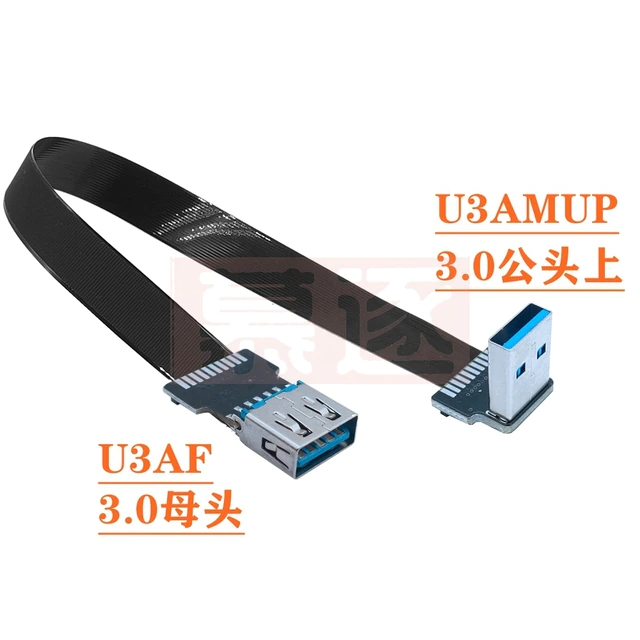
Yeah sure: Flat usb3.0 male-to-female transfer FPC elbow usb extension line up and down left and right bend 90 degree USB connector https://a.aliexpress.com/_mNC7Xk6
-
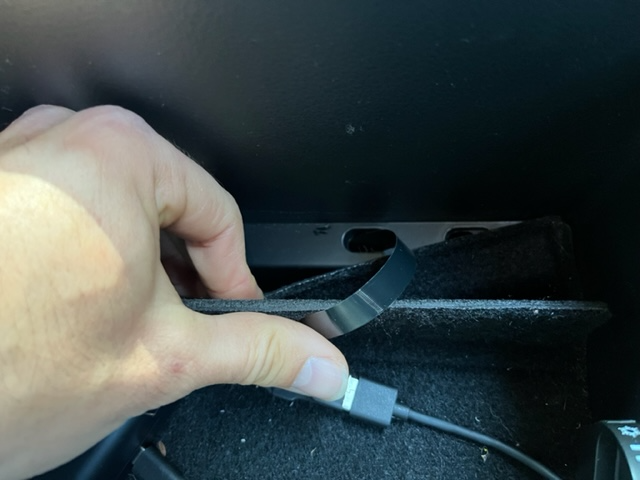
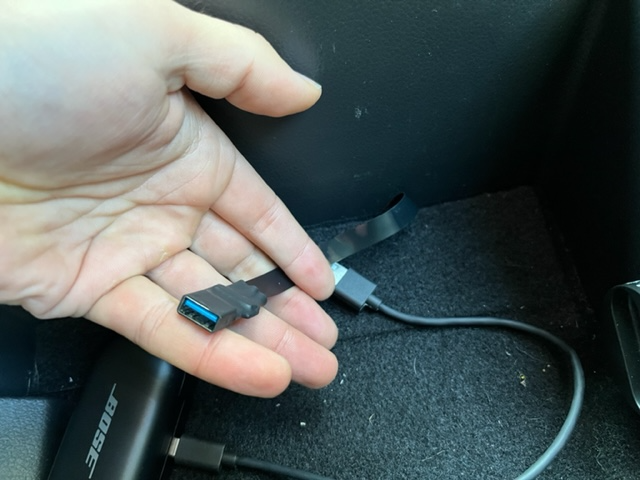
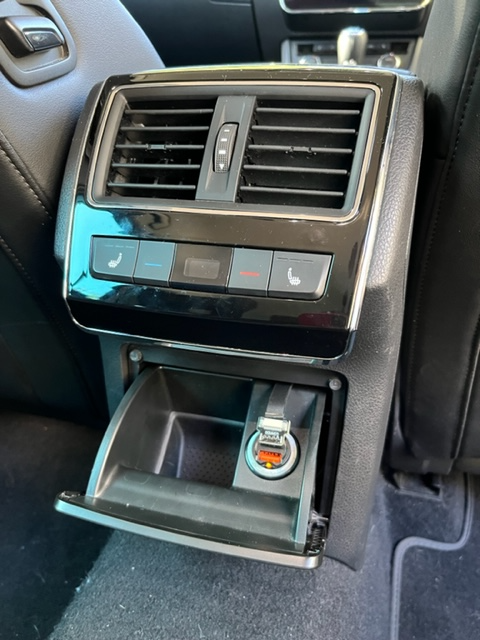
Easy USB Power to Central arm rest console. I hate cable mess so having to loop around a cable to the rear 12v plug or have cable mess up the front gave me the sh#ts and early Superbs don't have power to the central console. So something had to be done about it and I didn't want to have to graft onto wiring and pull the whole console out. Decided to have a crack at it with some ribbon cables. Took a punt and guessed a 50cm USB-A (male) to USB-A (female) cable from AliExpress might do the trick: I removed the rear ashtray drawer (pull right hand side up and out and then slide the left hand hinge out to the right) and removed the felt liner of the central arm rest console. Using some string with a loop and a wire coat hanger i threaded the string back to the rear opening and threaded the USB cable through to the middle hole in the central console: Then shrink wrapped the female end to make it look nice and protect it a little: And then simply replaced the rear ash tray drawer with the cable over the top and plugged in a 12v dual USB socket and plugged in my USB cable. Works a charm and still leaves the kids a rear USB charging socket for long trips. When i get round to it I'll shrink wrap the rear USB plug to protect it from the kids and make it look a little cleaner. Turns out a 50cm ribbon cable is the perfect length for this. The cable behaves nicely with the opening of the drawer and gives about 15cm of lead in the console. When not in use it can easily sit down in the lower tablet space below the trap door too. Apparently the cable is good for up to 5A when lengths up to 50cm are used, which is more than it'll ever need to carry to charge the odd phone or my ear buds.
-
Hi guys, Recently had upgraded MIB2 Amundsen to Columbus MIB2.5 in my 2017 Superb and had the unit coded and installed. Everything works great except the heated/ventilated seat control no longer shows up on the screen when the button is pushed for the front seats. Without that I can’t switch between heating and ventilation in the seats. Can anyone tell me where that option is in VCDS to get that to show up on the head unit screen? My installer is happy to help but not for a few weeks so hoping to get it sorted before then. Cheers!
-
Just FYI. OEM Monroe and Bilstein have a 12 month warranty (at least here in Aus). Borsehung are slightly cheaper and come with a 4 year warranty. I was tempted by the Bilstein B6 but found that a rear sway bar was all I needed.