zacko_O
Members
-
Joined
-
Last visited
Everything posted by zacko_O
-
Show train version
-
I think you don’t need to buy MIB2.5, you can buy only screen and convert your MIB2. In case you have a MIB High
-
Yeah, I saw it. But obviously not enough details. It’s a 2.6k rows in 09 block, like looking for a needle in a haystack. Especially when you don't speak German🙂 I found what needs to be coded in another topic. Then I’ve exported everything from 09 block, did research and have better understanding how it works. I need to change Lasttype from incandescent lamp to led(reverse, turn signals and fog are led in FL) , then change dimming value for all lamps
-
Can you share it?
-
Is additional coding required? If I re-pin old lights to FL lights(without pwm), will it work like on your videos?
-
Unfortunately, I didn't found information in public. Maybe best way to dump from some Superb FL. And as I understood, you may have CH/LH animations with a new BCM and xenon.
-
MIB 2 High, 9.2" display, Windows, SD Card, display removal tools and follow this guide https://github.com/harman-f/MHI2_MIB2_AIO_FW_Update_Template/wiki/G11-to-G13-conversion
-
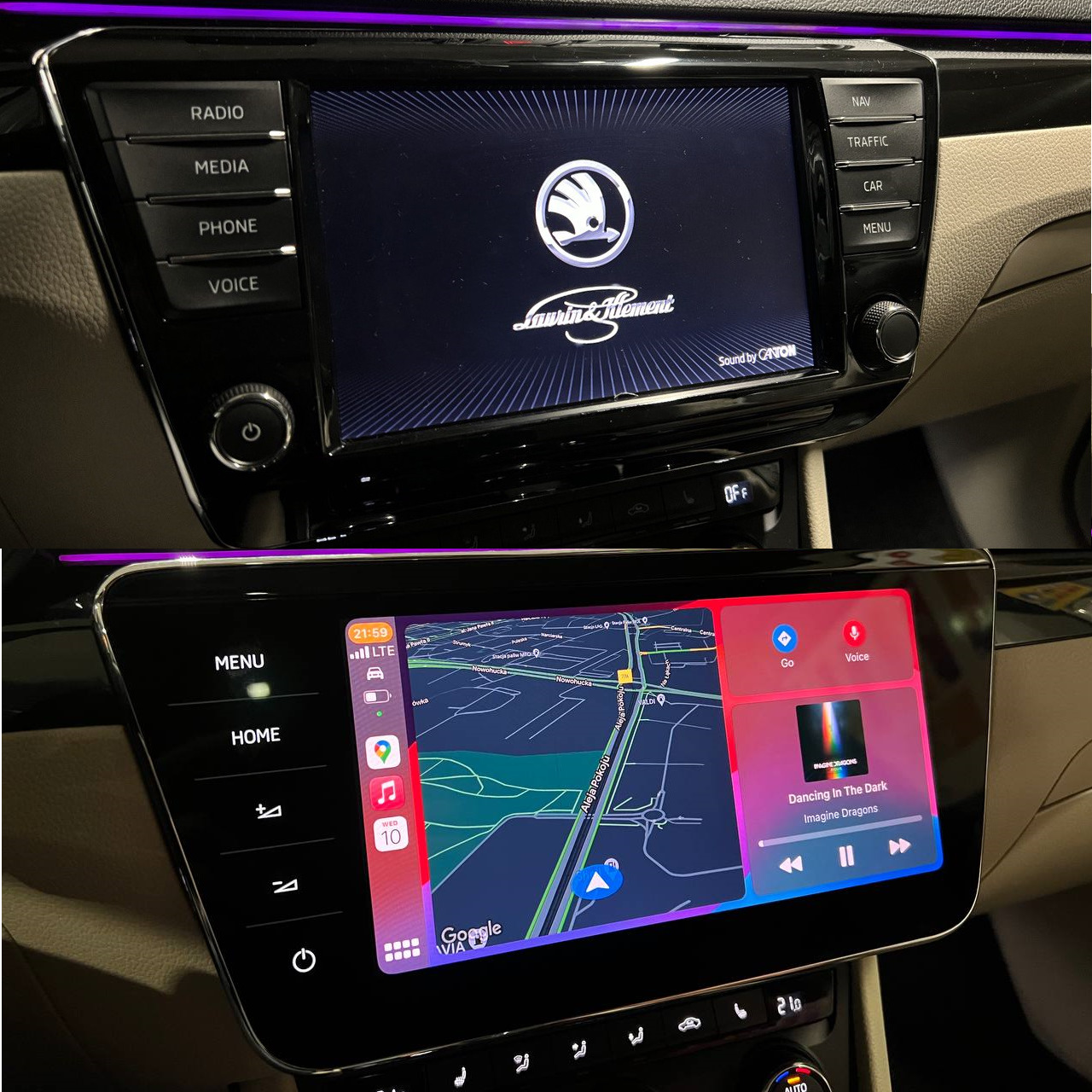
Last upgrade I've converted MIB2 -> MIB2.5 and replace 8" display to 9.2"
-
Found this video. This car has a 5Q0937084EC BCM, but yeah need extra coding. Question, if I'll just replace tail lights without PWM pin(T8ab/7), will everything work without coding (except closing animation)? My main point of change mostly is a turn light animation. Thanks
-
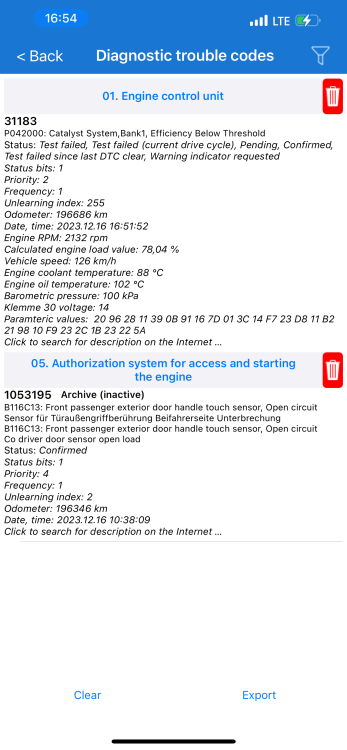
Hello I have a "P0420 - Catalyst System, Bank1" error on my Superb 3 DFCA 2.0 TDI, this issue continues since I bought a car on milage ~184000km I tried Cataclean, LiquiMolly DPF cleaner and no result Interesting thing that it appears only during DPF regeneration(passed successfully) and I can't find any similar problem on another diesel cars (like Passat, Octavia, etc.) Lambda probe sensors are located on DPF and after, I'm a bit confused what to check? Need some recommendations how to fix/find it Thanks