zacko_O
Members
-
Joined
-
Last visited
Everything posted by zacko_O
-
You can check it in VCDS/ODIS/CarScanner/OBD11 It depends on where you're driving/living. For example, when you're driving straight ahead, you don't need to steer, but the system asks you to take the wheel, so you have to wiggle it a bit.
-
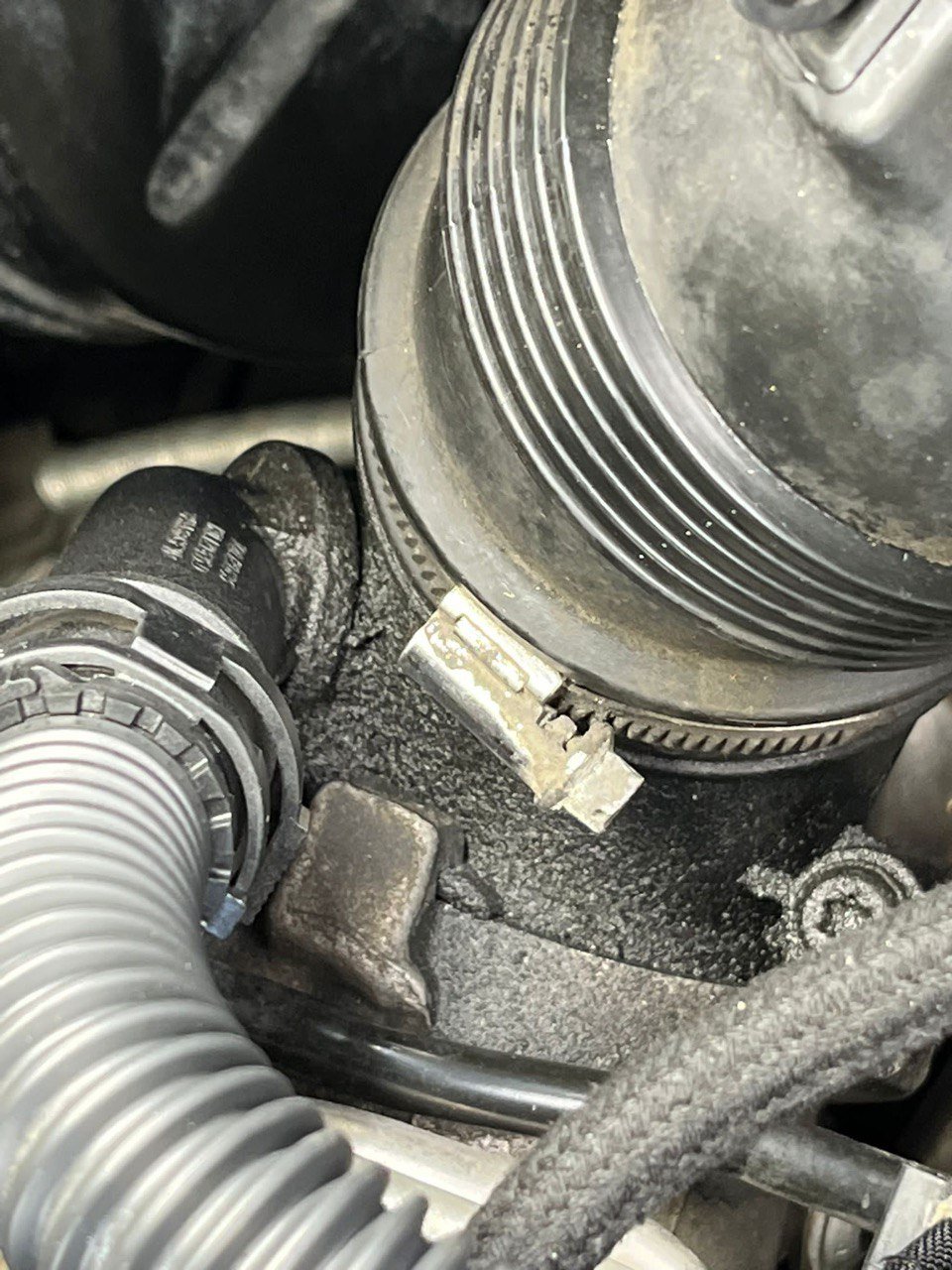
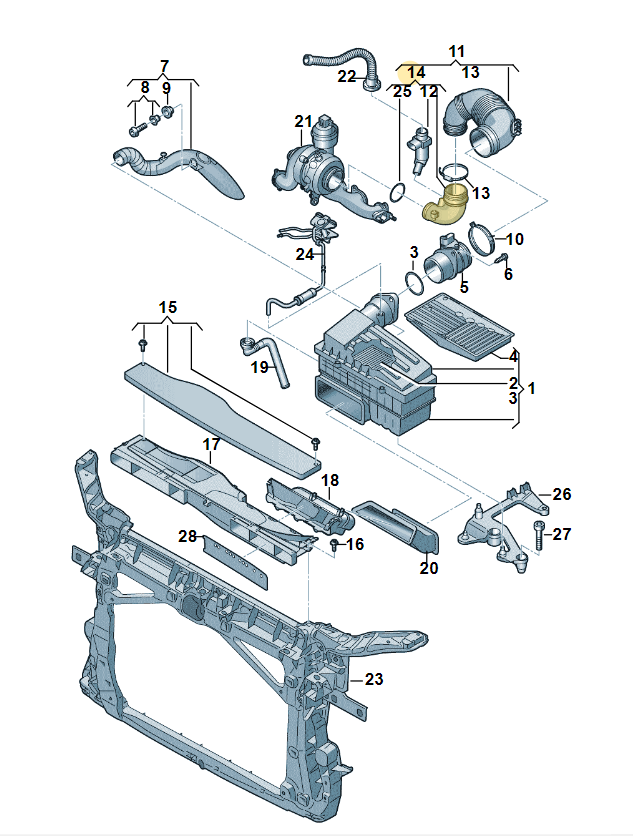
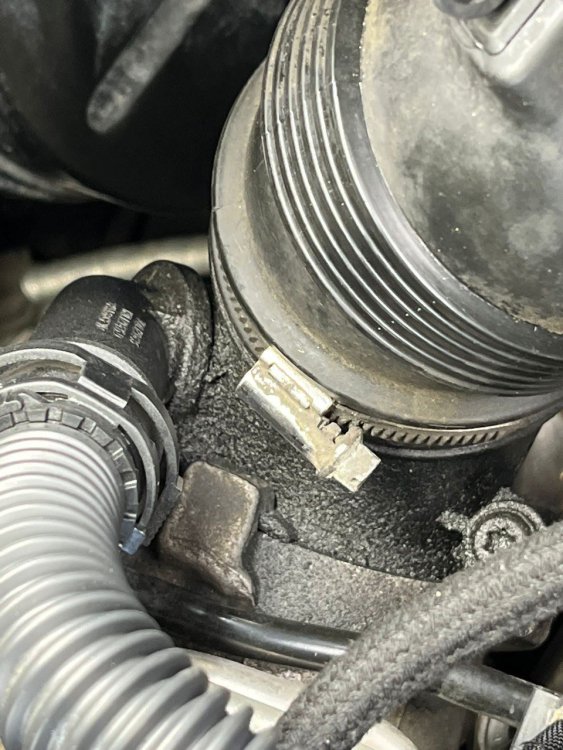
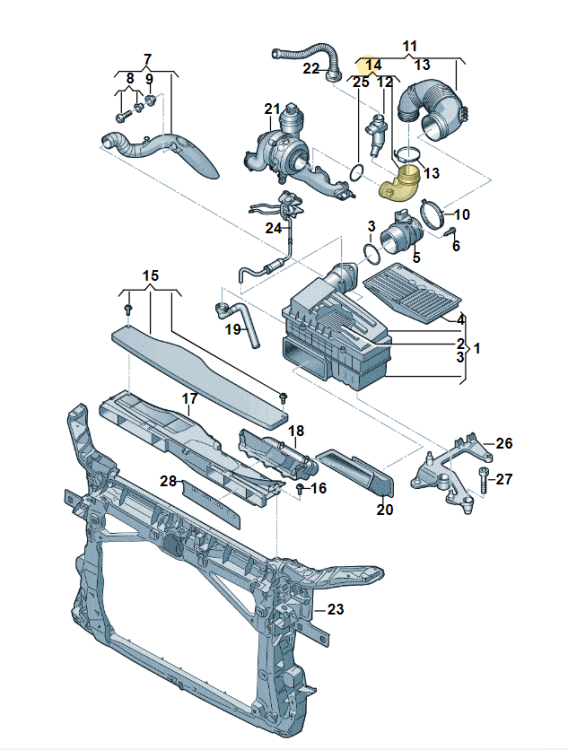
I have oil on turbocharger connection pipe. Is there a way to fix this? Thinking to change O-ring (25) or pipe itself (14)
-
If you have 3Q camera with specific software version then you can upload dataset via ODIS https://github.com/Mr-MIBonk/Lane-Assistant-60-Seconds CarScanner also has this option, but I never tried.
-
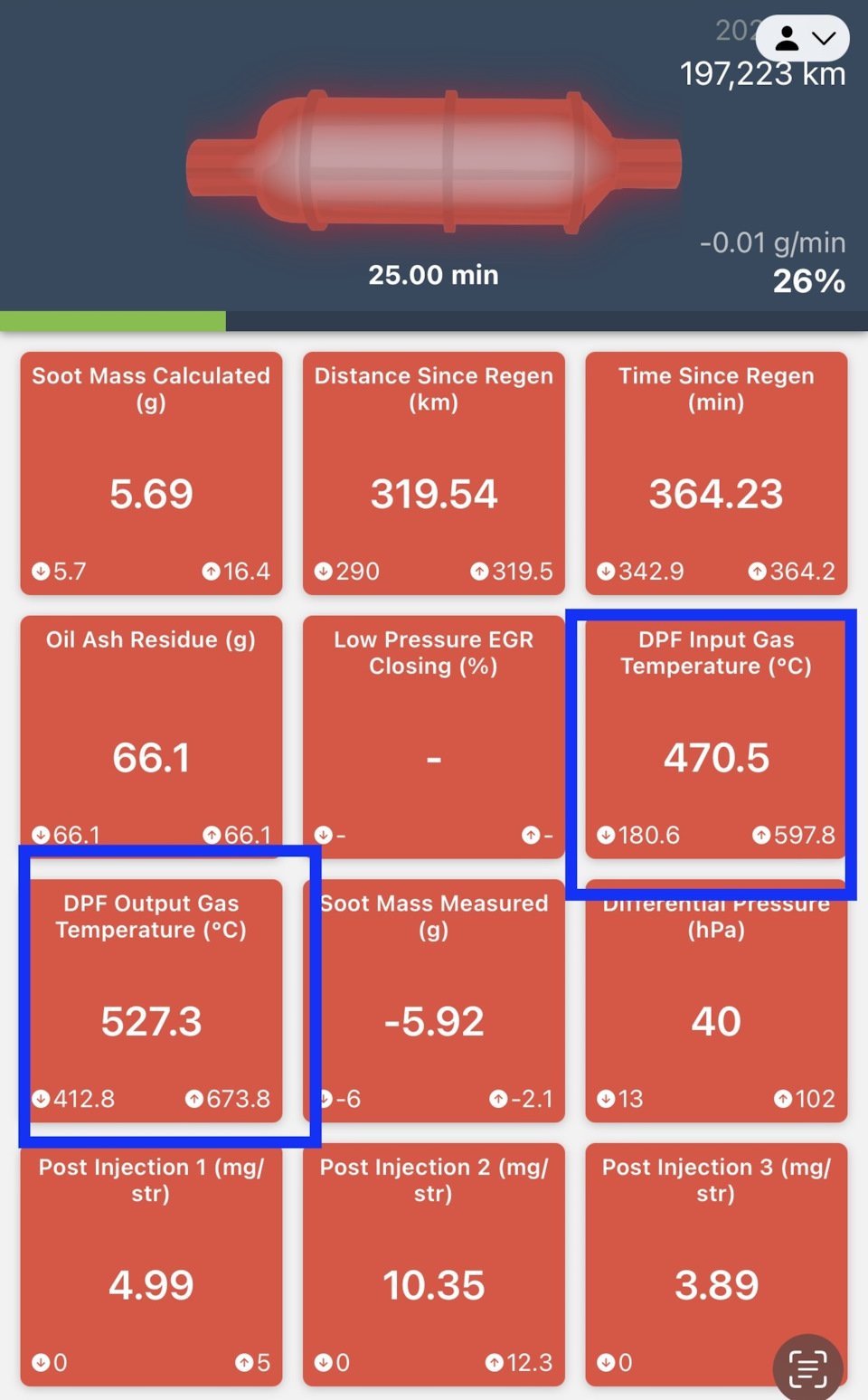
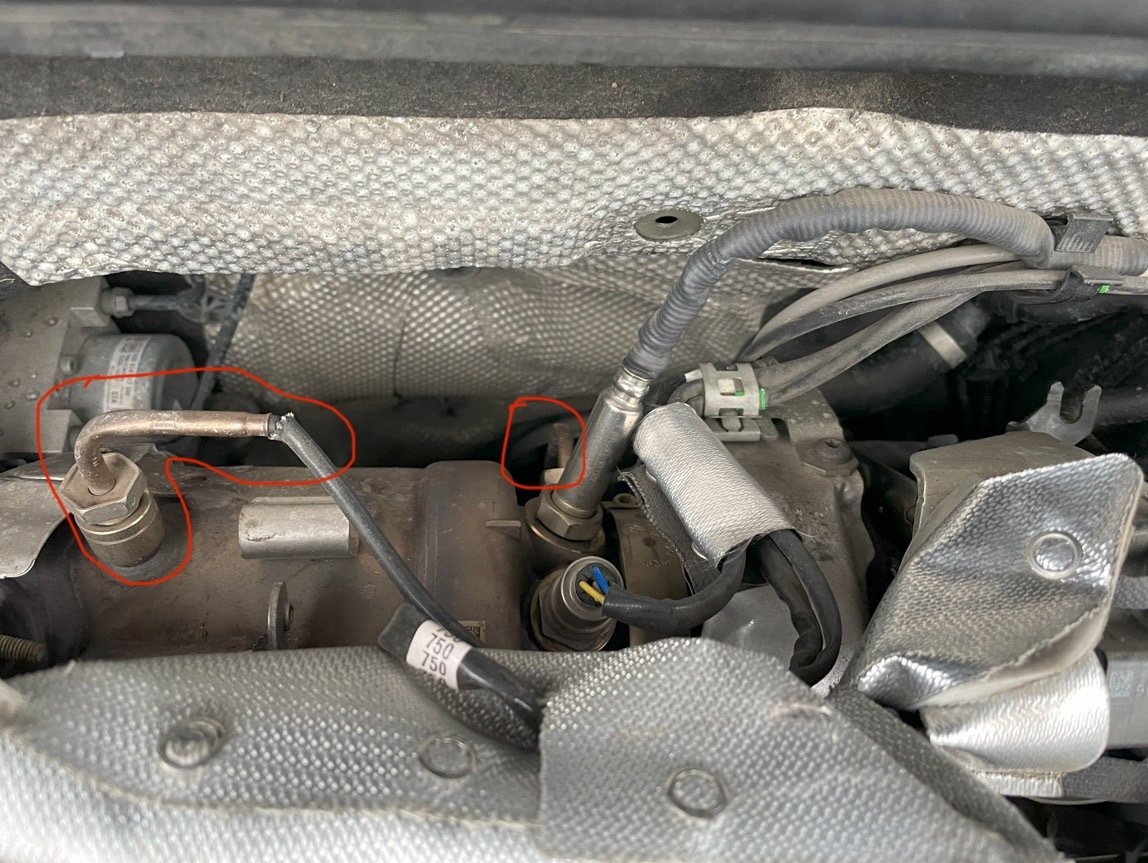
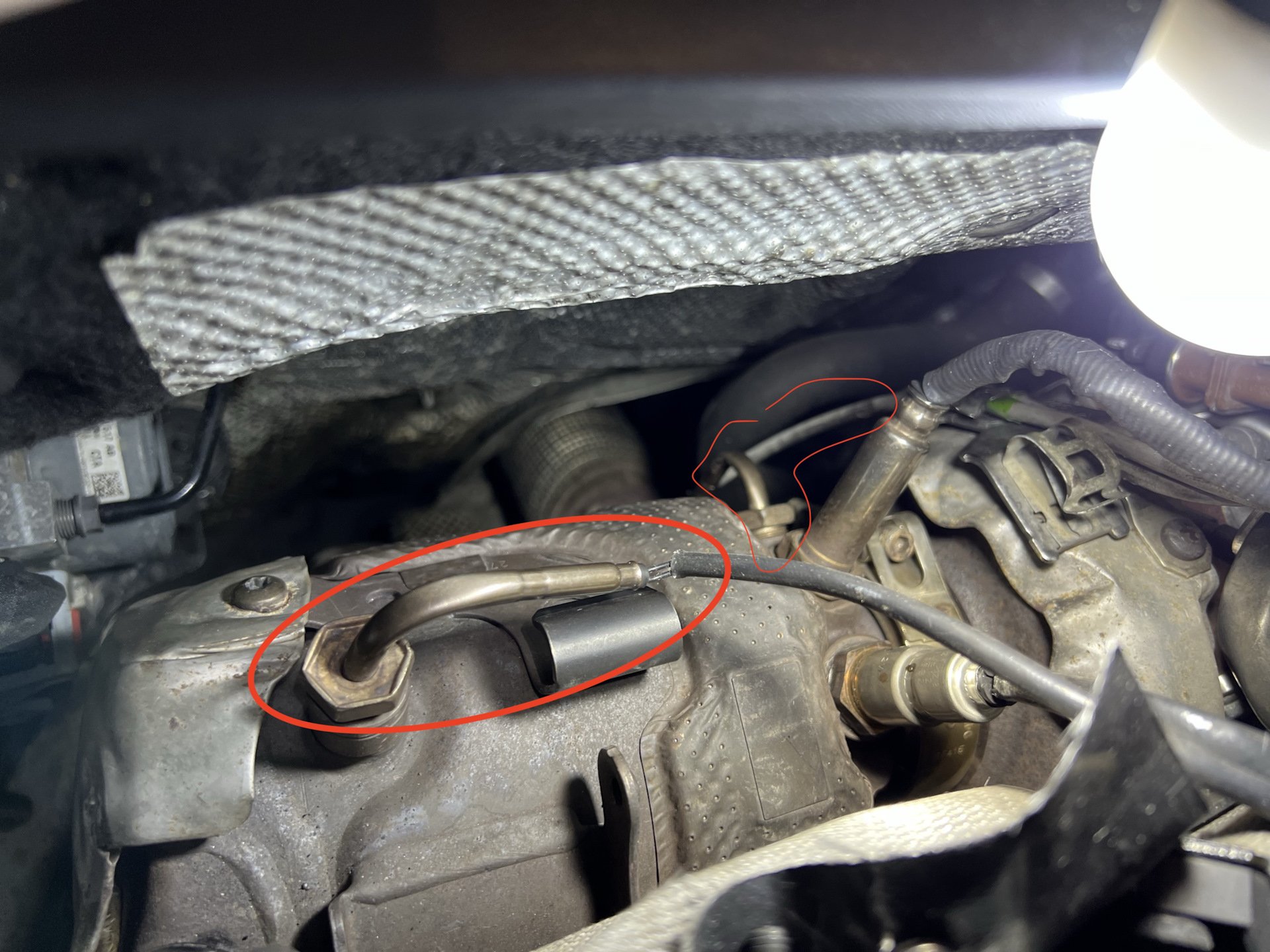
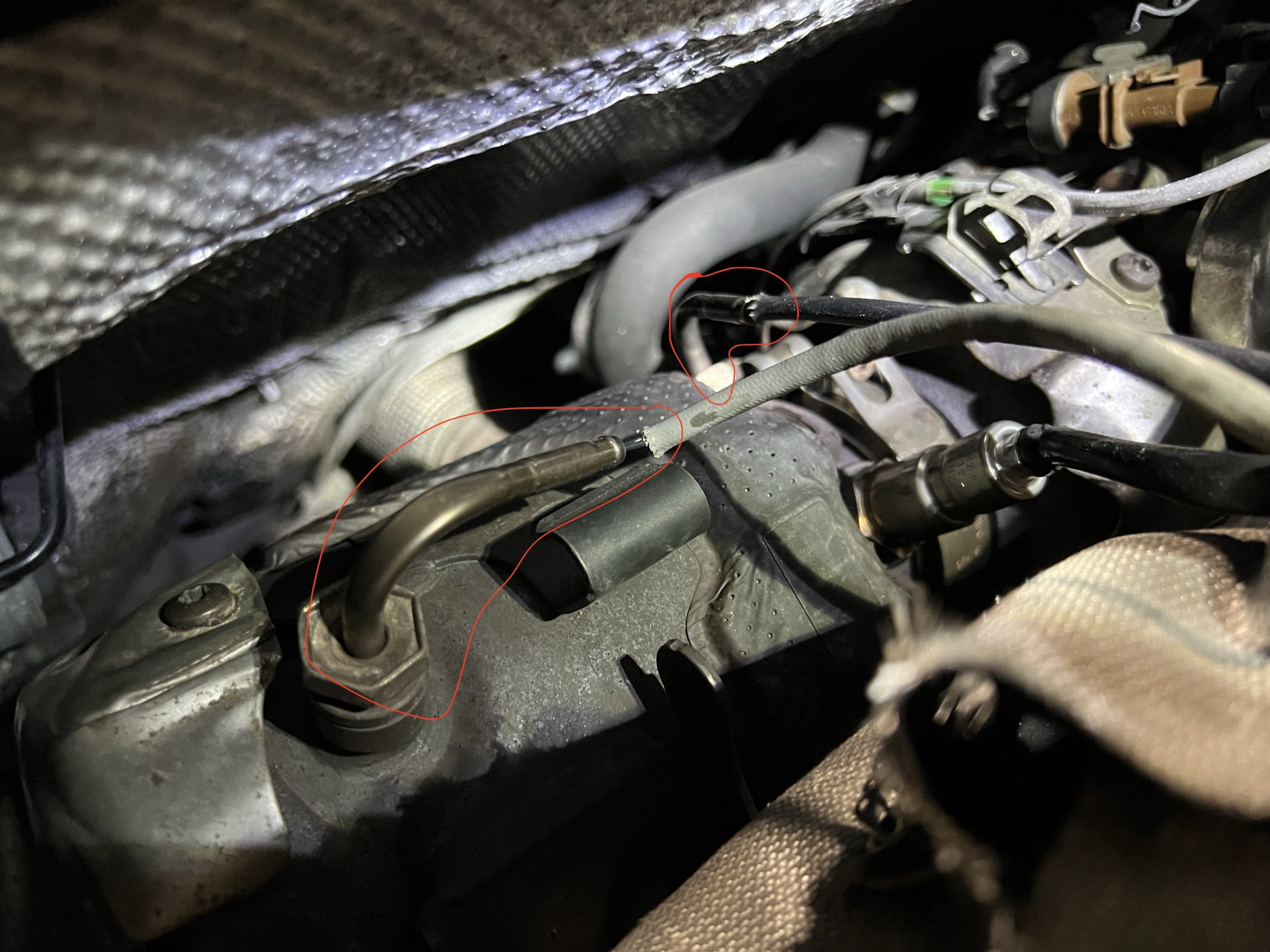
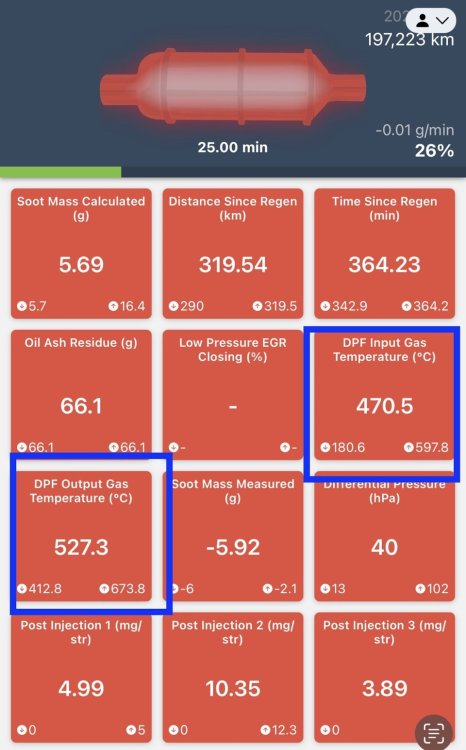
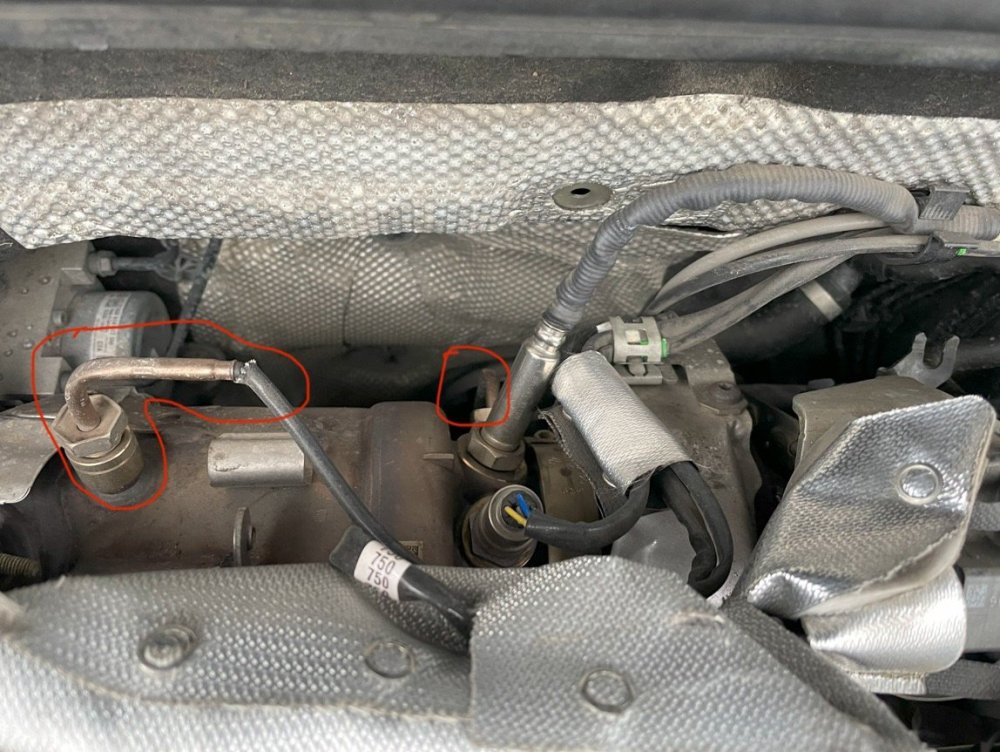
The problem is solved. I struggled with it for a year. In the end, it turned out that the sensors of the exhaust gas temperature were mixed up 1. Noticed that Output Gas Temp is higher then Input 2. Did some ELSA/ETKA research to find what temp sensors should be installed and what color. 3. Found some photos in internet with temp sensors installed correctly 4. This is how they installed in my car. Temp sensor after CAT has different wire color, should be black and vice versa 5. Now installed correctly I don't know who needed to remove the temperature sensors. Car was servicing on dealer. I have recorded in service history that ~800km before purchase, they replaced DSG.
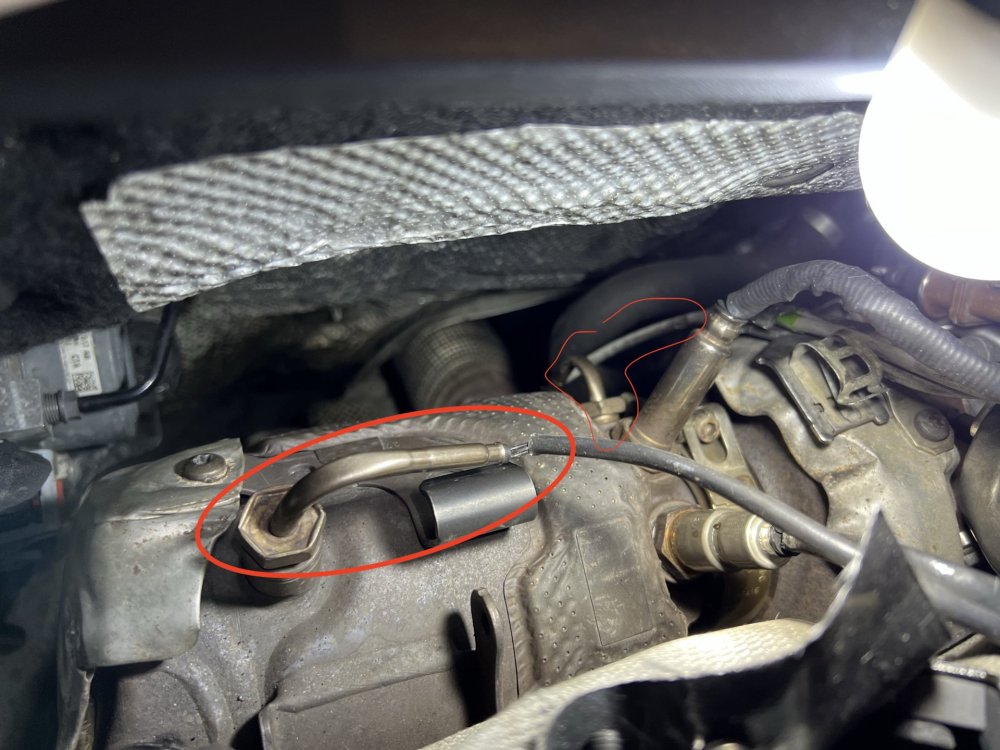
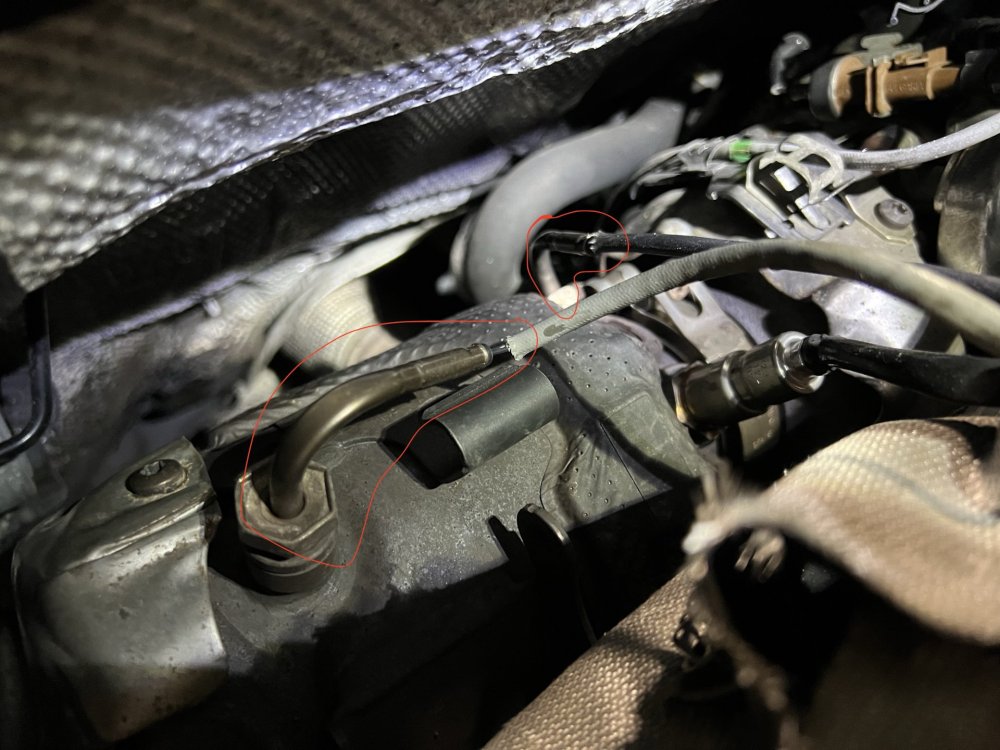
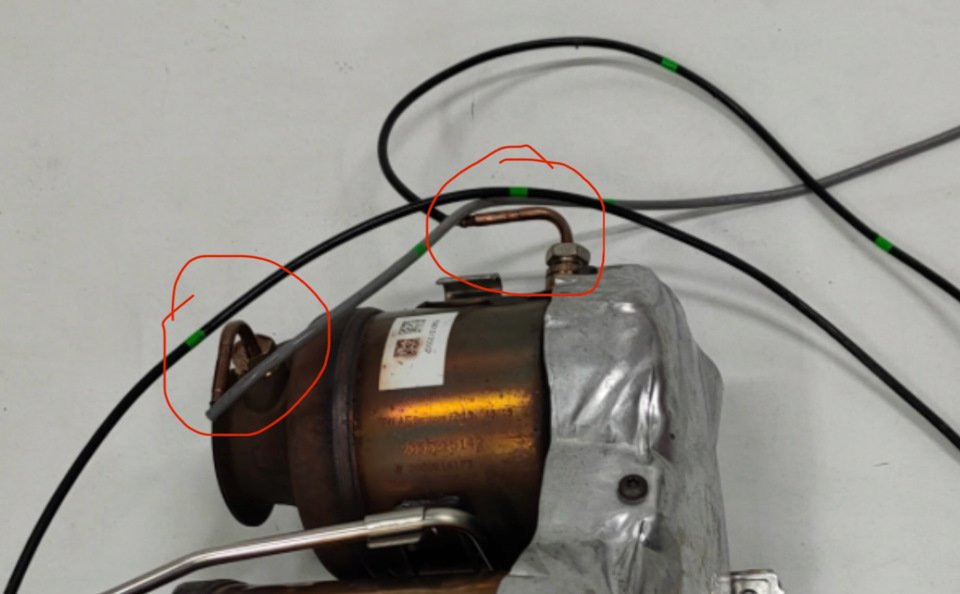
-
yeah, same one for Octavia 3/Superb 3/Kodiaq/Karoq
-
I see a lot of questions how to make work heated wheel button work: Climate - Coding - [LO]_Heated_steering_wheel_version => "[VO]_LRH_Gen_2_mod" or "[VO]_LRH_Gen_2_mod_with_longpush" In case you have a clock spring with heated wheel option.
-
I have few, I will publish on marketplace soon. As already mentioned on the forum adapters are from Russia
-
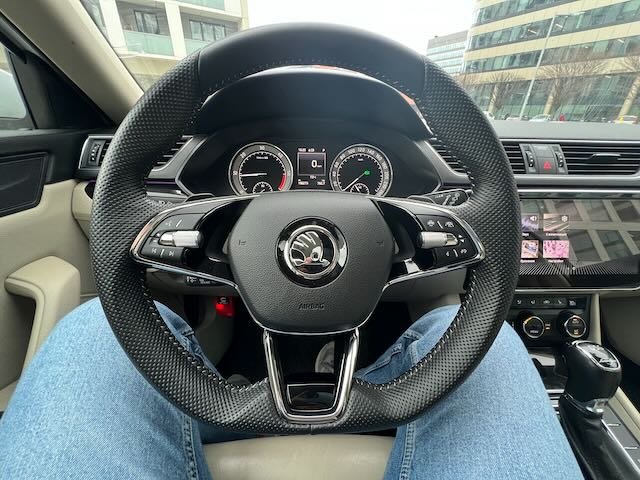
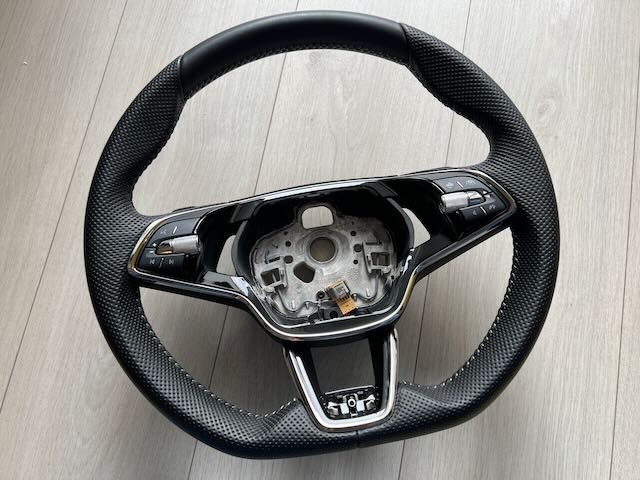
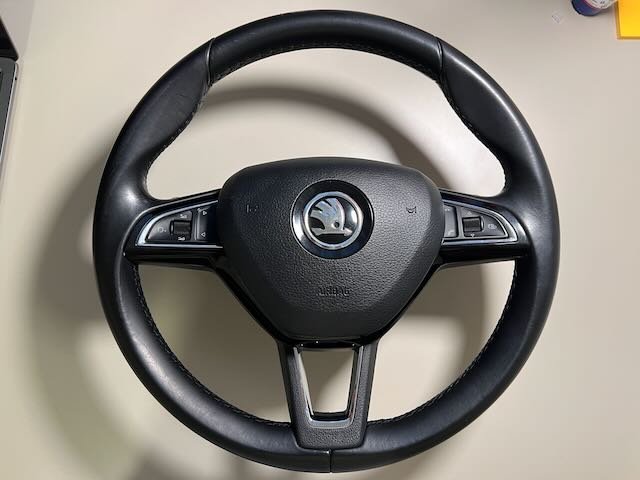
I have a Skoda Superb 2015 L&K and had desire to install a new sport 3 spoke steering wheel from new Skoda Parts: 1. Steering wheel from Skoda Octavia A8, bought used, like new ~93 EUR 2. Airbag from Skoda Octavia A8, like new ~185 EUR 3. Steering Wheel Plaque / Badge (5E3419685G041 — black, 5E3419685FDPJ — SportLine) cars-equipment For 2 spoke wheel it's different 4. Lin adapter I know two solutions one is from cars-equipment 200 EUR and another one that I bought with ability to code some buttons like TravelAssist, now twice cheaper then first one Removal is very simple, turn wheel to 90 degree and unplug with short screwdriver; and then from another side. Disconnect battery. Need spline New one with Lin adapter Final result All buttons work except TravelAssist(top right), because 2015 Superb doesn't have it. But I switched it to Phone by changing coding. More photos:
.jpeg.83f4d35cfd816d176dcb1322e5257dcb.jpeg)
.jpeg.075f8a6a19a1901d736bcce817896829.jpeg)
.jpeg.417ca82343bbcc934b4b9e395d44a083.jpeg)
.jpeg.e6b54c9ab87c569cae9233d9facbef07.jpeg)
.jpeg.f2724220c406ef5162435c4dd7ffaf34.jpeg)
-
I do have few Lin converters in EU, almost twice cheaper then from cars-equipment
-
where do you buy the wires?
-
I do have same with minijack, probably same way to remove. Just start pull it with plastic tool from sides
-
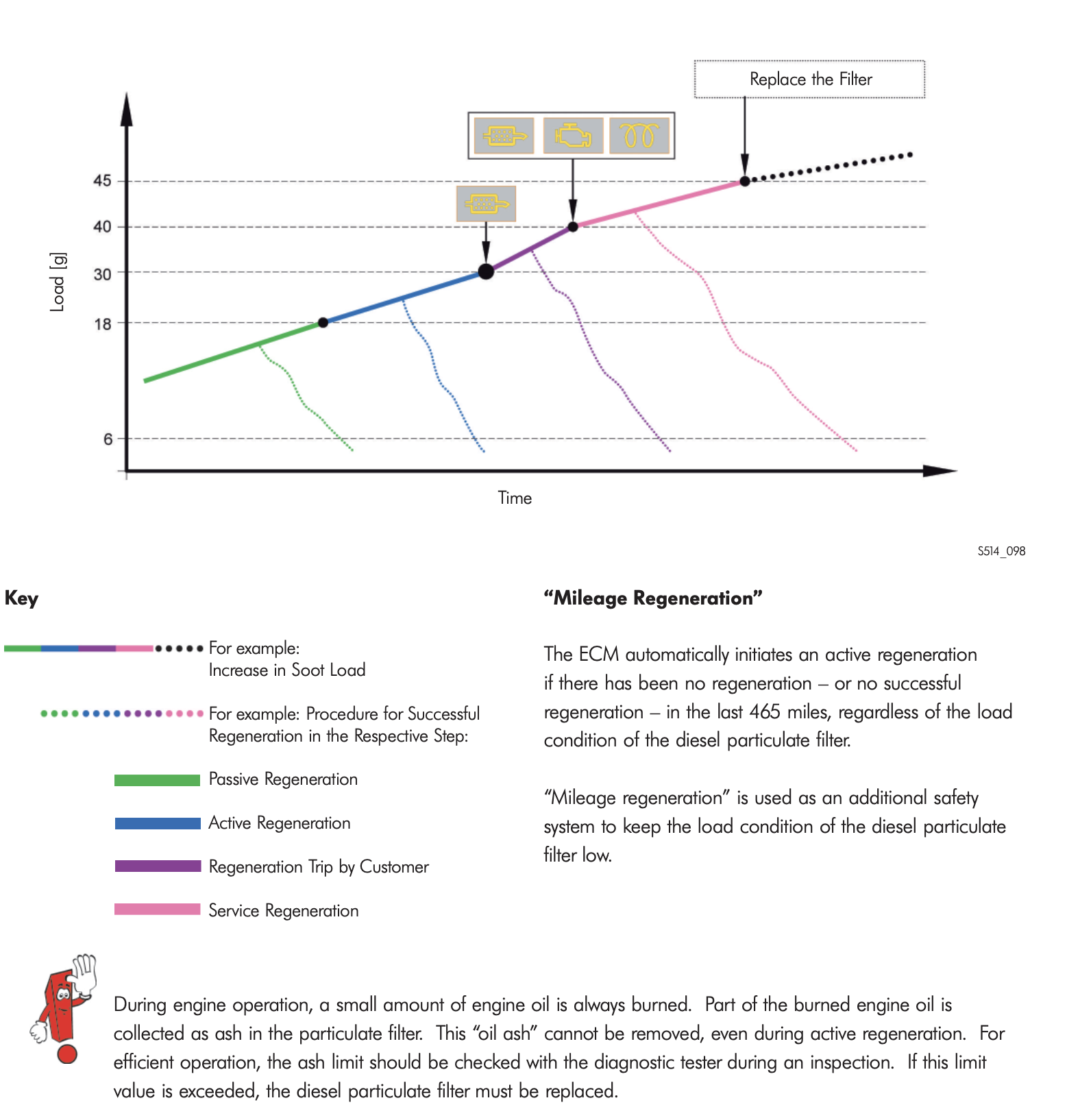
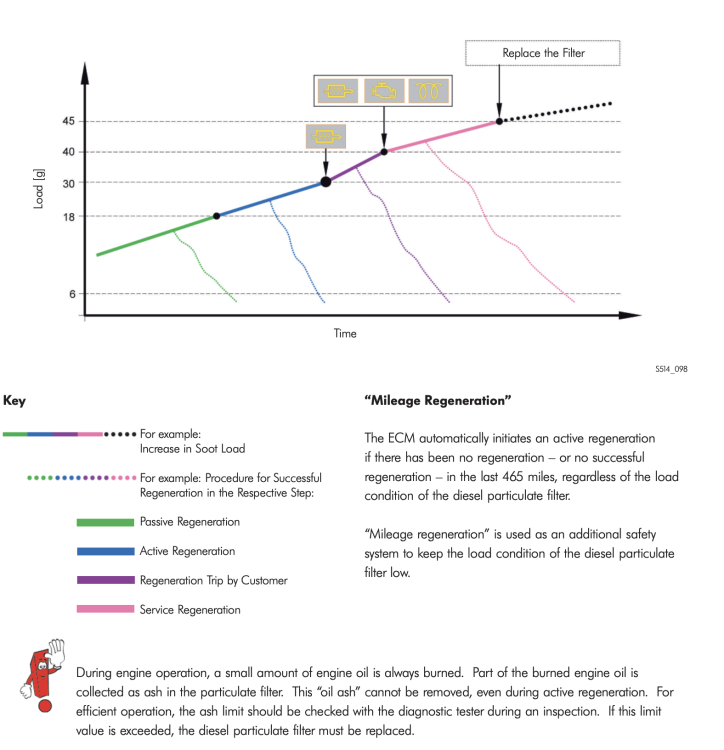
This might be even on a new car. Because regeneration was interrupted multiple times before.
-
Checked both CATs after DPF and on the top of DPF, all good. Have no idea what to check next
-
I have old BCM with 3 ambient lights 😞
-
Yes, only one wire goes from BCM BCM -> Left Outer - ----------------------------- Right Outer | Left Inner------------------Right Inner
-
Are you going to write instruction?
-
Maybe one more needed that connects all 4 tail lights, if you're going install new BCM with animation
-
*in good condition
-
P0420 (Catalyst System, Bank1, Efficiency Below Threshold) raises every dpf regeneration, yesterday checked CAT after DPF it’s in condition. No idea what to check next
-
The best way is to find electric schemas for both tail lights and check About first question, as I understood it is about turning indicator, if you compare olds ones and fl you notice that on fl indicator works on both inner and outer, it means that this animation should be synchronise, so you need provide one extra wire between outer and inner.
-
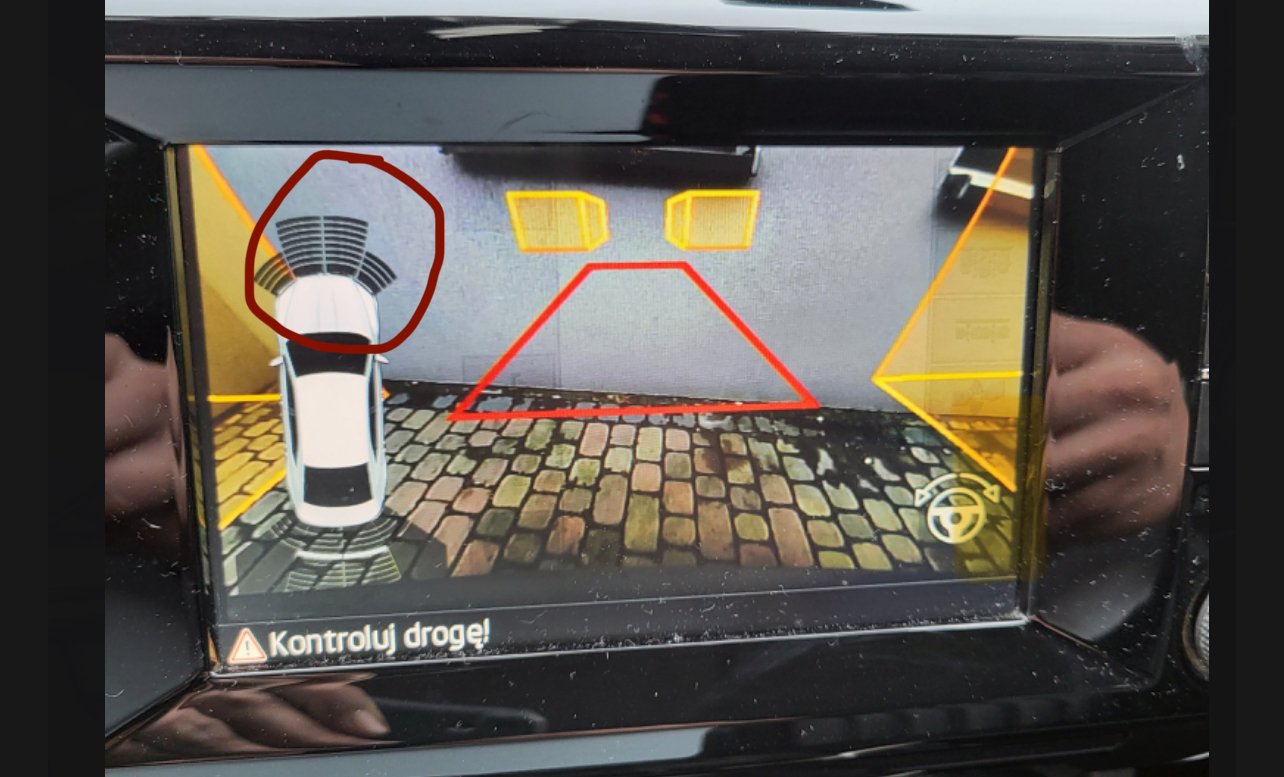
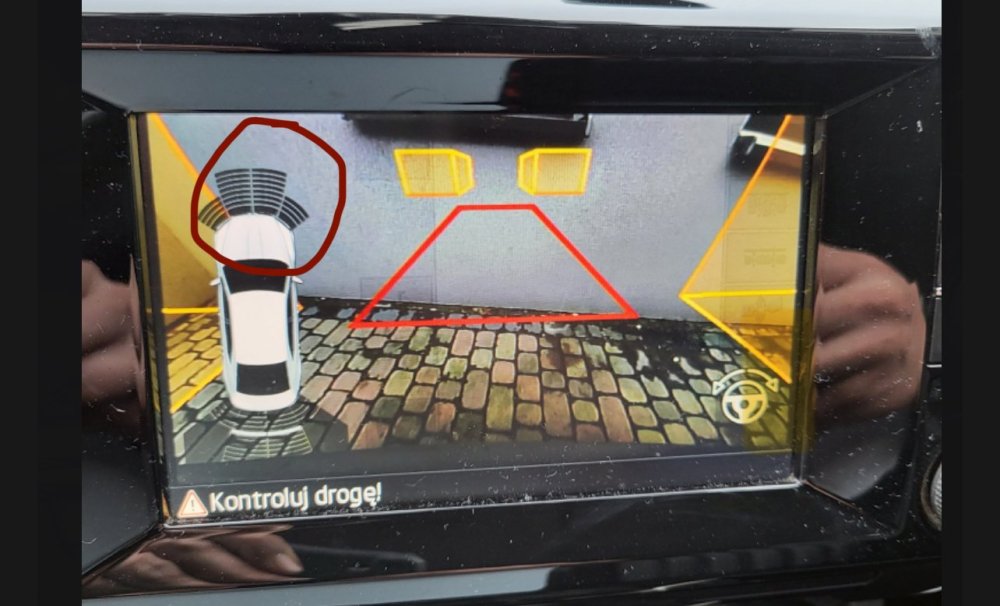
As i understood, issue with the front parking sensors animation. But still, as mentioned in another discussion try to update firmware, you can do it by yourself for free.
-
-
If you want to upgrade to 9.2" check this
-
Probably it is a MIB High 2 Please send Train version (long press MENU - Update/Versions)
-
P4526 1440 Google it mibsolution