Morph
Members
-
Joined
-
Last visited
Everything posted by Morph
-
Yes you are correct, about 5 clips run along it under the raised bars. Just pull at it and it will come off.
-
Resolution to this issue finally. The new eBay comfort regulator has a little rubber grommet at the bottom of the front side runner as does a oem one, it wasn’t good enough meaning the window dropped a tiny bit further than it should, hence switching off the down one touch option. I glued a small piece of rubber on top of the original and it’s now all working again. Will it last!!??
-
Done it myself on the drive and got it recharged at the garage, horrible job especially for someone with limited experience. The dealer sells a little black plastic grid screen that attaches to the fins to help prevent this. 1K0820746
-
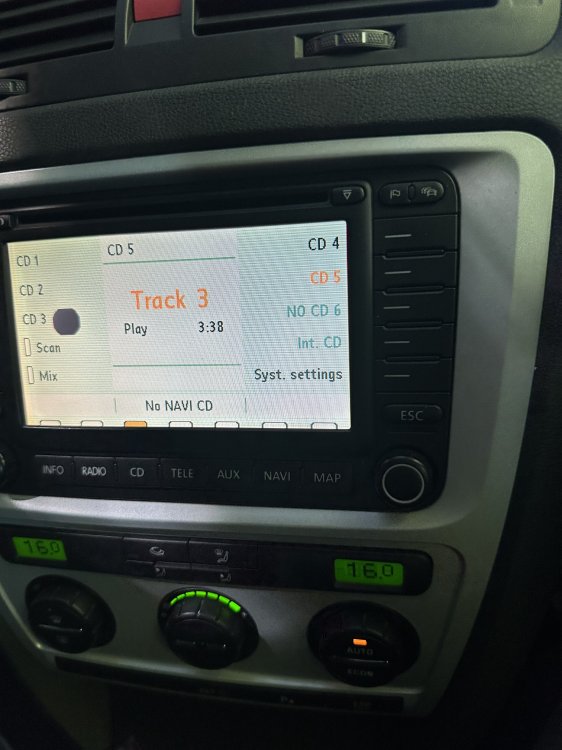
Any ideas if this bleed is fixable?
-
For anyone else who has the same problem I’ve found that my ODB11 reader works on other cars just no longer mine for some reason. Other readers work on my car.
-
Reader also works ok on neighbours Focus
-
ODB reader stopped working on my car, tried it in a Mercedes and it worked fine, back to my car - won't work. Removed pins from OBD connector to test for clamping strength, all seem ok but I closed them up anyway - still no connection. All 7 pins give expected readings in relation to ohms, voltage and continuity. Red power light and wifi light working on reader. Until I can test another reader tomorrow what are the thoughts on this?
-
I understand that I want to find a solution to a problem so you believe differing things but despite being way beyond me this extract from a forum seems plausible, any thoughts? @MaticMD: Thanks for the auto-scan. I suspect (hope, really) that it might contain a plausible explanation for your window regulator problem - maybe? So, from your auto-scan, here's a better view of the long-code strings on both your driver and passenger side door modules: Byte Driver-side Driver-side Passenger-side Passenger-side Hex Binary Hex Binary 0 00 00000000 00 00000000 1 11 00010001 11 00010001 2 03 00000011 01 00000001 3 20 00100000 20 00100000 4 00 00000000 0A 00001010 5 02 00000010 00 00000000 6 08 00001000 04 00000100 7 00 00000000 00 00000000 8 00 00000000 00 00000000 9 00 00000000 00 00000000 10 10 00010000 10 00010000 11 00 00000000 00 00000000 @downtime conversation about the module dataset is spot-on (I reckon). I've highlighted Byte 6 in the table above to show that there is an apparent difference between the coding of Driver/Passenger modules. Now, normally different Byte values across both modules is not unusual on MQB platform vehicles, but the software switches on Byte 6 selects the window regulator Dataset that the module uses to control the "fast-glass". Remembering that binary numbers are read from right-to-left and the right-most digit is Bit 0 - I hope you can agree with the following observations from the table above: on your Passenger-side module, Byte 6, Bit 2 is set- which means that the lower-nibble has a value hex04, which means that the module is using Window Regulator Dataset 1. on your Driver-side module, Byte 6, Bit 3 is set - which means that the lower-nibble has a value hex08, which means that the module is using Window Regulator Dataset Auto-recognition. My suspicion (guess, really) is that the hex42 module might be having problems selecting the correct Dataset when in AUTO mode. I'm not sure why this might be happening. Perhaps, there is a degree of un-OEM-ness about this non-standard module that's causing confusion with this part of its operation (again, just a guess) So - given your statement that the hex52 module is operating OK, it's probably safe to assume that Dataset 1 is also the appropriate protocol for the hex42 module. Therefore, try changing Byte 6 on the hex42 module to hex04. Don PS: here's the relevant long-code helper screen FYI:
-
Only the regulator was changed, not the motor.
-
Brand new - called ????? comfort. https://share.icloud.com/photos/08cYhkr7inUI7mMvG2QSEOQgw
-
I have followed all the variations banded about on the internet and such of reset procedures and still the same, works perfectly until you let the window open fully (at its lowest possible point) and then the automatic side stops. If I try and hold the window in the down position to reset it never works as this is where the failure point is. If i put it up and reset it both up and own options work again - I can open automatically all the way down again but if it gets to the very bottom, auto open and close stops again.
-
Thanks for the reply, at 12.6v and just above when resting so the battery is good. I have a sneaky suspicion based on research that I need to recode something for the car to relearn where the bottom stop point is.
-
I have the BMN and have always thought the smell was horrible even from nearly new and certainly gives me an indication of exhaust problems by it getting worse.
-
Changed out my window regulator on drivers door and now every time I open the window fully it cancels auto open and close. Reset it using the hold up on the switch method and it works fine unless I ever let the window fully open and it stops working again. If it goes all the way up it will still do the auto function, so will go automatically down again, if I stop before fully open everything works as should. Battery had a problem when doing it and I needed to jump it, just using the window loads whilst trying to lubricate option. I would’ve done things like run the motor when not attached to the regulator. Any help appreciated.
-
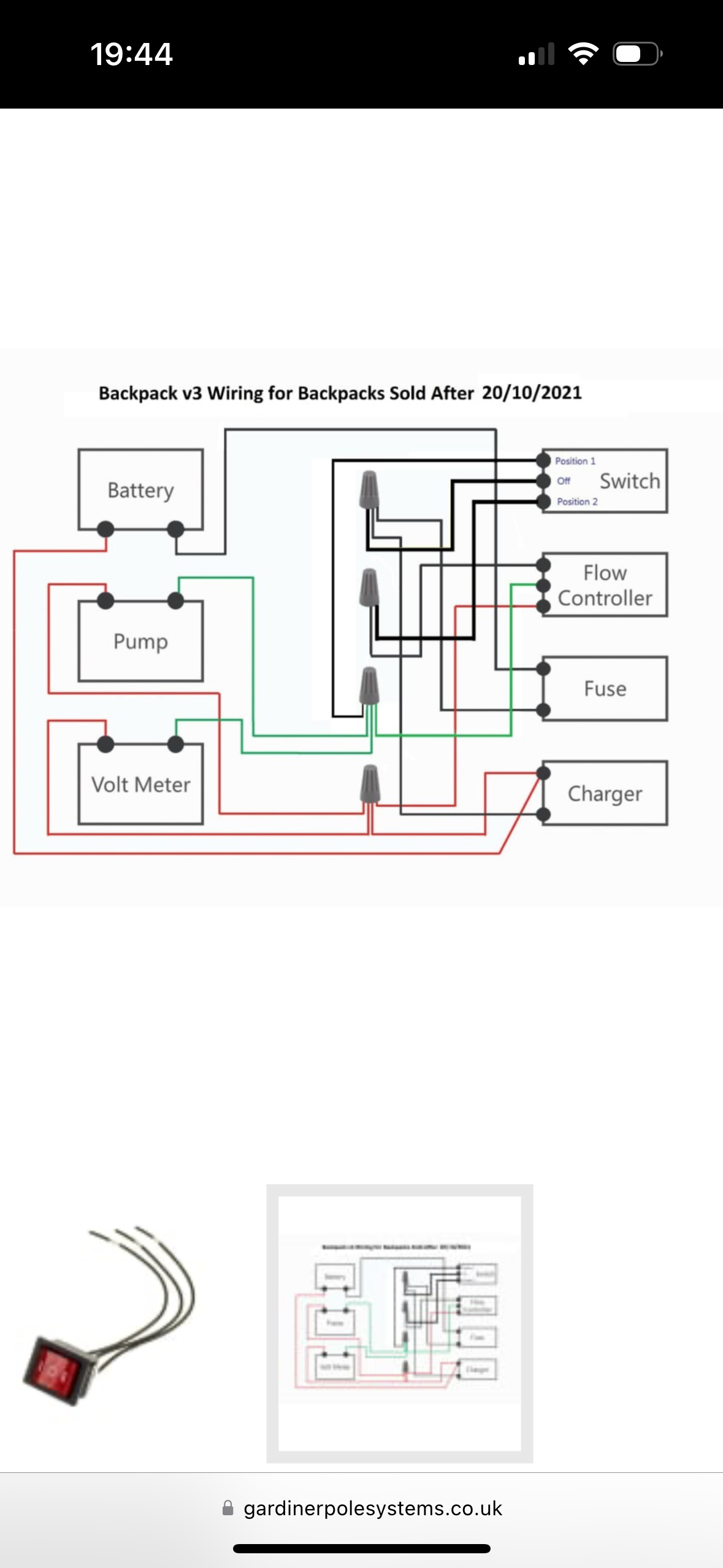
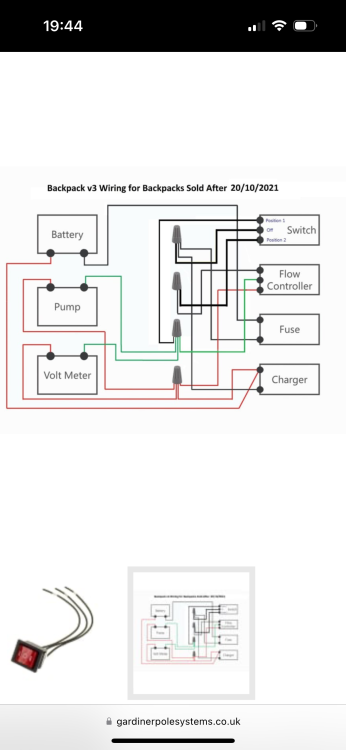
Hi I’m trying to add a remote control to a water pump circuit but struggling to get my head around things. Below is the manufacturers wiring diagram and I want to add a remote control unit, this has 4 wires, 2 positive and negative input and 2 for output. It needs to work after the speed controller. I want to be able to turn the speed controller on and off remotely and leave everything else to work as was. Help would be much appreciated.
-
For others with the same problem. I changed the freewheel pulley and now the noise has gone. Pulley was 20 odd quid and the tools 16.
-
My car is sounding like a tractor when idling, put my foot on the clutch and the noise goes. Two possibilities I have been told are, the alternator or thrust bearing. With my limited knowledge and good old YouTube I have managed to work out that when the belt is off and I have a screw driver in the alternator the freewheel pulley does not spin either way which I believe means that it is knackered. No charging or starting problems. Would it be sensible to buy a pulley and the two tools needed to change it or could there be something else that I am not thinking about?
-
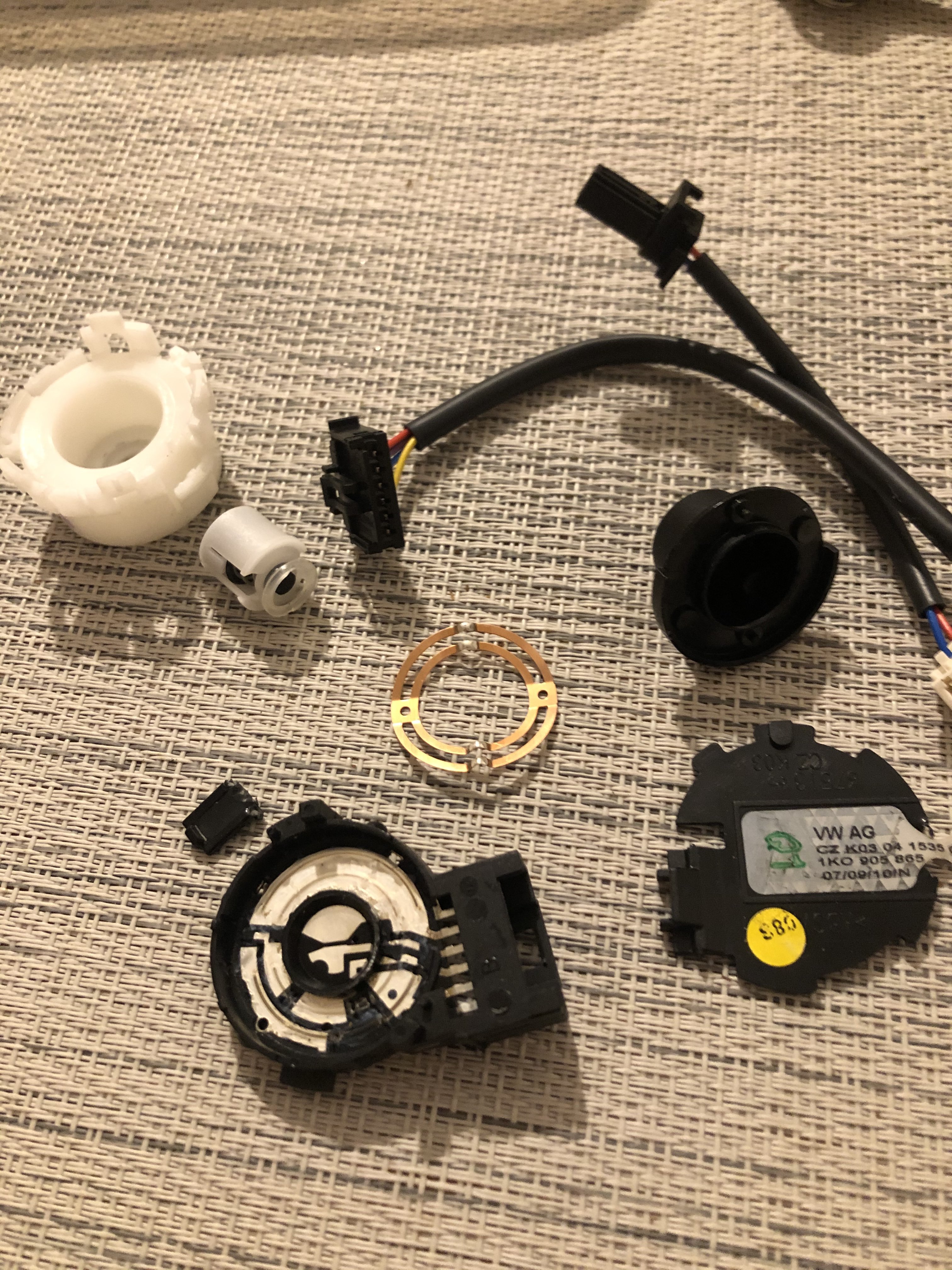
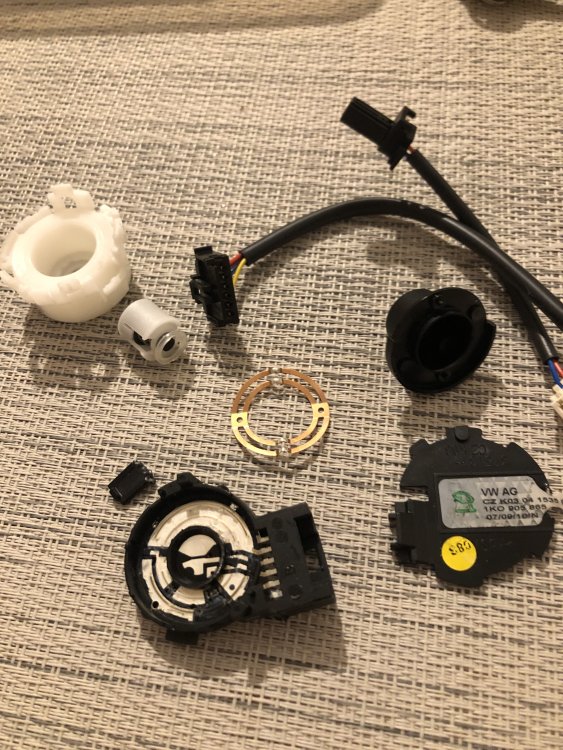
You can change the ignition starter switch on some. I did on mine and I think I had similar problems but along with other issues I’m not 100% sure. 1K0905865 for mine. Here is a pic of the old one out and stripped down.
-
Sort of being lazy/sensible and not wanting to get everything out, jacking it up and all that.
-
Brakes are wearing uneven and I’m going to rebuild the caliper but I’m struggling to find the piston size so I can order the correct kit. Anyone know? MK2 VRS 312mm discs.
-
Hi Could anyone tell me if these are put on from inside to out or outside to in please? https://www.lllparts.co.uk/product/audi-rear-bumper-breather-air-vent-flap-genuine-audi-3t0819465a/id/9421 Probably answered my own question now that I've looked at it again as I assume the rubber seal around the face as shown in pic is on the outside to seal it!!
-
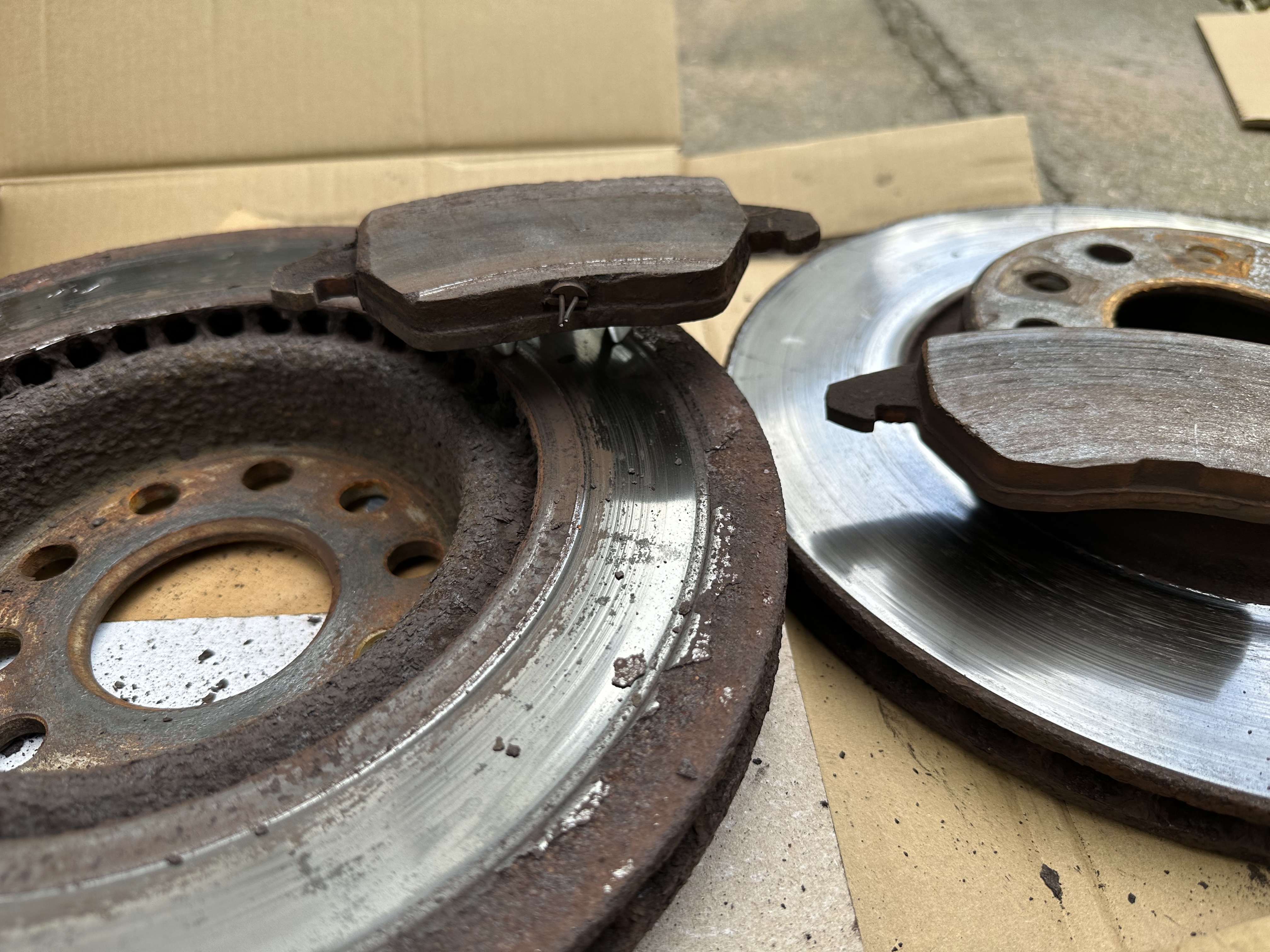
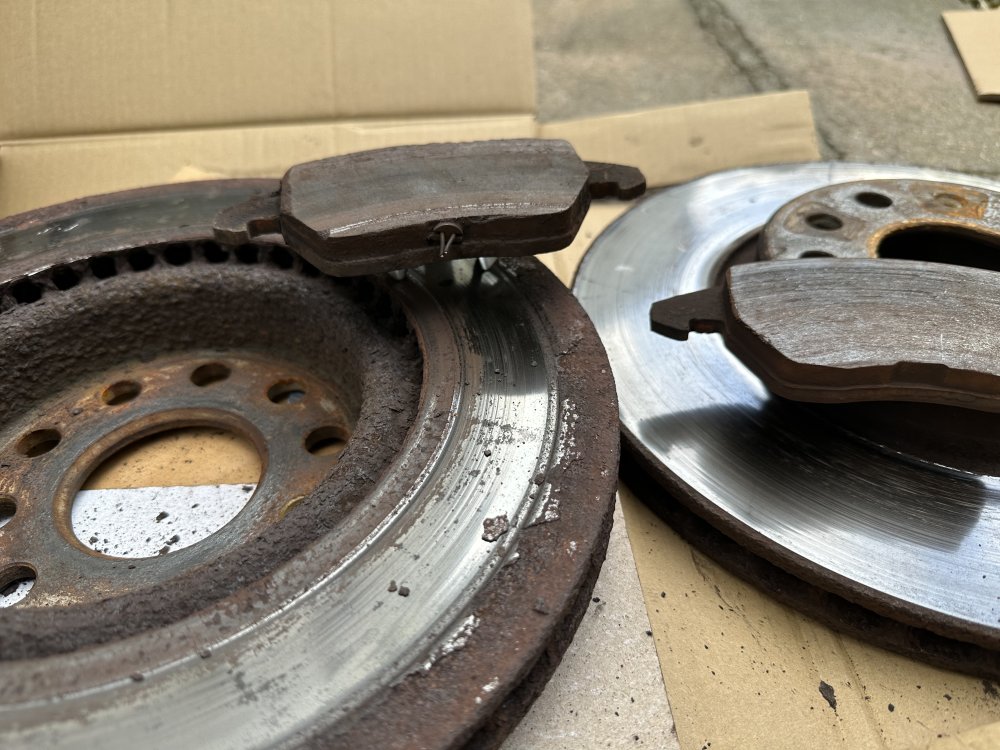
Would like some advice on my pads and discs. picture shows some old Brembo discs and pads. Both inside discs and pads have worn funny whereas the outside ones are as I’d expect. Any thing I need to be looking at or is this normal!!?
-
BMN. Had the crank speed sensor replaced by Skoda about 1 year ago. no VCDS I’m afraid.
-
Any ideas on my rpm counter. Up until today it would sit at like 6-800 rpm but now the needle drops to nothing. Works fine when driving.
-
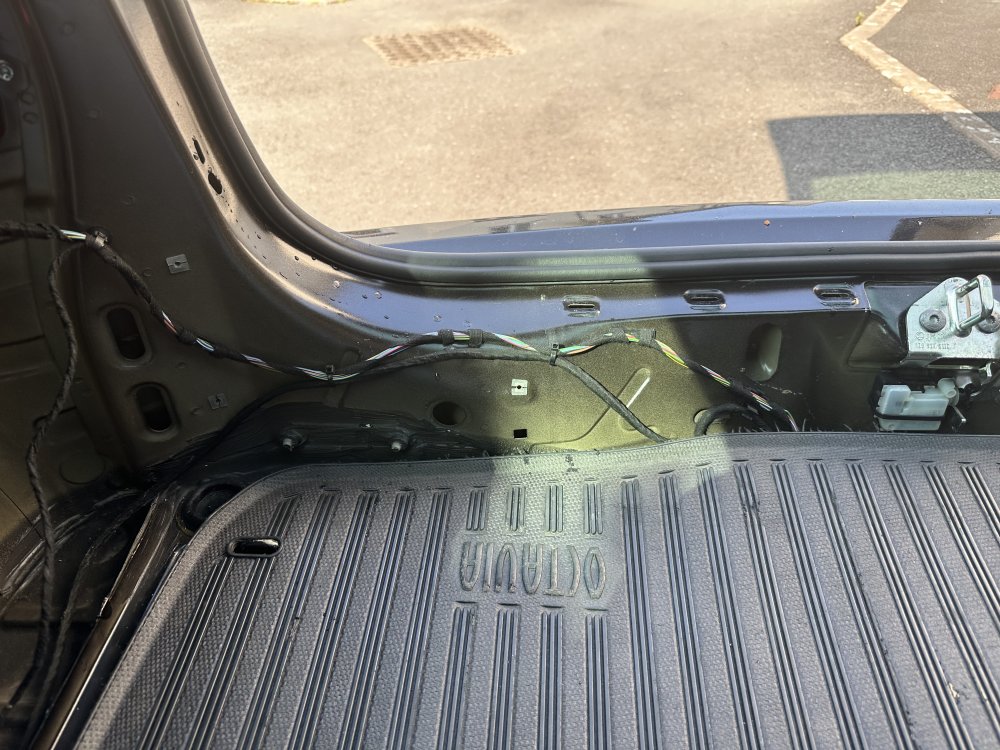
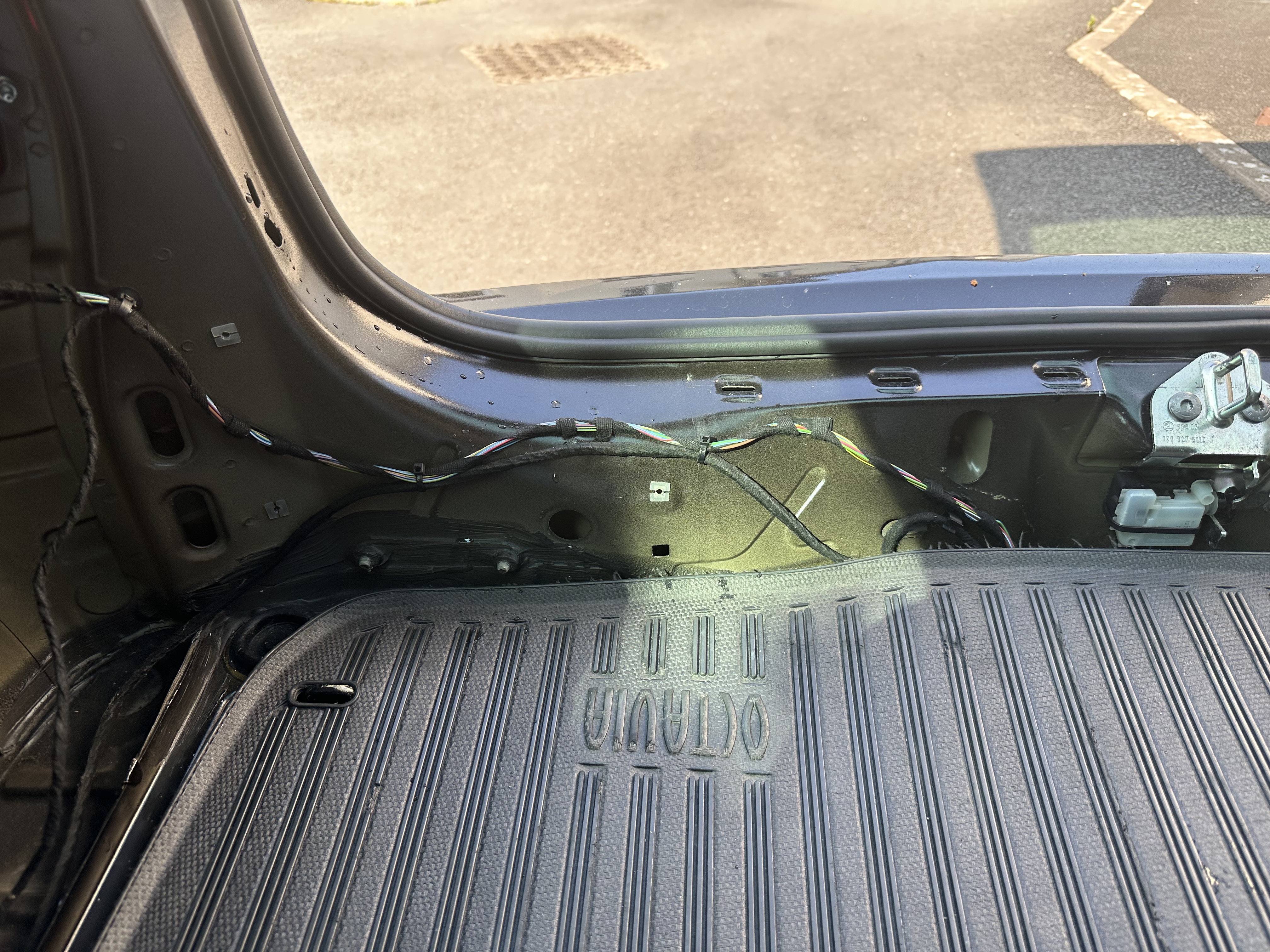
A while ago I noticed a bit of water in the spare tyre well, I have had similar problems twice previously I recall and managed to sort it but this time I have found lots of water in the actual subframe of the car is the cause, by just the amount of water in the subframe sloshing about and getting into the well. In the middle of the picture is a round hole, I can push a piece of pipe in there and down and suck the water out. 1 Month ago I blew and sucked it all out and threw it around a bit, blew the water out again and so on, also left the car open to dry and I believed all the water was out completely. I went away for a month so the car pretty much sat for this time with the only rain being a massive downpour 1 day after I left and someone giving it a wash and apart from the 1 day rain and wash it has sat in the sun for the full month, but today I put the air gun in again and there is loads of water. Obviously there are what I believe to be three possibility's here, 1 - I didn't get it all out, 2 - the huge downpour on day 1 caused it or 3 - a jet washer/washing it is causing it. The water is very clean and tastes clean. Has anyone one else come across this please. I have extensivly tired sourcing it by tracking back things like, bungs, seals, third brake light and so on and can find no water tracking. It happens on both sides but I believe the passenger side is just the excess from the drivers side. Car always sits on a slight slope facing downwards so after getting it all out I parked it the other way to see if this helped.