
stratosg
FREEDOM
-
Joined
-
Last visited
Everything posted by stratosg
-
I had my passenger's door dead locked in my LHD Octavia a week ago. I followed that guide and accompanied by my mechanic, we removed the card without a scratch. Then my mechanic, uses a chisel and a hammer to break apart the the old lock and replace her with a new one.
-
If your car has a CBZA or CBZB engine then the MAP (1.2 Tsi has two MAP Sensors) sensor is located on top of the air intake pipe. It is not like a MAF inside a cylindrical case, but just like a plug type thingy. Take a look at the instructions of how to install a BOV so to locate them. (http://www.tmg-performance.com/media/wysiwyg/TMG-1.2-TSI-BOV-Instructions-EN.pdf) Then it is a good practice to check if your PCV valve is not broken as it can cause problems as well. Its code is 030103175B and is located on the right of the engine block and a bit under the air intake pipe. You can spot it if you follow the little pressure hose from your air filter box going to your engine. More info on the links below.
-
Is your Roomster having a cbzb engine? If so had the 24w6 tpi campaign been performed? If yes there should be a sticker under the trunk cover. If not this may solve your problem.
-
If i am not wrong, it is just a piece of reflecting material.
-
The horn is located behind the left fog light / fog light grill of the front bumper. There are quite few reasons for horn to stop functioning. It can be the fuse as you wrote, or the switch behind the air bag on your steering wheel, or the wires may come loose or finally the horn itself died.
-
It is very possible to connect and then loses connection. It happened to me as well but with my smartphone. It was a phone that had 2.4GHz dongle and the router was at 5GHz. Then my phone got connected and after few moments kept losing connection. It depends on hardware.
-
If it is b/g/n then it is 2.4GHz, else if it is a/c or a/x then it is 5GHz. Keep in mind that in order not to lose connection both your dongle and your router must be set at the same frequency. Finally if they are at the same frequency and you still face connection issues, try to update or re install Wi-Fi dongle's drivers. If you need some help that I can provide through here, just ask. I hope I can help as I am located in northern Greece.
-
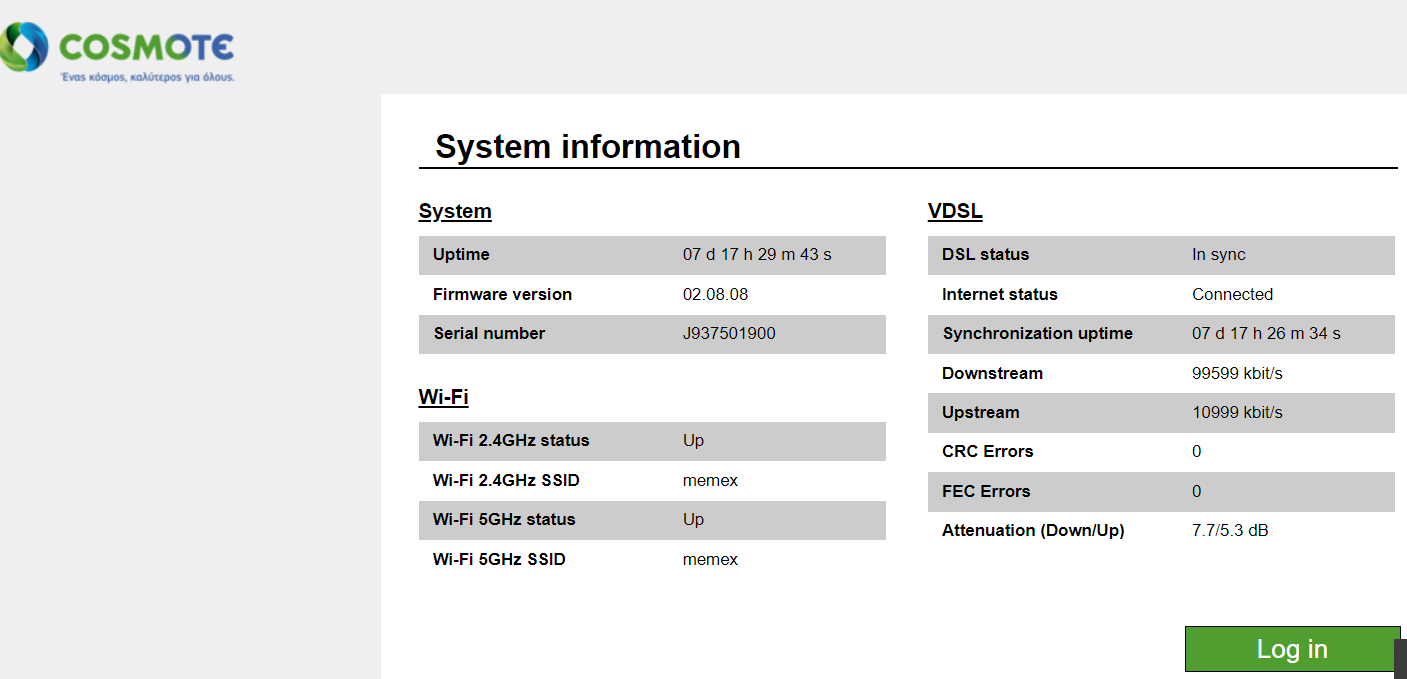
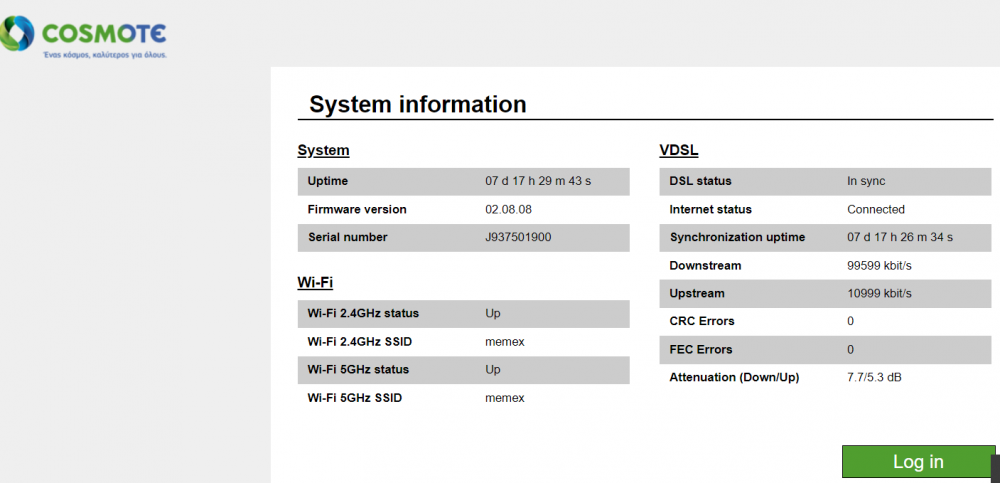
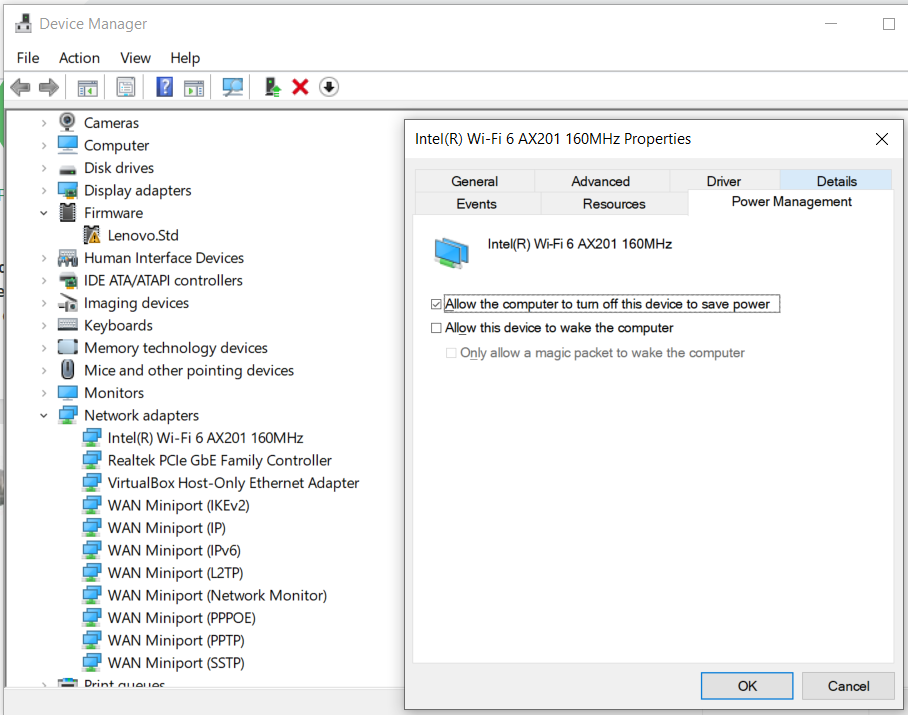
No need to mention anything about ignorance. First of all my English are not that good and then, I am unable to grow a tomato plant or keep any plant alive. So... I meant that you need to know what is your laptop's network card properties. Keep in mind that wireless network cards (wi-fi) and wireless routers do work like radio does. In the following link you can find info about wi-fi bands. https://turbofuture.com/computers/Things-you-mustwant-to-know-about-WIFI While you can either follow the next link https://www.computerhope.com/issues/ch000500.htm or right click on start menu of win 10 then click on device manager. From the list on the new window double click ' Network Adapters'. Then on the one that states Wi-Fi either perform right click and properties or just write down and then google for the type of the network card you found. In example my wi-fi card is as the pic below states an Intel Wi-Fi AX201 which is a dual band card currently working at 802.11 a/c mode at 5Ghz band. Also I included the properties window focused on Power management Tab, so to see where to choose if your computer is allowed to turn off your Wi-Fi card. Though my windows version is the 'Professional' one. Then by giving your router's ip (most common is 192.168.1.1) you may be able to see at the Wi-Fi status the band that your router is transmitting (2.4 GHz or 5GHz). Take a look at my router's properties.
-
Maybe your wifi card is an 5Ghz card (a and c modes) and your router is a 2Ghz one (bgn modes), or vice versa, thus it is nearly impossible to stay connected to each other. Check the types of wifi modes in your router's setting and your wifi card type on your new laptop. There is also the possibility of your router to be capable transmitting in both bands simultaneously but you will have to activate that function.
-
I had issues with my front passenger door (LHD car) when it was raining or when I pressure washed it. Water drops were entering from the upper side of the door. I thought it was the rubber seal of the door but proved to be that the door was slightly hanging. So a bit of hinge adjustment at 'A' pillar and problem solved.
-
Hi mate, take a look at the link below. https://7zap.com/en/catalog/cars/Skoda/brand/17/0/Roomster/Roomster (2006 - 2015)/Skoda/aTBEYUxwUDZmYnlORHk3QzNCT2NhUT09--/6bbffde8b5b8077d2d0a5796da6eea3c:38af4393751f12c1b3f44231bf4d2227/universal/10102->13497/697018050::18005::9831
-
If it is not some kind of short circuit / electrical / fuse problem, then check your a/c compressor to see if he is working or is dead and needs to be replaced.
-
Unless you have another cable split somewhere else or short circuit, it is probably your lock that is playing up. Does your dome light and speedo open door warning lights working as should when you open the door?
-
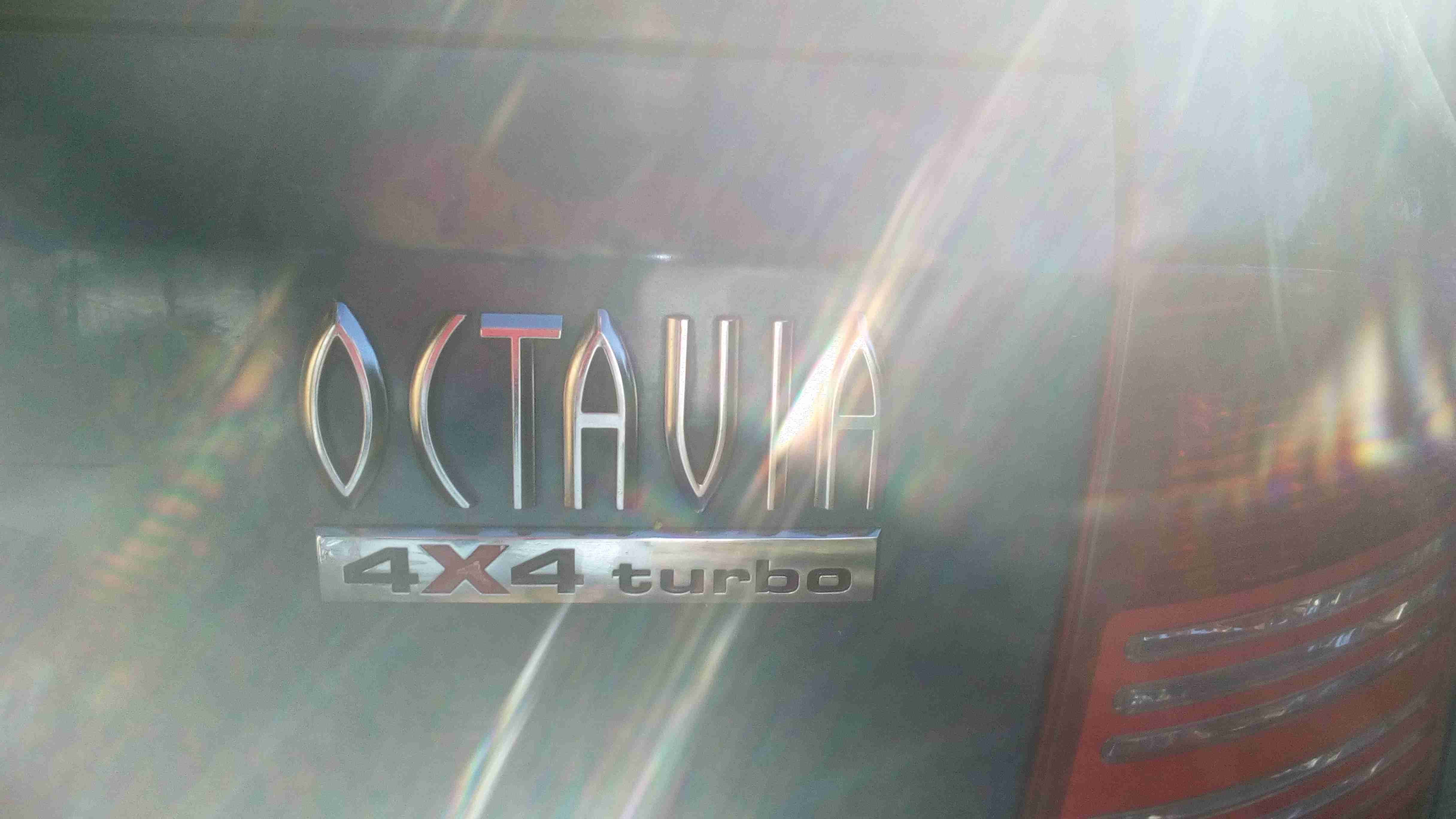
Ours served us for ten problem free years, till we swapped her for a MK1 Octavia estate 4x4 1.8t (my dream car). I strongly agree that Roomster is the most practical and most neglected Skoda car. I also believe that will be a future classic car.
-
Check for broken wires at driver's door. Inside the plastic bellows.
-
There is a vast possibility that your lock is malfunctioning.
-
Is your battery ok? She may have the power to prime the pump but not enough power to move the starter. A friend's Golf Mk V did the same and it was his battery flat.
-
Well @ManolisI will wait for your results as this is an intriguing idea. You can also PM me in Greek, as I am located in Greece.
-
Hi @Manolis , I just came across that thread (https://www.briskoda.net/forums/topic/343922-mk1-scout-lift-kit ) and I think you can find some ideas about getting the car higher and wider using spacers both for wheels and springs / shock absorbers. Take a look and let us know your progress on that. Seems to be interesting.
-
At your other post about your issue there is a quite good explanation. https://www.briskoda.net/forums/topic/489027-water-ingress-in-footwell/?do=findComment&comment=5494943
-
Check for a broken fuse.
-
I missed that spot. You are right.
-
I did secured mine membranes with packaging tape. No problems at all. As for the driver's footwell, check driver's door me,brane as well and of course check the drain gutters that are located under the windscreen and goes down to the rear of the front wheel. Pry the wheel arch cover and check. Finally if door seals and sunroof seals are ok, just check if the door is misaligned and lets the water in (that was my case in passenger's footwell). There is also a possibility to have water ingress in front footwell from the a/c if the drain pipe is blocked. Does your water ingress occur after having the a/c turned on? The last and most tricky place to see is the windscreen's sealant. I had a friend with a 2000 VW Polo whose car was turned into pool every time it rained. We cheked everything I described above. Finally he took the car to a bodyshop and they poured water with waterhose while two people were inside the car and checking for water ingress. They found that water was entering behind the pedals. It was a minor silicone gap, less than 1/3 of our small finger nail. I place my bet on stuffed gutters though. I am really interested on your findings.
-
Remove the rear passenger door panel. Besides it there is a nylon - plastic sheet that covers the interior parts of the door like cables, mechanisms etc. If that nylon is torn then you will have water ingress. Other reasons are misaligned door from hinges or torn door elastic seals.
-
When I had my Roomster I used only NGK 97153 (IZFR6P7).