gwm97e
Members
-
Joined
-
Last visited
Everything posted by gwm97e
-
Tires are fine, they get checked regularly. I'd say the drone is related to engine speed, but then again my hearing isn't the best
-
-
yeah, not a helpful title. Its a 1.5 petrol Scala, with about 55,000 miles on the clock I've been aware of a drone from the engine/drivetrain for some while and now even the missus is mentioning it, and she's quite deaf ;-) Where to start with tying the problem down ? What questions should I be asking myself ? Can anybody recommend any garages in the NW (Wigan/Bolton) likely to be able to look at this (without first saying we'll want at least £120 for an hours diagnostics, and thats not an actual dealership)
-
Thanks @GiscoYeti that looks identical to the Scala and looks like the part I think is rattling
-
Is that a free app ?
-
Here you go
-
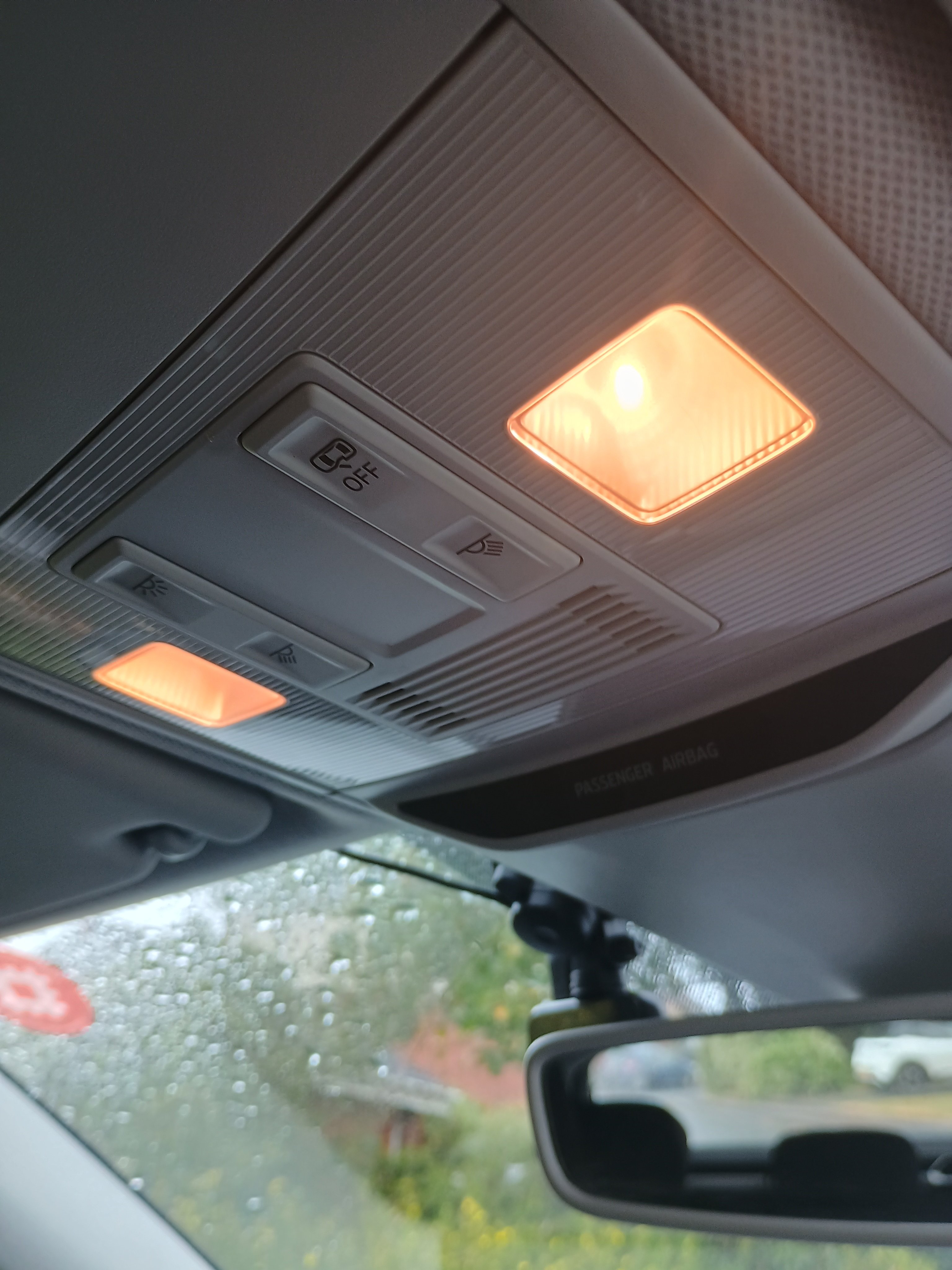
Has anybody any instructions on how to remove the Interior light cluster on the Scala - I've identified it as the source of an annoying semi-permanent rattle and am looking at trying to re-seat it TIA
-
Does anyone have recent ballpark figures for replacing clutch master/slave cylinders on a 1.5 TSI, or indeed a price for a complete clutch replacement ?
-
Does anyone know if the roof bars off any other Skoda models (I'm thinking Rapid or Fabia) will fit the Scala ?
-
-
-
-
-
Is there any way of temporarily disabling them ?
-
I often find the windscreen mists up seriously the minute I turn the ignition, particularly on cold days. Nothing seems to make a difference, check leaves blocking the scuttle at the top of the bonnet, make sure the pollen filter isn't soaking wet and door drains are clear
-
Mine occasionally kicks in for traffic bollards, or just vehicles approaching from side roads - I have no confidence that it would be of any use when needed. Today a car pulled out in front of me on a roundabout when we were both travelling at pedestrian speeds and had to come to a halt. The font assist didn't kick in, UNTIL traffic cleared and I went to accelerate forwards.... I increasingly find myself fighting this car.....
-
It differs from model to model, it might help if you said what model you had a mk II of ?
-
I share your pain, as do many others https://media.rac.co.uk/pressreleases/a-glaring-problem-rac-calls-for-action-on-headlight-glare-as-eight-in-10-drivers-affected-say-problem-is-getting-worse-3296130 Lighting technology has come on leaps and bounds, and its not necesarrily to the good. last night i thought a set of green traffic lights bright enough to impair my vision of everything else
-
Anybody else having to top up regularly - not frequently, but regularly. The car is (currently 😉 ) dealer serviced and I'm convinced they put in as little as they know they can get away with, I don't think it's gone from one service to another without needing a top up, two or three hundred ml seems to do the job, probably talking just over a litre over 20,000
-
150 hp 1.5 petrol (ACT, so 504 00) on fixed servicing, Oil changed last June. Depending on where I park it outside the house the oil is near the top or the bottom of the hatched area on the dipstick. I've put half a litre in and I'll probably end up putting the other half in when I can check it on the flat,at work tomorrow
-
Any idea what quantity of oil is represented by the difference of the top and bottom markings on the dipstick on a 1.5 l petrol engine ? The 'check oil level' warning came on whilst i was driving last night, and didn't go out when I stopped and restarted the engine, but hasn't come on today. There is oil in the marked area on the dipstick, but there's absolutely nowhere round home that's flat, I'll have to wait until i'm back in the office tomorrow, and i do have a litre of oil available but I don't want to over fill it
-
They are USB-C connectors in my Scala, and remarkably flimsy, my phone disconnects from android auto far too often for comfort, and the media player seems to revert to the first track on the USB stick if you as much as give the USB stick a stern look......
-
now i'm back commuting to the office, 20 miles of 50mph limited motorway every day, I've become more aware of the 'distance warning' popping up every now and then. I'm baffled it doesn't seem to have any sort of audible warning, as you'd have to be staring at the dashboard to notice it, and in heavy traffic i'd rather be looking at what's in front of me. Can anybody confirm if it should have an audible warning or not, is there a menu option to turn it on I've not been able to find ?

-
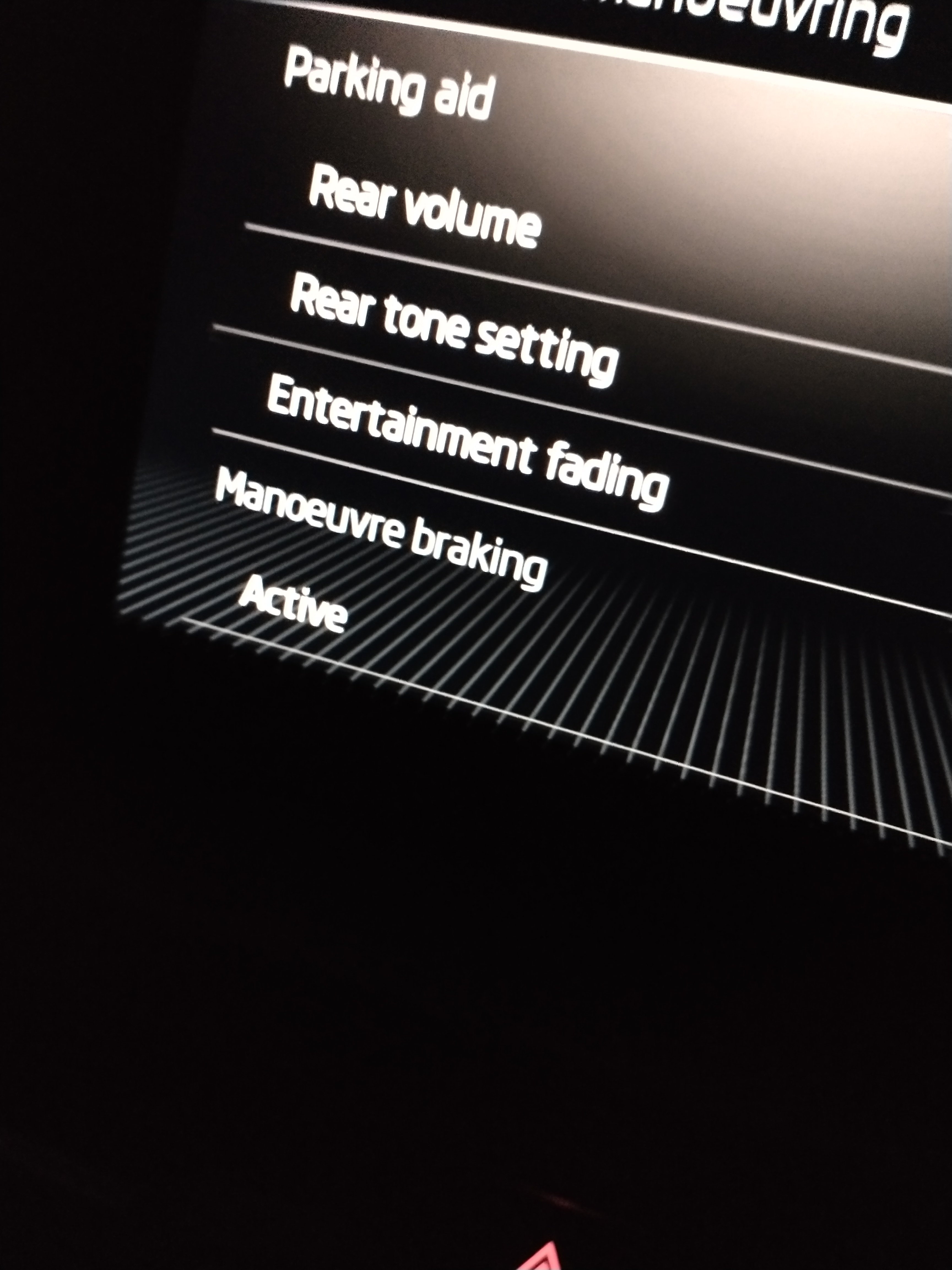
As per the attached picture, what does it actually turn on/off?
-
... Its not 'audio' or any of those things, but i'm posting here as it's not model specific so the app records your journeys, and in the app itself, you can see a visual representation of that journey as a map. does anyone know how that data is held, and if it can be exported (there is an export option, and it exports start and end location, but not, as far as i can see, route information) I've looked on my phone for any obvious locations where the app might be storing its data, and i've looked for files of the type I would expect to find routing data in, .gpx etc, but can't find any. I've been places recently where I've thought 'where the heck have I just been ?'