varooom
Resident Member
-
Joined
-
Last visited
Everything posted by varooom
-
I am sure he can take a chance now on loading a new firmware and giving it a bash @langers2k
-
I can send firmware via PM Maps too that should get you updated
-
I have applied this exact firmware to mine. Many others have applied firmwares from me and others, the unit's have emergency download capabilities also, usually for when someone placed update files into a folder and not the root of the SD Card. It's mainly bug fixes being done, and VAG don't supply a changelog at all, we need to read TPI documents and best guess what's being fixed.
-
@GerryZabala Unless you are going to change your phone, none of your efforts will work. I enabled this on my car, to be told my phone is not compatible. You checked yours before with same results (not compatible)
-
Hopefully you find someone local with VCDS and can get a scan performed. They/you need to check if your battery was adapted in correct. Looking at your picture, and it's idle revs, is your car doing a DPF regen? If it is fine, but you might want to read soot levels soon to make sure they are working correctly (DPF regens)
-
Usually yep, just maybe some accountant at VAG figured they could save build costs maybe 🤔 Was to mainly confirm you have correct part, and also how weird parts person couldn't find it.
-
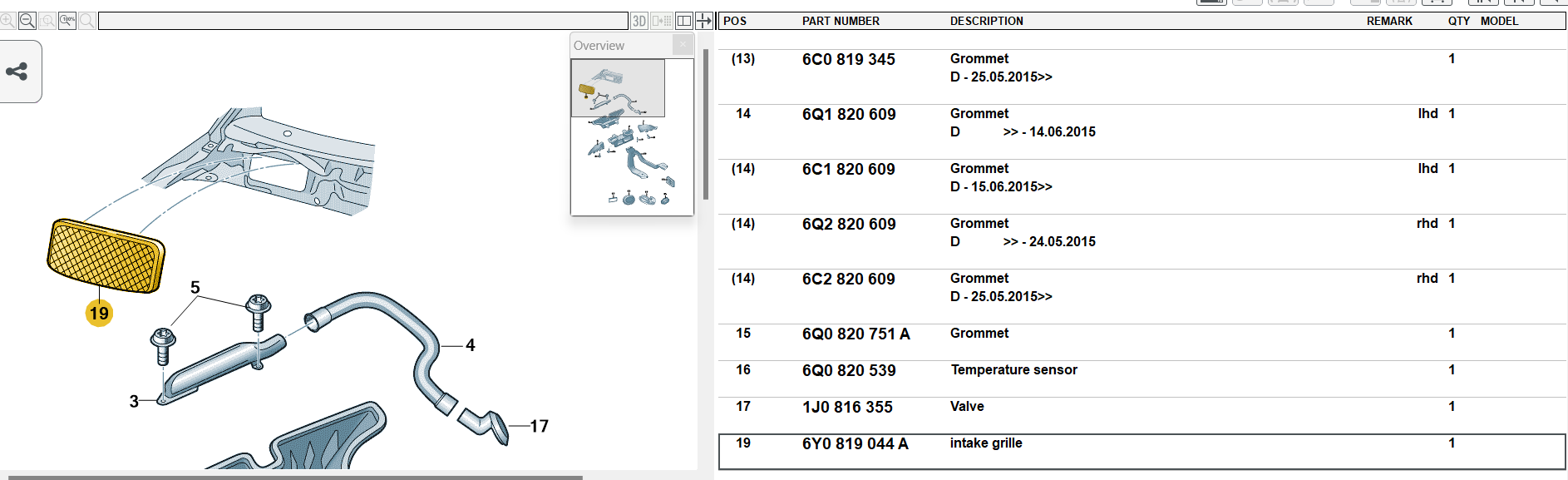
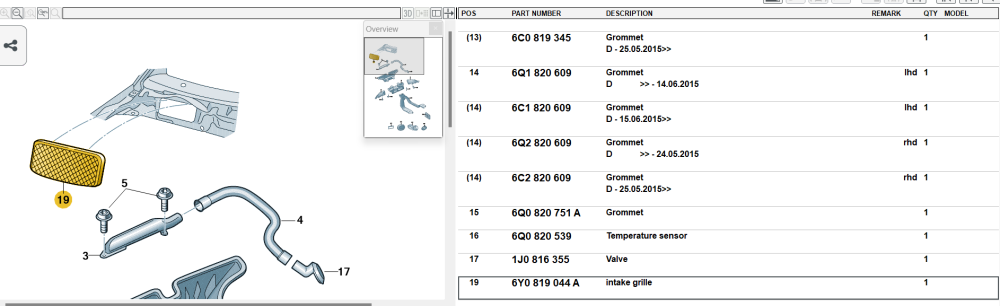
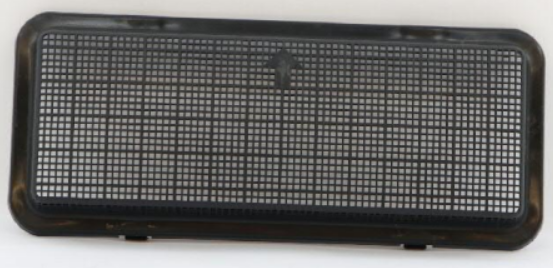
Hi there, https://www.lllparts.co.uk/catalogs/skoda/CZ/RAP/740/8/819/819030 The online parts catalog lists the part at the bottom, but not in the image or numbered The part is quite visible in the parts catalog, not sure why the parts rep didn't see it. The part image for those that need to visualise how it might block some water, mainly a leaf trap. Can you put a hosepipe on the car windscreen to see if it fogs up with engine and fan running. See if any water enters via the air intake when you do this. If it does, is the pollen filter getting soaked?
-
-
I can only offer general advice. Do an autoscan, and save this log as your baseline (before) You could then clear all faults, and see which ones are left (permanent) that need addressing. Save the log again so you have 2x lists. You can enter some control modules with VCDS and do some MVB (measurement Value Blocks) readings to see if the car can see brake switch being operated and other such live data. Hopefully someone might be able to suggest some tests you can perform, or MVB'S to read out. I did have another read of your thread, and perhaps some attention once more to the rear lights is needed, you did say about a 3rd brake light fault that occurred in the past, though tested fine now.
-
Yes the site is called erWin Skoda Input your VIN once signed up, having also purchased an hour fee and download all the PDF's for your car.
-
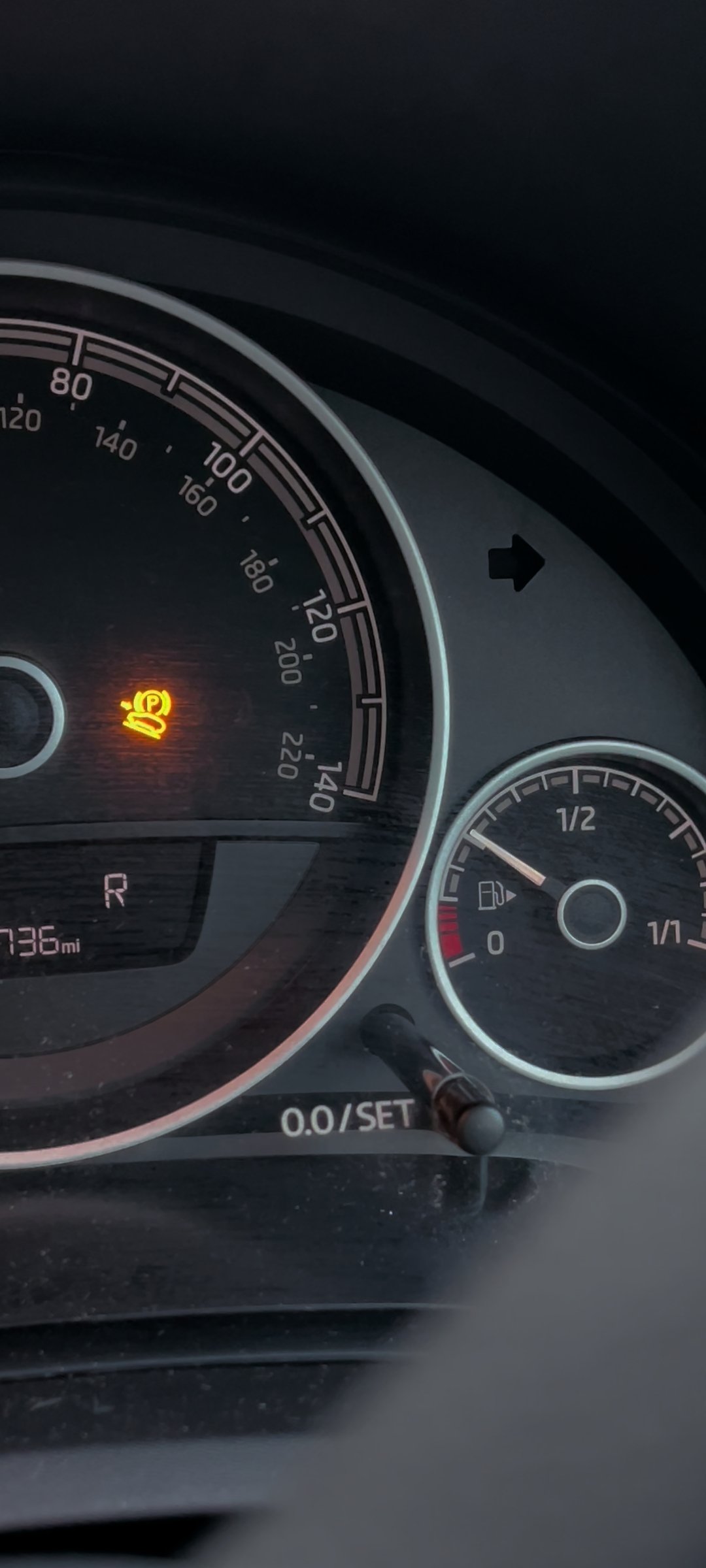
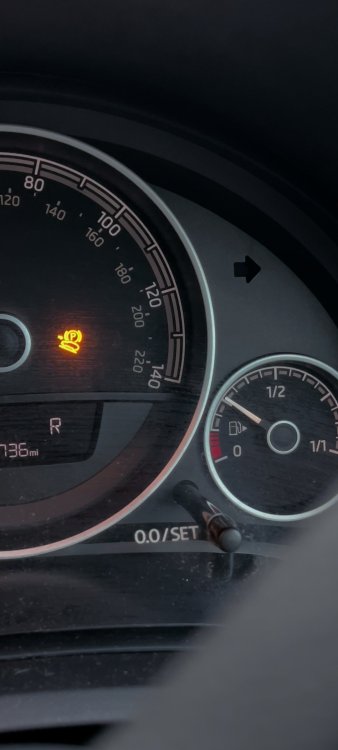
A screenshot for you. Car is in reverse, and the owner manual seems to be telling you to have the handbrake applied from what I can tell. Are you parking the car in P or R, and applying the handbrake as the manual tells you to?
-
I've never heard of dealer's deactivating features. Unless you change your phone, you're stuffed sadly.
-
Increase in current from a dying motor would pop fuse. Could also be short circuit as you mentioned too. That can be where a code reader helps, as those are usually logged.
-
-
@AnnoyingPentium I am so curious I cannot help it, what is your "winver" for your Winblows 11? Mine is 22621.521 (22H2 of course) I was reading some are loading newer than that and having issues with search and start menu.
-
I dare say you will be in my boat then, get the smartlink activated... just to be told "your name's not on the list"
-
https://compatibilitylist.skoda-auto.com/ Stick your VIN into this link, see if your phone is on the list.
-
It's official, you have MIB II Also you can see from your Software Train you have MST2 You can update your firmware to 0253, and because you have Nav, you can use some "tools" to add smartlink. Word of caution, could potentially brick things (not likely, but standard warning) I have same firmware and unit in my own car, enabled smartlink for free... but my phone is not actually supported after all that.

-
And you have working NAV on the unit?
-
When you get a moment, go to car and take pictures. Software Train and also screen & buttons for verification.
-
You can find details out on what you have if you hold down your menu key for 10s or less. Look around for the Software Train value, it will be like MSTD_EU_SK_Pxxxx or MST2_EU_SK_ZR_Pxxxx That can show what MIB you have. Next question that might help, is does the car have Sat Nav.
-
I will send a PM with 0480 version
-
Welcome, hopefully everyone can answer your future questions 🤝
-
@AnnoyingPentiumI do hate having to do a clean installation, but years of practice and good backups mean "sometimes you just have to take off and nuke it from orbit" as they said in Aliens. I am glad they should be moving to annual updates, twice a year is annoying.
-
You should threaten it with violence, that usually makes it pay attention. Did you do in-place update (I presume from earlier post that's the case) I do hate formatting, but actually helped me in the end. My M.2 SSD was almost running like a HDD, latest driver's. Clean install and now it's full speed. If I read correctly, October MS will be enabling some feature's or adding in some that are not yet functional.