varooom
Resident Member
-
Joined
-
Last visited
Everything posted by varooom
-
First is to determine what Software Train is currently installed, hold down Menu/Setup button and look around in the menu's. This also has the correct location for a firmware update. Post back image or text of this value.
-
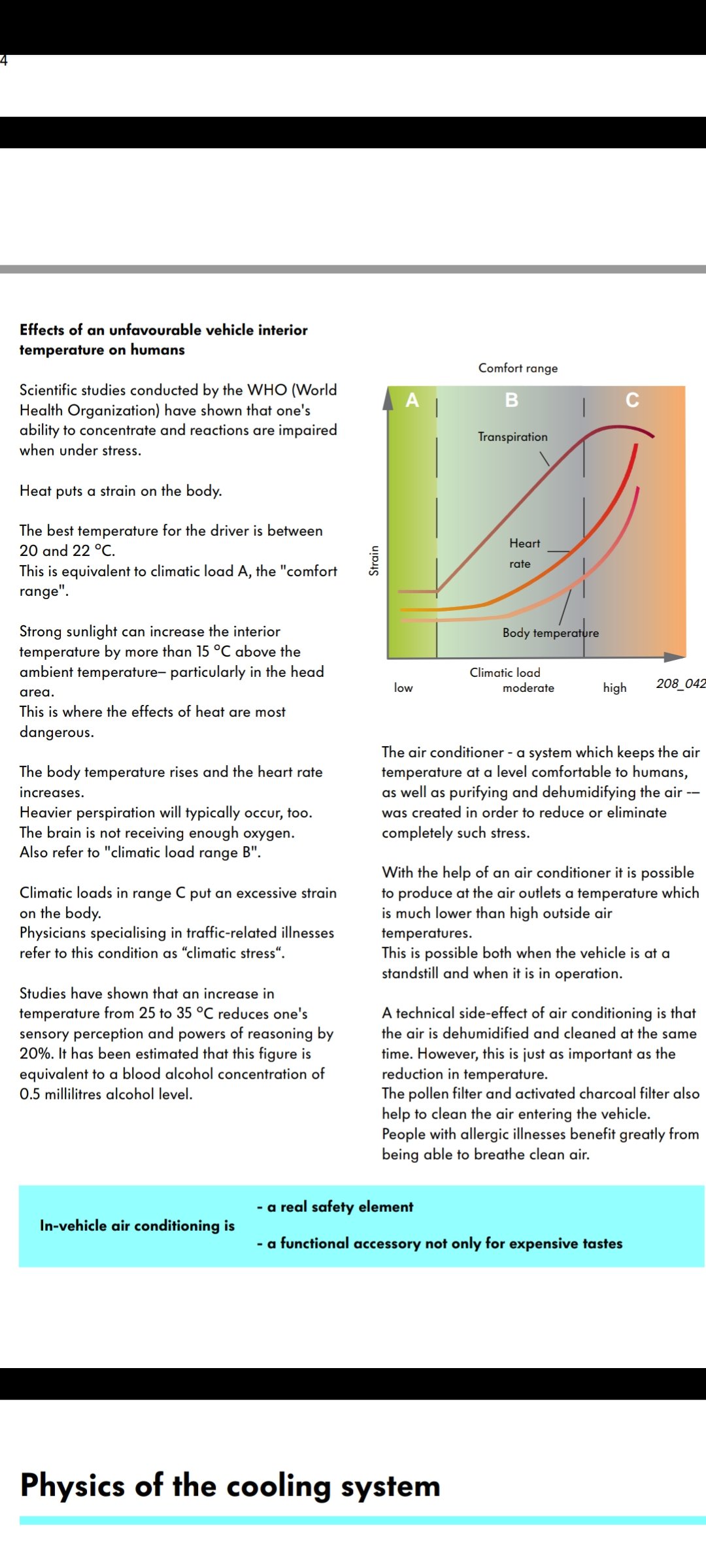
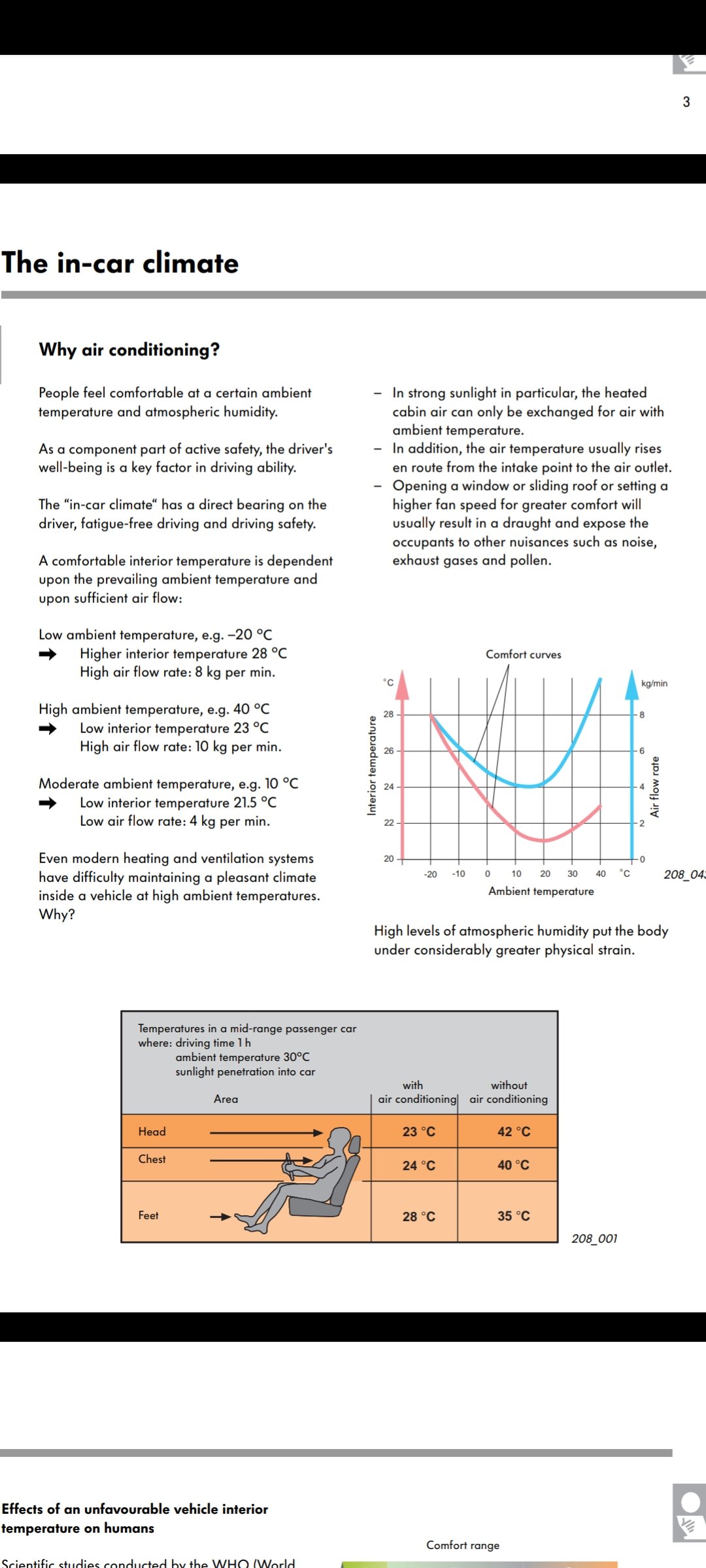
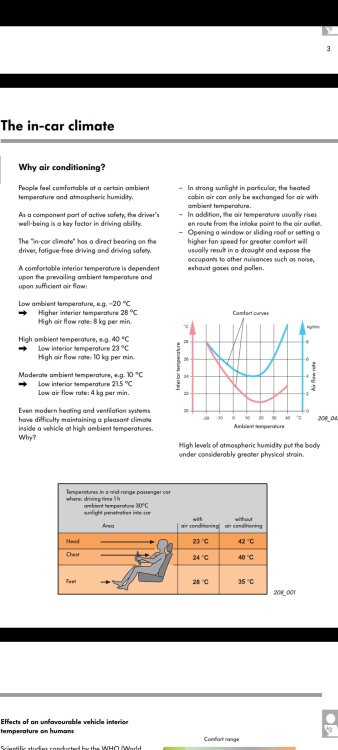
Here is some information from the technical documents describing how things work (SSP's) Although I find auto button very good, there will always be someone that thinks they know best, so this is why we have manual settings for fan speed, individual vent controls and of course the A/C on and off (fuel savings) So I guess this is why they are included as some will want the manual control options. As stated in the above images, we humans tend to find 20-22C comfortable zone in the car. I set mine in Auto with AC on all year round, often at 22C, but sometimes 21C. Bottom line is if you have Auto, use it, and leave AC on all year too, as it makes the comfort inside the car better.
-
Auto just sets the fan speeds and which vents are in use. Adjusting them all depending on what the car can measure interior temperatures and external. A/C button is a master override for the air-conditioning system on/off. A/C stops the car from misting up, and humidity getting out of control. Best left on all year, and operates down to about 4C or 5C, keeping windows clear in winter.
-
A/C button is a literal on/off for the air-conditioning. Auto button turns on the A/C and will adjust all the fan speeds and vents automatically to keep the temperature to the values you set it to. So auto will adjust fans/vent choices by auto all year round.
-
There's another fault logged with VCDS during a firmware update, as SVM has not be confirmed with factory. It doesn't affect the unit. Checksum, might cause a future issue, but unclear.
-
Ah the no update firmware. You might be stuck sadly as there is no way to load anything to assist. It will probably keep working as is if you're very lucky.
-
Can you hold down your menu/setup button to enter engineering menu. Try to look at update versions, and post back results.
-
Have you recently updated the firmware?
-
I will PM a link over
-
-
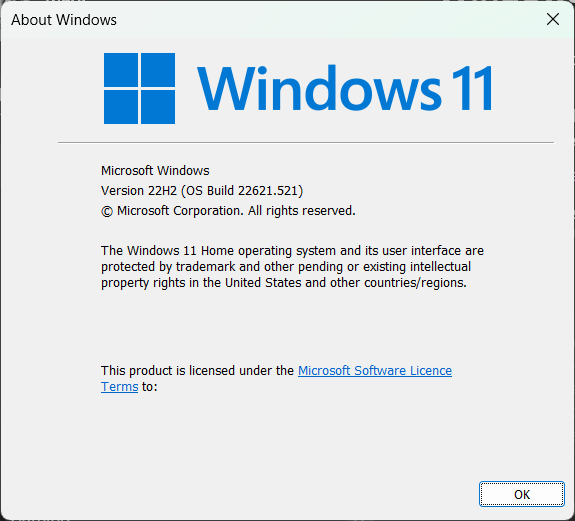
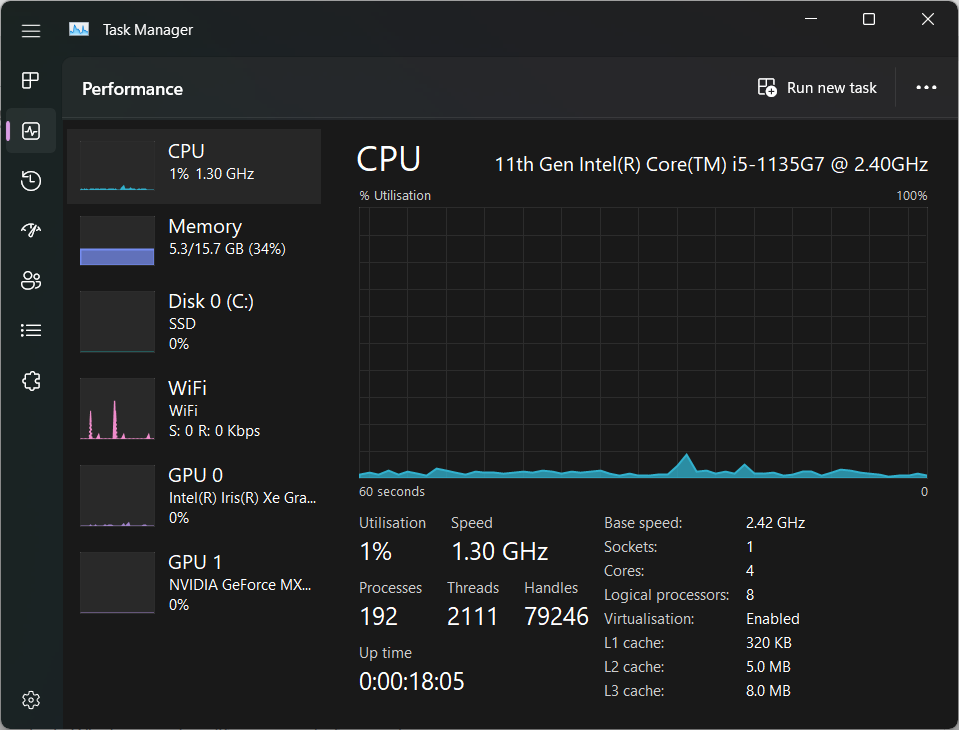
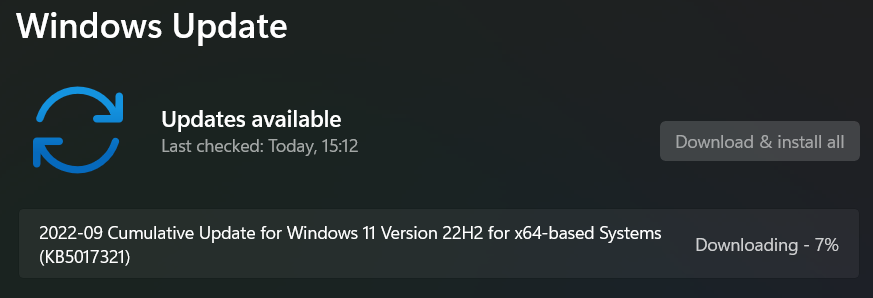
I am such a geek that I had to load the latest Windows 11 (22H2) It was released finally yesterday, though will be up to Q1/Q2 2023 I think before most PC's will get it via Windows update (if supported of course) As usual, plenty of nice useful QOL changes, for me it's getting a new task manager that finally comes with dark mode And there are more options here than ever before. I did find a bug with Windows update where the CU got "stuck" where it would not download/progress Fix was to run Admin Command prompt SFC /ScanNow DISM /Online /Cleanup-Image /CheckHealth DISM /Online /Cleanup-Image /RestoreHealth Sync PC Time Reboot Download the WU manually https://www.catalog.update.microsoft.com/Search.aspx?q=KB5017321 Apply, reboot Check Windows Update, and it then began downloading and applying the same KB update /Geek off
-
-
-
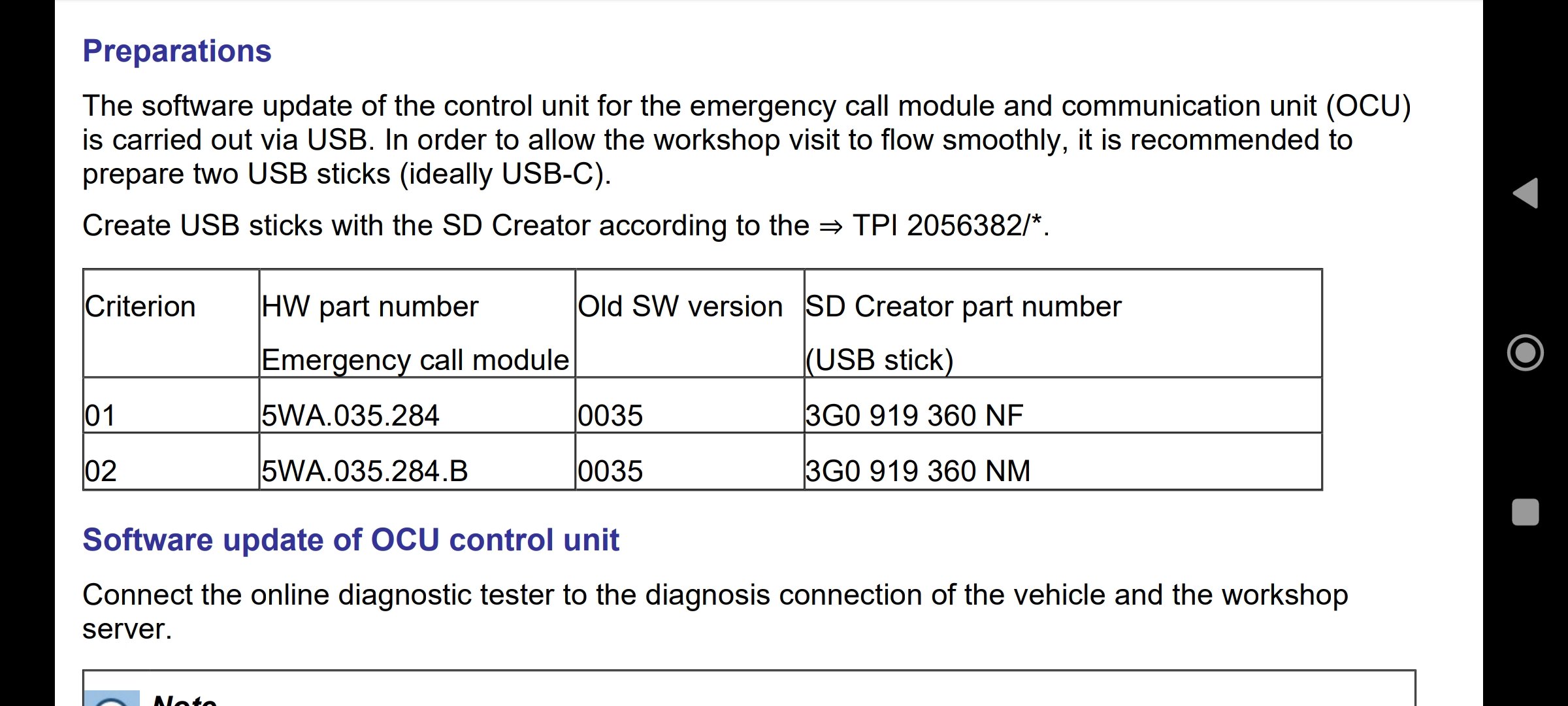
I don't suppose you have access to VCDS scanner? There's a Service Campaign 91CL running until 31-12-2026 It applies if your hardware versions are as below (and SW 0035)
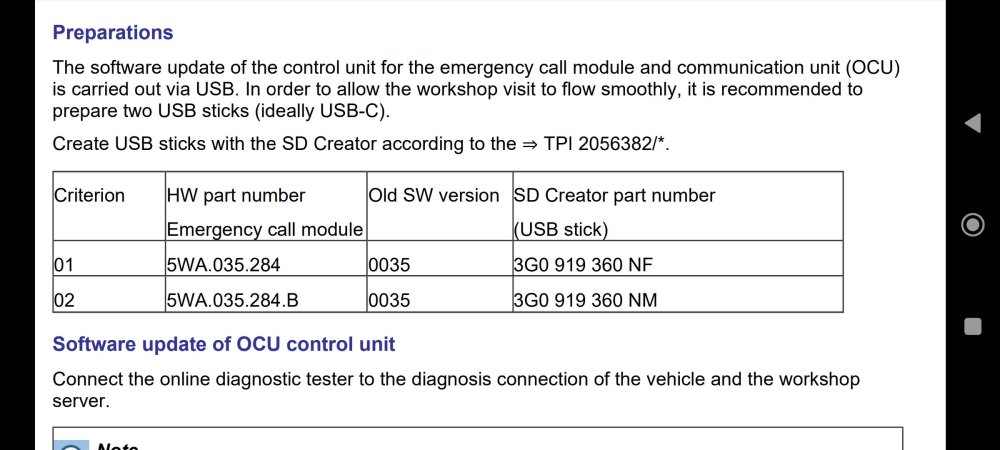
-
Thick metal wire like a coat hanger to fish about? Maybe you can try and use phone with flashlight to record video, so it might get closer than you eye's can. So that you can have a live view, otherwise a cheap USB camera for phone/PC might be able to spy in the gap. It could also be in the scuttle tray under the windscreen wipers.
-
@mazzy960 He used the tool as either his new cluster was locked after ~100km, or he fitted a second hand one with less than his current mileage. So he needed to increase it upwards to match existing. Sometimes this is the best way for the job in hand if you cannot get software to write value's into it.
-
I wonder if they mean the OCU and not the head unit itself. Either one will take time due to poor stocks. Best of luck with whichever part they replace.
-
Yup the car would be vibrating hard looking at that single disc if it is warped. Hopefully they get replacement soon. EDIT: Can also see that it could be just a manufacturing fault too, with the grooves not being cut to same depth on one disc
-
@Skodaper Thanks for posting up your fault log. So the crankshaft sensor issue does appear to be fixed, so one off your list. In reading your log, it seems there's a correlation between the gear selector value not being seen anymore, unless the faulty brake light error occurs. That's only added to the mystery, but seems related to our fault. Some more digging of information needed.
-
Always post up your Software Train Hold down your menu button and then locate this value (it's also location for firmware update button)
-
PM incoming
-
Seems odd you press the Stop / Start button to enable the system. The button is to turn off Stop / Start and therefore it will start your engine up! The symbol is @ off And the manual should state that pressing this button disables the Stop / Start, so keeps engine running 24/7 if fuel allows.
-
Welcome, let's hope you enjoy the new motor 🤝
-
That second image looks odd, half the disc is smooth now and other half with groove's. Warped disc? Anyhow, looks like needing replacement soon enough, perhaps once pads are fully worn. Not a mechanic, just pointing out as I see it from my POV.
-
It was working, now stopped. Have you popped a fuse?