



Skip to content

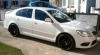
My 2.0 TSI VRS - Sh@rk Stage 2
Featured Replies

  • Author

well not much to report here, got through Xmas and funds are starting to become available, although Im not sure I will ever make it to Stage 3/K04, as its almost change time and there are a few other motors I have my eye on, but in the meantime I think my Diverter Valve is on the way out, so will upgrade to the GFB DV+ which seems a great solution, and Im also thinking of switching to H&R 50mm springs for some more lows.....

  • Replies 158
  • Views 40k
  • Created
  • Last Reply

Top Posters In This Topic

Most Popular Posts

  • finally an update, now rolling on 19's

  • well I was down at my mates garage the other day and he plugged in his VCDS and enabled the navigation, so now all directions etc show up through the maxidot, and it looks like I may be back in employ

  • well, got them on this morning! got to say Im very happy with them, fill the arches really nice and are lighter than OEM, they clear the brakes without spacers too which is nice! only thing Im not 100

I have the DV+ and its great!

  • 2 months later...

Very interesting read about the power increase mods and will be checking these out when the better weather arrives. Never ceases to amaze me how much time and of course money can be spent on a stock car to make it something unique and different. Cheers to all...

  • 1 month later...

Any updates Daz?

  • Author

sadly no, Ive kinda lost interest in the car TBH, and thinking of a replacement, having a very hard time deciding what though, a Mk3 TDI VRS is tempted, but IMO they are overpriced....

  • 3 weeks later...

Hi, your VRS looks awesome.  Was after some advice on replacing the front and rear badges with new one and colour coding chrome grill surround.  Where did you order the new badges?  Did you do the work yourself and if so was it easy enough?  Cheers

  • 2 weeks later...

Are the L&K door lights as simple as buying a pair from the dealers and wiring them into the window electrics (I assume) or is there some funky way you can set them to only illuminate when the cars stopped and the engine is turned off (like when the rest of the interior lights come on).


Interested in an answer to this as well.

  • 3 months later...
  • Author

Interested in an answer to this as well.

sorry I havent been on much so havent replied! well I bought them and had them wired into the window electrics, although im sure if you wanted you could have them wired to the lighting circuit, but then they wouldnt be on when actually driving the car?

  • 3 weeks later...
  • Author

well, just to update, the VRS is going!

I have been contemplating what to do all year, and finally got a deal on a new Octavia I couldnt refuse.  This time around I have gone all sensible, so Im collecting my new 2.0 TDI 150 Elegance this week! 
0% finance, free servicing and no tax combined with 50+ Mpg will represent a fairly good saving per month for me, whilst also having a new car :-)
Will not be hitting it too much with the mod stick either, as I got carried away with this one.

Plans for the new one are perhaps some EIbachs, Rims and a Remap/Tuning Box and a few little finishing touches like LED interior lights etc.  apart from that, drive it and save money to spend on other things!

Parts will be available for sale soon when I get some time to list them!

Edited by D@z

Create an account or sign in to comment

Recently Browsing 0

  • No registered users viewing this page.

Important Information

Welcome to BRISKODA. Please note the following important links Terms of Use. We have a comprehensive Privacy Policy. We have placed cookies on your device to help make this website better. You can adjust your cookie settings, otherwise we'll assume you're okay to continue.

Account

Navigation

Configure browser push notifications

Chrome (Android)
  1. Tap the lock icon next to the address bar.
  2. Tap Permissions → Notifications.
  3. Adjust your preference.
Chrome (Desktop)
  1. Click the padlock icon in the address bar.
  2. Select Site settings.
  3. Find Notifications and adjust your preference.
