



Skip to content

create your on rns510 custom boot screen
Featured Replies

  • Replies 98
  • Views 54.8k
  • Created
  • Last Reply

Top Posters In This Topic

Most Popular Posts

  • Missed you last sorry. Just back in after freezing my meat balls off, tried 8 discs in total 1X DVD 1 X CD, 1 of each burnt with different programs at min speed. Had to try a few combinations of thing

  • A bit like this... PS: If anyone really wants this for their Columbus, you are more than welcome to have it FOC.

  • Mysticality
    Mysticality

    Worked straight off!! Very pretty-pretty.

Posted Images

That's awesome!

OMG does this really work??? I assume it makes an .iso you burn to a CD-r and fire it in job done??? The possibilities are endless! I need to make one with BlackVue logo and "Im watching you" for when my car goes in for service and an arrow pointing up. :D

Just been through the list of ones already on there, this is the coolest thing I have seen all day decisions decisions ............

I like these

skoda_1018187961_skodan_boot_horizon1%E5%89%AF%E6%9C%AC.png

skoda_1213609536_skoda.png

skoda_14606932280585_skoda_922906828_New_logo.png

skoda_860374165_newskoda.png

I want something like this, but with my mighty MS Paint skills this is all I can do :( I need it to blend in better to background.

ps. is it a bad thing to pikey the logo off the top of the page? I am not sure if it's allowed??

Test%25201.png

Or this again MS Paint lets me down bahhhhhhh

Test%25202.png

Gutted it isn't for Bolero. :(

  • Author

lol Knew Mike would be on it like a tramp eating chips lol.

lol Knew Mike would be on it like a tramp eating chips lol.

Been out in the freezing cold to try it and it failed first go :( SWL error after it was properly into it with a CD-R burnt ad min speed and verified, undeterred I am now trying a DVD-R for the sub 5mb .iso :D Using imgburn

Allowed or not, I'm going to have a play -- I've saved this with the Briskoda logo and will be seeing if it works. Photos to follow if it does! I'm not bothered if it doesn't perfectly blend in , it's not as if it will be visible for more than a few seconds anyway.

Mike

Im on my bottom pic with my car in it for a shot again now. race you. First to post a completed pic wins :D

After the heart scare I'm not supposed to be getting excited.................

Mike

I just hobbled down the road to car again in my slippers with 2nd disc a DVD-R in one hand and key in other and another fail...... Now Do I try using one of my uber expensive DVD+R DL discs????? hummmmmmmmm €20 for 4!

I just hobbled down the road to car again in my slippers with 2nd disc a DVD-R in one hand and key in other and another fail...... Now Do I try using one of my uber expensive DVD+R DL discs????? hummmmmmmmm €20 for 4!

this may help :)

Changing my Rns510 R32 boot up logo to a Gti boot up logo how to

Press SETUP + STAR + EJECT

You then get the Swl red bars accross the top & bottom then insert boot logo cd

Press OK

SWL SUCCESS

this may help :)

I get same up until where his says SWL Success I get SWL ERROR :(

Important is the resolution of 800x480

Save the pic as a .png

Best results with ultra iso as programm to burn.

And best burned on a DVD with as low speed as possible.

This is the info I could find on the German boards.

Important is the resolution of 800x480

Save the pic as a .png

Best results with ultra iso as programm to burn.

And best burned on a DVD with as low speed as possible.

This is the info I could find on the German boards.

Yea well versed in the RNS510 disc burning, but this is a bit of a stinker if you mount the .iso and open it there is a text file that lists part No's and FW versions its intended for I don't think mine is on the list :(

http://187509.homepagemodules.de/t1448f7-RNS-eigene-Startbilder.html#msg15172

In post#2 is a working iso

If it works, take the ISO and open it with ultra iso and delete the contents. Take your own ISO and open it with ultra iso and unpack the data on your own pc.

Close your ISO and copy the unpacked data of your pc in the above posted ISO and save them. Burn the new data to a DVD and put them in your Columbus. (and reset the Columbus).

This is a translation of what is in this post.

It works!

I WIN! :rofl::rock::rofl::rock::rofl:

Mike

PS Downloaded the first picture posted by FUBAR, checked that it was 800x640resolution, created ISO file as per the website, saved to the laptop desktop, and used Nero 11 to mount the ISO onto a blank Memorex DVD-R disc, burned at the slowest possible 3x speed.

Whoops I missed that lol

What sequence did you use to do it or did you just turn radio on and fire DVD in? and let it run? What FW version are you on and do you know which version of RNS510 you have to help me trouble shoot?

--------------------------------------------

RNS-510 Bootlogo firmware builder

--------------------------------------------

#CD:P 0 0 5 . 3 3 4 . 3 0 1

#DATE:2013-02-18

#Project: VWRNS

#Author: netdata

#Steckbrief: C_EU_10.344_t190 C3/C4A/C5C/C6/C10

#CommentStart:

This is an unofficial SWL CD created by netdata. Use it at your own risk.

Startup logo update only.

#CommentEnd:

#Integrationphase: Delevery cw22/11 C3/C4A/C5C/C10/C6-samples

#VwSwPartNumber:1T0035680D/1T0035680D/3T0035680B/7F0035680A/7E0035680A/1T0035680F/1T0035680G/3T0035680C/3T0035680D

#VwSwIndex:3980/3986/3988/3984

#AppsBuild:C_EU_10.344_t190 C3/C4A/C5C/C6/C10

#CRC16:5e26

My Columbus is a 3T0 035 680 A on firmware 2724. Neither the part number nor the firmware version of mine is listed, but this certainly works for me.

Mike

Did you just fire disc in and let it do its thing or did you go into SWL downgrade mode first? Or do any of the reset methods?

  • Author

Sorry Fubar if this ends up with you, frozen, sliperless and out of discs laying on the pavement winded... lmao.

Mike... what have i told you!!! Do not be getting excited!!! "wooossaaa"

Missed you last sorry. Just back in after freezing my meat balls off, tried 8 discs in total 1X DVD 1 X CD, 1 of each burnt with different programs at min speed. Had to try a few combinations of things to get it to work for me in end, < + > + (mic) for reset and it finally worked. It didn't help I had stolen a German neighbours parking space and he arrived back mid 5th attempt........ Oh well that's what he gets for being a Sirocco sell out (poor mans Skoda)

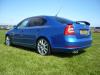
Obviously I was greeted with this monstrosity of commonness

1.png

Then

3.png

Then

2.png

Then

4.png

Then

5.png

Often resulting in

6.png

But thank Christ resulting finally in

7.png

Giving me THIS!

8.png

ps Mike

11.png

Glad it's worked, and I'm sure there's a lot on here who would love to use the picture of the Race Blue Octavia with the Briskoda logo!

Certainly different from the standard splash screen though, isn't it?

Mike

It's not just a picture of a Race Blue VRS, it's a picture of FUBAR behind the wheel too (got to be worth £10 each!) :D I am still tempted to put something very offensive on it and putting another of my cameras in back of car facing forward to see reaction when its in for service next month. :giggle:

Now the only old Skoda logo left on the car is on steering wheel..... might need to buy the new VRS later in year to rectify that.

  • Author

I keep gettin the SWL error too

P.s Mike i figured out how to make ISO files in mac lmao.

I keep gettin the SWL error too

P.s Mike i figured out how to make ISO files in mac lmao.

My final run which resulted in it working for me on a CD-R it had failed on before burnt with CDBurnerXP (lowest speed and track at once) was:

Key out of ignition radio on waited until fully loaded up (system starting message gone from selecting media and maps showing)

Pressed 'setup' + 'eject' + (mic/info button) - allowed to reset (had to turn it back on myself after a few min

Tried CD failed spat disc out

Unit reset once fully loaded again held the following buttons '<' + '>' + (mic/info) - unit reset, again I had to turn it back on so a shut down really

Once fully loaded again put CD in and worked that time.

No idea if it was just being picky the other times or that method helped but I have my car on my cars screen in my car :) :) :) cheers for the link!

The possibilities are endless! I need to make one with BlackVue logo and "Im watching you" for when my car goes in for service and an arrow pointing up.

A bit like this...

post-59543-0-79345100-1361223525_thumb.png

PS: If anyone really wants this for their Columbus, you are more than welcome to have it FOC.

A bit like this...

post-59543-0-79345100-1361223525_thumb.png

PS: If anyone really wants this for their Columbus, you are more than welcome to have it FOC.

Oh that's the badger right there! Or "Smile your on camera"

I'll work on something a little more 'professional' at some point (hopefully before I forget) and post any I do here.

I'll work on something a little more 'professional' at some point (hopefully before I forget) and post any I do here.

Awesome work thanks! I cannot use that photoshop stuff. :( If you can do anything with my other pic of car to improve it you'd be too cool for this school! All I wanted from first one I put the Briski banner on was to make it transparent to the background. My editing skills were limited to taking a screenshot of the page and cutting the banner from the top and pasting it on the pic, which I also stole. :blush:

Create an account or sign in to comment

Recently Browsing 0

  • No registered users viewing this page.

Important Information

Welcome to BRISKODA. Please note the following important links Terms of Use. We have a comprehensive Privacy Policy. We have placed cookies on your device to help make this website better. You can adjust your cookie settings, otherwise we'll assume you're okay to continue.

Account

Navigation

Configure browser push notifications

Chrome (Android)
  1. Tap the lock icon next to the address bar.
  2. Tap Permissions → Notifications.
  3. Adjust your preference.
Chrome (Desktop)
  1. Click the padlock icon in the address bar.
  2. Select Site settings.
  3. Find Notifications and adjust your preference.
