



Skip to content

NEED HELP! VRS CONVERSION!
Featured Replies

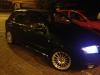
Hi guys i got a skoda fabia 1.4 16v (im 19 and its my first car) and i want to make it look like a Fabia VRS

question: can i fit a VRS front bumper to my fabia? if yes can someone send a link where to buy them?

so i need some help and tips, im gonna start next week by getting it lowered, get alloys, then the front bumper. whats next after that guys? please help :)

and what you think of this? http://www.ebay.co.u...=item3362581eba

your opinions?

thanks :)

post-100216-0-49404200-1361417228_thumb.jpg

im sure the vrs bumper fits straight on i may be wrong but i think it does. you'll then need the rear bumper, fog lights if the bumper doesnt have them, backbox as well, spoiler. id imagine you could get the bits quite cheap but postage could be an issue if theyre not local to you.

hope this helps

oooo and obviously the wheels haha :D

Front bumper fits straight on

The LCR splitter on ebay is cheaper from a SEAT main dealer.

To fit the front bumper u will need vrs bumper. 2x fog lights. 2x fog surrounds. 2x fog grills. 1x centre grill. 1x numberplate "plithe".

U can also get a skoda front spoiler that is cheaper and similar to vrs with square fogs.

Its on ebay for £46 ish delivered.. u can fit this straight to your existing front bumper + dont need to get fogs.. if u dont want em..

http://item.mobileweb.ebay.co.uk/viewitem?itemId=250586953208&index=0&nav=WATCHING&nid=76909565625

I'd have a word with your insurance company first. Insurance for young drivers is expensive enough without adding loads of mods.

Just bite the bullet and buy a vRS

vrs rear bumper goes str8 on, front bumper you can put it str8 on but if u want it to sit right you need the vrs clips that screw to the wing bud

I'd have a word with your insurance company first. Insurance for young drivers is expensive enough without adding loads of mods.

Best bit of advice you'll get. Go no further until you have checked this out.

Ollie

Sky Insurance

tel: 01707 642552

Create an account or sign in to comment

Recently Browsing 0

  • No registered users viewing this page.

Important Information

Welcome to BRISKODA. Please note the following important links Terms of Use. We have a comprehensive Privacy Policy. We have placed cookies on your device to help make this website better. You can adjust your cookie settings, otherwise we'll assume you're okay to continue.

Account

Navigation

Configure browser push notifications

Chrome (Android)
  1. Tap the lock icon next to the address bar.
  2. Tap Permissions → Notifications.
  3. Adjust your preference.
Chrome (Desktop)
  1. Click the padlock icon in the address bar.
  2. Select Site settings.
  3. Find Notifications and adjust your preference.
