



Skip to content

genuine audi R8 filler cap arrived
Featured Replies

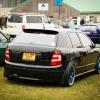
well my genuine audi r8 filler cap has arrived and looks absolutly mint well chuffed with it :)

but unfortunitly might have to get rid of it before even fitting thanks to buying me new leather on ebay which were supposed to be brown and turned out to be beige/grey lol in fairness i never asked what the colour was pics looked brown so looks like this will go to dye me seats either red or brown

whats everyone think dye them brown or red????

KGrHqJlQE-30EBRgGBPzoKD9Q60_12_zps0c2da427.jpg

I think you should fit them cap instead :)

Pictures?

  • Author

i wish i could but dyeing the seats are not cheap so needs must as i absolutly hate beige its been annoying me since i ffitted them its not a bad colour but i hate it lol

Now that r8 cap looks awsum may I ask how will that fit ur Fabia plus have u got any pics of it fitted

Want to see pics of beige leather seats on a fabia.. :D

Think it'll go well with the curtain roof spray. :thumbup:

  • Author

i will need to take my inner wing out to get it fitted .

the pics of my seats are in the project boot recess thread there not a bad colour i just hate beige as im 28 not 68 lol

i will need to take my inner wing out to get it fitted .

the pics of my seats are in the project boot recess thread there not a bad colour i just hate beige as im 28 not 68 lol

So how is the r8 filler cap going to fit will u need to cut body panels etc plus may I ask how much was it

  • Author

you dont need to cut it you need to take inner wing out to get it behind the filler then put the plastic arch back :)

Create an account or sign in to comment

Recently Browsing 0

  • No registered users viewing this page.

Important Information

Welcome to BRISKODA. Please note the following important links Terms of Use. We have a comprehensive Privacy Policy. We have placed cookies on your device to help make this website better. You can adjust your cookie settings, otherwise we'll assume you're okay to continue.

Account

Navigation

Configure browser push notifications

Chrome (Android)
  1. Tap the lock icon next to the address bar.
  2. Tap Permissions → Notifications.
  3. Adjust your preference.
Chrome (Desktop)
  1. Click the padlock icon in the address bar.
  2. Select Site settings.
  3. Find Notifications and adjust your preference.
