



Skip to content

Mk1 Fabia Heated Mirrors with Indicators, How?
Featured Replies

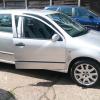
My mirrors are shot, last owner broke them before i purchased the car, the left mirror heats but the right doesnt so while im getting new looms and glass for them i was contemplating on how to install new mirror housings that feature indicators too.


I have seen this come up a lot and i cant find anyone who says its possible, but i dont understand why not, surely could you not just splice off the indicator cables either rear or front and route that wire to the mirror indicators?


Any help would be appreciated


Aaron

I did this on my old rover fitting them cheap aftermarket mirrors i extended the wiring from the side repeaters and wired the mirrors in as I removed the repeaters from the wings can't see why this would be any different with a skoda

I completely understand that it's a matter of personal taste, and if you have your heart set on it then go for it by all means :-)


However, I think that having an extra set of side repeaters wouldn't look right on the car. If you were to remove the standard side repeaters and weld a plate behind & filler the recess, then I think it would look great! That's a lot of work to do just for this look though....


Another issue you may get is the current will likely differ. Thus potentially causing you problems with your indicator flash rate, as the system may think you have a bulb out if you use LED's for the mirrors.


I did this on my motorbike. I blanked where the standard indicators go on the fairing with a sheet of carbon bonded on from behind. I just about got away with the look I got on a bike....

removing the bulb from the side repeaters wont cause a different flash rate. only fitting a led bulb to the front or back will cause that. 

  • Author

Well taking into account what you all said I was thinking of using the golf mirrors or similar and just run the extra wire to either front or rear lights, does anyone foresee any issues with that? 

Would be worth asking Korben on here.

Create an account or sign in to comment

Recently Browsing 0

  • No registered users viewing this page.

Important Information

Welcome to BRISKODA. Please note the following important links Terms of Use. We have a comprehensive Privacy Policy. We have placed cookies on your device to help make this website better. You can adjust your cookie settings, otherwise we'll assume you're okay to continue.

Account

Navigation

Configure browser push notifications

Chrome (Android)
  1. Tap the lock icon next to the address bar.
  2. Tap Permissions → Notifications.
  3. Adjust your preference.
Chrome (Desktop)
  1. Click the padlock icon in the address bar.
  2. Select Site settings.
  3. Find Notifications and adjust your preference.
