



Skip to content

New member

Featured Replies

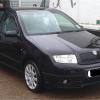
Hey guys new here, just picked up an 06 fabia vrs and want to learn more about it. I know this is a great place to start :)

Got 3 problems I'm going to work on resolving to get the car how it should. These are as follows.

1 Came with one key so I need to sort a new central locking fob and coded key that works with immobiliser.

2 I tried the key in door lock and doesn't fit in! Unsure why maybe new door from damage and lock wasn't swapped over really unsure?

3. EML came on on the way back, can't be anything to serious or detrimental as it drove 100% for 40miles but need to get this sorted ASAP as I cannot diagnose without looking properly or using vagcom.

P.s I averaged 80mpg on a 45mile journey travelling at 50mph -60mph down the motorway is this normal?

Thanks for reading :)

Regards,

Callum.

oh & i've got full genuine VCDS so can have a look at the EML at the same time

Hi and welcome aboard.

Thanks action man! I'll check it out now, I've just bought a brand new blank key off eBay for £40. Skoda quoted £176 for a new key!

Sent from my iPad using Tapatalk

No worries. If you need someone to cut & program it I'm going to be heading back up the m1 tomorrow late afternoon or evening!

£176? I'd do 2 for less than that even if I drove from mine in Huddersfield to Chesterfield just to do your keys

Create an account or sign in to comment

Recently Browsing 0

  • No registered users viewing this page.

Important Information

Welcome to BRISKODA. Please note the following important links Terms of Use. We have a comprehensive Privacy Policy. We have placed cookies on your device to help make this website better. You can adjust your cookie settings, otherwise we'll assume you're okay to continue.

Account

Navigation

Configure browser push notifications

Chrome (Android)
  1. Tap the lock icon next to the address bar.
  2. Tap Permissions → Notifications.
  3. Adjust your preference.
Chrome (Desktop)
  1. Click the padlock icon in the address bar.
  2. Select Site settings.
  3. Find Notifications and adjust your preference.
