



Skip to content

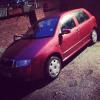
skoda fabia 1.4 mpi 2001 swap
Featured Replies

i have owned since April 2014, the car has been great to me started first time every time never had any issues with it. until my speedo died, i replaced the speedo and tried to code the keys to it and have not managed to do it so it is currently a non runner, i have done research and to code in the keys you need to vehicles SKC which i do not have as i have replaced the old speedo which i do not have anymore.


about the car: 

Skoda Fabia 
Orange 
69734 miles 
4 owners 
Full service history 
Full MOT history 
MOT out in Jan 2015 
Currently Sorn 

I'm going to start with the bad parts: 

-The body work isn't in the best condition but would be an Easy Repair, i have started to clean it up myself with filler and started to paint certain panels 

- Some marks on the seats (will clean out) 

-Radio Needs Code as i have discontinued the battery 

- rear passenger door handle missing (can still be opened) 

good parts: 

-engine was good when running 

-brand new battery 

-new head gasket fitted less than 4,000 miles ago 

HPI Clear i have documents as proof 

Will swap for another Vehicle Message Me if you have something.

post-116454-0-20433400-1422207179_thumb.jpg

post-116454-0-69197400-1422207179_thumb.jpg

post-116454-0-29479000-1422207180_thumb.jpg

post-116454-0-23265700-1422207182_thumb.jpg

post-116454-0-37202900-1422207184_thumb.jpg

post-116454-0-54993600-1422207186_thumb.jpg

post-116454-0-70608800-1422207187_thumb.jpg

Want a van?

Create an account or sign in to comment

Recently Browsing 0

  • No registered users viewing this page.

Important Information

Welcome to BRISKODA. Please note the following important links Terms of Use. We have a comprehensive Privacy Policy. We have placed cookies on your device to help make this website better. You can adjust your cookie settings, otherwise we'll assume you're okay to continue.

Account

Navigation

Configure browser push notifications

Chrome (Android)
  1. Tap the lock icon next to the address bar.
  2. Tap Permissions → Notifications.
  3. Adjust your preference.
Chrome (Desktop)
  1. Click the padlock icon in the address bar.
  2. Select Site settings.
  3. Find Notifications and adjust your preference.
