



Skip to content

VCDS Tweaks for Mk3 Fabia
Featured Replies

Smartgate is a hardware module which sits underneath the drivers seat.. if you didn't order it at the start it wouldn't have got fitted at the factory.. but take note, Smartgate can be hacked remotely - it's not that secure, so I'd probably advise not to buy it until it is improved.. I have disabled mine for security reasons.

i was not talking about Smartgate , but Smartlink functionnality, the functionality is on the system files but not visible on the Bolero ...

  • 4 months later...
  • Replies 191
  • Views 65.5k
  • Created
  • Last Reply

Top Posters In This Topic

Most Popular Posts

  • Just a heads up, but on the Octavia/Golf (MQB) there are several sub menus/activations which are coded info the infotainment (even the basic one) but are set to "not active" in VCDS, so just set to ac

  • Try with NO, if it will not work then choose YES.

  • I Found this site... I think everything possible for fabia is here with instructions...   http://ankk-vagcom.com/category/codages_vagcom/skoda/skoda_fabia_nj/

Posted Images

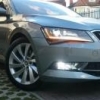
how can I enable fog lights as cornering lights?

What is added to post week 22 for smartlink? I have asked the question in several posts but no answer has been forthcoming.

Hi Pjm57 after week 22 the control unit for the system was changed from part number 5Q0 035 820 to 5Q0 035 820 A. Im guessing that the new part number contains the wifi communication equipment and software needed for Apple CarPlay and Android auto. This box contains the SD card slot so imagine it sits beside the glovebox and there is a lead that connects it to the Bolero unit. For those people with a VCDS it's module 5F: Information Electr.


Would it be possible for any nice person out there with a week 22 or after Fabia with smartlink to post the auto scan of Module 5F so I can compare the long coding? I was going to pop to the dealers see how much it would be to get the updated part then ask some of the genius's on hear if it might be possible to code a new unit in to get smartlink.


Hear is my autoscan for 5F:


Address 5F: Information Electr. (J794)       Labels: 3V0-035-MIB-STD2.clb
   Part No SW: 5Q0 035 820     HW: 5Q0 035 820 
   Component: MU-S-D-ER     H11 0137  
   Serial number: SKZAZ2R0085988
   Coding: 03620000BE0000001111120400880A002F0100C60120010000
   Shop #: WSC 73430 790 00048
   ASAM Dataset: EV_MUStd4CTSAT 001018
   ROD: EV_MUStd4CTSAT_SE25.rod
   VCID: 68DFDA5E937D4B7ED6-803C
 
   Media Player Position 1: 
   Subsystem 1 - Part No SW: 6V0 919 604     HW: 6V0 919 604 
   Component: ABTm_Std2  H40 1022 
   Serial number: SKZ8Z9RH300GY4 
 
Might also need an adaptation map of 5F to stand a chance of retrofitting. If there are any experts with advise out there would be much appreciated, cheers.
 
P.S my long code may vary from others as I hid the AM band the original long code was 03620000BE00000011111204008808002F0100C60120010000

how can I enable fog lights as cornering lights?

If you have a VCDS then:


Taken from the ross tech forum


Found Hear


Module 09, Security Code, enter 31347, then Adaptations and change channels:

(5)-Leuchte12NL LB40-Light_Function_B_12 from not active to Abbiegelicht links

(5)-Leuchte13NL RB3-Light_Function_B_13 from not active to Abbiegelicht rechts


Have tried it on mine and works a treat but as ever take a adaptation map before you start and keep the log running, any changes are made entirely at your own risk.


If you dont have a VCDS use the VCDS map to find one hear you, but not to many in the north sea I'm afraid  :D 

These are the tweaks I have done so far with VCDS using version 15.7.4:


Enable Vehicle Path for parking distance sensors.


Module 10 Park/Steer Assist - Coding - Long Coding Helper - Byte 1, Bit 5


post-5279-0-46373000-1460493621_thumb.jpg  post-5279-0-53022000-1460496082_thumb.jpg  post-5279-0-30861100-1460496162_thumb.jpg


Enable Needle Staging, Lap Timer & Display Volume to Replenish 


Module 17 Instruments - Coding - Long Coding Helper


Needle Staging - Byte 1, Bit 0

Lap Timer Byte 1 Bit 3


post-5279-0-28753100-1460494232_thumb.jpg  post-5279-0-75232100-1460496290_thumb.jpg  post-5279-0-95706400-1460496295_thumb.jpg


Display volume to replenish - Byte 10, Bit 4


post-5279-0-10625400-1460494417_thumb.jpg  post-5279-0-84270700-1460496393_thumb.jpg


Hide AM Band


Module 5F Information Elerct - Coding - Long Coding Helper - Byte 14, Bit 1
 
post-5279-0-23494000-1460494712_thumb.jpg  post-5279-0-67114000-1460496387_thumb.jpg
 
Coding in LED number plate lights
 
 
All these I have successfully done on my car but as always any changes you make are done entirely at your own risk.

Edited by carl0076

If you have a VCDS then:


Taken from the ross tech forum


Found Hear


Module 09, Security Code, enter 31347, then Adaptations and change channels:[/size](5)-Leuchte12NL LB40-Light_Function_B_12 from [/size]not active to [/size]Abbiegelicht links(5)-Leuchte13NL RB3-Light_Function_B_13 from [/size]not active to [/size]Abbiegelicht rechts


Have tried it on mine and works a treat but as ever take a adaptation map before you start and keep the log running, any changes are made entirely at your own risk.


If you dont have a VCDS use the VCDS map to find one hear you, but not to many in the north sea I'm afraid  :D 

Cheers

I have ross tech vcds and have done quite a few tweaks on my Passat B8.

Just got the fabia last week and trying to gather tweaks. I deliberatly did not tick the 100£ option "static cronering lights" becuase I was pretty sure it was just an vcds option

carl0076 - the vehicle path looks cool! Do you know if that is available even with only the rear sensors?

carl0076 - the vehicle path looks cool! Do you know if that is available even with only the rear sensors?

It is awesome I was so pleased when I spotted it as I had seen it on my mates octy mk3, the octy only had rear sensors so yes would imagine it's there for just rear sensors, should be the same module just make sure you have the latest VCDS version as there are way more tags in the long code helper than in previous versions for the fabia

Edited by carl0076

Can anyone confirm they have managed to activate Hill Control and auto locking (anti-hijacking). I have been in touch with MTL and "as far as he can remember" he managed to activate Hill Control". I hope he won't mind me seeking a firmer view. And if people have managed it, are you able to provide the codes?


TIA

I did the cornering lights/fog lights.but now the fog lights are on all the time,not on turning left or right

Edit

Instead of abbiegelicht I had initialy encoded abblendich.thats why thry were on all the time. There is a coding if you want the fog lights as DRL :)

Edited by lans

coding for Hill Hold is:

ABS

Long coding
Byte 22

BIT 0 - activate


WARNING USE AT OWN RISK!

Edited by Welsh_kai_boy

coding for Hill Hold is:

ABS

Long coding

Byte 22

BIT 0 - activate


WARNING USE AT OWN RISK!


Is this something a Skoda dealership should be able to do? I phoned mine and the guy wasn't sure if hill hold was only factory fit for a Fabia Colour Edition.

Edited by Welsh_kai_boy

I am afraid I don't know. Give the the code and ask them to try? But I would anticipate they will charge you come what may.

Is this something a Skoda dealership should be able to do? I phoned mine and the guy wasn't sure if hill hold was only factory fit for a Fabia Colour Edition.

I would expect that they can do it but not in this way. You have to order Hill Hold ''upgrade'', pay it and then they get the code for activation.

Thanks, georgef and mtl. Seems like a bit of an expense and hassle.

  • 2 months later...

Anyone know how to activate the radio station logo settings on a Swing radio??


I have the logos on the SD card, but the required selection box under DAB or FM settings to "grab" the logos from the SD card is not there!


I've had a quick look in the 5F admap I did but nothing stands out at me as of yet!

Anyone know how to activate the radio station logo settings on a Swing radio??


I have the logos on the SD card, but the required selection box under DAB or FM settings to "grab" the logos from the SD card is not there!


I've had a quick look in the 5F admap I did but nothing stands out at me as of yet!


No need for VCDS - there is a little donkey-work needed though - no "grabbing or "cutting-and-pasting" here !!


Here's the gen you need, fabdav :


http://www.briskoda.net/forums/topic/361220-swing-gen-2-and-station-logos/#entry4313013

Edited by Dithane

No need for VCDS - there is a little donkey-work needed though - no "grabbing or "cutting-and-pasting" here !!


Here's the gen you need, fabdav :


http://www.briskoda.net/forums/topic/361220-swing-gen-2-and-station-logos/#entry4313013


I read that post, but it does not help as the radio does not have a setting for "station logos" as shown in your pictures! I am asking if it is possible to ""activate" that setting via VCDS to then be able to reveal the station logos setting to enable you to then load the logos as you state in your post!

Ah - I misread that !  Sorry, man.


Is it an earlier Fabia - MY15? Like late 2014 / early 2015 ? 


Think I recall some guys on here saying that they didn't have that option either.   As I recall - they were earlier cars.


I wonder if there's a software update for that version of Swing.

Yep its an early Fabia MK3 basic poverty spec no aircon but the Swing radio with the central dash SD slot as per the photos...


Not my car, just a mates.


I got totally confused when I didn't see the Station logos setting anywhere & had to do a google to make sure I was looking for the right setting....just it ain't there on his radio...

Edited by fabdavrav

  • 2 weeks later...
hi i am new here ,my name is Barak i have an skoda fabia mk3 and i have noticed annoying thing that the windows are not closing automatic when you close the car door 

someone tried to enable this option via VCDS? thanks alot

Unfortunately you can't do that due to the limitations of the door electronics.

  • 1 month later...

Hi

New to skoda. Have Fabia 3 se-l with amundsen.

Thinking of doing some changes via vcds. Is it possible to activate the following via vcds?


Voice control (have button but says not available)

Cornering fog lights 

Fatigue alert.

Hill hold.

Dial sweep.


Thanks for any help

  • 4 weeks later...

Can we sticky a list just to tidy the thread up ??

Create an account or sign in to comment

Recently Browsing 0

  • No registered users viewing this page.

Important Information

Welcome to BRISKODA. Please note the following important links Terms of Use. We have a comprehensive Privacy Policy. We have placed cookies on your device to help make this website better. You can adjust your cookie settings, otherwise we'll assume you're okay to continue.

Account

Navigation

Configure browser push notifications

Chrome (Android)
  1. Tap the lock icon next to the address bar.
  2. Tap Permissions → Notifications.
  3. Adjust your preference.
Chrome (Desktop)
  1. Click the padlock icon in the address bar.
  2. Select Site settings.
  3. Find Notifications and adjust your preference.
