



Skip to content

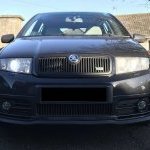
VRS backbox on standard bumper
Featured Replies

My backbox on my 1.2 is very noisy and rattles so ideally needs replacing. I currently have an ebay exhaust tip fitted with a cut out in the bumper on the standard backbox.

I was wondering if i could just pick up a used VRS backbox and fit it.

How will it sit with the standard bumper, i.e will it stick out at all?

What about the diameter of the pipe from the centre section will it match the standard exhaust?


If anyone has done this or knows if it can be done I would appreciate if you could let me know.


Thanks!

Exhaust pipe diameter is different so you'll need to muck about with an adapter and cutting the stock system back a bit, more trouble than it's worth really, a turbo diesel backbox won't be as effective on a N/A petrol car.

  • Author

Ok thanks, i thought that might be the case. Have to be a new standard backbox then. 


Skoda updated the backbox on the 1.2 in 2006 for a shorter one with a longer tailpipe and only 1 mount. Trouble is they are almost 2x the price of the older design backbox which is just a bit longer with a shorter tailpipe piece and an extra hanger mount.

Any idea where I could get the additional exhaust hanger if i were to buy the older style backbox?

I'm guessing your 1.4 16v has the longer type backbox?

Edited by clarendon462

  • Author

Newer, expensive backbox

1_1.jpg

Older style longer type with extra mounting

image.jpg

  • Sponsor

The (part number) answer may be around items 10/11 on this page?

Delaership/TPS ought to be able to get whichever you want. Or of course a scrapyard.

  • Author

Thanks that looks like what i need. No idea why skoda changed the system so late in production and then doubled the price!

My local scrapyard had 6 fabia 1.4 MPI's last time i looked so might try that first

Create an account or sign in to comment

Recently Browsing 0

  • No registered users viewing this page.

Important Information

Welcome to BRISKODA. Please note the following important links Terms of Use. We have a comprehensive Privacy Policy. We have placed cookies on your device to help make this website better. You can adjust your cookie settings, otherwise we'll assume you're okay to continue.

Account

Navigation

Configure browser push notifications

Chrome (Android)
  1. Tap the lock icon next to the address bar.
  2. Tap Permissions → Notifications.
  3. Adjust your preference.
Chrome (Desktop)
  1. Click the padlock icon in the address bar.
  2. Select Site settings.
  3. Find Notifications and adjust your preference.
