



Skip to content

1st service

Featured Replies

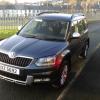
My yeti ( 2lt se business edition) is within 40 days to it's 1st oil/inspection service. 

How much should I expect to pay ? Nothing out of the ordinary needs doing ,Just standard service to keep the warranty good.

Should say it's variable service schedule with 11,000 miles @ 22 months old

Edited by aernala

Isn’t that the free checkup just to make sure nothing is leaking and fluid levels are right?.


2 hours ago, Ryeman said:

Isn’t that the free checkup just to make sure nothing is leaking and fluid levels are right?.


1st service at 2 years old!

I paid £130 ish for my first variable service at about 24 months.
Brake fluid change not due until 3 years.

Variable service is intended for high mileage cars doing around 15 to 20k a year or more. These then have a check approx each year or less as the car calls for its service at around 18k.

Cars doing 5k a year should be on a fixed service and get an annual check?

first service - 2 years or 18,000 miles, whichever comes first  ..... seems to be the "norm"

Edited by BillN_33

No not the norm in the UK.

That is for Dealership Employees to reset from the Factory Setting of Variable to Flexible rather than asking the person buying or leasing the vehicle how they will be using it.

Some Skoda Dealership employees will even tell the Driver / Owner / Leaser that the Service is not until 20,000 miles, (eg Those with vehicles leased rom Motability.)

probably because VW & Skoda seem to have a different conversion from km to miles.

I paid on my last Yeti £189 1st service 10,000 miles fixed service as none Lease/Motability

When I bought mine in March this year, I paid £279 for a two-year fixed service plan.

  • Author
On 09/11/2017 at 18:22, skoda1982 said:

I paid on my last Yeti £189 1st service 10,000 miles fixed service as none Lease/Motability

I'll live with that

Create an account or sign in to comment

Recently Browsing 0

  • No registered users viewing this page.

Important Information

Welcome to BRISKODA. Please note the following important links Terms of Use. We have a comprehensive Privacy Policy. We have placed cookies on your device to help make this website better. You can adjust your cookie settings, otherwise we'll assume you're okay to continue.

Account

Navigation

Configure browser push notifications

Chrome (Android)
  1. Tap the lock icon next to the address bar.
  2. Tap Permissions → Notifications.
  3. Adjust your preference.
Chrome (Desktop)
  1. Click the padlock icon in the address bar.
  2. Select Site settings.
  3. Find Notifications and adjust your preference.
