



Skip to content

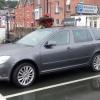
Hello guys! Can anyone help me if this 2016 (reg 66) Yeti has DAB functionality please?
Featured Replies

Hello kind Skoda owners again!  I have been away a long time, but I am still using my Skoda Octavia L+K if you are interested :D


A friend is looking at a Skoda Yeti 2.0 TDI SE (pictured below) and the advert says "DAB".


Questions:

  1. does it really have DAB?
  2. if not, can it have DAB retrofitted?
  3. what is this infotainment system shown?
  4. can things like "Smart Link" be retrofitted too?


Thank you, I am grateful for your time :)


red81c27ce231104b2dae78420d1c9db72e.jpg

redd67ebd71254946b3b0711ca5ab8f5e5e.jpg

We used to have a 2014 year UK Yeti with an Amudsen entertainment system and it had DAB.

On 26/08/2021 at 21:11, waynef said:
  1. does it really have DAB?
  2. if not, can it have DAB retrofitted?
  3. what is this infotainment system shown?
  4. can things like "Smart Link" be retrofitted too?


1) Possibly, press the FM button and see what happens

2) The best way would be to swap the headunit for a DAB version, I've no idea if 3rd party solutions exist

3) It's a Bolero, more specifically a MIB STD2 PQ style Bolero

4) Smartlink can be activated by a dealer, you'll only get Android Auto and Carplay if the build date is after May 2015


If you check the system information for a part number, that'll help answer some of your questions :)

  • 8 months later...

I have just bought a 66plate Yeti Monte Carlo with the bolero head unit. There’s no DAB option on the unit but does anyone know if the functionality is there and waiting for me?

im looking to get a new head unit but unsure if I need a DAB aerial as well?

Cheers

Create an account or sign in to comment

Recently Browsing 0

  • No registered users viewing this page.

Important Information

Welcome to BRISKODA. Please note the following important links Terms of Use. We have a comprehensive Privacy Policy. We have placed cookies on your device to help make this website better. You can adjust your cookie settings, otherwise we'll assume you're okay to continue.

Account

Navigation

Configure browser push notifications

Chrome (Android)
  1. Tap the lock icon next to the address bar.
  2. Tap Permissions → Notifications.
  3. Adjust your preference.
Chrome (Desktop)
  1. Click the padlock icon in the address bar.
  2. Select Site settings.
  3. Find Notifications and adjust your preference.
