Leaderboard



Popular Content
Showing content with the highest reputation on 28/04/20 in all areas
-
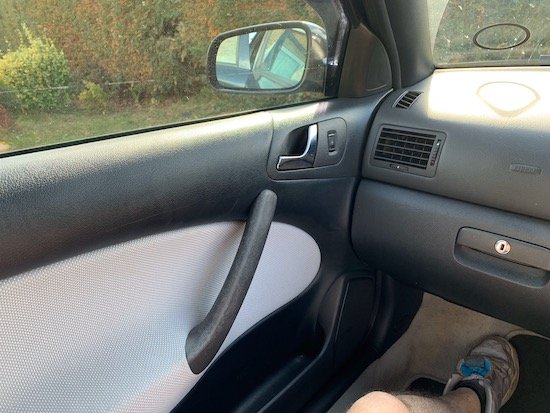
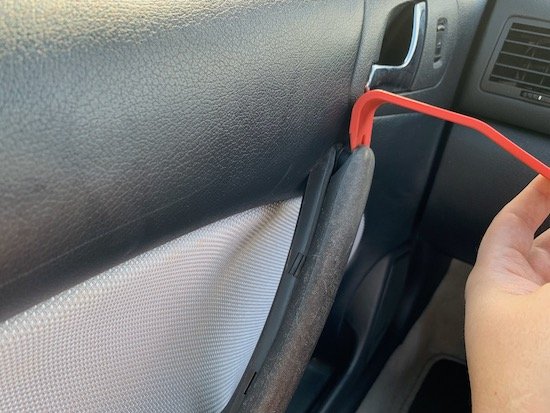
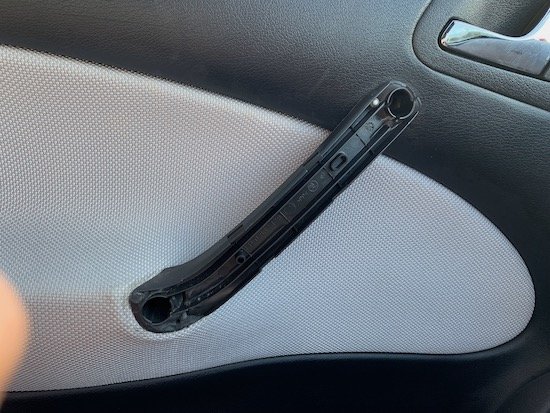
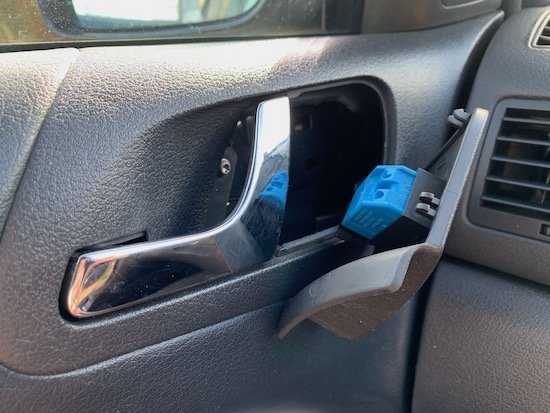
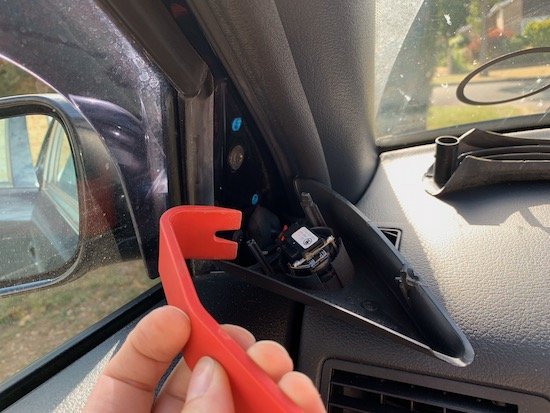
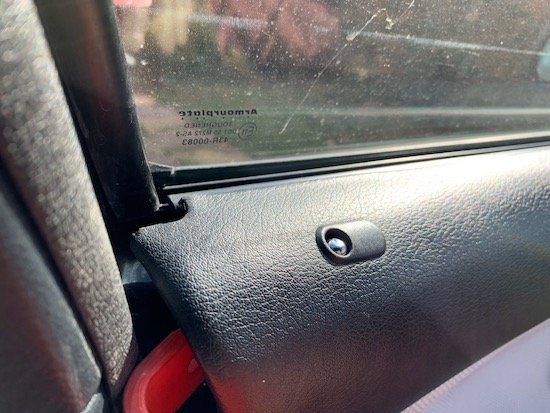
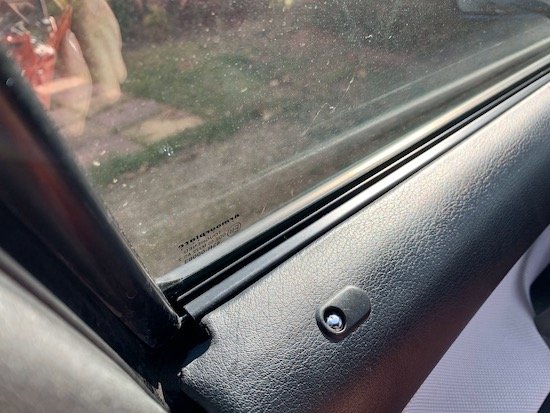
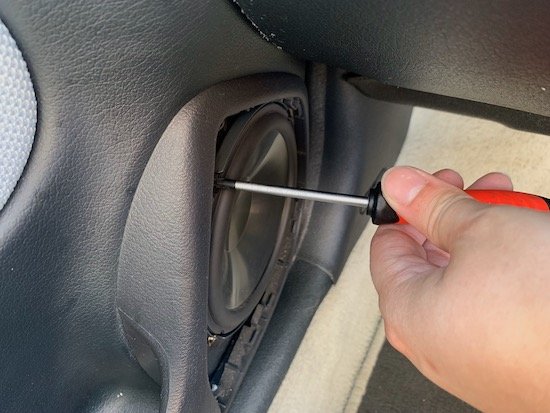
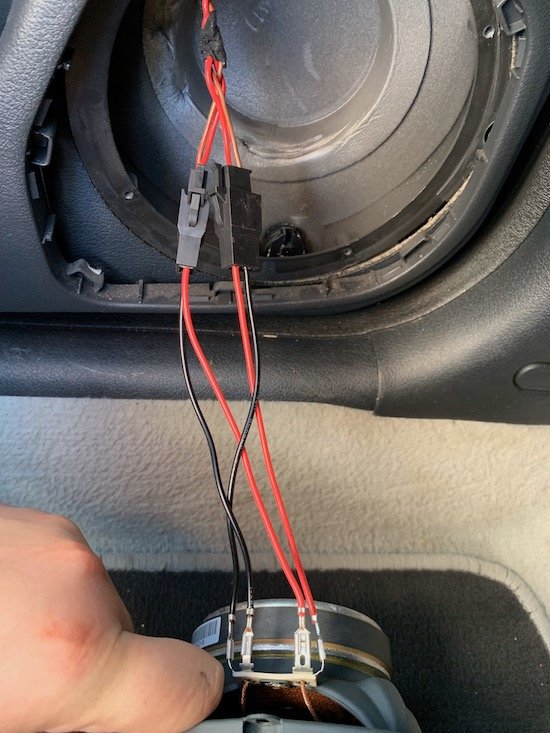
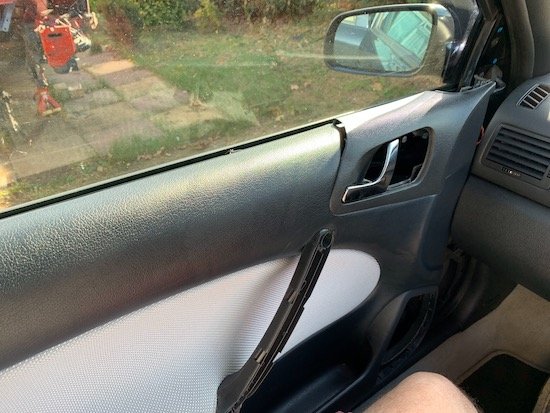
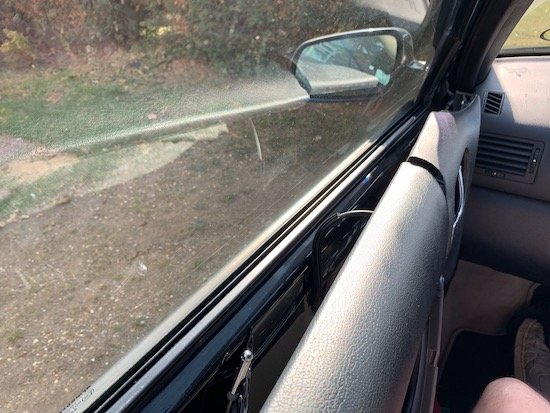
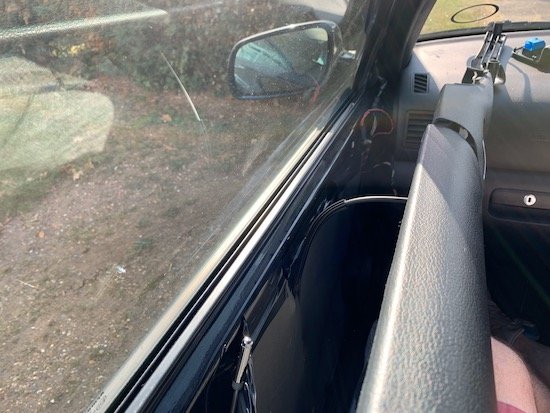
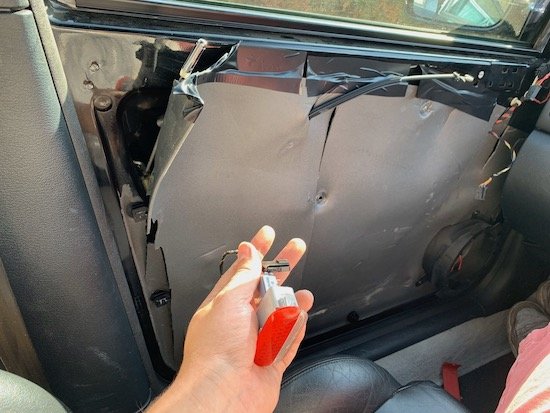
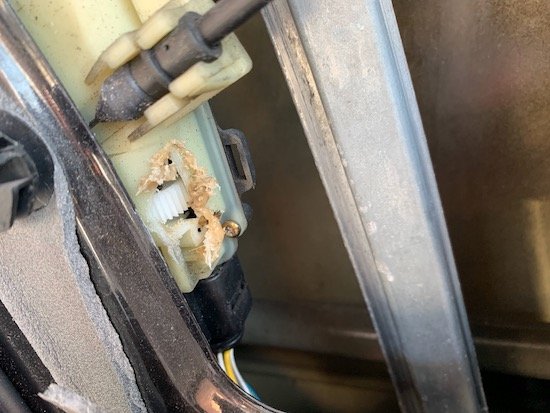
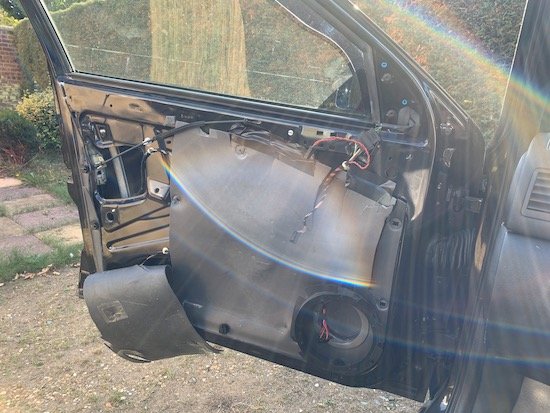
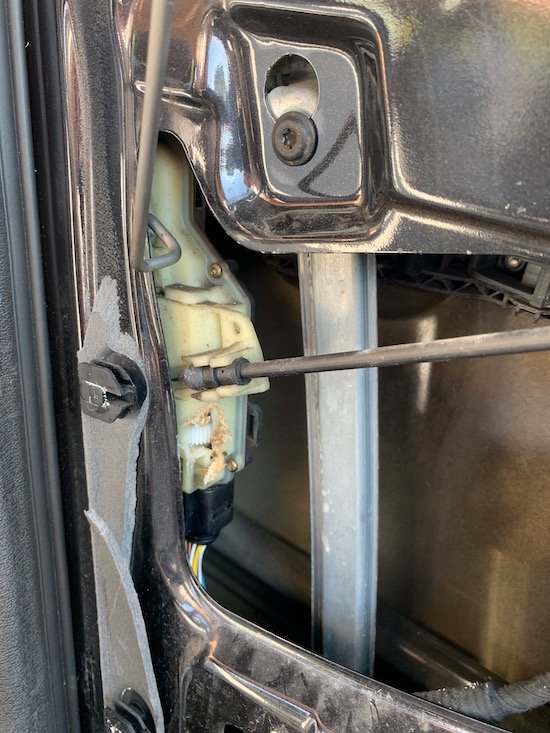
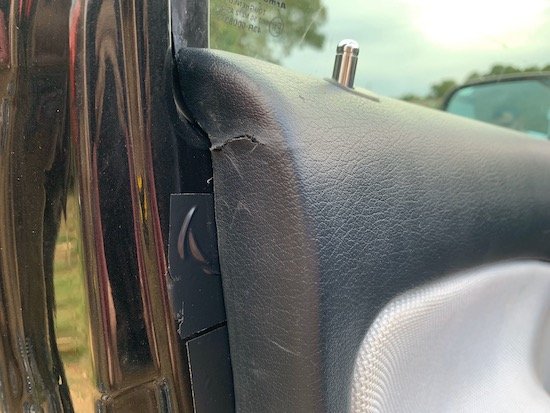
I'm making this guide in hope that it helps other that are in a similar position. Through this guide you'll have a step by step process on how to access your door from inside the car. If you door is locked, deadlocked, or cables have snapped this will help you. Tools you're going to need Philips Screwdriver Trim Removal Tools (as to not damage any plastic parts Drill with drill bits or Dremel Step 1 You want to sit in the site facing the door of your choice Step 2 Remove the A-Pillar tweeter cover Step 3 Remove the inner door handle with the trim removal tool, on each side gently pull up. Step 4 Remove the window switch, I found that the easiest way is to life up the handle and put a trim tool in on the side and lift it out. There will be a tiny hex screw behind there, make sure you unscrew it and take it out! Step 5 There are x2 philips type screws, these need to be removed with a long screwdriver. Step 6 Now the tricky part, getting the door card off with minimal damage if any at all. Grab that trim removal tool once again and place it at the back (as in picture) and try to unhitch the top of the door card over the lip on the door. Step 7 Once you got the corner, you'll see that you can go all the way along to unclip it all. Step 8 Now removal the speaker grille and the speaker with your philips screwdriver. You'll see that I use VW/SKODA speaker adaptors for a neater install, if your's are standard then you'll just have x2 speaker connectors directly on the speaker. Step 9 All around the edge are screws that hold the door card in place, normally the door would be open and you'd unscrew them. But, as we cannot do this, you'll need to literally yank the door card straight off. Be sure to move the seat back to give you more space. Step 10 If you've managed to create a gap, be sure to un-clip any connectors before completely removing it, you don't want to damage the loom. Step 11 If the door is deadlocked and there's no power, no audible click, then you're going to have to cut into the door lock module. Look closely to my picture, you need to cut directly under the cable which is attached to the module. Step 12 Try not to go to deep as you don't want to ruin the cogs/gears. Once you can see the cog, you'll need to start to turn, unwind it until you hear a click or that you can pull the door cable and see if the door opens. Step 13 If you've done it all correctly then your door will open! Step 14 Inspect the door card for any damage, I had very minimal but I wasn't to worried as I have a complete VRS interior in the garage. Step 15 Give your self a pat on the back! If this was helpful and you would like part two of the guide which includes, handle and door lock removal then hit the like button. I'll put the effort in and complete part two and get it posted. If this was helpful, again hit the like button as I can always make more guides on the MK1 platform. I'd love to see pictures and hear your story on how you achieved this, so post your reply below! Thank you!
 3 points