djmartzian
Members
-
Joined
-
Last visited
Everything posted by djmartzian
-
Thx @Rainesh, Do you know when the firmware will be available to us? Thx
-
From what I can see the clever guys already updated the MIB3 Infotainment to 1941 on VW Mk8: Is anybody aware of such procedure for SK too? Related Article: https://www.golfmk8.com/forums/index.php?threads/infotainment-hardware-and-software-updates.391952/page-72
-
-
@Chrisg2021, Here is the coding if you would like to do it by yourself. Bear in mind that beside the dongle you will also need a Pro subscription. Lane Assist to "Last setting" Driver assistance (module A5) > long coding > Configuration for lane departure warning KI15 > change to "last setting" Standard ACC Control unit 13 Long coding Cruise control mode Set to: Activated Cheers
-
Thx @adelgadom, for getting back to my messages with a very useful advise. The big concern for me it was that because I do NOT have the build-in Sat Nav (and I don't want to spend money on this because it's a real crap in my country) the maps upgrade process will not start/work in offline mode. But, in fact I will give it a try on my next long trip (>2h) to see what will happened. I'll come up with an update afterwards. Cheers
-
Hello @Bechrissed, Here is the official link: https://www.phonostar.de/vw/en/download. just add software version from your unit in the search box, then a download button will be active. e.g. "5E3035816J" bear in mind that latest version 1.31.42 can't be installed. More details in the related thread: https://www.skodacommunity.de/threads/radiodatenbank-update-ist-moeglich.144957/page-8#post-2349987 I can provide the archive for the old version that worked for me (just give me a trusted upload server). Very strange that the above link is not available. Probably they removed the file from the server. Cheers, D
-
You can try to update the Radio Logo database by following the below instructions: Good luck!
-
@Bial, Can you share the software versions that you are running on? Thx
-
Has anybody tried to update the maps in offline mode? I've found the below thread, but it's clear to me if this is applicable to Columbus/built in Sat Navs units only. In my case, the unit is MIB3/Bolero. https://www.seatcupra.net/forums/threads/updating-the-inbuilt-mib3-satnav-offline.472408/ QQ: Does it make sense to bother updating the maps database, in this case? Ta
-
I've managed to do the upgrade on the Radio Stations Logo Database by just following the instructions from the Phonostar official document: https://www.phonostar.de/download/vw/37W_Stationlogos_CustomerUpdate.pdf More details in the original source thread: https://www.skodacommunity.de/threads/radiodatenbank-update-ist-moeglich.144957/post-2349030 Note: For those unfamiliar with German (Iike me), just use Google Translate to find the relevant information. Remarks: There are some issues with latest version (v1.31.42), so debug is ongoing. I used v1.31.40, instead. https://www.phonostar.de/download/vw/MQB3_LGe_Europe_v1.31.40.zip Good luck!
-
-
I've replaced the front wipers with Bosch A102S: https://m.autodoc24.ro/bosch/7882805 and rear wiper with Valeo Silencio VR267: https://m.autodoc24.ro/valeo/7950434 Just plug&play for all of them.
-
@Wonderloaf, Yes. I own the ODB11 next generation device. I would recommend to buy same dongle. Just subscriber to their newsletter because sometimes they will release special packages (dongle + credits + Pro plan subscriptions) on a better price rather than buy all of them individually. Cheers
-
@SkOmk4, My answer in line: 1. All the Release Active DTCs will be present only on the SFD locked modules. The reason why the DTC is still present on that module is that you forgot cu SFD Lock the module after coding. The correct "procedure" to do some coding is: a. Open the Hood (to bypass car firewall) b.Check for previous DTCs before do any coding c.SFD Unlock the module you what to code d. Do the coding d. SFD Lock the module back e. Check for DTCs 2. Backup of whole cars/modules is a MANADATORY step (prerequisites) before start playing around with OBD11 dongle. The saved backup is the only one that can save you if something goes wrong, apart from a visit to your dealer. 3. Like I mentioned in my previous message, try to forget about the built-in OCA, and do the coding manually. If you mess something up(sometimes it can happened due to some parameters in German), just check the History section on that module and revert/rollback your changes. Hopefully this is useful for others too!
-
All E-TEC, or Mild-Hybrid, vehicles has DQ200 transmission box.
-
G-meter display will work only with Sat Nav (this is my assumption), because I've had enable it on my Bolero but w/o any luck. Please someone with Columbus, confirm the above?
-
Fan Display level Auto Original source: ---- The following code is used: Control unit: 08 Air Conditioning - Adaptation Blower display in auto operation: Blower display in auto operation: activated @SkOmk4 FYI
-
As a general guideline, I would advise to use manual coding and adaption rather that built in OCAs, since the last ones will not leave a trace if something goes wrong. Please see related threads for more details: https://forum.obdeleven.com/thread/16159/adaptation-invalid?page=1&scrollTo=76547 https://forum.obdeleven.com/thread/17388/invalid-adaption?page=1&scrollTo=76545
-
Short Update: I've managed to do the key mapping with the Guest profile/account. Basically one key is mapped to Primary User (with also have Skoda Connect online services: lock, unlock,...) and the 2-d key is mapped to Guest one. I've did some testing with different settings for the 2 users (different VC layout, different Bolero widgets, different favourites Radio stations, because my card doesn't have memory seats and mirrors) and it seems that is working as expected. Locking the car with primary key, and returning after 10-15min with the 2-d key, and vice-versa, the correct settings(the ones mentioned above) are stored and loaded. The only disadvantage of this it's that configuration for the Guest user is stored locally within the MIB3, rather than cloud for the Primary user. In case something when wrong the settings/configuration might get lost. Still I don't understand why I can't add a new user even if an "empty" Skoda Connect account has been created in first place.
-
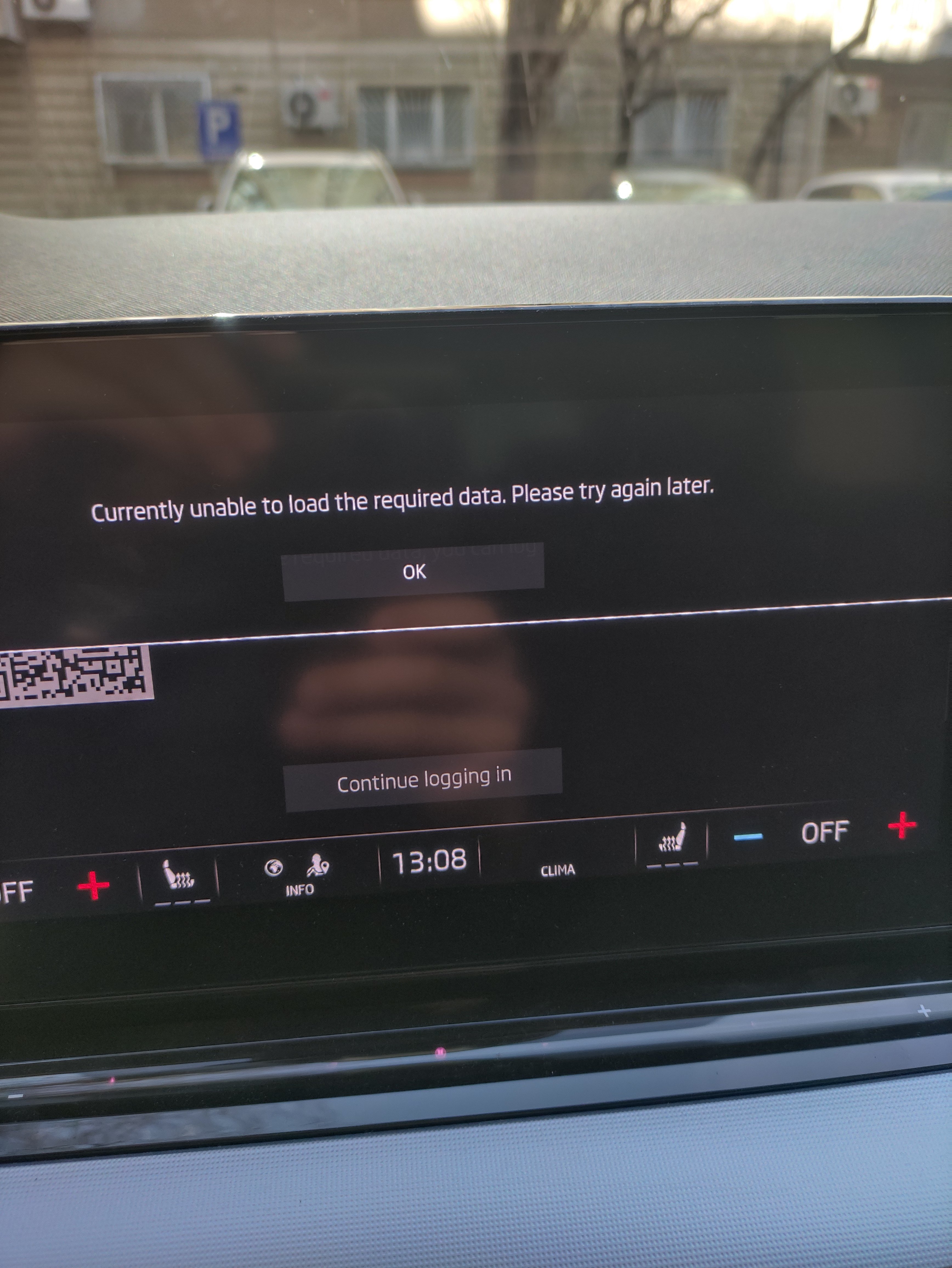
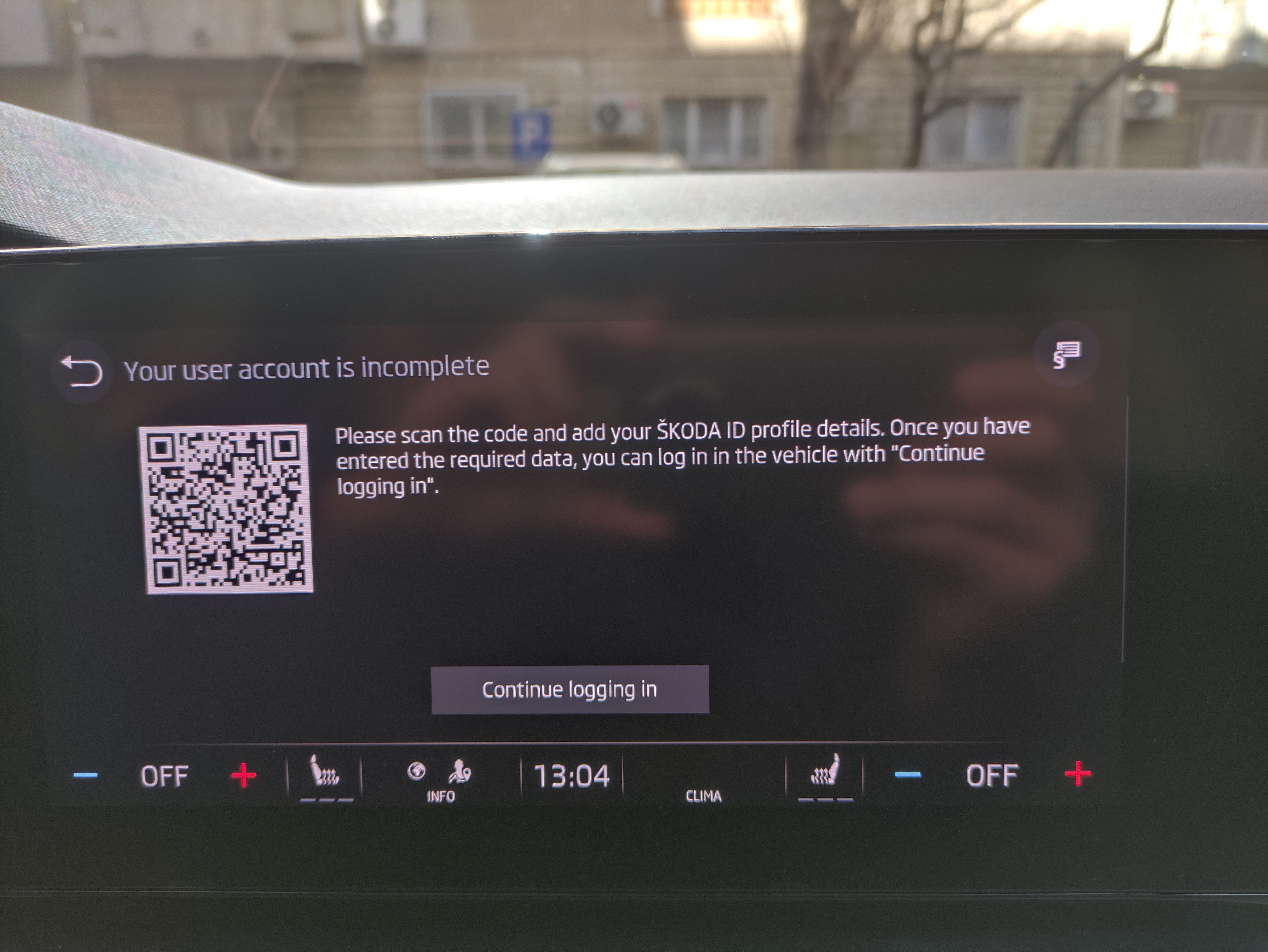
Same in my case. I used the secondary key to unlock the vehicle and try to add a new user, BUT I can't continue after the validation screen with the QR code and SKODA ID profile verification. It's keep complaining about "unable to load the required data. Try again later". Re-tried in this evening with same result.
-
Thx mate. Maybe another software gremlin QQ: Have you use your profile(Primary - with your key) to add/configure the Secondary account OR the second key that you associate it afterwards with SK Connect empty account?
-
Hello, I've tried today the above procedure but with no luck. The second SK Connect account has been created prior to try to create and to add a new user/account in the car's infotainment system. Basically I've managed to type in the username and password, but then I didn't find a way to move on after the validation screen with the QR code and SKODA ID profile verification. It's keep complaining about "unable to load the required data. Try again later". I used both keys, one at a time, without luck. What am I missing here? Br
-
The instructions haven't been updated. The SD card was available with MIB2 and MIB2.5, I think. In our case, with MIB3, we can use an USB memory stick, formatted as FAT32, with one of the front USB slots.
-
Hi all, Has someone tried to update the radio database, especially the Logos for some Radio Stations that are missing them? The related files and instructions are available in the link below after you type in your VIN no: https://updateportal.skoda-auto.com/en-GB Sadly, none of the procedures worked in my case Bolero SW: 1896. I've also took a look in the German forum, but again I haven't had any luck with the following instructions (just use Google Translate like I did since I'm not good at German at all): https://www.skodacommunity.de/threads/radiodatenbank-update-ist-moeglich.144957/post-2321162 Basically I didn't manage to make that "Load Logo" menu to be displayed, hence to load the dedicated logo for a radio station. The files on the memory stick (formatted as FAT32) are somehow "visible" if I try to access them from the Media, left hand menu. Another question is: How can we check the Radio Database version? I'm asking it because this kind of information isn't available in my case: https://www.skodacommunity.de/threads/radiodatenbank-update-ist-moeglich.144957/post-2321153 Ta
-
Thx @AndreyZh for getting on bottom of this issue. QQ: Does the car must be added in both 'primary' and 'guest' Skoda Connect accounts? OR is it enough to be added only for the Primary user and the 2-d user just to use his/her ("empthy") account to create profile in car's infotainment system? Br