Everything posted by djmartzian
-
Hello @Lukas_2611, If you complaining about the driver mirror unexpected behaviour, this can be fixed with a software upgrade to version v.914 applied on the Driver Door module. Cheers More details in the thread below: https://www.drive2.ru/l/669074541930092139/
-
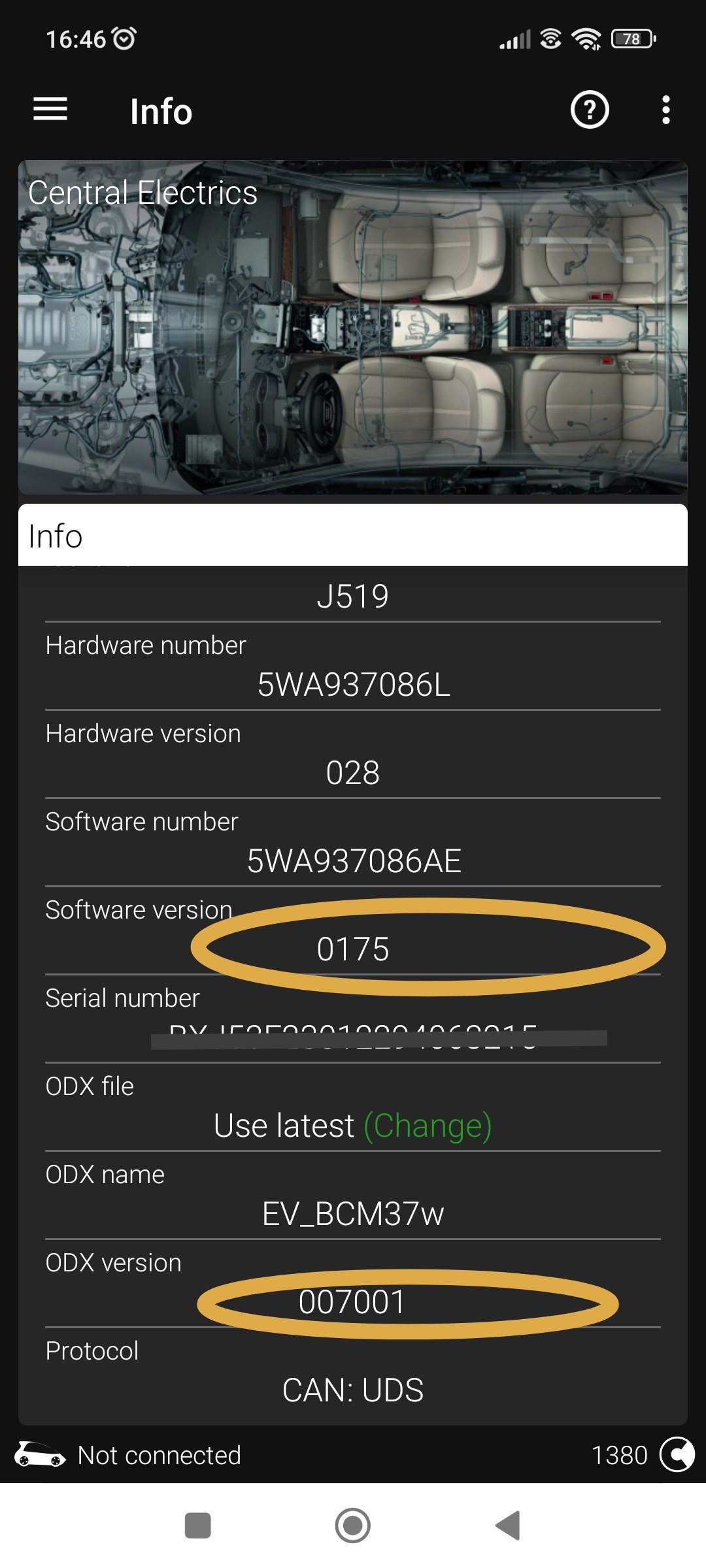
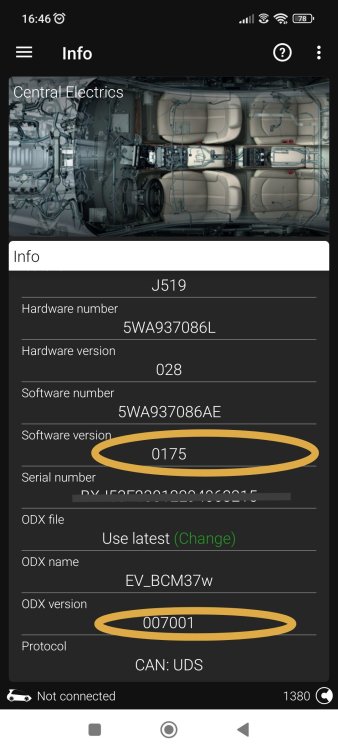
@Mario_Delgado, Please find below all the details about 09 - Central Electrics module where, as mention before, the coding was accepted and the locking upon exit/leaving from the car is indeed working. ☺️
-
-
-
@scotthugh3s, May I jump in the discussion with the link to the thread: Bear in mind that is not my guide, I found it a while ago when I was looking for a solution to this problem because my car is also suffering sometimes in wet weather. Br, D.
-
The above coding is from Coding list Golf 8 by n3oka! I've tested on My SK O4, pre-facelift version and it's working like a charm! Cheers!
-
Hello @andreiro221, Can you share more details about this update to 76 - PDC Control Unit? Has the SK dealer did this upgrade? Is there any TPI released? Now, with this cold wave I'm encountering some intermittent warnings and sometimes brute force stops at low speed. PS: My current SW version is: 5WA919298B (0578) Thank you. RO: Numai bine!
-
-
Hello @geolik, The coding for the comfort turn signal is: Unit 09->Adaptations->Light_control->Comfort flasher set point:3 (MAX VALUE) Bear in mind that there is a restriction to max value of 3 for the MQB-Evo platform, compared to previous MQB platform. Even so, I don't quite understand why this happened since you coded the vRS theme (unit 17(VC) and unit 5F(MIB3), both are handling the coding for vRS appearances) , BUT unit 09 - Central Electrics has been affected. Have you used any 1-click apps? "Mult noroc!"(Good Luck!) D
-
Hello, I don't know if this is the correct thread to ask my question but I can't find the answer in any others post and I don't see the reason to open a new one. Does anybody know what are the electrical connectors for the Puddle Lights located in the exterior mirrors? I've been thinking on this quick retrofit since the coding it seems straight-forward, and hopefully this isn't a protected(by Swap/FeC code) feature. @East_Yorkshire_Retrofits, do you have any insights? Really appreciate your inputs. Thank you
-
Hello, QQ: Has anybody else tried GTS5 product on 1.5 TSI e-TEC 150HP/11-kW 1498cc pre-FL? https://www.racechip.com/shop/skoda/octavia-nx-from-2020/1-5-tsi-1498ccm-150hp-110kw-250nm.html TIA
-
Hello @SuperbTWM, The flickering is also present in the natural light. I've uploaded another video: https://streamable.com/gy1mvh Cheers
-
Hello @East_Yorkshire_Retrofits, Apologies for this inconvenience,but I didn't realize that video has been deleted from the hosting service. I've re-uploaded it: https://streamable.com/vqj107 Later EDIT: I've also checked with OBD11 dongle and there is a new version available for module 6C(Reverse Camera), which is 0364. Currently running v0344. Can you take a look and advise me what to do next? Cheers
-
Hello, In the last weeks, my reverse camera has developed a weird malfunction, and start flickering from time to time. I tried to replicate the issue in different conditions (hot whether, wet/rainy weather, leaving the car in direct sunlight for couple of hours), but never managed to get a real pattern. The car was at dealer for MIB software update(to v1969) 2 weeks ago, but at that time this problem wasn't present. 😞 They just connected the diagnostic, didn't find any DTC/errors in camera module, so then returned the car how it was! I've attached a video from yesterday morning when I managed to capture it in an underground parking place. https://streamable.com/v54g7f Any advises will be highly appreciated! Thank you
-
SK Mk4 FL is using SFD2 which might be new to OBD11. Better to check with Voltas Support Team.
-
Hello @Mark_skoda, Have you tried with the recovery files from https://mibsolution.one/#/1/9/MOI3/LG? From top of my head I saw some recovery files some time ago stored on the server, but I'm afraid I'm not aware what they are actually for. Maybe in your case they will boot-up the MIB unit in order to select the USB and then retry the update. Fingers crossed and good luck with the resurrecting process.
-
Hello @axw, A quick search on P27F500 error code from HEX02 module (which I'm expecting you to find a DTC record if you will scan with an OBD11 dongle): https://www.seatcupra.net/forums/threads/gearbox-error-p27f500-solution.476450/ This seems to be a common issue on all VW brand vehicles: Golf Mk8, SK Mk4, Seat and Cupra. Hopefully this will help you further with the fix. Br.
-
Hi @WaveyDavey, The G-Meter extra option on VC can be codded with OBD11: G-meter (Checked) Control unit 17 - Adaption- Configuration of displayable contents - G-meter -> active Control unit 5F - Adaptation - Vehicle function list BAP compass_0x15: activated compass_0x15_msg_bus: Databus_Infotainment Cheers
-
Hello @RaysWheels, What polarised lens have you ordered? From what I can see there are 3 options available on the above site, but there is no information/details about them. What is the big difference between CPL-3345, CPL-3869 and CPL-3390? Thank you
-
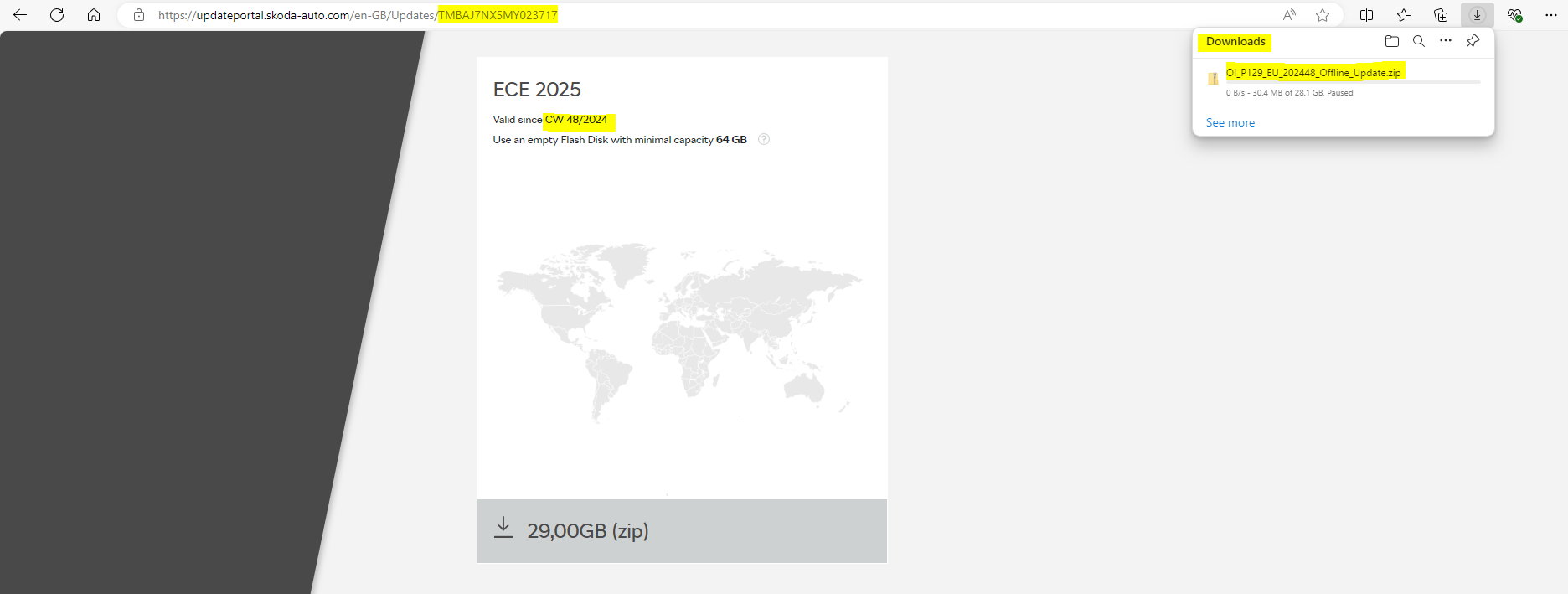
Hello @MartiniB, First of all apologies for my late response but I've been in a short holiday last week. During this break, I've also managed to update the Nav DB with the latest files from the Skoda portal: OI_P119_EU_202425_Offline_Update Now the version displayed in System Information Menu is: 23.12 Cheers
-
New maps update available on SK Portal: PS C:\Users\> curl -s -L https://updateportal.skoda-auto.com/en-GB/Updates/TMBAJ7NX5MY023717 | Select-String -Pattern "(http|ftp|https):\/\/([\w_-]+(?:(?:\.[\w_-]+)+))([\w.,@?^=%&:\/~+#-]*[\w@?^=%&\/~+#-])" | Select -first 2 -skip 1 | Select-String -Pattern 'OI' -SimpleMatch <div style="display:block; position:relative" class="map-download-btn" data-toggle="modal" data-target="#DownloadEula" onclick="showEula(event, 'https://infotainment-cdn.skoda-auto.com/base/maps/OI_P119_EU_202425_Offline_Update.zip', 'OI_P119_EU_202425_Offline_Update', 'Map')" value="Download maps">
-
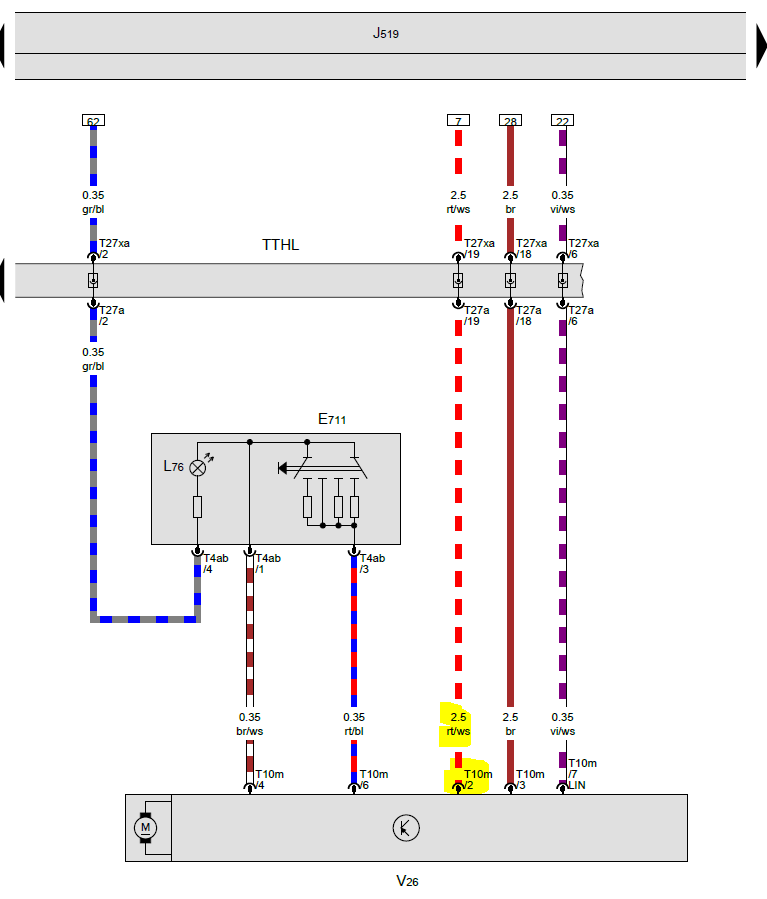
Hello @Giannis20, First of all, congrats for your hard work and the fact that you shared with the community. I'm also in the process of adding the Skoda Logo projector light in my read doors, so I would like to clarify a few facts before proceeding: 1. Which are the PINs that you used for +12V sense? Are they the no:2 on each door? 2. Which connector did you used to connect on electrical door harness? I tried to get an idea from your pics, but from what I can see you wrapped the cables for the new lamps on the existing electrical connector. Is that true? Thank you
-
Hello Murdoch71, You can try this download link instead, if you still have issues with the old one! Good luck
-
Thank you @East_Yorkshire_Retrofits and @Giannis20. Really appreciate!
-
https://mibsolution.one/#/1/9/MOI3/LG guest/guest 🙂