djmartzian
Members
-
Joined
-
Last visited
Everything posted by djmartzian
-
Hello @lamiricore , I'm so sorry to hear that you soft bricked the MIB3 unit. Every update must be "secured" with an external +12V power supply OR engine running. The only option left for you is to re-write the EEPROM memory with a CH341 programmer. For more details see the following thread: https://www.drive2.ru/l/706606921100048503/ Where are you located? Maybe you can find someone nearby. Good luck
-
https://www.phonostar.de/download/vw/MQB3_LGe_Europe_v1.31.58.zip @Kgarv , Good Luck
-
@tim1709 , You can find instructions and pictures in below thread: https://www.drive2.ru/l/647457318694294449 Hopefully this will give you some ideas how to start with. Good luck
-
It's a known fault. See related thread for more details and the quick/easy fix
-
Hello @petrbazant , You can use DoIP interface! Both Sk Mk4 and VcTool support this protocol. https://a.aliexpress.com/_EINwq3c Can you share more details how did you find and changed the sound datasets with VcTool? Maybe if you have some spare time to create a DYI/video tutorial? Thank you Cheers
-
Hello, Read the below thread for more details: https://www.briskoda.net/forums/topic/516103-volume-keeps-turning-up/?&do=findComment&comment=5948038 Good luck
-
-
Hello @mmt , Congratulations for your work. Can you share with the community more details about the source of the new display? 1.Is it brand new, OEM, provided by Skoda as a spare part? 2.Is it from an old car, from a junkyard? 3. Please share a link/URL from that site. Thank you
-
Hello @WaveyDavey , Just use a VW part no instead, e.g. 5H0035816 . The below link is the result of the archive that must be used for upgrade: https://www.phonostar.de/download/vw/MQB3_LGe_Europe_v1.31.56.zip Cheers
-
Hello @Lukas_2611 , What product did you use to seal the cables? Something similar to: Liquid Insulating Tape Repair Rubber https://a.aliexpress.com/_Eut4iWW Thank you
-
-
Resurrecting this thread with fresh information: https://www.drive2.ru/l/699703637345063567/
-
-
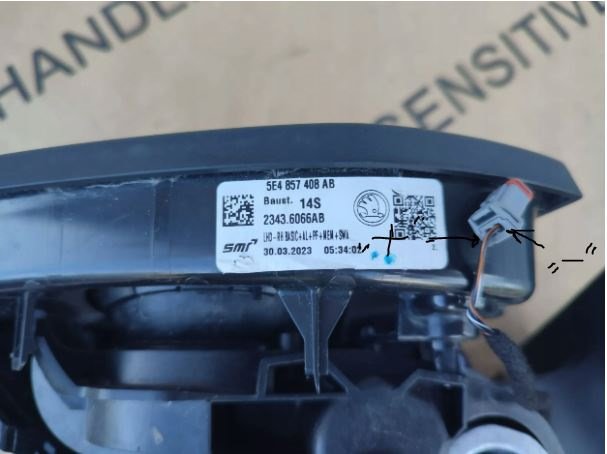
Hello @East_Yorkshire_Retrofits , I might need some advised from someone with real expertise on this kind of retrofit. I managed to route the cables through the mirror lamps, but I'm afraid I can't find verified information related to harness connection, especially to T2b pins? 1. Which is "+" signal and which one is "-" ground? Do you have any pictures with the pin numbers? 2. Is the harness connection the same for right and left mirror lamps? Really appreciate your support. Br, D.
-
@cristianvelicu , Often, after 09-CU coding you need to perform a bus rest. This means you lock the car and take the key far away so that the CAN bus network enters a rest state and at the end the communication resets. Good luck!
-
@vRS 170TDi Cork , Can you share a link with the arm-rest spacer/shelf?Thx
-
-
@East_Yorkshire_Retrofits , Thx for the reply! But, it might be easy to add new terminal in a spare fuse location only for RHD vehicles, since the fuse box is located behind the glovebox. For LHD, you don't have access to purple security bold because this is located behind the dash panel, so you don't have enough space to pull the fuse box at least a little bit to work on it, like it was with previous MQB model. I'm not planning to remove the full dash just for this, that's the reason I've asked @Giannis20 to find out his solution. For this retrofit, I'm going to connect the modules via a piggy-back, quick and easy fix. Cheers
-
Hello @Giannis20 , Can I bother with another question related to this retrofit? How did you connect the power source for the modules/radars? Have you used a piggy-back cable to connect on an existing fuse OR have you tried to insert a new connector for a spare fuse in the Fuse holder C underneath the dash? Thank you
-
Hello @luccio96 , Apologies but I don't have v1.31.40 anymore. Probably I did a clean-up and deleted the old versions since the update is working fine on Skoda Mk4. I only kept the latest 2 or 3 versions just for backwards compatibility if something goes wrong on an update. Cheers, D
-
Hello @luccio96 , You can upgrade to latest version: https://www.phonostar.de/download/vw/MQB3_LGe_Europe_v1.31.56.zip Good Luck!
-
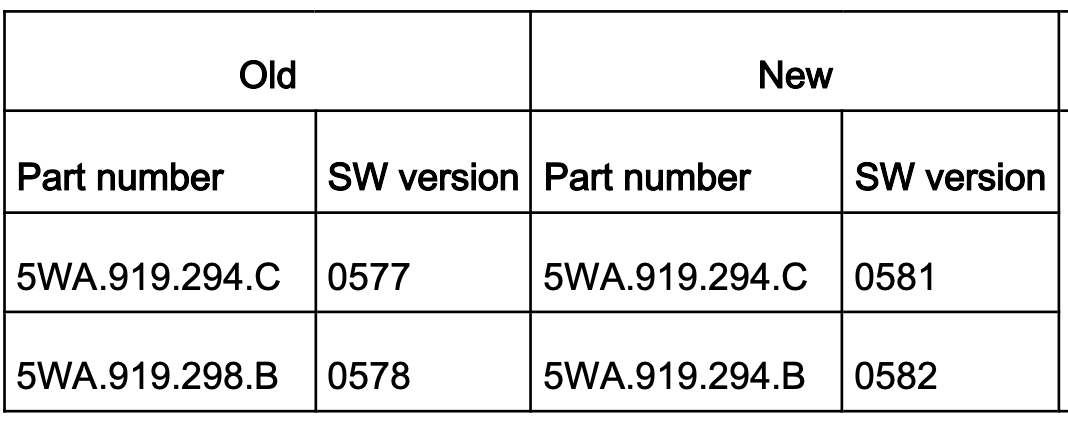
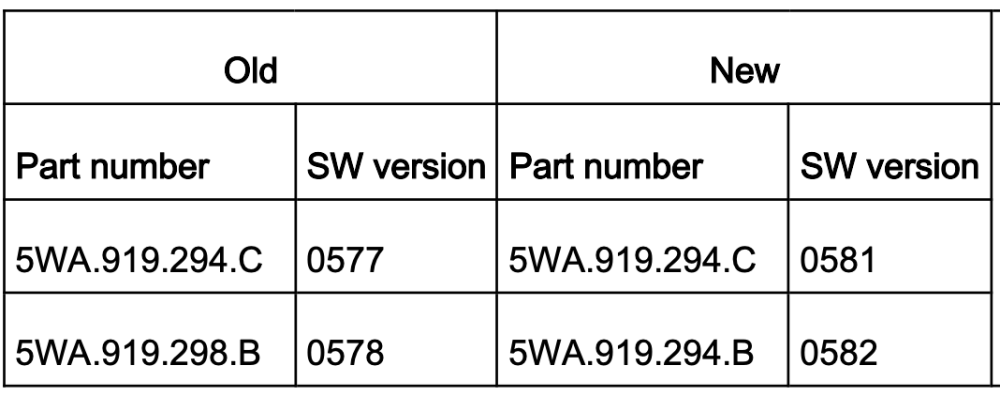
Hello Guys, TPI2075576x is the TPI no that I found on other related forums, but I'm afraid I don't have any extra details. Can someone with access to ErWin check and post here the full description? Thank you
-
Hello @Bennie, With regards to retrofits that you are looking for, please find below related information/tutorials: 1. Blind Spot DYI https://www.seatcupra.net/forums/threads/blind-spot-detection.473190/post-5060818 https://www.briskoda.net/forums/topic/528134-blind-spot-assist-retrofit/ https://www.drive2.ru/l/687276407172112599/ 2. Passenger auto dim exterior mirror DYI https://www.drive2.ru/l/673894526028373793/ Please keep us posted with your progress! Good Luck!
-
Hello @beneix, Have you inserted the missing wire in the Fuse Panel OR have you used a piggy-back fuse wire? Thank you
-
Hello @Giannis20, You can download the Updated DB with latest Radio Station Logos from the link below: https://www.phonostar.de/download/vw/MQB3_LGe_Europe_v1.31.56.zip "Official" MoP: https://www.phonostar.de/download/vw/37W_Stationlogos_CustomerUpdate.pdf Good Luck!