Tell
Members
-
Joined
-
Last visited
Everything posted by Tell
-
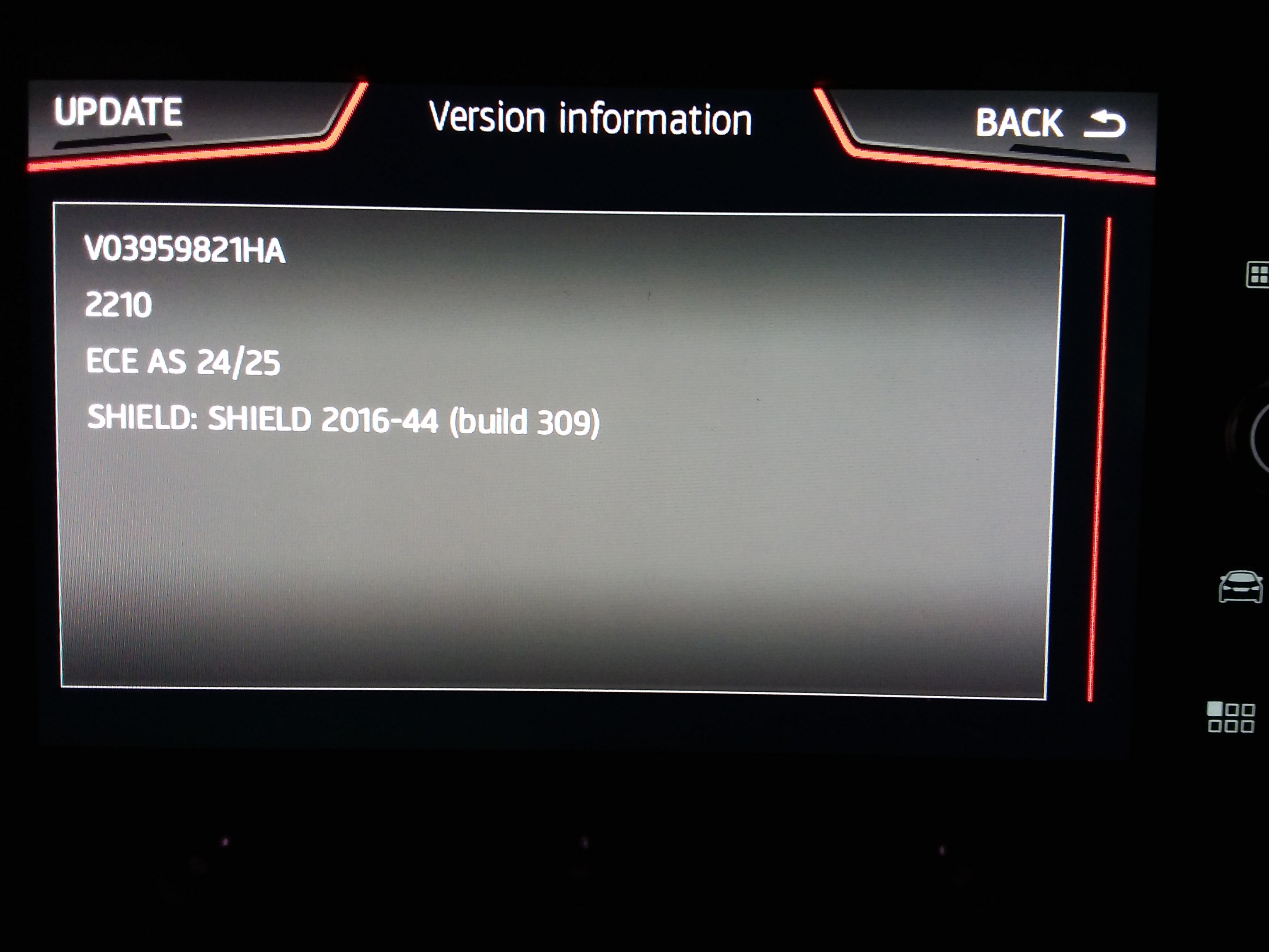
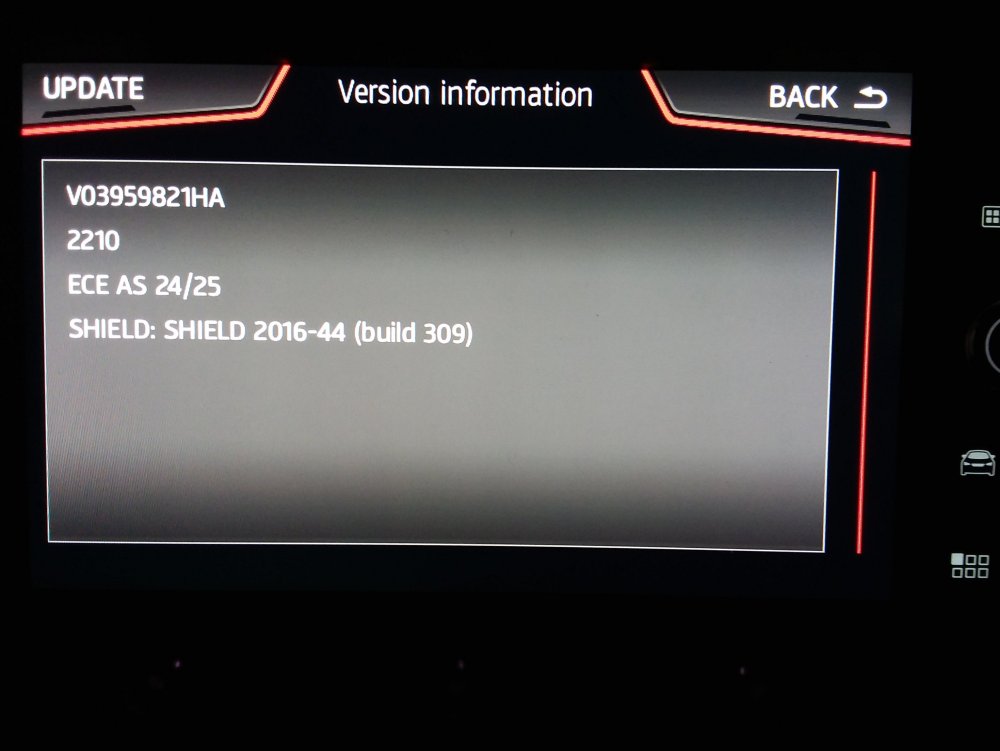
The internal file is dated 12/05/23 so it was zipped then and laying about. 🤔... until someone put it up on their servers. We might have it in the car soon.... There we go showing the Seat part number. Still on Tom Tom cartography so no TMC. Still need the old map workaround which is still gloriously working.
- 98 replies
-
- amundsen
- discover media
- maps
- mib
-
Tagged with:
-
I'd given up looking. I see it's not wrapped in the VW web page yet, so that will be the one that requires a 32gb if you don't hack out stuff. Others to be found... I'll check the cartography just in case it's switched back to Here Maps. It's possible if they rationised their contracts.
- 98 replies
-
-

- 1
-
-
- amundsen
- discover media
- maps
- mib
-
Tagged with:
-
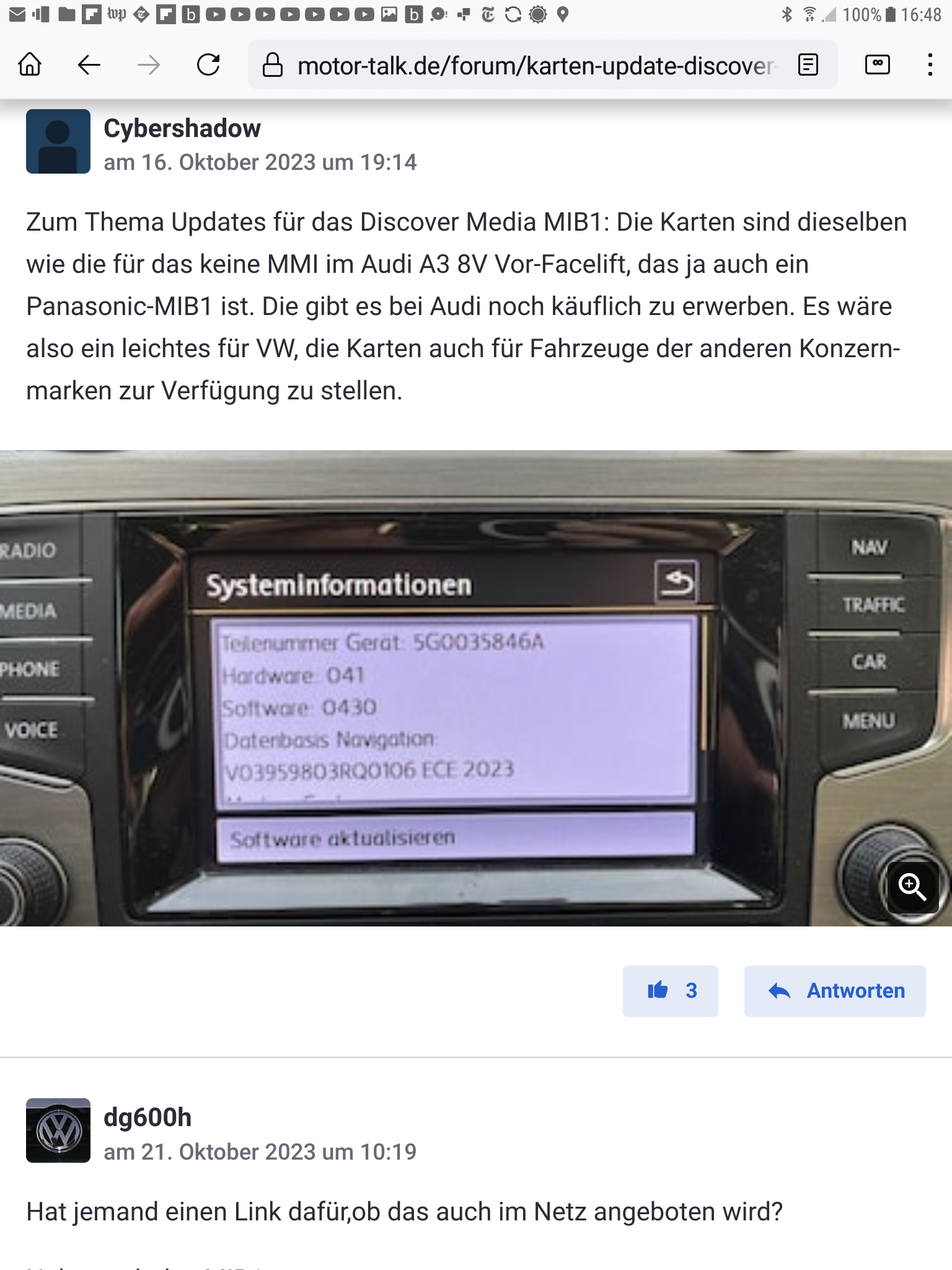
There is a 2023 mib1 map on mibsolution.one which Seat drivers have been able to use with a part number shuffle. Seat never got mapcare or rather had to fork out for map updates unless you use workarounds. Not sure of the Skoda position on mapcare in mib1, it got dropped in mib2. Lucky souls whilst Audi users are in the same boat. The workaround in mib1 appears to be edit DBInfo file with notepad. PartNumber1="your old part number" PartNumber="your old part number" Edit the the new map file two parameters too: PartNumber1="your old part number" PartNumber="your old part number" Obviously your your old part number is your old part number. Use the notepad editor if Windows. You might not need the part number on Skoda... pass on that, but if you do it appears to be just carrying forward you old PartNumber1="your old part number" PartNumber="your old part number" The unit being tethered on what was originally in place. The file is P106_N60S3MIBS2_EU_NT (8V0060866S): https://mibsolution.one/#/1/15/MSTD guest, guest Always take a copy of the map file before deleting the contents !.
-
You can be a daredevil and load up the June 2024, 2024-2025 on a mib2 high as Booboo and I did for Europe, release 370. https://www.briskoda.net/forums/topic/518018-columbus-map-update-2024-mib12-high/?do=findComment&comment=5830006 That one does have cartography on it six months later than then 2024 one. Only works for the mib2 high not mib1 high. You'll see Boo Boo told us about it higher up. Several links too it, before that. Originated from the new Iron Curtain who had liberated it from Audi. Reckon that will be the source later once Skoda, Seat and VW files dry up on the 5 year rule. I'd used the 350 European one ahead of its combined release on this thread. Audi provide the file in three forms as I understand it. The combined mib1/mib2 high (the big one), then split into mib1 high and mib2 high. The conversation is on mib2 high here. It works like a dream. Theory is to due mib3 connected cars and the monthly update these files can be run off much more quicker than previously. They then lay about waiting to be released three months later. That's my theory. This one appeared three months before formal lease. Thus I reckon a good chance of seeing "390" in September. We'll see.
- 142 replies
-
-
- 1
-
-
- columbus
- discover pro
- maps
- mib
-
Tagged with:
-
SVM error is fine, they work fine with that error, doesn't stop the unit working. The navigation FeC will be listed as installed. Your screen doesn't look like the one in this thread... he got no replies https://www.digital-kaos.co.uk/forums/showthread.php/752818-Columbus-MIB1-map-update-help-5E0035020 The mib2 high when it's run off the end of valid navigation FeCs is to flash the map up for 30 seconds after picking a valid destination then it te'll you, you aren't licensed for the map. That's when you need the life long FeC. May be mib1 high does that above. You need to see a table with the navigation FeCs listed for mib1 high by year. You can find the Audi ones I constructed the Seat ones when a dubious retrofitters. Ok well mib-helper puts that at RoW mib1. The other thing is whether there is a production issue on the map. Skoda did have one. Have you tried VW or is that it. Then you have to start working backwards in years till you find a map that world. Feels like a production issue if SWDL is showing ok to the entities of the maps if it's like mib2, should show eggnog etc as OK. Like I had above / nothing to update. If the entities aren't written to I can believe that it wouldn't work. So the Skoda Australian success on the thread has been on mib2 rather than mib1.
- 142 replies
-
- columbus
- discover pro
- maps
- mib
-
Tagged with:
-
The navigation error after say after 30 seconds once you pick a destination is your navigation FeCs. We haven't got down to the bottom of whether it's a mib1 high or a mib2 high. I have a suspicion it might be a mib1 high as you alluded to. I know how to update the mib2 high navigation FeCs but not the mib 1 high ones. If you revert the maps back to the one you came from the error will go away. You need to find that on the net if you have got a mib1 high. Toolkits are available for mib2 high to amend the navigation FeC and I've sent one of your fellow country men to do it once I think that was an import mib2 high they had, but not mib1 high. I don't believe those tools exist for DIY, the services of a retrofitter is required in that case to put it on a workbench. Only if a mib2 high is DIY with this: https://github.com/Mr-MIBonk/M.I.B._More-Incredible-Bash The other route again for mib2 high is the AIO firmware software that run the above after it's installed the rest. How the Audi posters you see have got here I think. That again you need a mib2 high. Think if your unit is a mib1 high rather than a mib2 high you need your navigation FeCs professionally adjusted by a reliable retrofitter. You want the life long NAR FeCs put in it. Basically Seat and Audi Mib2 high owners were like this till it became a DIY task. Skoda and VW owners with mib2 highs have the luxury of life long navigation FeCs, the other two made a business model out of charging for map upgrades in one way or another.
- 142 replies
-
- columbus
- discover pro
- maps
- mib
-
Tagged with:
-
SWDL on this one at 1:32 that's a demonstration of the selective update. That I reckon will get you out of the issue. You do it with the map on the SD card he's doing it with a firmware update. It does either but we want to do map update from the backend which is what SWDL gives you. Remember to keep power on else it forgets every thing it's done in the session, doesn't pick up from where it left off unlike the normal map update.
- 142 replies
-
- columbus
- discover pro
- maps
- mib
-
Tagged with:
-
This is what a mib1 high columbus looks like Not saying you should follow those instructions since MartiniB has posted the files up. Normally if you Google the part number of the infotainment you can determine whether mib2 high or mib1 high. This unit has the carousel that got changed to tiles in mib2 high although you can have the carousel as optional. So if you are seeing the menu as tiles it's definitely a mib2 high.
- 142 replies
-
- columbus
- discover pro
- maps
- mib
-
Tagged with:
-
Is it not a mib2 high ?. I pass on mib1 highs.... If it is that you managed to get that map in it. SWDL menu I am trying to get you to use if it's a mib1, it never needed enabling on mib1 highs, it was pre-enabled. Mib2 high they made you enable before you can use it. Once enabled a long hold on the menu button should show you a menu with SWDL on it. It's that with the map card in the slop will get you out of difficulties. FEC List.pdf
- 155 replies
-
- columbus
- discover pro
- maps
- mib
-
Tagged with:
-
You have to hang onto the menu button till it opens the second menu as per above. It did take 24 hours or so for the developers menu to appear once enabled. Think it builds extra code or something. Once built you can always bring it up and you will see SWDL. That you use with either the door open for 45 minutes of map update or open and close it every 15 minutes. Give you a spare 5 minutes grace. Thats a manual update, you can go to old maps or new maps forcing an update. I suggest you force the 23-24 maps in. If you get them back try with the VW file for 24 or just try that. The menu says start or something which is the normal update or you press start manual download which is the selective update. You'll get the idea. You can dive up and down on the manual update. Either way the screen tell you what is possible to update.
- 142 replies
-
- columbus
- discover pro
- maps
- mib
-
Tagged with:
-
Pcbbc had said he wasn't going to do it right up on the thread. Too much to change so no change there. I guess Ozzie folk had looked it as well. It's legacy now unless Audi bring out some map reverting to HereMaps. Basically, the maps will be frozen in time now at V12 if you want Inrix for the UK and V18 without TMC in the UK. V12 is pretty adequate as you move away from 2024 both maps will age....
-
Why I'd written off the question off as a mib2 standard one, mib2 standard hasn't been updated since June 2023 so it's reached the end of the road and anything after V12 is as Pcbbc says above. Basically you got to run with old maps on a mib2 standard either way unless like that mib1 map Vag release an update is found by Russian boards (that one always used Here Maps). You would only be in luck on that if they reverted to Here Maps cartography on mib2 standard not the TomTom one. I suspect Vags TomTom cartography contract is dead whilst they have a Here Maps one which is what mib1, mib2 high and mib3 use. Why updates stopped a year or so earlier than we would expect on the 5 year rule (map contract). Skoda as we know runs 6 months late so their November 2023 release was actually the June 2023 release (old). For mib2 standard if you want Inrix on latest maps you got to hope Vag has a business case to dig out their old Here Maps mib2 standard code for producing these / the agents they use for turning this around. I doubt it's going to happen unless there is a fleet of vehicles that need these maps. Probably committed Skoda users that think only Skoda maps should be used haven't twigged the end of the road has been reached for mib2 standard maps... They will in June 2024 when no maps are released on the Skoda website 😉... 2110 V18 is the last release ever as things stand. V12 is the last one that you can get Inrix to work on as per the thread. It's remote that you'll see any new mib2 standard maps let alone with Inrix unless Vag has a business case to produce them and they revert cartography and dig out their old programs. We might be surprised... You never know. It's a wait and see, in the meantime modded V12 to get Inrix on mib2 standard... Basically what they found in Australia where they were customising Vag maps to work with their local TMC provider. The jump back to old maps came from them. It was perfected by Bigade1 / Pcbbc for UK Inrix to make it an easy task home task to do.
-
Is that mib3 you mean. It's over the air on connect services 4g, so no. Mib1 and 2 solutions as posted.
-
Well the map updates go for 5 years after they change mib, so that puts it at 2030 for the current mib3. Firmware in the pre face lifted tends to get updates for about year after they finish. The question with post 2025 cars is how much of the firmware and files goes across into the next range. Could be shorter than we think.
-
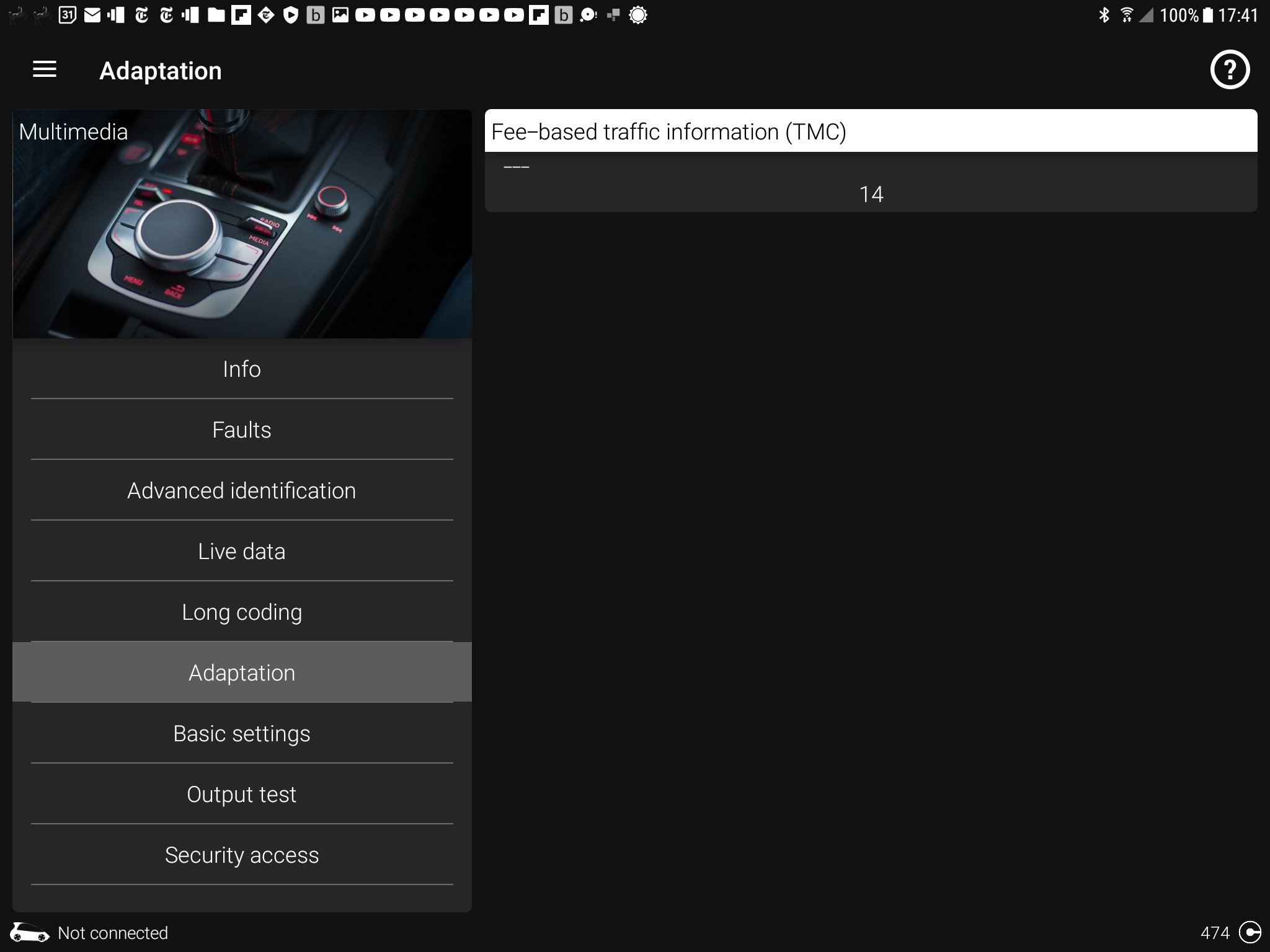
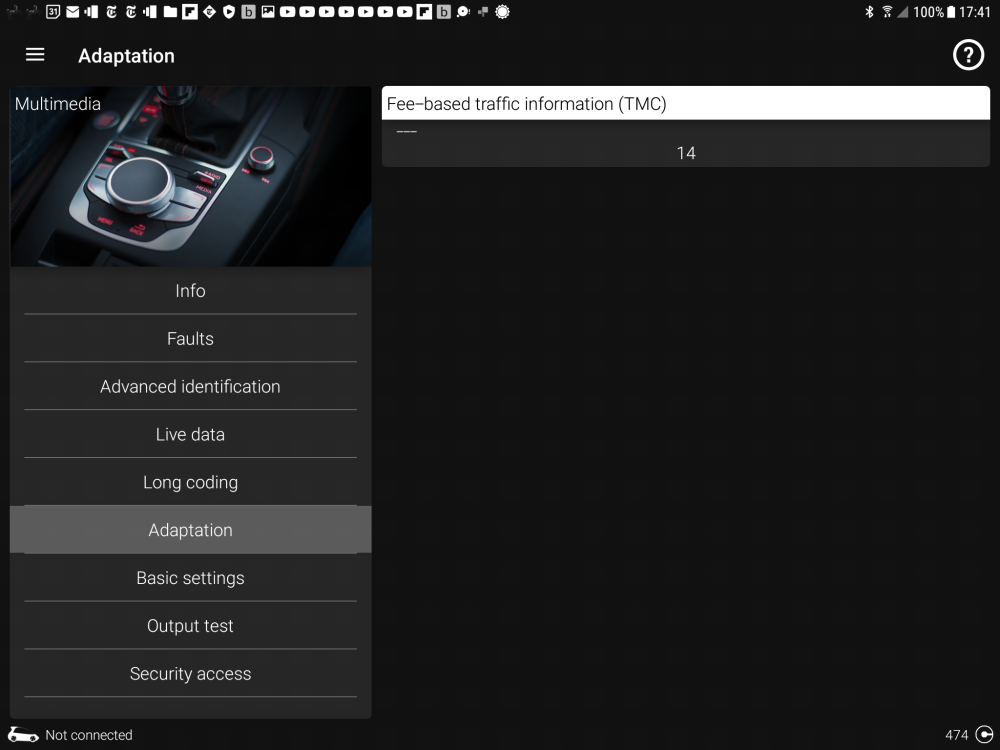
"Fee based traffic information" in Obdeleven. 14 is the group that holds Inrix. 15 is the one that holds Traffic Master in mib2 high non connected. I didn't say traffic master group @pcbbc !. The Id's are bundled into those groups. I'm expert on classification and grouping 😉. The traffic channels are grouped for marketting purposes for the infotainment providers associated with the car brand. Some go one way some go the other way. Traffic Master pulling out put a hole in the UK TMC service. The approach here to the fix was the same as the Australian Vag imports...
-
Yes it was the TMC group that Vag used which had Traffic Master in it which pulled out of the UK but Inrix the other provider continues in a different group. Pcbbc sorted out mib2 high (mib1 solution dropped out of that) and mib2 standard excluding VW Discovery Media Bigade1 got that working and Pcbbc then improved it by taking out the need for recoding it: Mib2 standard here it can't be a Delphi: https://www.briskoda.net/forums/topic/512443-tmc-traffic-events-no-longer-being-receivedfirmware-update-required/?do=findComment&comment=5778623 Mib1 standard / high, Mib2 high: Just that code change dependent on what's in it. If its xxxxx then make it 32782. All mib1s go to 14 as mib2 highs without connect services. I did a write up on the SeatCupra board which covers the Vag models. Since I have edit privileges there I can perfect posts 😍. Mib2 standard: https://www.seatcupra.net/forums/threads/updating-the-inbuilt-mib2-satnav-mib2-tricks-and-mib1.388586/page-136#post-5037297 Mib2 high + Mib1: https://www.seatcupra.net/forums/threads/updating-the-inbuilt-mib2-satnav-mib2-tricks-and-mib1.388586/page-136#post-5035425 In short Vag won't be recalling these cars for this change they would have to pay Inrix. It's a DIY task or use someone to code it. A list of hobbyist Skodas is on the thread. Really for mib1 and mib2 high. Mib2 standard is like doing a map update but copying a few more segments that Pcbbc wrote. You can do that yourself if basic PC skills.
-
& working today.... these satnav companies trying to make a buck out of what is free. 👌
-
Yes some of these suppliers will spin any yarn. They probably didn't want the work. It's a roll your sleeves up and do it yourself thing or find someone trust worthy to do it.
-
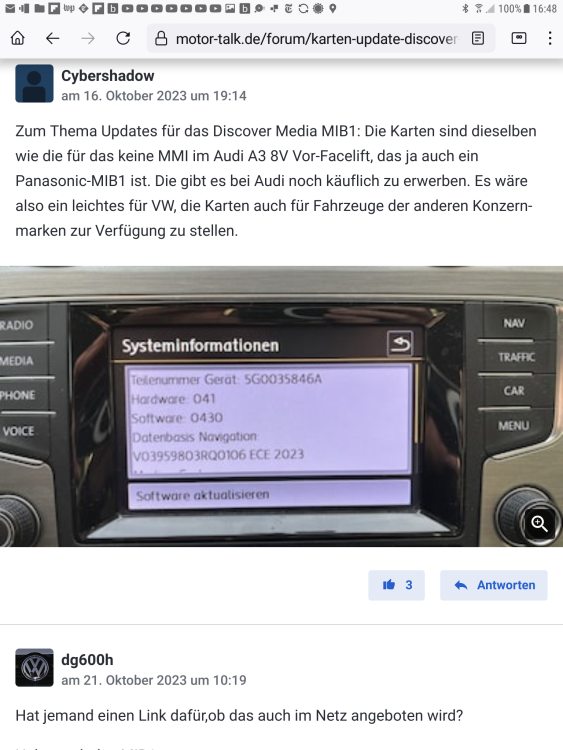
Ah possible. On the thread it was said mib1 here but I wasn't totally clear whether mib1 standard or mib1 high. Back on the Seat side a new Audi map for mib1 has dropped as the youngsters say so I got them to test out the 14 TMC group whilst they were updating to 2023 maps. Yes with VCDS / OBDELEVEN that standard coding group fix works.. . as muttered on the thread. Link here since I reckon some nifty map update can be made to breath new life into old mib1 maps as well as Inrix on these unit, mib1 map update here: https://www.seatcupra.net/forums/threads/updating-the-inbuilt-mib2-satnav-mib2-tricks-and-mib1.388586/page-138#post-5050968 Confirmation that recoding 15 to 14 works here for Inrix on mib1: https://www.seatcupra.net/forums/threads/updating-the-inbuilt-mib2-satnav-mib2-tricks-and-mib1.388586/page-139#post-5051436 I pass on the Skoda map update procedure for mib1 but you can put the newer contents on a 16gb mib2 card... we had established that on the thread. Seat Mapcare for mib1 procedure is covered... Skoda I pass on but you can either way recode the TMC group from 15 to 14. That's another Audi map that is interchangeable... we like that. re reading I'd try the simple code change 15 to 14 first with a reboot. The update does indeed work on a Discovery Media from this... badically its @MartiniB list extended on but not made available by VW / Skoda or Seat.
-
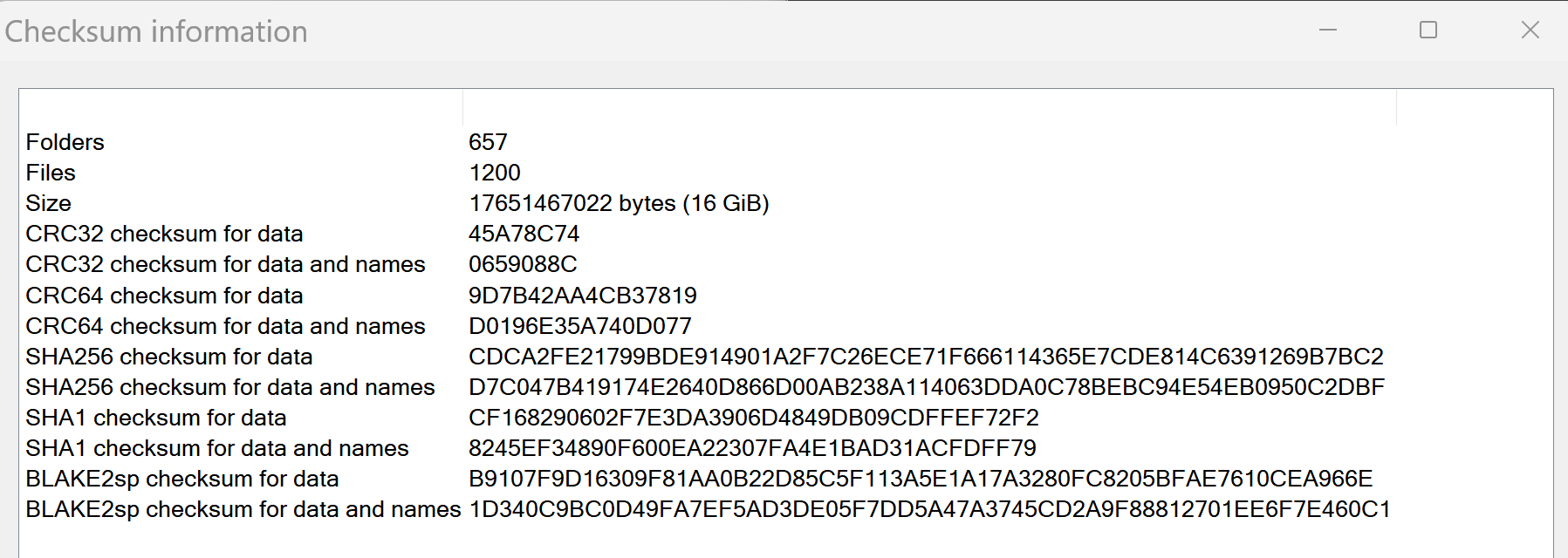
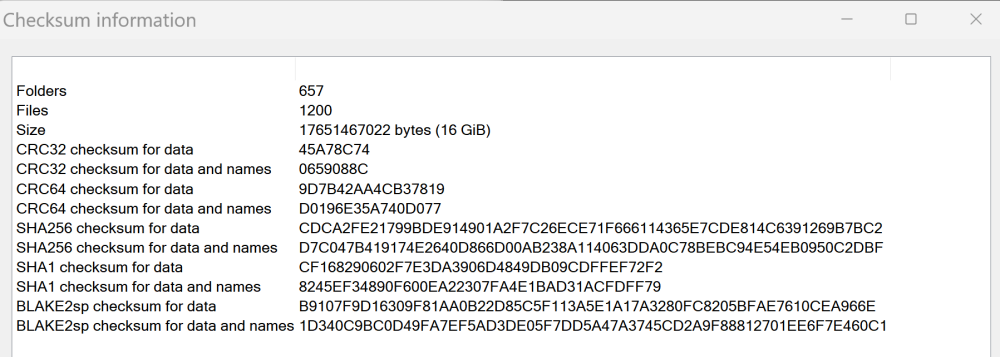
370 Done a comparison now of the Google Drive one and http://map.audi-mib.ru/ If you remove the two Russian files they put in above which don't have a bearing, the contents of the files are identical with the CRC check (basically a data fingerprint check of the contents for being identical): Always good to know 👍. Google drive if it's not overloaded is faster but failing that the Mega link with the VPN tricks once time is up if you don't subscribe.
- 142 replies
-
-
- 1
-
-
- columbus
- discover pro
- maps
- mib
-
Tagged with:
-
Yes and if the infotainment unit is really stuffed and won't work with that VW file then get SWDL enabled and force an update with that VW file. I say that since if it thinks it's got the update it won't update again to a file that works. That's my thinking. I have reversed map updates using SWDL when I've been experimenting, its a feature it's got other people out of difficulties in the past with software updates. Normal onscreen built in "update" will only go one way, "upwards"... useful tool to enable when having issues. You do need to run it with the door open or open and close it every 15 minutes till finished, stops power down else you have to start the process again. Why I posted up those screens. There is a manual / automatic toggle you can dance around to selectively update specific entities of updates. Don't forget CleanMyDrive on the SD card if using a recent Mac else the garbage in the files left will trip the SLA1 signature check and won't see an update. That's the VW recommendation. Does come up from time to time with Mac users. Pass on what Mojave does on a Mac... 😑.
- 142 replies
-
-
- 1
-
-
- columbus
- discover pro
- maps
- mib
-
Tagged with:
-
Once Google lets me download it I'll check it against the other site which is what I was trying to do with the Mibsolutions one but they were corrupted in the zip file. The Mibsolutions ones, had the creation date in them back in November whilst the http://map.audi-mib.ru/ have it as February. The ones I used. Was planning to delve deeper just to see whether it was exactly the same material, less the two Russian advert files. Basically, you can see what the site did installed it and re-zipped it... good to check. I see zloybob is said to have a hand in these files. Here we go https://www.drive2.ru/l/668834848395250015/ More links 🤣. Background info. Same person as the stripped down 350 Mib2 high early release. Feels about right as I said before freeze date of the map files six months before release but they have mastered quicker turnround which is why we see them now but not officially.
- 142 replies
-
- columbus
- discover pro
- maps
- mib
-
Tagged with:
-
Google drive or Mega ?. Did I miss something . Funny the RoW just covered America's, wonder if it's normal for the cut down Audi file ?.
- 142 replies
-
- columbus
- discover pro
- maps
- mib
-
Tagged with:
-
As for the source of the EU file I'd use the Russian one you gave me: http://map.audi-mib.ru/ Direct link: https://mega.nz/file/0rE1gABD#lcfr9fv0VigKTavqe6ty-T3NJUGPzWdkrmDKShrdYjs The Mibsolution one is more problematic, the file has a zip error in it. The link above is fine, and you can use three different IPs addresses to get it down with the screen refresh and a VPN 😍. BTW these Audi originated maps are filed with the FeC key that take you to that release in the file name... the decode is here: https://www.drive2.ru/l/631572674207817537/ I wondered why 02300036 had been added to the filename. It's the up to that code if you have Mapcare. With lifelong FeCs you are OK. If Audi did the dirty and removed Skoda, VW and Seat from these files you can add the Audi FeCs for sure. I know this since it was discovered with Seat. They are cross compatible. I've got the Skoda long life FeC on my car as well as the Seat one. It came up on one release where Seat had been dropped.
- 142 replies
-
- columbus
- discover pro
- maps
- mib
-
Tagged with:
-
No I don't.... but thanks. If you are playing CDs?. The graphics art I always do in FLAC file using the 500x500 cover art in each directory. Anyhow, the more reliable 376 will be the RoW NAR 2024-25 file link is https://mega.nz/file/SEhSCZTA#T8qGZbNC45wEFu0wf36clM3NVP84VDv_UjZ5dUWmur0 That goes straight into Mega then you can deploy your VPN tricks every time. I use Edge for that and TunnelBear. The Mibsolution link kept failing so went to the direct link they published. Haven't tested it thou but it does unpack... BUT saying that I reckon it's for North and South America only. I wouldn't bother with it in Australia or NZ. The attributes are for the Americas only
- 142 replies
-
- columbus
- discover pro
- maps
- mib
-
Tagged with: