Tell
Members
-
Joined
-
Last visited
Everything posted by Tell
-
-
Think you have a typo amundsen. Same update file if we are talking mib3. Not Garmin... those files are prepped from Here Maps material under contract either in house or not. The old mib2 I did find who was doing their work once. Same Here maps cartography. Proper navigation company unlike Google. With connected services in Europe if cough up its all done for you otherwise you have to get it 100% right like the old mib2 high. No slip, slap handling of the files 🤣.
-
Yes. The portal ones are for people who choose not to subscribe to online map updates and are free twice a year. Traditional for Skoda and VW. The online connected services ones are monthly. You got the October one there 26.10. It would be a down grade if you managed to get that June one installed. It wont let you downgrade. People do periodically loose the ability to get the over the air in car updates for whatever reason. Outside Europe connect service are not rolled out so like the old days map updates can only be done via USB if the car is enabled for them. Another story. In the current economic climate some people discontinue their connect services contract but with the app integration of all things between phone and car, penny pinching they loose the ability to do those extra things remotely like turn on the heating in an EV etc. Firmware updates are distributed free whether you have a connected service contract or not but you must be logged into the car as the primary user for that to take place. Then it informs you that there is one to install.
-
That's saying 26.10 so you have an update ahead of the file one so it won't degrade. That's an over the air one.
-
Going back through historic posts of similar situations. One example here. No published solution: Another post I did with links to the USB drives with LEDs Read this post and back: https://www.briskoda.net/forums/topic/532756-mib3-map-updates-202502-06/page/3/#findComment-5970567 That was the one I was thinking off. @wolfr4ge https://www.briskoda.net/forums/profile/237301-wolfr4ge/
-
That step 6 could be a mib2 high poster getting on the mib3 thread 🫣. You might have one off those units that is stuffed up. Presentation is everything the same as mib2 highs. They are signed files so if anything gets in there it knows and won't work. Sometimes people find downloading it again is helpful. Older versions of pkunzip although I reckon for mib3 you are better off using the built in windows 11 unzip. I've seen an all important file of mib3 getting swallowed up in pkunzip.
-
-
I can offer you post 1 for Seat which is the same where I have distilled what's said here. Use the link you are using, not the old link in post 1, but it does tell you how to give it a poke to start it off, gleened from you good Skods folk. From a Skoda Mib3 user "Step 6: on the Navigation screen, on the bottom row, press "Settings" > “Version Info“ > "Update (SD/USB)“... the car engine does not need to be running, and if the ignition shuts off before the update finishes, just press the engine ‘start’ button once and repeat the above procedure from Step 6. The Update Progress Bar will resume where it left off so you don’t have to start updating from scratch.... When complete the YY.MM will change. Photograph before and after." This is where the usb with led light come in since they flicker when data is being copied. Skoda folk like them. You arent thinking its not working when it is and the reverse. https://www.seatcupra.net/forums/threads/updating-the-inbuilt-mib3-mib-4-satnav-offline.472408/ The manual pdfs I put in post 1. Getting the files in the route unzipped and a blank USB in exfat is the key. Pesky Macs leaving dross on the drive is another issue. But as said there are a few people where technical issues have prevented the map update working. Details on those Briskoda map posts. If its a car not in the region where it hadnt been sold, then you need a retrofitter. Turkey and the Middle East and Africa are candidates for that one.
-
Exfat is the one you should be using and only just put one stick in. It may work with ntfs but exfat is the standard designed for. @MartiniB did have issues at one point, so too another. Those are on the map threads. I seem to recall they rolled back the map updates but you need to check. Early Cupra firmware had an issue I know that. Built in windows 11 unzip is the one to use. Drag and drop out the set of files into the route directory. There should be no other files on the blank drive. Don't use a mac, if you do use cleanmydrive or similar. Dusts of the mac junk.
-
Yes I did it on a mib2 high you just drag and drop those latest mib2 high files out from the unzip. There is an import menu under settings or something. I used swdl since I like to see what's happening. Took a photo before since out of range stations won't be indexed in. Will do the top up method on that. I just found BFDS or whatever its called missing a logo. LBC was fine. Didn't try for Magic Xmas... it sounded ropy. I did have a look via sql at that database as well 😀.
-
I might be doing something similar this afternoon but hopefully if will take it via the import. The dealership messed up my radio icons. I never asked them to do anything on that. Get the car back with the UK icons wiped. Irish ones OK. Theory they were trying to be helpful spotting my logos were old BBC ones, deleted them, we'll just pick them off like mib3... errr oh its not mib3 but mib2... what I reckon they did so I'll try for my very first mib2 high icon update 🥰. Fingers crossed.
-
Probably like painting the Forth Bridge. I see there is an outbreak of Magic stations which my mib2 hasn't got but back home those are out of bounds. Magic may be in there but being away I havent tried and I've never done a mib2 high logo bulk update. We have the ability to in fill logos which mib3 people were not trusted with... can't be having users hacking mib3... might put those 5,000 Caraid programmers out of a job. Heaven forbid.
-
-
On the other RoW 26.06 using the proforma Dugeem and serdar_18fr from the Cupra board of country substition have extended the list to this: Australia -> https://download.updateportal.skoda-auto.com/maps/OI_P177_AUS_202612_Offline_Update.zip Asia -> https://download.updateportal.skoda-auto.com/maps/OI_P177_ASIA_202612_Offline_Update.zip Chile -> https://download.updateportal.skoda-auto.com/maps/OI_P177_CHILE_202612_Offline_Update.zip India -> https://download.updateportal.skoda-auto.com/maps/OI_P177_INDIA_202612_Offline_Update.zip Israel -> https://download.updateportal.skoda-auto.com/maps/OI_P177_ISR_202612_Offline_Update.zip North Africa -> https://download.updateportal.skoda-auto.com/maps/OI_P177_NA_202612_Offline_Update.zip South America & Mexico -> https://download.updateportal.skoda-auto.com/maps/OI_P177_MRM4_SAM_202612_Offline_Update.zip Türkiye -> https://download.updateportal.skoda-auto.com/maps/OI_P177_TUR_202612_Offline_Update.zip But no joy with # Gulf Region # South Africa 1.5 Gb The letter trick doesn't work for them. I'm not saying those in the list are coreect or final... for those in the areas to check.
-
Well the question is whether the file allows the use of your FeCs. Now I was told how to find the allowed FeCs in the presented map file for mib2 high. Not mib3. Someone might jump in. The other issue is pkunzip can swallow some files when you unzip it. In this scenario use the built in unzip program in Windows 11. Open and drag out. I say this since I was told how to read the files for the yy.mm and pkunzip didnt show that file. I dont have mib3 but if pkunzip looses a file, that wouldn't be good.
-
-
Probably your navigation FeCs if you are trying to load maps into that which dont tally with the country it was meant for. The give away is in your text. Mib3 is locked down from tinkering. A good retrofitter with vag equipment would be able to do it. Some can do this stuff remotely if you buy the box. It was all put on a legitimate level for legitimate use. Audi / VW police it. East Yorkshire Retrofit is such a company in the Uk. Abroad other companies exist. Turkey is another country where retrofitter unlock the infotainment unit for map updating. Vehicles which are exported secondhand from Europe are candidates. American services personal bringing their Vag cars are another. So yes it all changed with mib3. No toolboxes due to better encyption and backdoors bolted which had been left open in mib2. Changing firmware also runs risks irrespective of maps since these units are now locked down so if there is an issue you can't dig yourself out. The firmware may only work with specific other updates elsewhere in the car to the control systems.
-
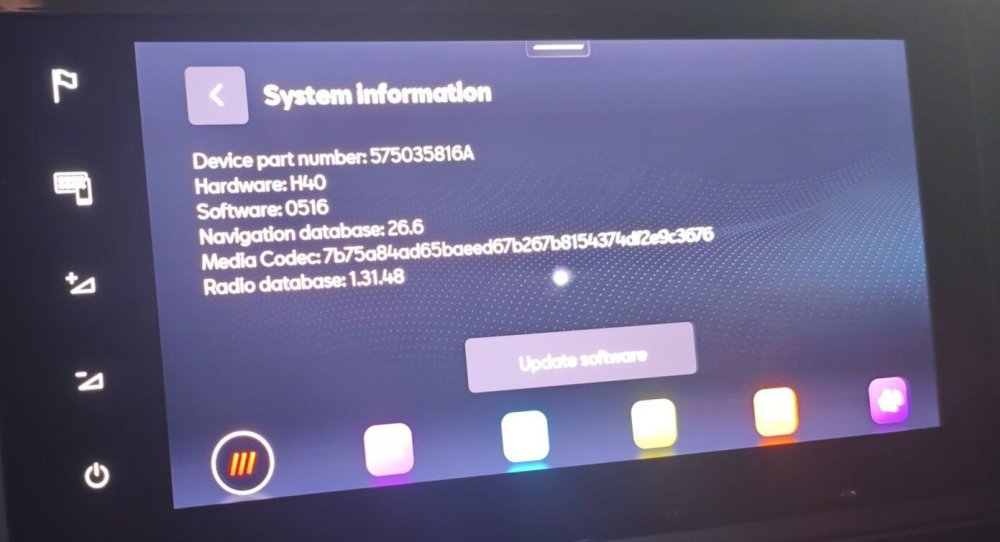
That's your Turkish success story I did a cut paste. Will let @MartiniB or @dugeem to discover the other RoW. That's serdar_18fr work above. Apparently it took 8 minutes and he left another 20 minutes to ensure everything was copied over. For those that don't have the possibility of connected services where they live its even more important.
-
-
Not connected to the 20 minute time out cycle of the infotainment units by any chance. Try 18 minutes and 22 minutes. The infotainment units will power down after 20 minutes. Its a Vag thing. Let's you use the unit to listen to stuff but if no physical contact to change anything will power down. Test it with the door open obviously not a solution, but if it behaves itself its that 20 minute cycle.
-
-
-
You do use that usb indeed. There is a pdf of how to do it. Attached is the VW... same as the Skoda. You have jumped threads thou this is mib2 high but you are asking instructions on mib3. I have answered that here but on the wrong thread mind you. Assume you don't have the connected service contract hence you are taking the file update approach. Discover_Media_Gen.3_November_2020_EN.pdf
-
Think it's this FeC that is required based on the more incredible bash documentation 023100EE There is a catch that you have to check that the firmware is applicable for the patch. The project tells you if it isnt. Some Audi drivers in the past have updated the firmware so it gets to a point where the patch has been written. A kind soul wrote the patch for my Seat so I didn't have to update the firmware that was 5 years ago. So there will be a table in the github project that shows which firmware release it works with, failing that it tells you when you come to the back up phase. Anyhow you can see why I don't experiment with this once it's working. ... all about your friends car.
-
I belive Audi were shipped like Seats so the FeC installed in the unit always tallies with the one in the map file. Their cunning plan was for you to buy mapcare which gives you the ability to update for a 3 years or whatever they sell. VW and Skoda came with unlimited mapcare with a lifelong navigation FeC. There is a combination of buttons you can press on an Audi where you can read off the cars in built FeCs. You look at that list and read it off. That is a hex number. The map file hex as @viper42 quoted / use his method shown but don't save the file after is compared with the units current FeC So the navigation fec on the file has to be less than or equal to the units navigation FeC shown on the unit in Hex terms. The more incredible bash project on github which also goes under the name Mr Bonk or thats what I can it can be installed in the unit and that will write the Audi life long FeC into the unit.... then that <= formula is satisfied and the maps can be updated. All the Audi drivers round here including @BooBoo124 will have used the github project. For RoW there is a catch unless they have fixed it you need to add the RoW life long FeC into the file, the code included in the project is the European one. This came up a few years back on the RoW with someone from your part of the world. The project comes with extensive documentation so you can find the code you need or trace back the conversation. So essentially you photograph the cars current FeC screen. Install the project. Mr Fixit youtube video on that. Make sure the cars battery is charged, or keep it running etc. Make sure you got the RoW life long fec in the file of the project not the European one. Then you run the project. Use to be backup and then update the fecs. If you update with the European fec it wont work. Think the process is install the project in the car which is on the SD card. Then take out the SD card use notepad in text mode to edit the file and add that RoW lifelong fec if its not in it. See notes on their materiel. SD card back in. Use addfec command of the project. Reboot the unit. Go to the audi fec display screen. Photograph it. If it has worked then you will see the updated life long fec shown which should be the audi RoW. Now you are free to update the maps. The project also unlocks assorted screens for off road, performance etc - you can ignore then. Just an added bonus. Was in the middle of typing this when Viper got in with the short answer.... bells and whistles in this. The main thing is to make sure the unit doesn't power down whilst running the github project. It will reboot the unit a few times but loss of power is likely to corrupt the firmware. A charger can be connected or do it with the engine running. It's a one off procedure which you can then forget. Last time I did was 5 years ago. You just leave the project installed but it's there if you need it again. The SD card for the project you fiie away. All clear as mud 👌. Footnote Audi conversation going here: Bit more more time and I may find the Ozzie conversation I had on the Audi RoW fec.