Tell
Members
-
Joined
-
Last visited
Everything posted by Tell
-
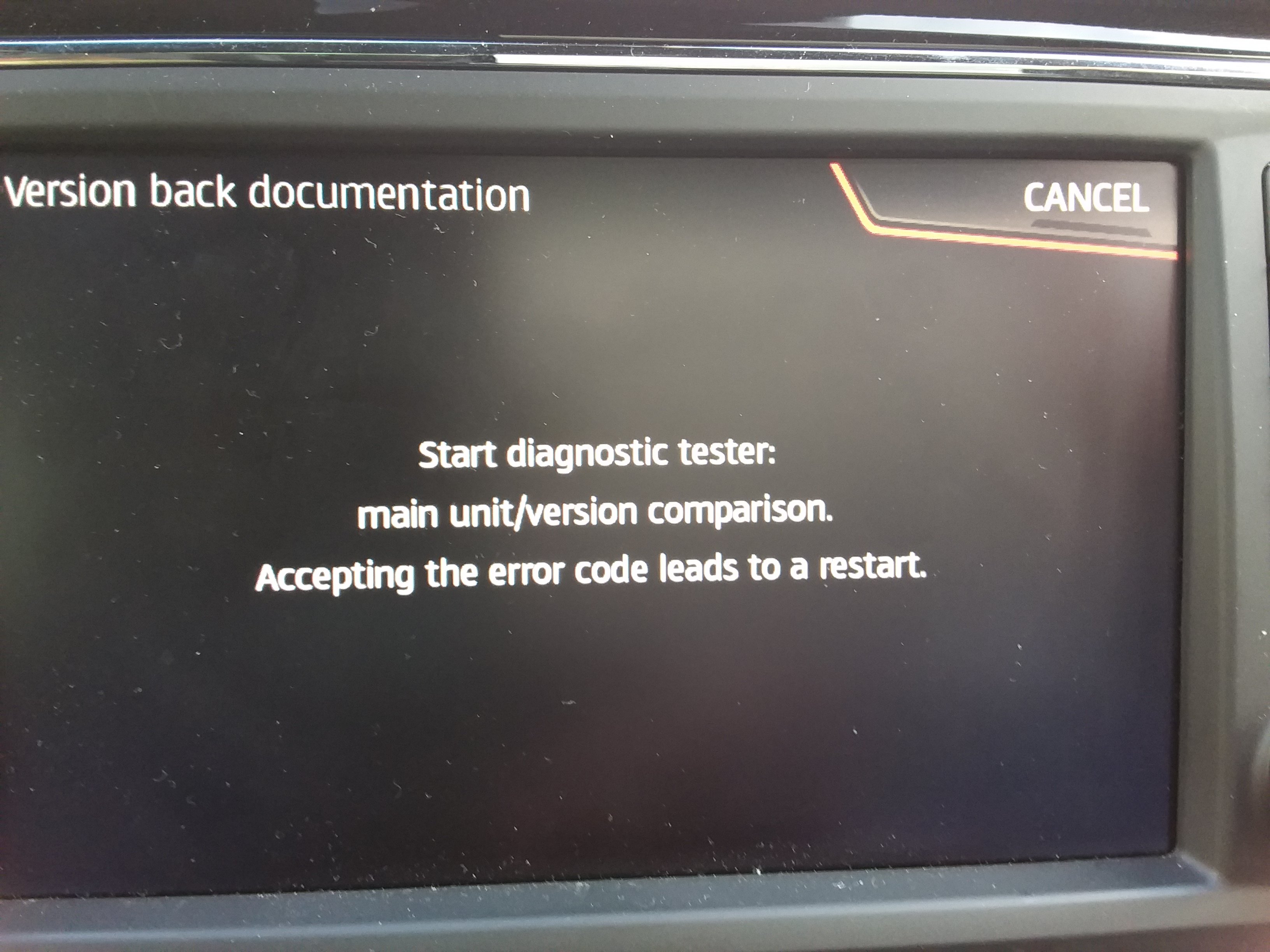
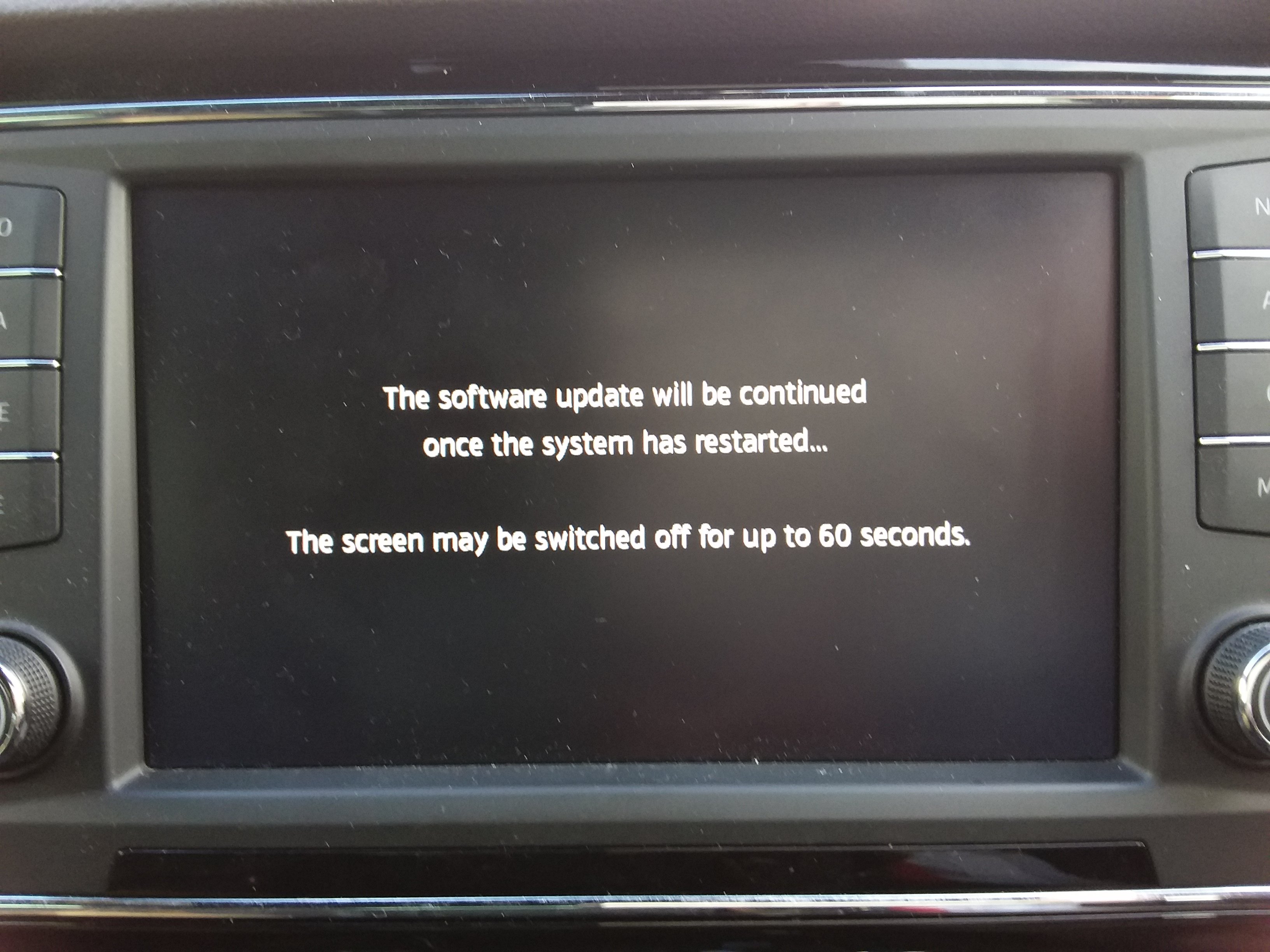
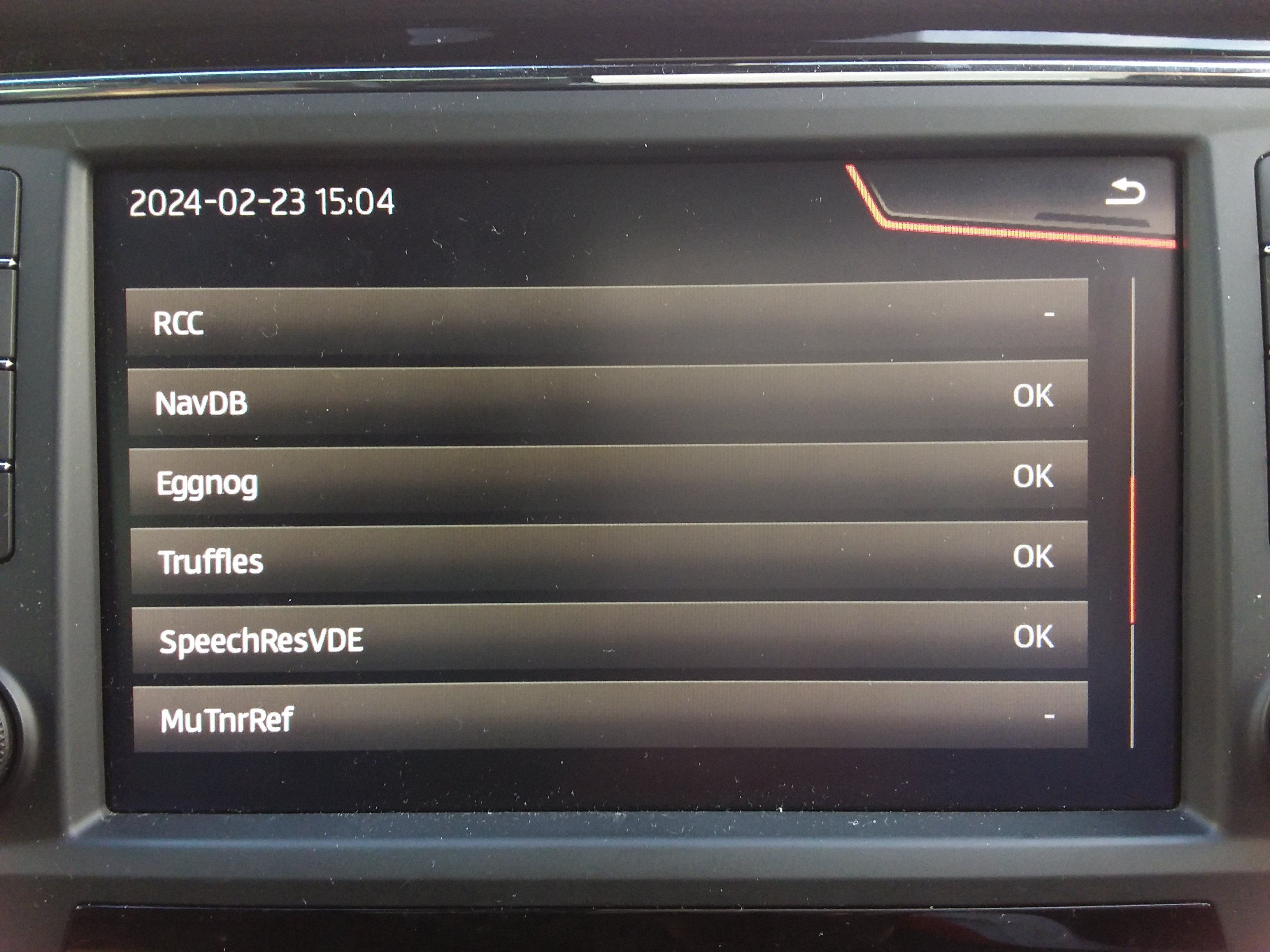
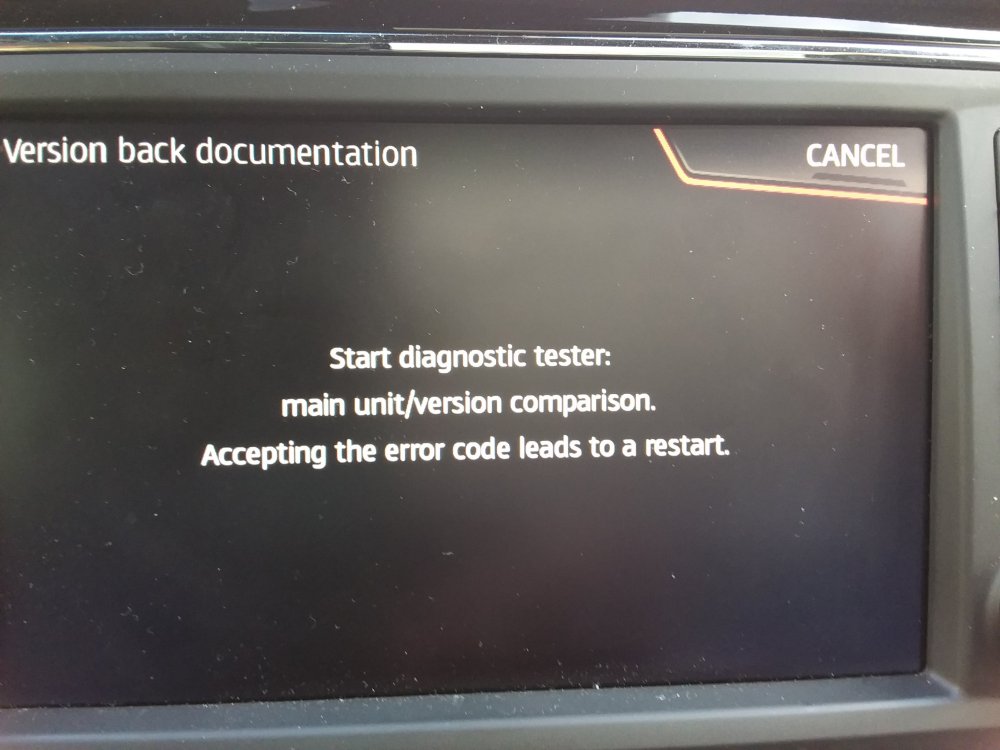
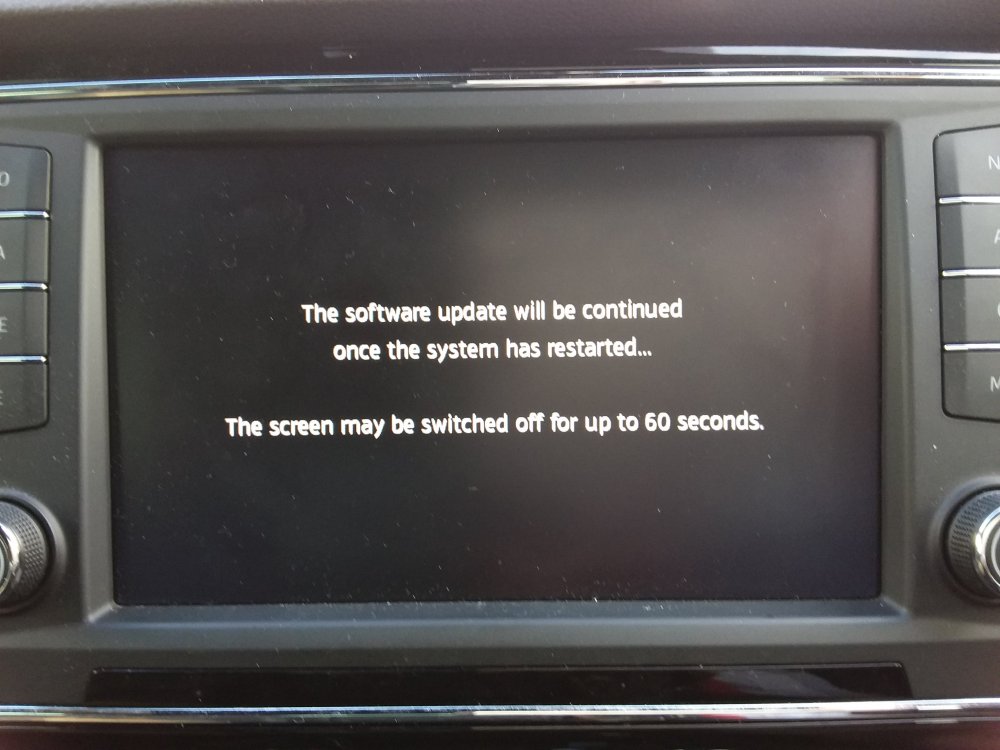
We press cancel and it comes out... with a reboot Final stage... Then done. It allows you to revert map updates and revert software updates. Has it's uses.
- 142 replies
-
-

- 1
-
-
- columbus
- discover pro
- maps
- mib
-
Tagged with:
-
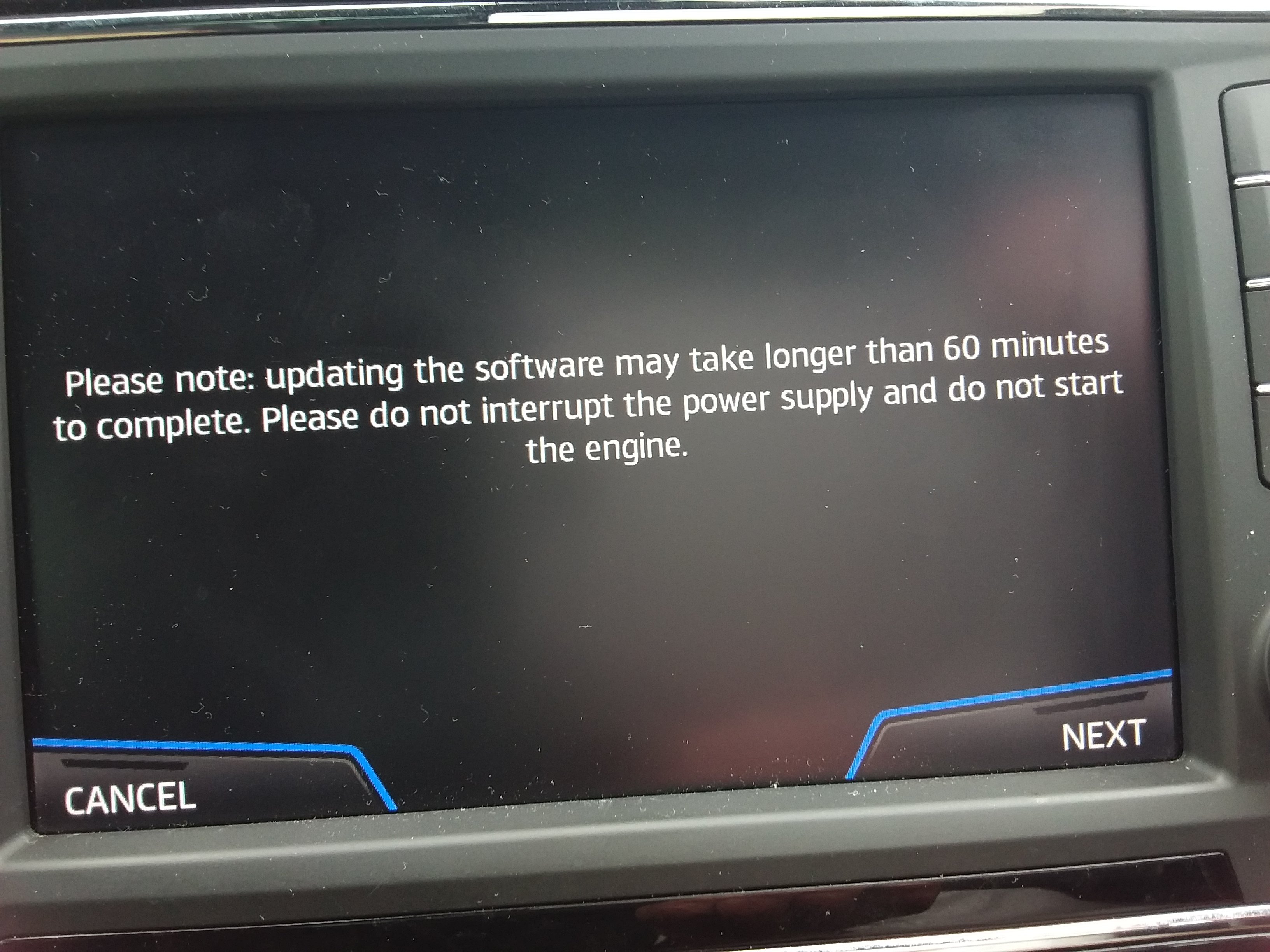
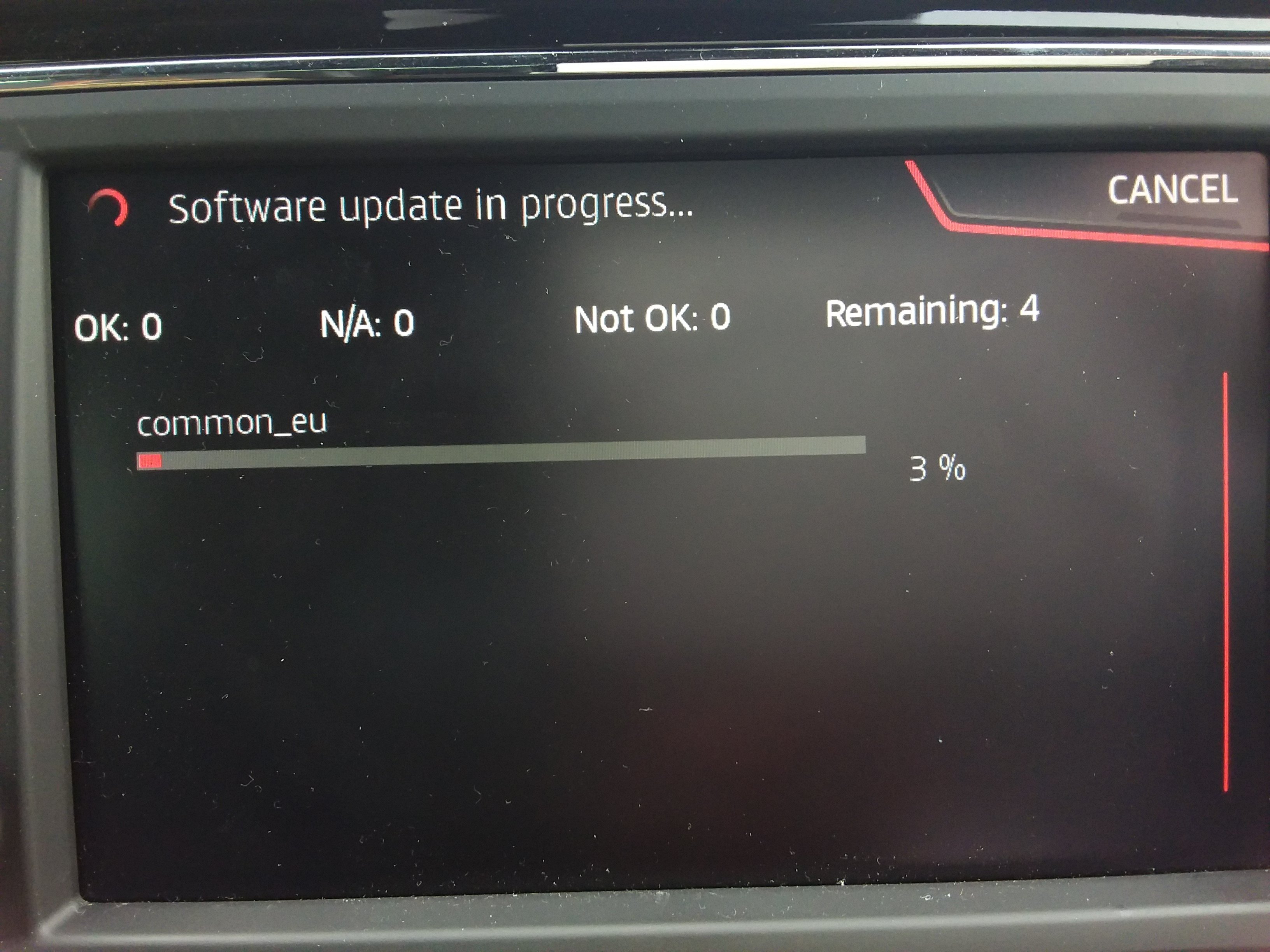
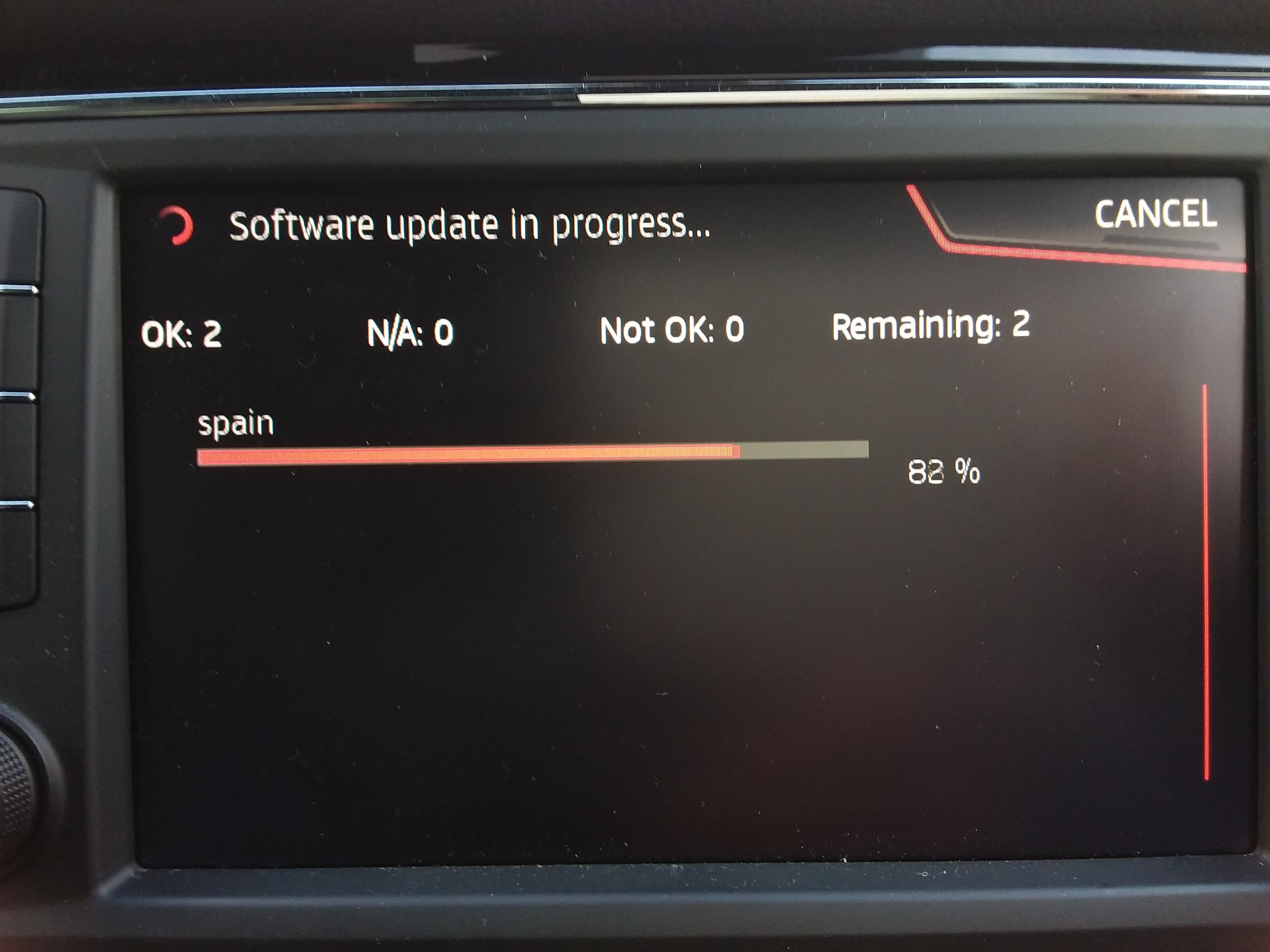
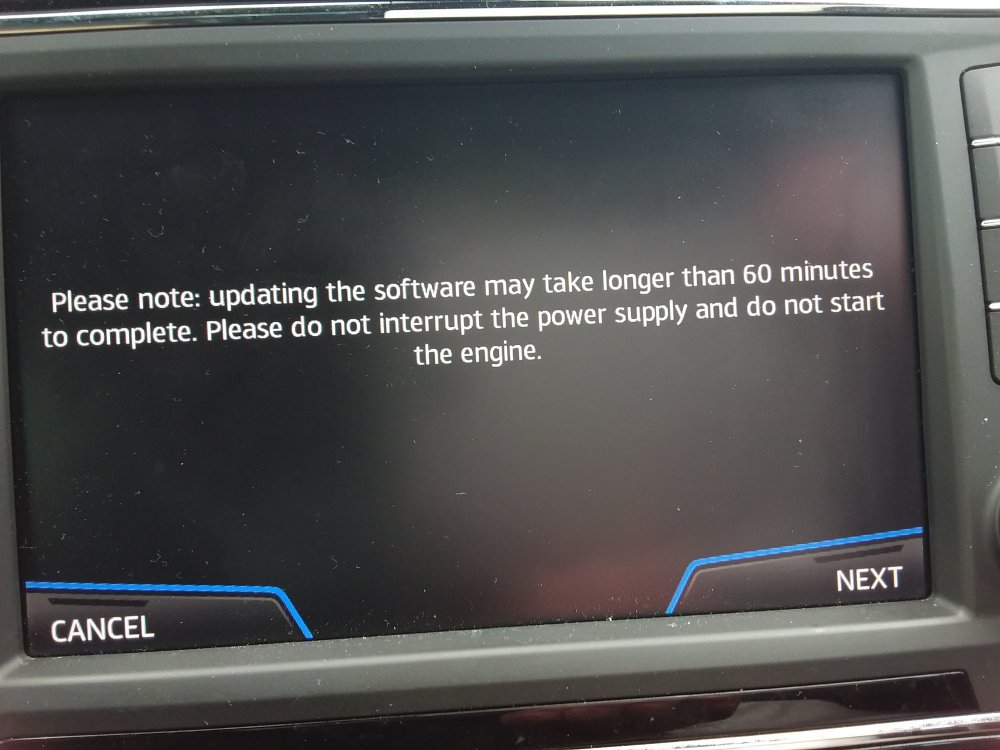
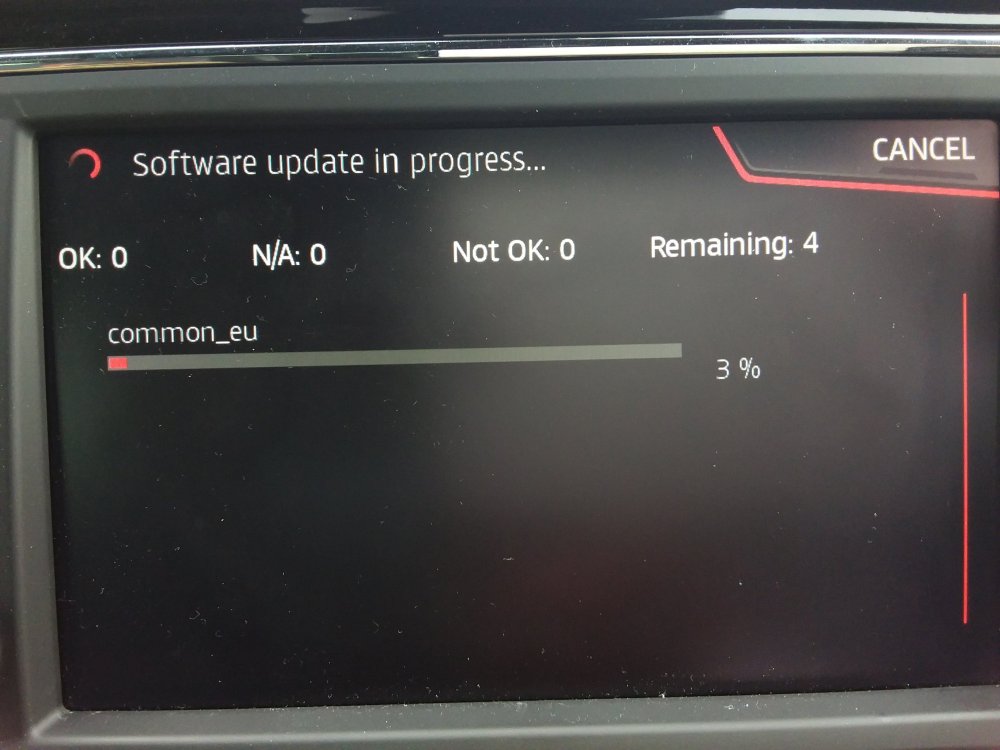
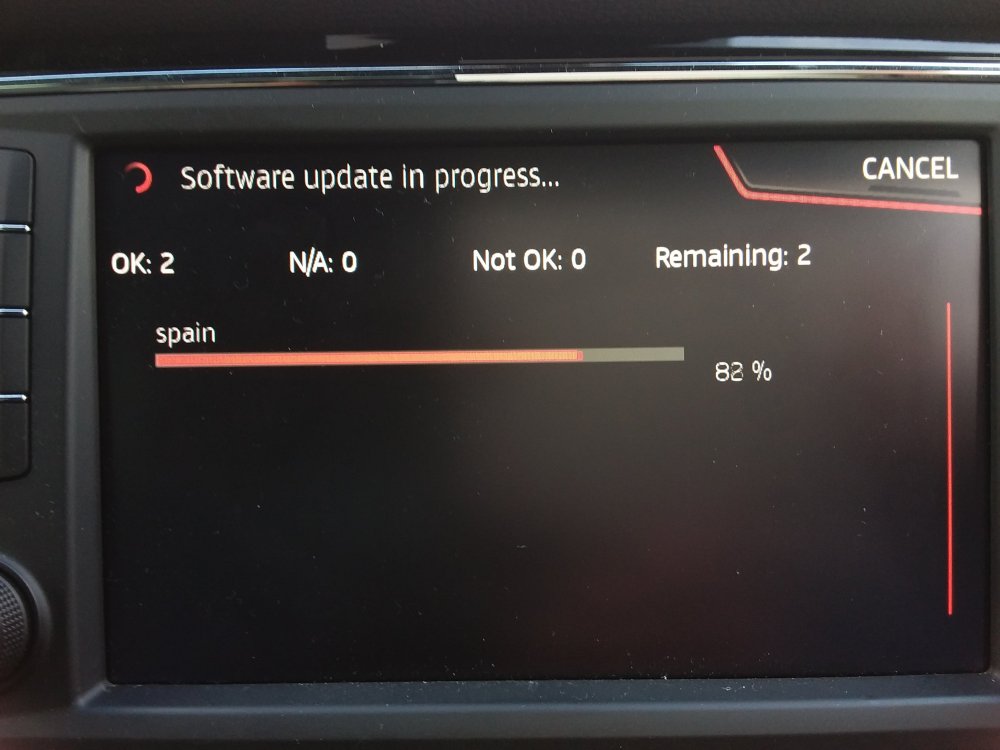
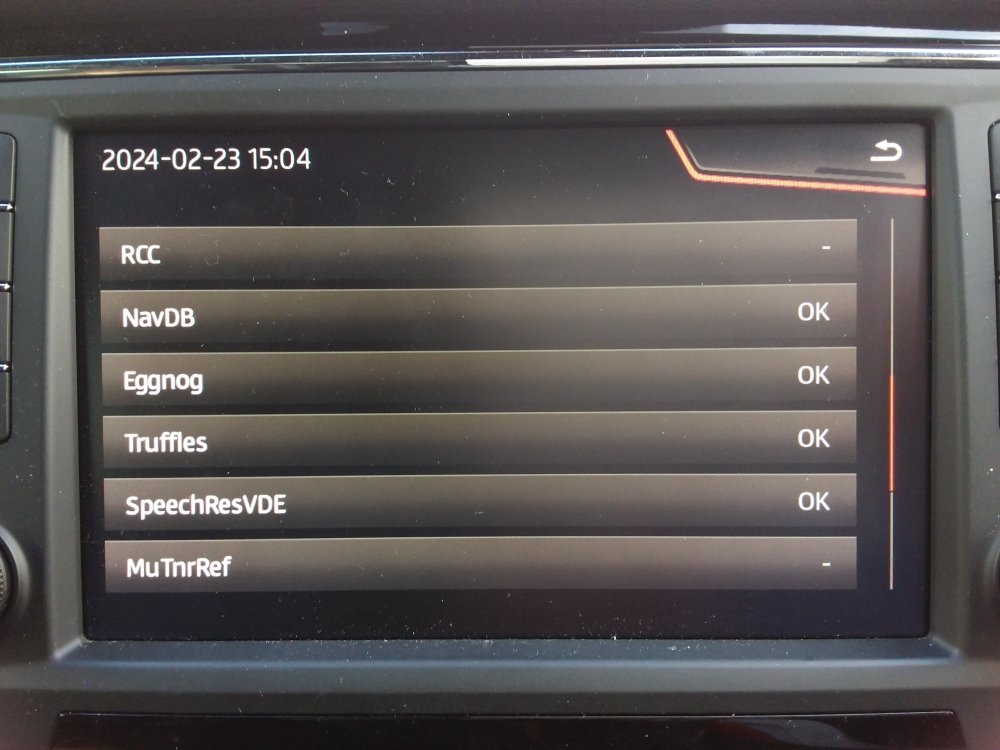
You get the option of manual update or do all. You can dance about the screen as to which you want to load in. In this example do all. Off it goes but you must keep the car door open or open and close it every 15 minutes to stop power down, you don't need the engine running. Looking at 40 minutes at this stage. Progressing: Means looking good:
- 142 replies
-
- columbus
- discover pro
- maps
- mib
-
Tagged with:
-
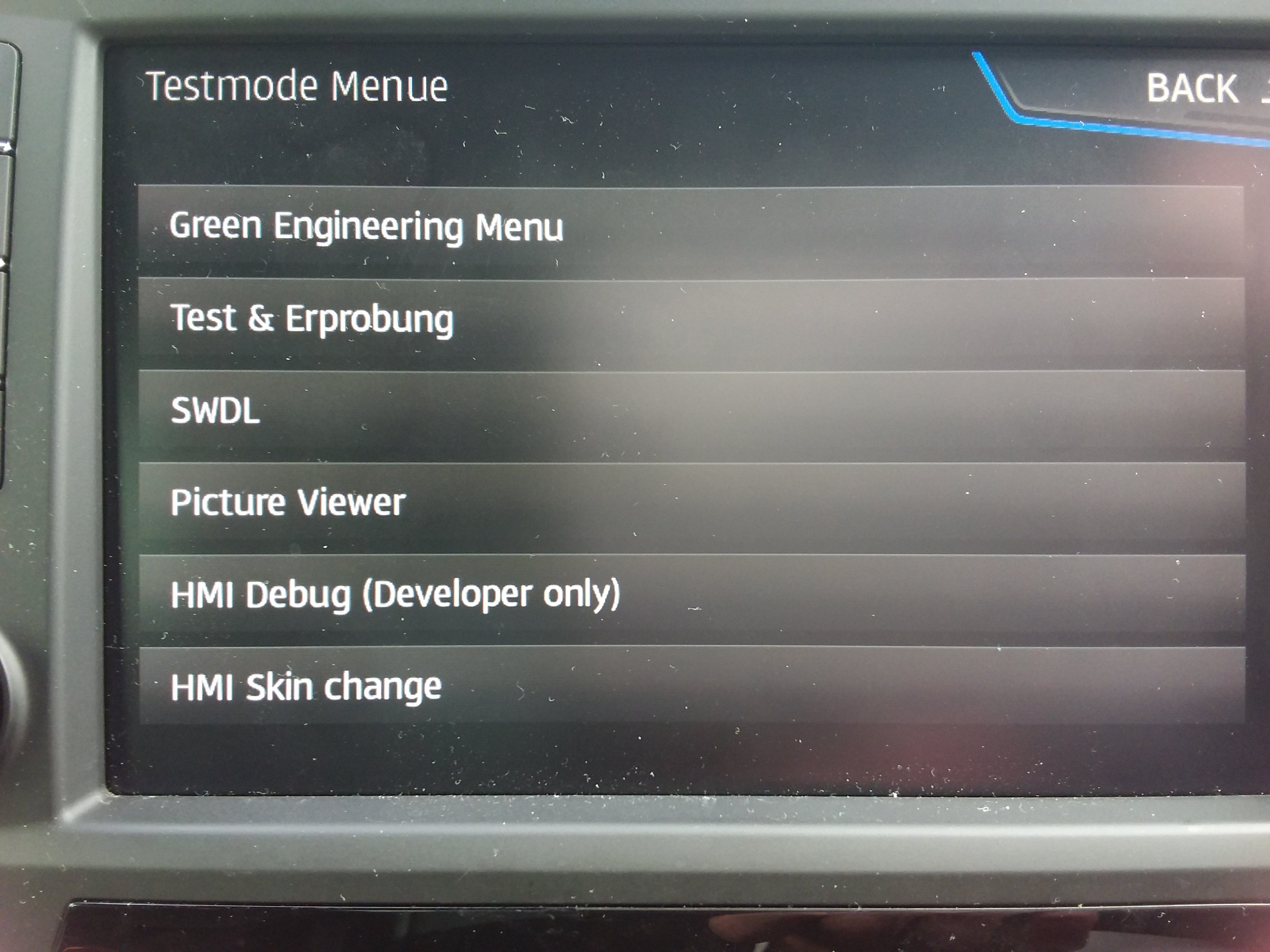
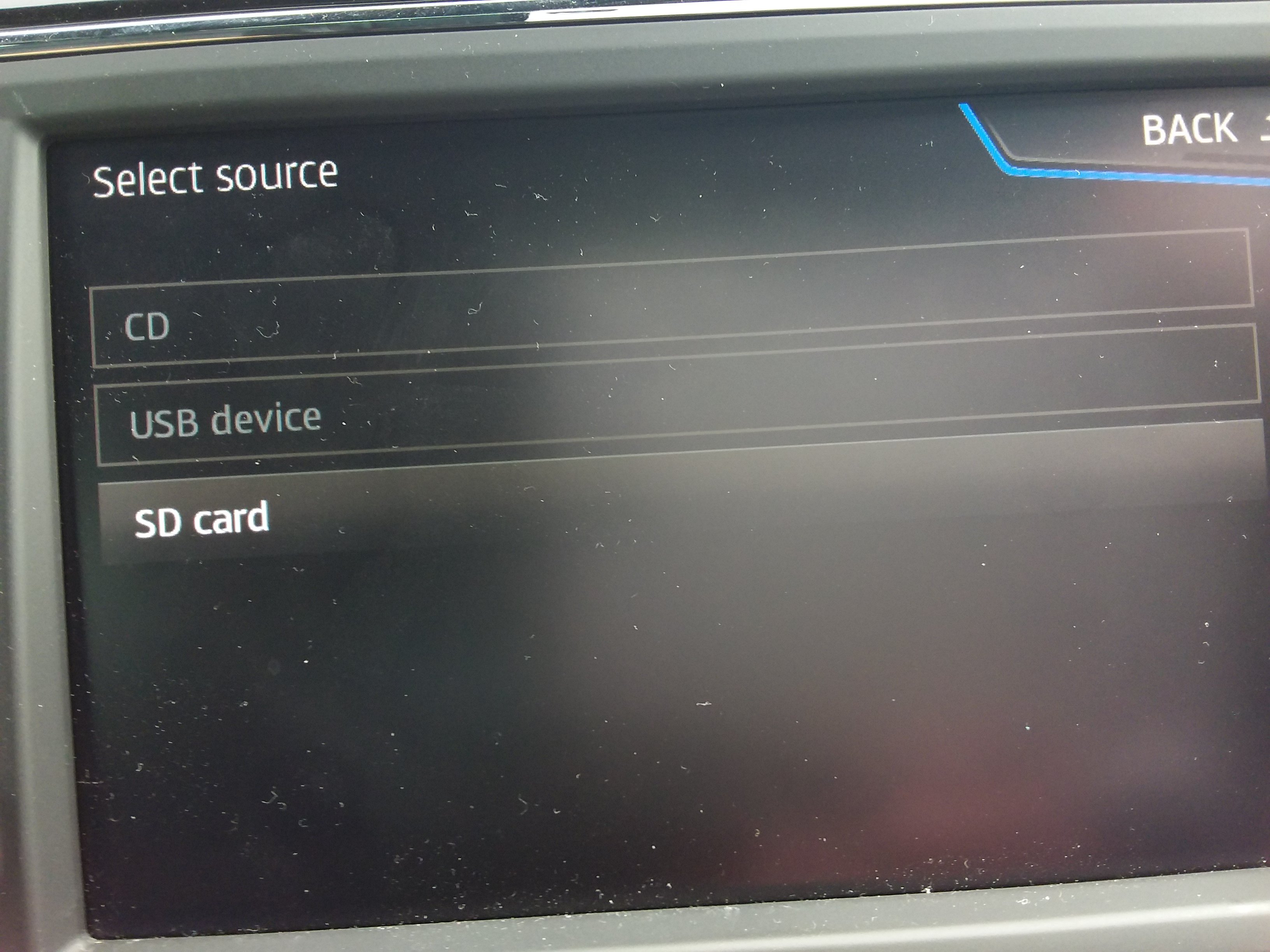
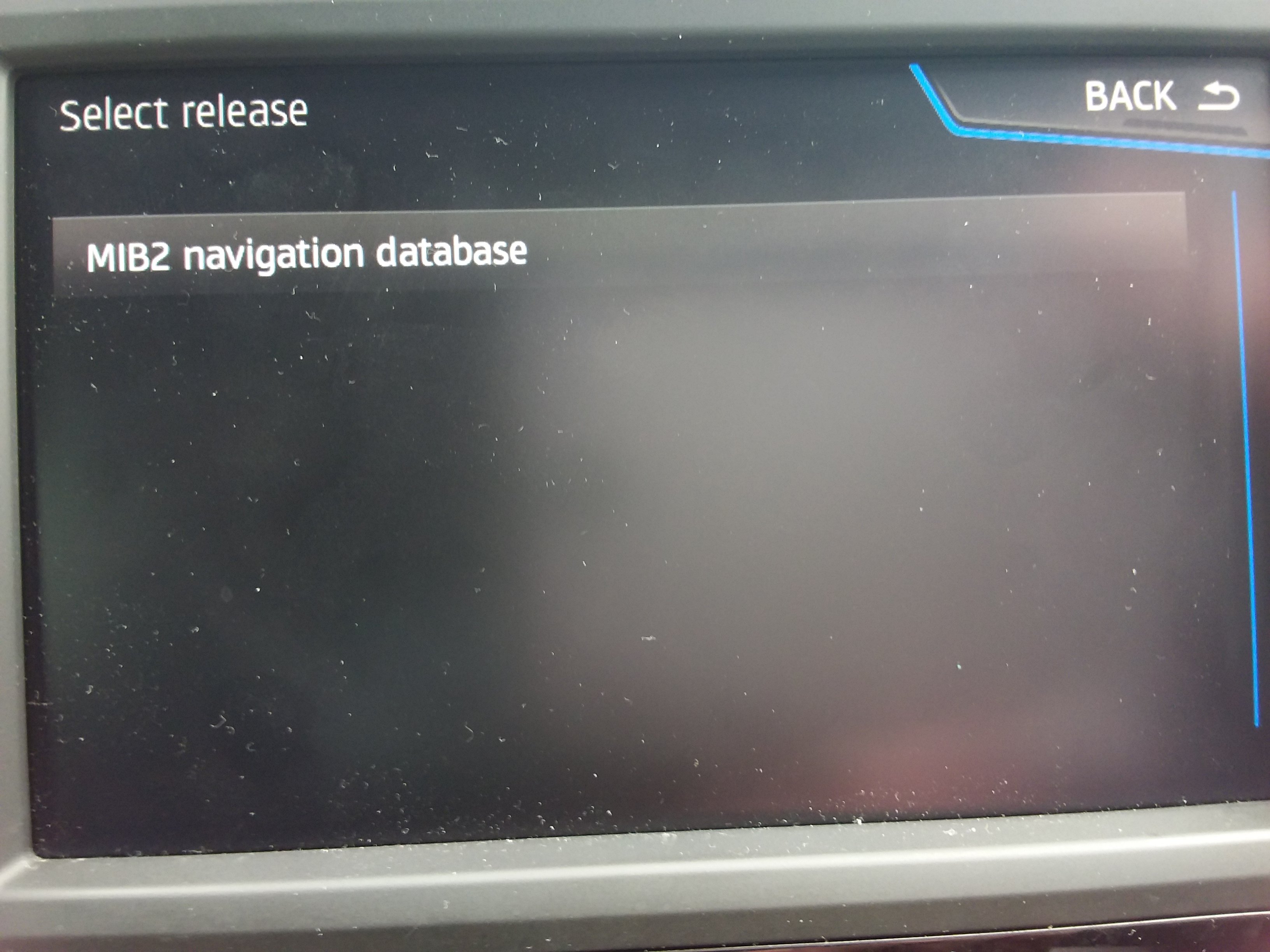
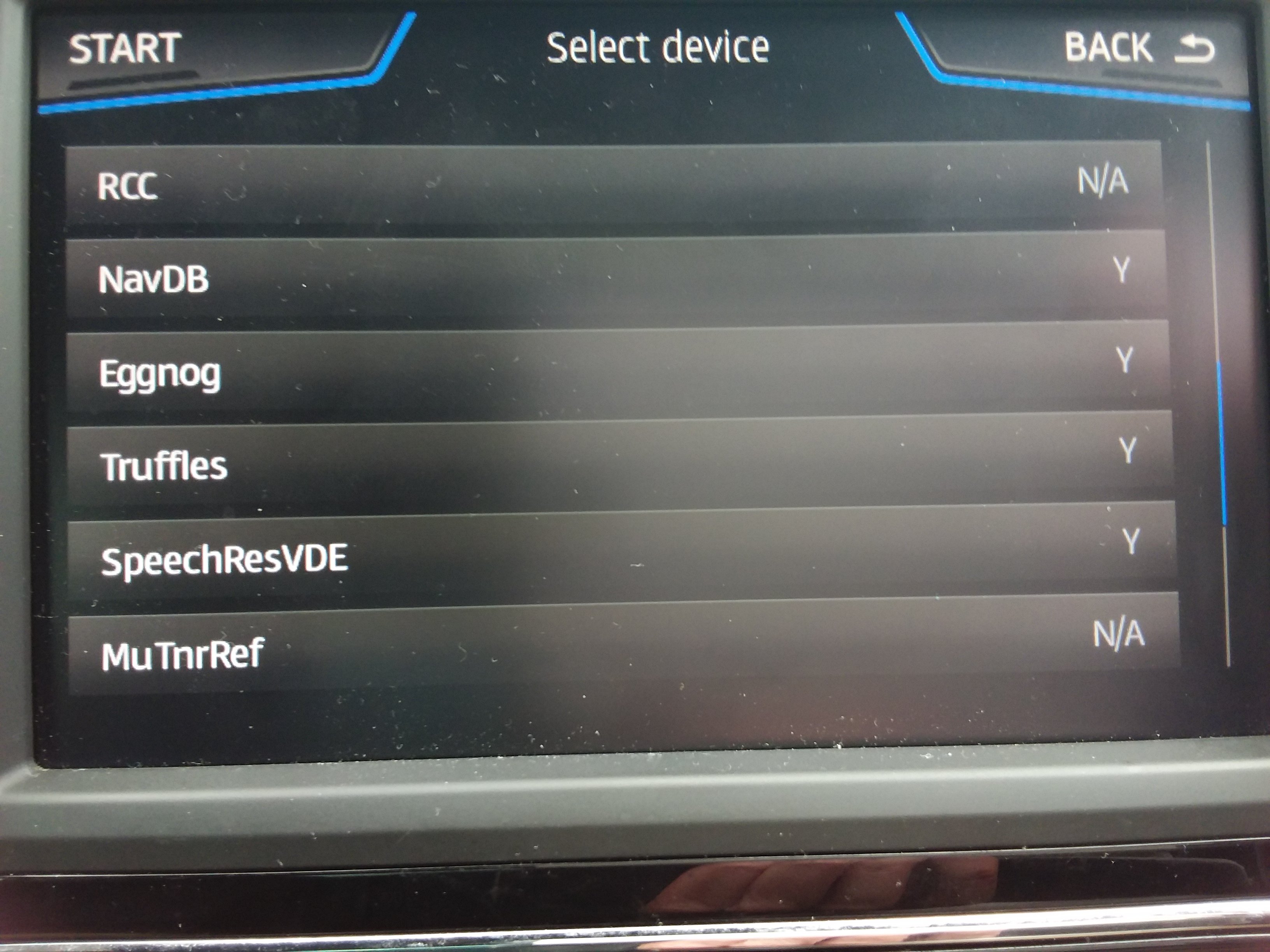
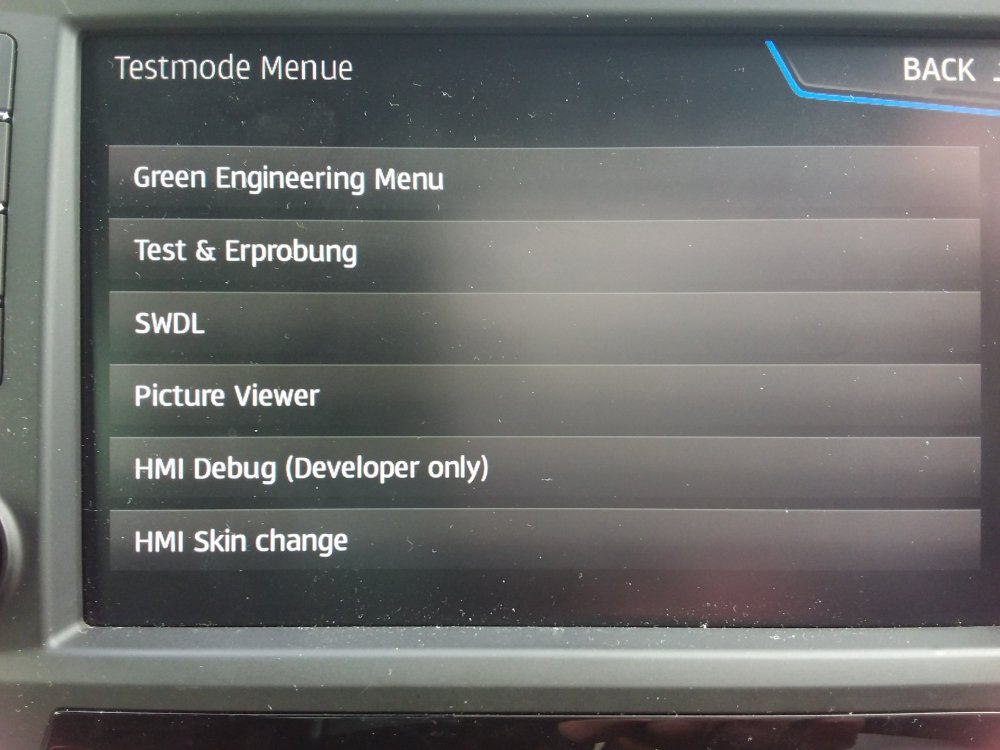
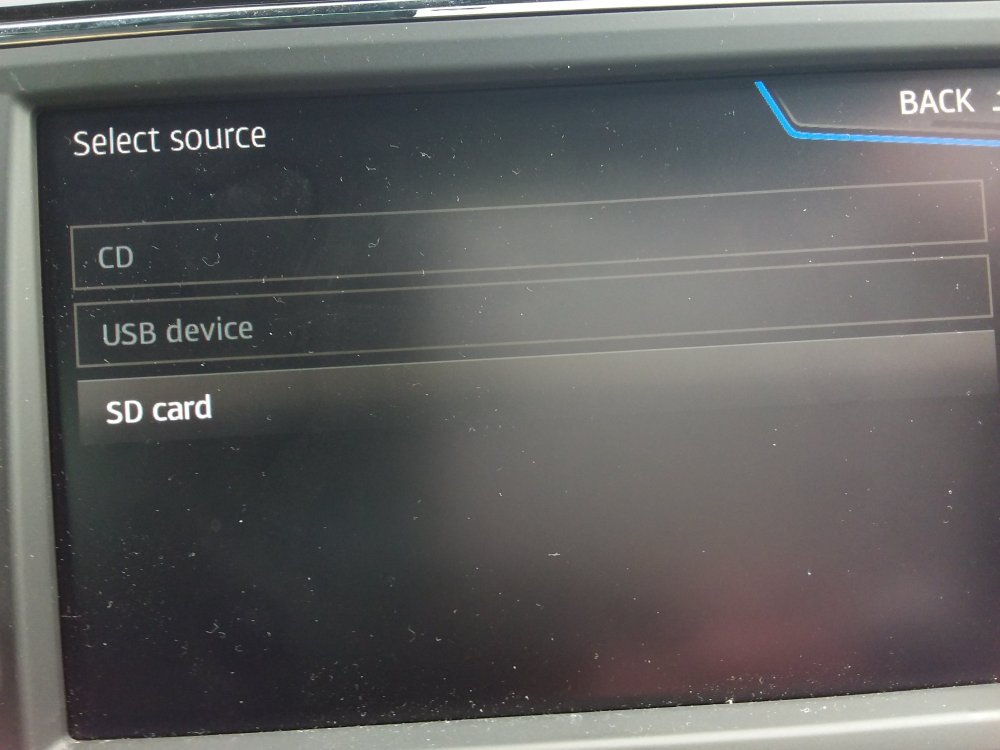
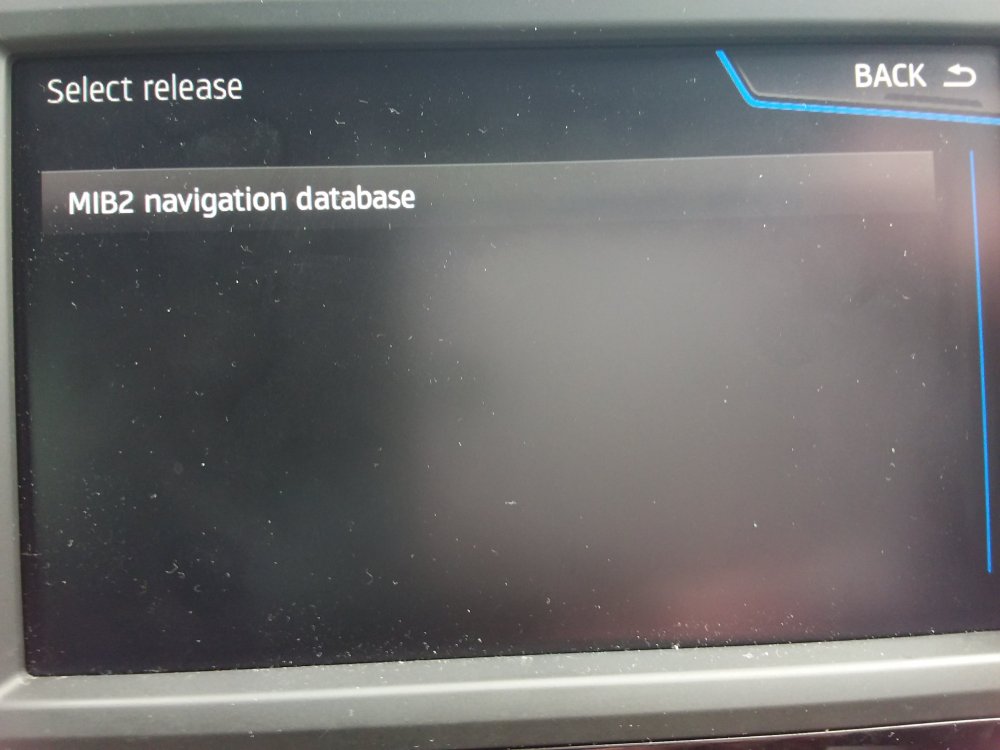
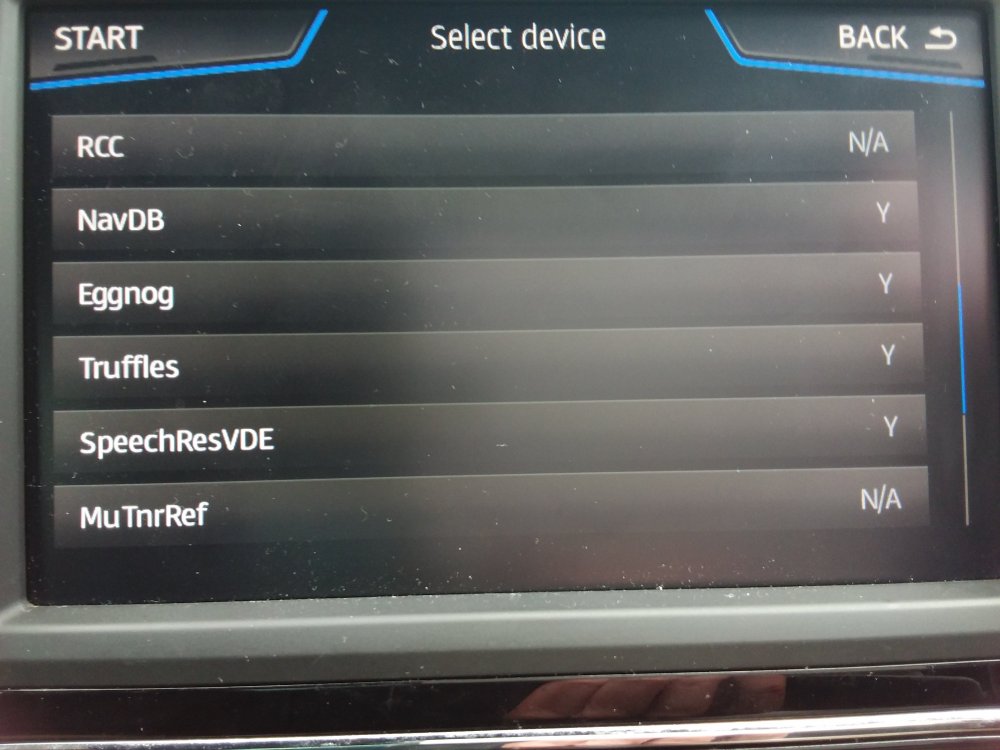
SWDL screen example. Once the developers menu of the infotainment has been enabled via VCDS or Obdeleven a long hold on the menu button brings up the menu with the FeCs on it, keep holding till you see this: Then you hit SWDL with the map update in the slot: Tap SD card. Tap the panel above. It then shows navigation entities that can be updated. Y means it can be done.
- 142 replies
-
- columbus
- discover pro
- maps
- mib
-
Tagged with:
-
PS 376 will be the RoW NAR 2024-25 on mibsolutions guest, guest for those down under to try out.... report back. You have to get the metafile in the route and the mib1 and mib2. Normal position. The 370 Russian link had them down a level or two, just drag and drop them as documented in Vag pdf of how to do it. https://mibsolution.one/#/1/15/MHIG - MHI2(Q)
- 142 replies
-
- columbus
- discover pro
- maps
- mib
-
Tagged with:
-
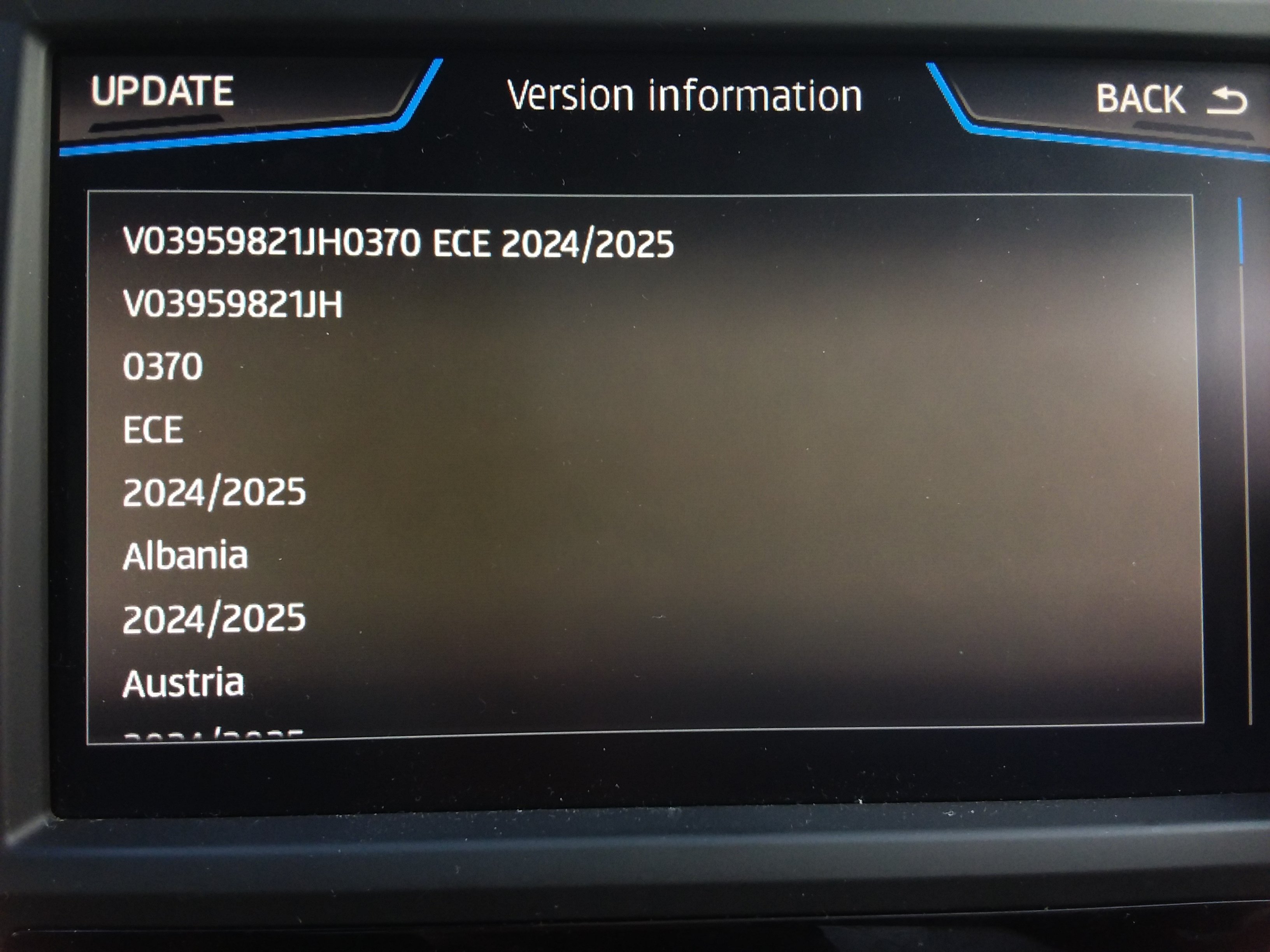
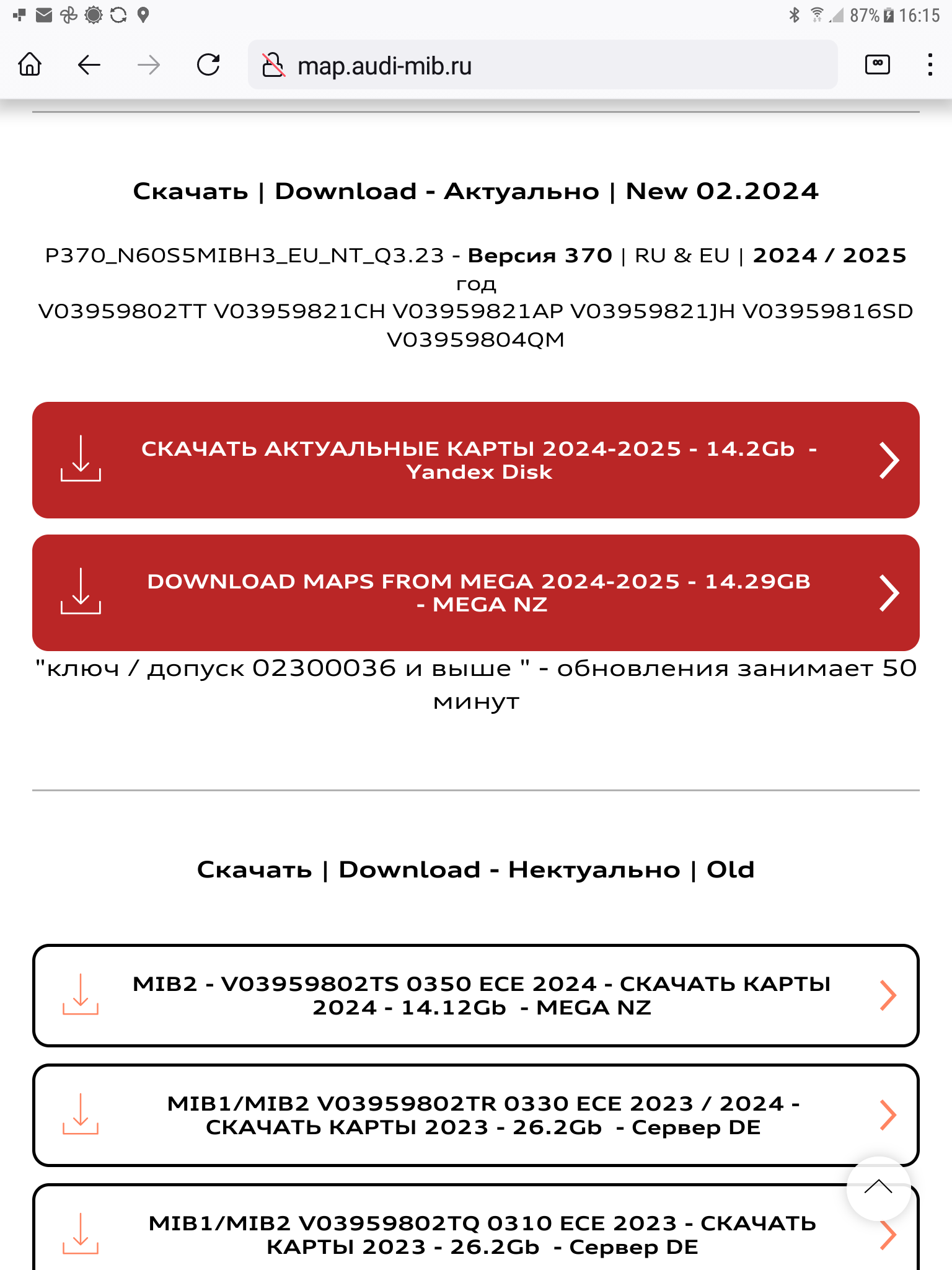
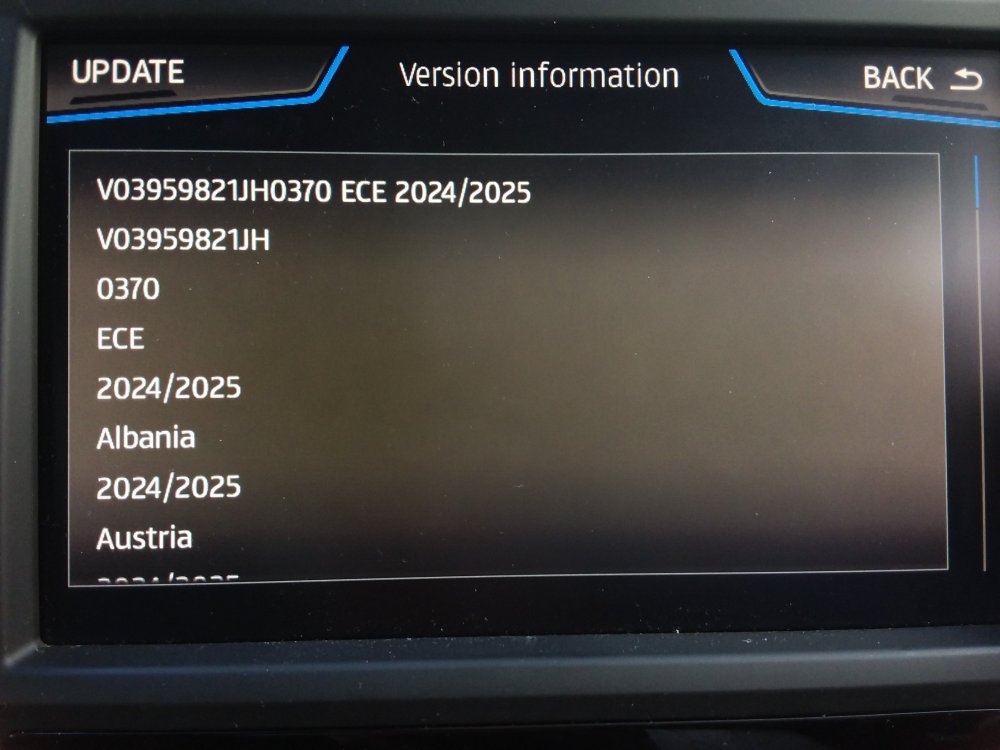
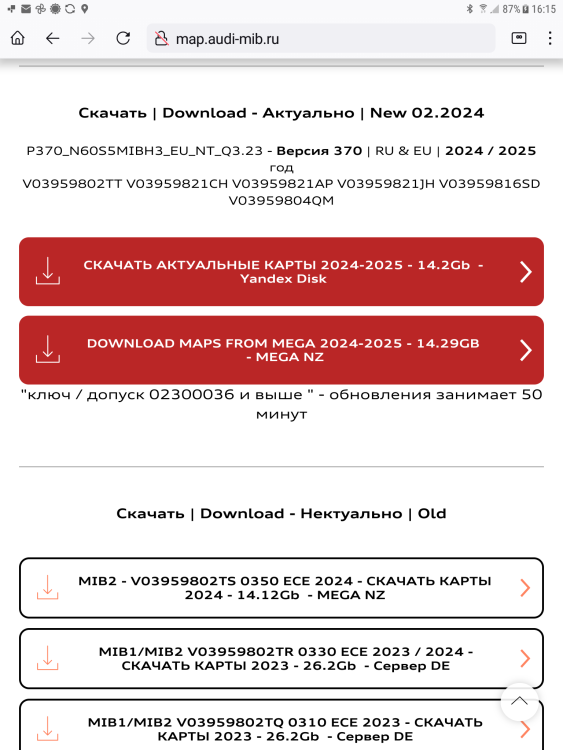
Here we go ECE 370 2024/2025 Mib2 high: I use the Russian link you gave me @BooBoo124 as above taking the second link in the page: http://map.audi-mib.ru/ Namely the Mega link for release 370 not Yandex that needed Russian mobile number. The Mega hint if you don't have a paid bandwidth is to use a VPN. Every time it says you have exceeded your allowance or wait 5hr, change IP address and hit refresh 😉 . The file has two links at the top to promote their web site. Ignore them. The materiel is signed with an SLA1 signature so can't be edited unless you are a member of five eyes on something so it's not modded and cant be from when it was sewn up by the manufacturers. We dont have to worry about that. The file has grown by 0.2gb from the last release. I did check some areas before and after and indeed this is an update to the geography. Got more roads in it. As mused I reckon with connect services they probably got production down to a fine art so this one is laying about from the freeze cut off in November. I've seen November named else where for this probably based on the mibsolution link. Dates are when they wrote this to the file, not Audi on this. This would normally ship in June 2024. The Russian page says next update December. Think they have their maths wrong. December if official but they will get it September 🤣. I'll be using this. Did the demo navigation run, fine. Inrix TMC works fine. No issues.
- 142 replies
-
-

- 1
-
-
- columbus
- discover pro
- maps
- mib
-
Tagged with:
-
And any one who can activate the developers menu to get SWDL for you over there. There have been other Australians over there with it working on the thread but guess the one that got stuck part the way through needs unsticking with SWDL. I suspect it was a faulty file created by Skoda / VW on the link where I said use the other one but has got stuck part in. There were issues on the European one on file creation but since the EU people are more in number than RoW... It didn't get fixed. You need the backend menu to do a re-install. (SWDL I'll be running here tomorrow on the June 2024 supposed EU release... since I know I can get back if there are issues). If you do get the map installed, select a destination and shows maps for 30 seconds then tells you its not valid, then that is your FeCs... been there, done that, since its a Skoda it won't be that. Just got some corrupted data in it that faulted it. It's corrupted in manufacture of the files not in the processing of it at your end since the files are signed. They will only get read if they presented correctly, clean my drives etc. Once they start being read if it throws up an error then it's the manufacturing of the download... that was the issue on the first EU ones, Skoda.
- 142 replies
-
- columbus
- discover pro
- maps
- mib
-
Tagged with:
-
Cough... I've started using the mega link from that website. On the free mega it will take a while with the pauses. Probably by mid night I'll have it. Didn't fancy the Yandex registration. I use SWDL as mentioned above so if it stumbles on import I can reload the previous one. It does give you flexibility to update and downgrade. Ýou never know I might have it in the car by late afternoon tomorrow. We'll see. Using these links might be the way we have to do it after the VW / Skoda / Seat 5 years is up, whenever that is. Pretty close.
- 142 replies
-
- columbus
- discover pro
- maps
- mib
-
Tagged with:
-
Thinking about I reckon because of mib3 monthly production for connect services they have streamlined their production from the freeze date to deliver or whatever you want to call delivery. Thus June comes early in February. Probably not a beta. The last one was well before November off Audi servers the source for the mib2 high only ones.... We'll see.
- 142 replies
-
- columbus
- discover pro
- maps
- mib
-
Tagged with:
-
Where about are they... 🤔... not so long since 350 🤣. Presume https://mibsolution.one/#/1/15/MHIG - MHI2(Q) You can go first. Bit more you probably saw: https://cartechnology.co.uk/showthread.php?tid=89047&page=2 I guess it's the June release in beta. Those dates would look right if beta, add 6 months on to release. On the Mib1 standard front, people are happy with this one, 106, 2023 maps https://mibsolution.one/#/1/15/MSTD Mib1 standard must be getting updates but not published on Vag... reckon it's behind a VIN login. Probably vans running about in Europe somewhere that need it so maintenance continued.
- 142 replies
-
-
- 1
-
-
- columbus
- discover pro
- maps
- mib
-
Tagged with:
-
I think the FeC is a red herring if you have a Skoda it will be set up for long life FeCs so won't have reached the end period, more likely the map memory is stuffed up with that duff RoW file. Only if the car or infotainment unit or you did a firmware update using European mib solution software or a retrofitter had tinkered with your FeCs or you'd used the mib2 high tool box would it be an issue. Mib2 you do a long hold on the menu button then it will show you a menu that says FeC on it. That's the FeC menu. Show's installed and available FeCs. The run in code 083 on Skodas is the navigation FeC. Then you will see whether it's RoW or not. Finishing with EE or FF should be good enough. That's a long life FeC. The Seat ones I posted here. All brands have a different seed position then follow a HEX table. I had to crack the Seat ones when a dishonest retrofitter in the UK was updating the firmware in mib2 highs and selling long life FeCs. https://www.seatcupra.net/forums/resources/updating-the-inbuilt-mib2-satnav-mib2-tricks-and-mib1.60/ What happened after 18 months the units started moaning about FeCs then you found you couldn't update the maps. Putting my FeC against someone else's using the same company and finding the Audi published FeCs it was possible to generate that table. FF or EE at the end pushes it right into the future, but as I said only Seat and Audi sell mapcare so you shouldn't run into the issue unless your unit isn't a kosher Skoda unit sold for Australia or had it's firmware tinkered with. If you can't load up the 2023-24 maps, then if you want to fix it yourself, then it's the SWDL menu. Mib1 high it was open, mib2 it's locked down. You have to unlock the developers menu. Unlocking is the same for Skoda as Seat. In this guide I show how to do it in Obdeleven Pro https://www.seatcupra.net/forums/threads/obdeleven-tool-for-vcds-type-of-activity-working-ones-for-the-ateca.438134/page-2#post-4730643 You can also do it with VCDS and other tools these days. Once unlocked and it stays unlocked once done to get to the SWDL menu you hold onto the menu but, that gives you screen 1 (which you haven't found yet), hold on for longer and you get screen 2 with SWDL on it. Success. Hitting SWDL then gives you bench access to the units update firmware, maps, user POIs. You can downgrade and upgrade maps or firmware with this menu. Why I think the unit may be stuffed on the map update is I've stuffed mine before. If the VW files issued were wrong and we know the first one was then it can have consequences so you force a map update. The menu has manual on it, you dance around that selecting all and go. Engine doesn't need to be running but you need to keep the door open or open and close it every 15 minutes to keep power to the unit. After about 40 minutes it will do it. You see the map entities of Eggnogg, Navdb etc. They all get updated and you come back out of the menu with a reboot once done. As I said it's that menu which is used for firmware downgrading as well. It's universal. The normal update one only goes forwards not backwards if you have something in it which is recognised as newer. If your map memory is empty then you could go backwards. If you had SWDL enabled you'd upgrade with that second map file, the one that is said to be fine you could skip testing the 2023-24 map. Manual, highlight all whatever, start in SWDL. You do dance between the screens. I use swdl to upgrade the maps since I can see what is happening rather than the user / customer based one. I've always done it that way.
- 142 replies
-
- columbus
- discover pro
- maps
- mib
-
Tagged with:
-
Then you are onto this but you need to change the txt FeC file to RoW. https://github.com/Mr-MIBonk/M.I.B._More-Incredible-Bash I'd assumed it wasn't that if it's a Skoda unit. We have had an imported mib2 high unit from Europe that needed it's FeCs altered. Attached is the Mr Bonk FeC list. You'll see me on one of MartiniB's threads sorting out an Australian a year or so back. Only Seat and Audi that don't have life long FeCs unlike Skoda and VW but if you do bring the car to Australia or import the infotainment unit then you do need to change the FeC to life long. People use tinkered AIO software to get them. How the Audi folk turn up here looking for maps 😉. FEC List.pdf
- 142 replies
-
- columbus
- discover pro
- maps
- mib
-
Tagged with:
-
Have you tried a reboot of the infotainment system, that's a long hold on the on/off till you see the splash screen althouth leaving it off for over 20 minute may produced the same result. If you still have no navigation which we can take as no map loaded I'd load the one from the previous release. You should be able to do that if the map memory is empty. That will be you can't read the serial release of the map since know map is loaded. Switching back to 2023/24 would get rid of any left overs still in memory. Then start the update again use the VW file for Row 2024 which is good. That's the 2nd one on the list, this one, the one that's been said to be fine from abive: https://navigation-maps.volkswagen.com/vw-maps/P353_N60S5MIBH3_ROW.7z Failing that I'd recommend how I normally do it via the developers SWDL menu which you need to unlock for Obdeleven / VCDS. That allows you to see all map entities on a file and force an update into the unit. Bit complicated to dance through the menus so I'd revert back to Row 2023/24, link will in on MartiniB's posts here. Then try the working update for 2024. If its still failing make do with 2023/24. You aren't using a Mac and forgot to use CleanMyDrive on the 2024 file ?. That's the other one. Or re download again in case that got corrupted. It's either that or the duff file that went in left something hanging about where stepping back and forward may clear it between year or in the last resort SWDL screen via the developers menu. That one does allow you to force updates. Bit techie thou.
- 142 replies
-
- columbus
- discover pro
- maps
- mib
-
Tagged with:
-
Yes if it's still under the map connect services which gives you free updates for one years it's over the air in mib3, you don't need to do anything except kick start it. The link I gave you is if you have renewed the contract above the free year. You'll find prices on the Skoda website for that. Now it's possible that it has not done an over the air 4g update if you have set your privacy at high. This is what some confused Seat people do. They dont want to be tracked, get the privacy at a high level, that cuts of over the air software updates which are also free in that period. (Think the cross bow murderer would still get tracked... so no excuse to go dark). Assuming you get your privacy set up correctly and aren't off grid to force a map update over the air you select a destination the otherside of Europe, plot a route, start it and it will commence a map update to all zones. The map is fragmented to zones and starts the download off. @MartiniB has mib3 now for the last year or so and can tell you what the latest map is you should have. If you are in a poor 4g area then updates over the air will be problematic that's then you use the link I gave, MartiniB's or if out of contract. Like mib2 they are June / November. It can also be done with the cars Wi-Fi so I understand back to home Wi-Fi. It could be you have the latest maps or not. MartiniB can tell you that but worth making sure your privacy settings are fine. Not off grid and whether you are in contract. Think you put your ID into the Skoda site and it tells you. All the same across Vag brands.
- 98 replies
-
- amundsen
- discover media
- maps
- mib
-
Tagged with:
-
From the 73 plate that is a mib3. You should see usb-C connection and no sign of an SD card slot in the glove box if so its this thread: I posted up the VW pdf how to file, if you are seeing an SD slot its mib2 as per this you posted on.
- 98 replies
-
- amundsen
- discover media
- maps
- mib
-
Tagged with:
-
Once the SE descriptor appears in those files I can share with Seat users. The ones originally published didn't have the Seat descriptor so people drew a blank. I unplanned it. If however we get a working file I'll pin it up on the Seatcupra UK site. There was a French Seat site that had been experimenting but had drawn a blank. Seat seems to be the poor relative of Vag at the minute.
-
-
If that was one of the hobbyist software downloads using the POI exploit to get it in then you could change the FeC yourself if you see where they go in and adjust the checksums. They have taken out the signature. Assuming it's a mib1 high firmware update you have used which has been hacked via the signature method... if you see the FeCs going in. Mib2 high firmware hacks default to the European FeCs. This is where that tool kit comes in. Again it depends whether it's an import model from Europe that needs the FeCs changing. The hack change for the firmware would put that on the European ones hence you could hack the firmware as above. Mr Bonk stuff will default to Europe but you can edit that to Row via just a text editor. That's what I advised one AIO user to do. They got there in the end. Mib1 high if that is what it is, is a bit esoteric. Mib2 high Audi people seem to be loading up their version of Audi AIO so used outside of Europe you need to do the FeC edit.
- 155 replies
-
- columbus
- discover pro
- maps
- mib
-
Tagged with:
-
& it's not even got that fitted 😀.... sister car to the Ateca so I always take an interest.
-
@Besimmm has gone a bit quite on this thread but the car as specified only has one reversing camera, the rest is radar on front assist so there is no A5 camera fitted. Ultra sound front and rear parking. https://www.msl.ie/assets/1/product-brochures/skoda/skoda-karoq-price-list-2022.pdf You'd ask to see the build codes if in doubt.
-
I have mine permanently turned off !. If you like to drive into pot holes it's the thing. The MQB Evo cars get effected by the one where it doesn't know whether you are driving on the left or right so triggers the no undertaking function of braking when over taking and brakes automatically. Can be coded out. The other one is defaulting to permanently on like stop / start, specific new models now have lane assist defaulted to always on. That can be coded to remember the last setting as at ignition. VCDS/OBDELEVEN can be used on both of these. The technology is bad news if you like to drive a car. The only good thing going for it is TSR. In Wales were 20mph has been introduced on mass in build up areas but still optional for councils to vary the instrument the digitised maps and the beep warning help to keep you driving at the new road speeds which now vary markedly. Saying that people are will fully ignoring the new speed limits but will be done soon enough after the run in period. The other issue with lane assist / TSR is it incorrectly reads the speed limit signs and brakes. Here with the councils going on the spree to put up 20 mph limit signs on side roads overnight on day one of the new rules, TSR reads the side road sign as you go past at bends and junctions. Will reset it once it reads a new segment of digitised road later. These are signs put up in haste without any thought of TSR and auto driving. You can override the breaking procedure. On retrofitting there was one incident where a female hobbyist fitter bought all the parts and fitted the virtual pedal to an Ateca. It didn't work since it needed to be married into the coding of the VAG mothership. Dealers couldnt do it since with the VIN of the car it wouldnt give them the screen to do it. Was beyond Obdeleven / VCDS. There is a German company that sells the parts now. East Yorkshire Retrofit tell be it can now be done, four years ago it couldn't be. They never got the foot wiggle to work or even the button to lift the boot. A tidy sum of money to waste on something that didn't work.
-
At the of the day if you have not got a V shaped camera it can't be done for lane assist and I very much doubt lane assist can be post fitted. If it was a DIY task, you'd have to have it calibrated on Vag equipment the same as when the front windscreen is refitted and the camera stuck back on. Always trusty East Yorkshire Retrofit to ask questions like that too if UK based. That is their bread and butter work retrofitting equipment which hasn't been bought with the car.
-
It's true that the lane assist camera is used for TSR. I have not come across any that have TSR without lane assist. Seat have not sold TSR without lane assist. Now the lane assist cameras cant be assumed to be configured to TSR. People have tried and its been identified that all lane assist cameras can't support TSR. Seems to be true with VW where I've come across people trying to do that and checking seriel numbers of the lane assist camera you can't. The logic is not in them. It may go the other way.
-
But you would have the camera with lane assist. That's the lane assist camera. Chicken and egg.
-
Exfat 64gb SD card is the way to go when it won't fit on a 32gb SD card. I know other have used USB in the past. I got away with the Audi file that MartiniB indexed up which was just for mib2 high, not the joint mib1/mib2 high so didn't bother with the final normal VW / Skoda / Seat release since I'd got 350 already. Apparently Audi always release it like that but on a closed login. You need to have bought mapcare to get at it. Skoda and VW have limitless mapcare free on their units. That Russian website offered the Skoda file. Skoda made a pigs ear of zipping The original mib1/mib2 high combined file. That went across the regional releases. I read the Skoda Community German board to see what they are saying to cross check. They do get stuck on somethings thou which we know here. In most cases best to use the VW linked files where better QA is in play. Audi also seems to be the same. Flaky releases are at the cheaper end of the brands.
- 142 replies
-
- columbus
- discover pro
- maps
- mib
-
Tagged with:
-
Oh MartiniB cross posted my offering on the subject 🤣 Better off quoting the number xxx means it's probably a mib2 high xxxx means it's probably a mib2 standard xx.xx means it's a mib3 Once one sees the code one can place it if it's a mib2 standard or mib2 high. That code you quote comes out as a part code for each Vag brand. So an xxx would produce 4 or so variants for the brand it was put in. It sits in the code of the map if put in this brand show this code etc. But also in the map information screen will be the seriel release. The other way is MartiniB's. See an Usb C it's mib3 that wilĺ be xx.xx etc. So an SD card in a Skoda means an Amundsen (spelling, mib 2 standard). Working without a map card then it's a Columbus (mib2 high). Mib2high 2015/6 - 2019. Mib3 2020 and on. Prior to 2016, definitely 2014 and before a mib1. Cross over period for mib1 to mib2 2015. Seeing the x business sorts it out. Generally don't work in series part codes but the generic map release across the brands. Go too far back in those x's and you'll hit mib1 🤤.