.jpeg.2be1ff23db65b1928106364ab86f4b3c.jpeg)
Binx1310
FREEDOMLite
-
Joined
-
Last visited
Everything posted by Binx1310
-
Hi, I have the manuals that may describe how to do this. I will send you a link in a DM
-
Why do people post pictures like this! Now my bank account is going to take a hit trying to replicate this! Would love a full list of mods. It looks awesome!
-
Had a good search at home and in the car and definitely can’t find it. The garage has extractors for this situation so they’ll remove them and leave it on 4 bolts a corner so they can finish the work. 5 second hand OEM bolts should be delivered tomorrow so I can get them to fit them when I collect it.
-
I’ve got a mate that works at a tyre shop. Will ask him. He may have extractor tools. Just ordered 5 OEM second hand standard wheel bolts from eBay. I highly doubt anyone is going to want to nick my OEM wheels and it’s not worth the hassle. If I get the locking bolts off they will be changed to standard. Just need to buy new nut covers too!
-
I should be home later this evening so I’ll search my driveway in case I left it out when swapping the spare wheels about last month. I’m sure I didn’t but who knows. Also hoping it’s parked outside at the garage and I can have a look myself too. If not I’ll nip round in the morning for a search. Failing that anyone know how to remove locking wheel bolts without the adaptor?!
-
Well this is an interesting one. Spring and top mount broken. Should be simple enough job to repair. But they reckon they can’t find my locking wheel but adaptor. I’m 100% certain it’s in the tool bag with the jack. Last time I had it would have been when I tried the spare on. I’m away from home at the minute so can’t go rummaging in the shed. But I don’t know why I would have put it anywhere else! FFS!
-
It’s in the local independent garage today to have the suspension repaired and they are also replacing the rear disks and pads for me. I was going to do the brakes myself but it will be infinitely quicker for them to do them while they have it on the ramp. Fingers crossed the suspension isn’t anything too major!
-
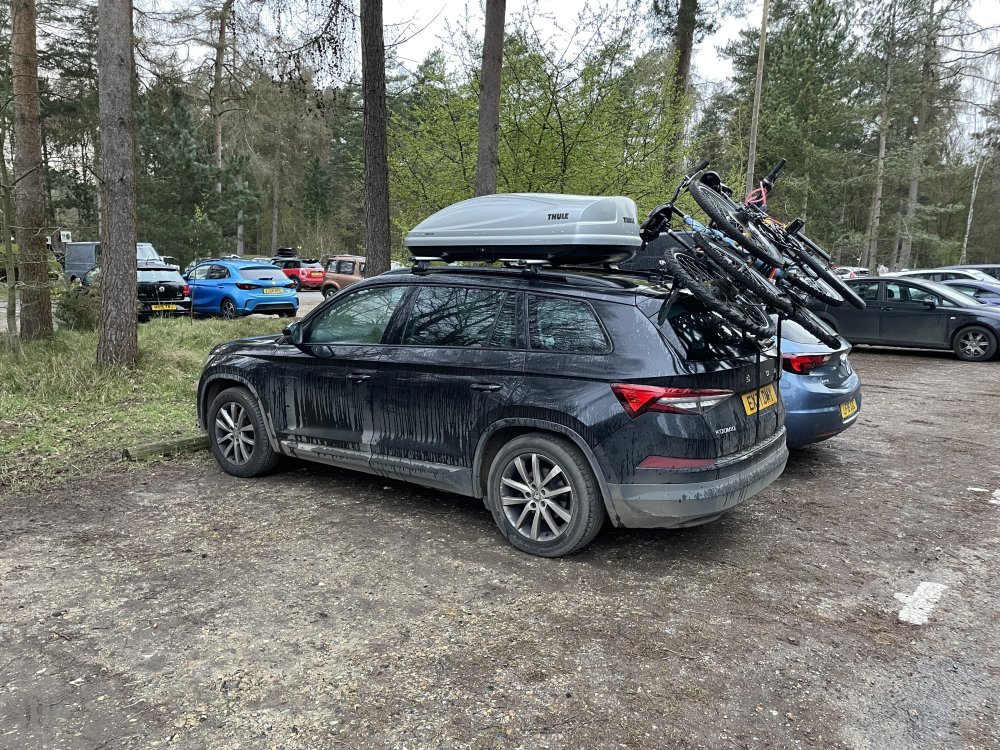
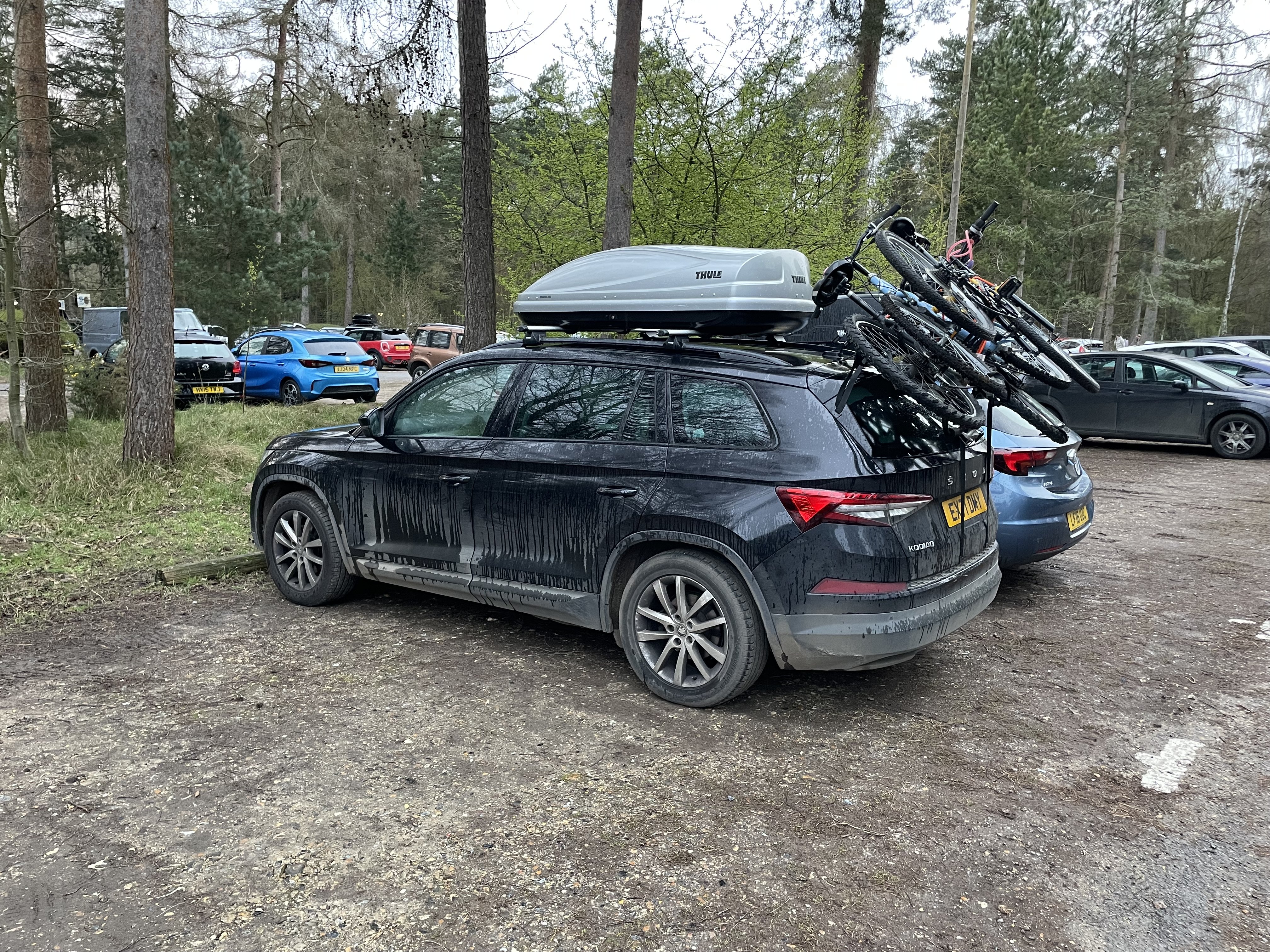
Fully loaded for the return trip from the annual pilgrimage to Centre Parcs. Starting to get at the limit of capacity with 4 rapidly growing children. Seriously looking at upgrading to a van. I’ve got my eye on a lovely AMG V class but I need to convince the wife!
-
I’ve got the manuals. I’ve added the air con one to my drive. I’ll DM you the link.
-
Thanks for the tip. Will pick some up.
-
I have a similar issue. If you have an obd reader you can do a full scan for fault codes and it will tell you which flaps have issues. It may be that they are stuck or in my case they have lost their calibration. On a RHD car the actuators are mounted above the glove box. You can remove the glove box to get to them and manually move the flaps in case they are stuck. If not you may need to replace the actuators.
-
What’s the company car? Sticking with Skoda? Might be worth posting a couple of pics and spec to this thread
-
Hoping that Skoda branded OEM kit is ok though! Might give the people @tombee recommended a call and see what it would cost from them.
-
Kopacek is £35 with delivery. Found the part number on eBay for £20. I’ve got a big bottle of IPA I use to clean things down for stick on parts etc. Will give it a good clean with that too.
-
Glad its a common thing and not just me!. Makes me nervous about changing rear brakes. I can see why the manual states to fit battery charger. I might park it nose to nose with my Superb while doing it so I can connect the jump leads if need be.
-
Everytime I get my nose up close to my car I seem to find another little spot of missing paint and stone chips. I havent used touch up paint before. I know it won't be a perfect finish but am keen to get something covering the metal work to ensure rust doesnt develop. Any recommendations for cost effective touch up paint? Thanks
-
-
-
This is the one @tombee and I have but I think it’s referring to passenger mirror. Not right mirror specifically. Carscanner app and Vgate iCar Pro Bluetooth 4.0... https://www.amazon.co.uk/dp/B06XGB4873?ref=ppx_pop_mob_ap_share But as @JR RS said it’s not possible with VAG vehicles for both mirrors to dip.
-
Thanks. I’m kicking myself as I literally did a post on the superb forum to someone saying about watch the battery voltage as it can cause a crazy dashboard lights if it drops down during coding! Then completely forgot my own advice about 2 days later!
-
Yes, will do this sometime between now and tuesday just to see if I can rectify anything and its not banging too much driving to garage. Dont want to damage the shock and end up spending even more! Garage is only 1/2 mile from home so hopefully be ok.
-
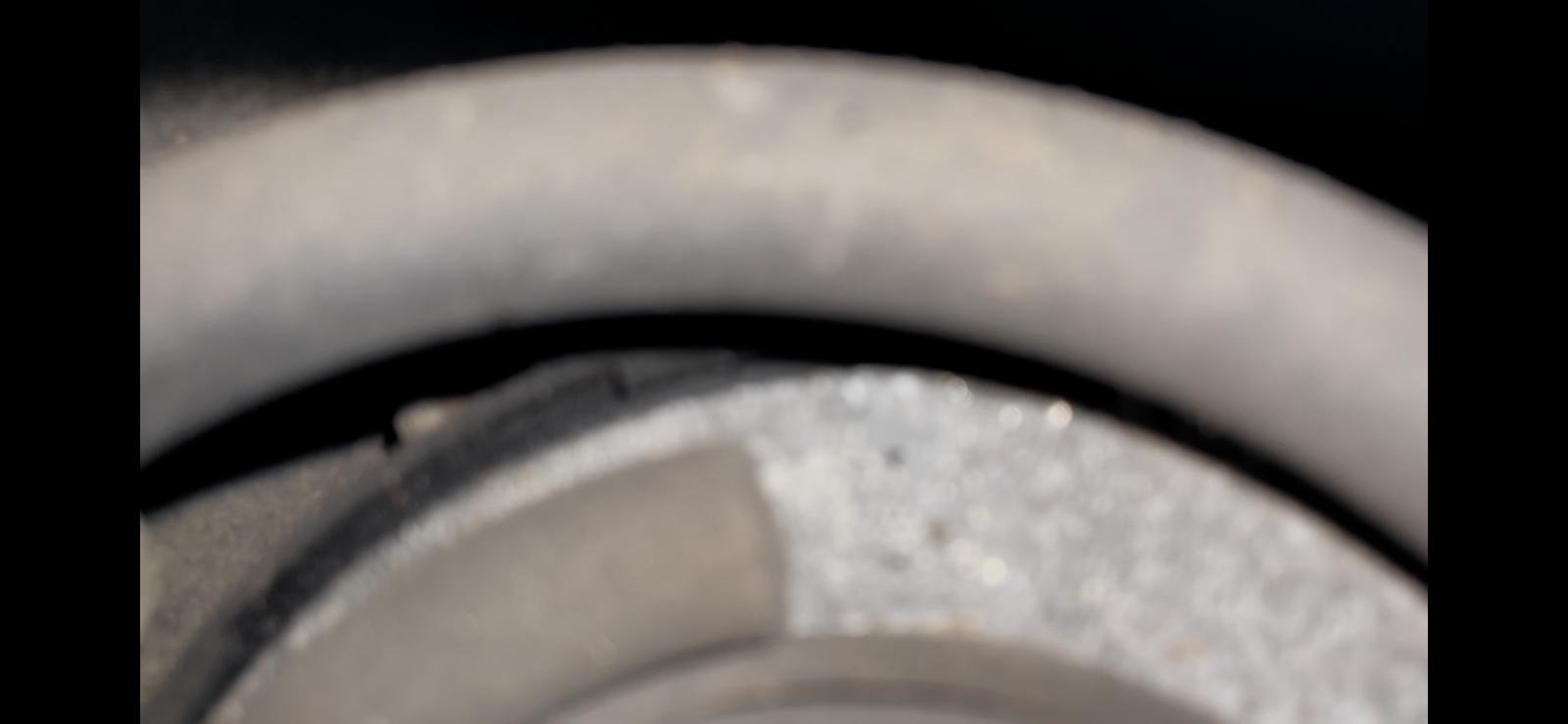
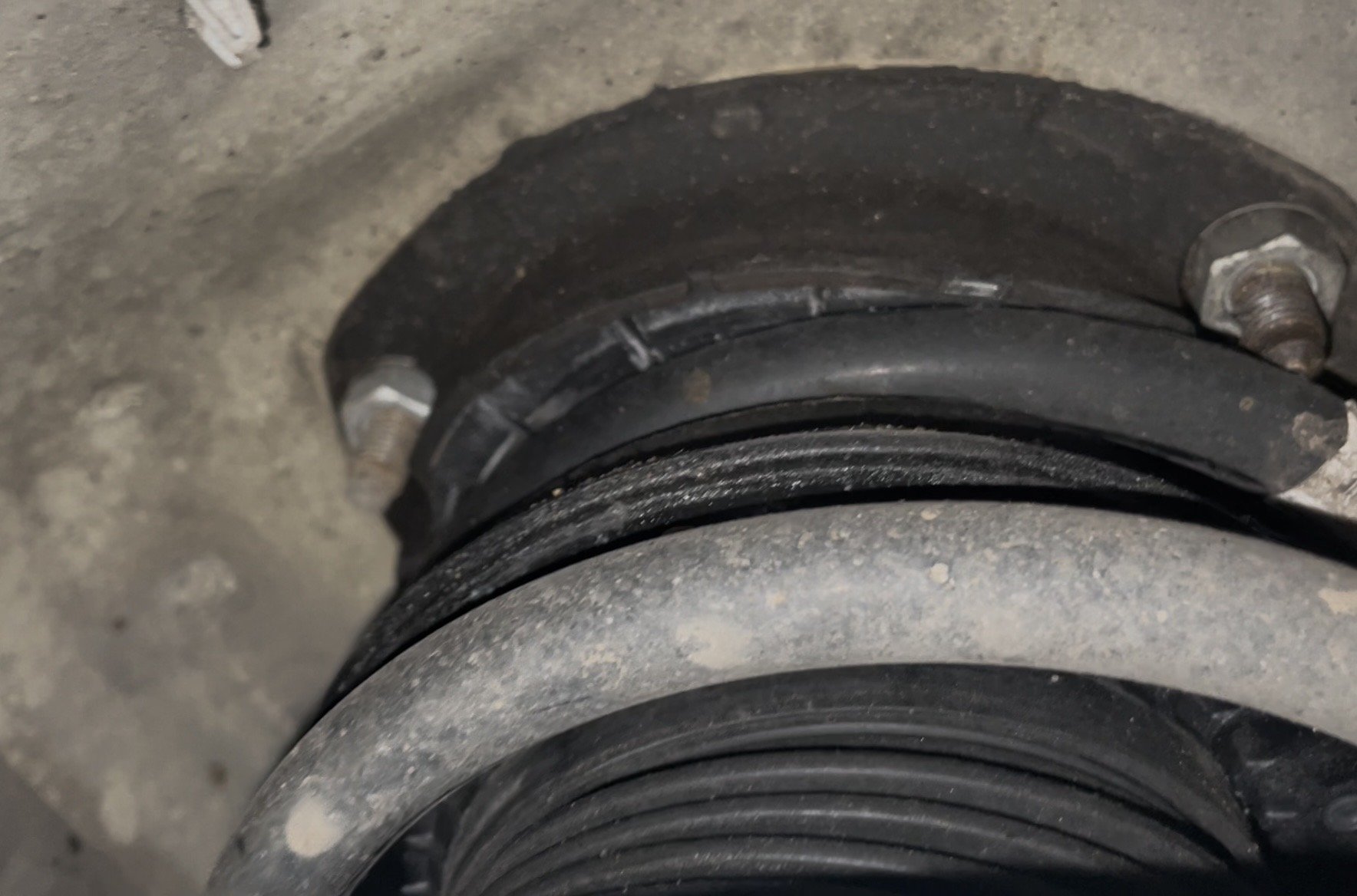
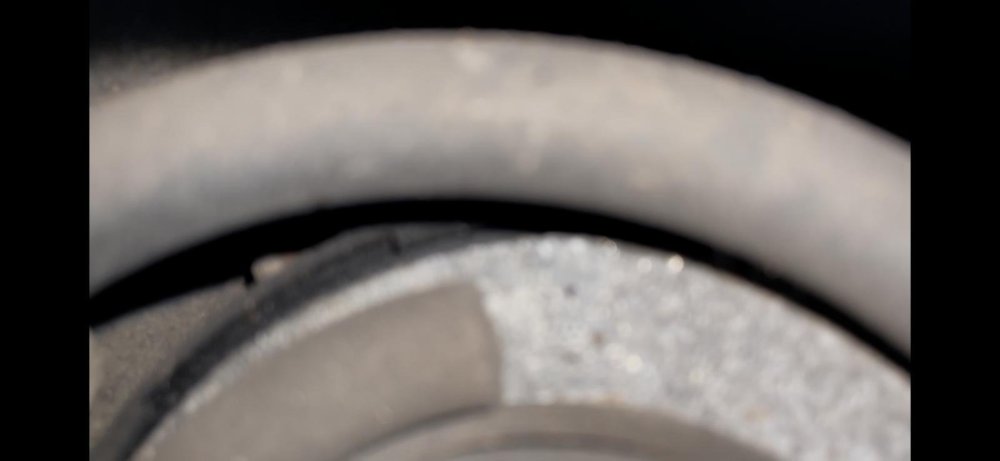
Other side you can hardly see as the spring is in the way, which suggests the drivers side spring is not seated properly. You can just about see the "pigtail" of the spring is sat nicely on the metal ring at the bottom of the top mount. On drivers side this metal ring is at the bottom of the shock... At least new top mounts needed and possible springs. Will be replaced in pairs whatever it is.
.thumb.jpeg.3e140263c0a31861dde2682a61b725f7.jpeg)
-
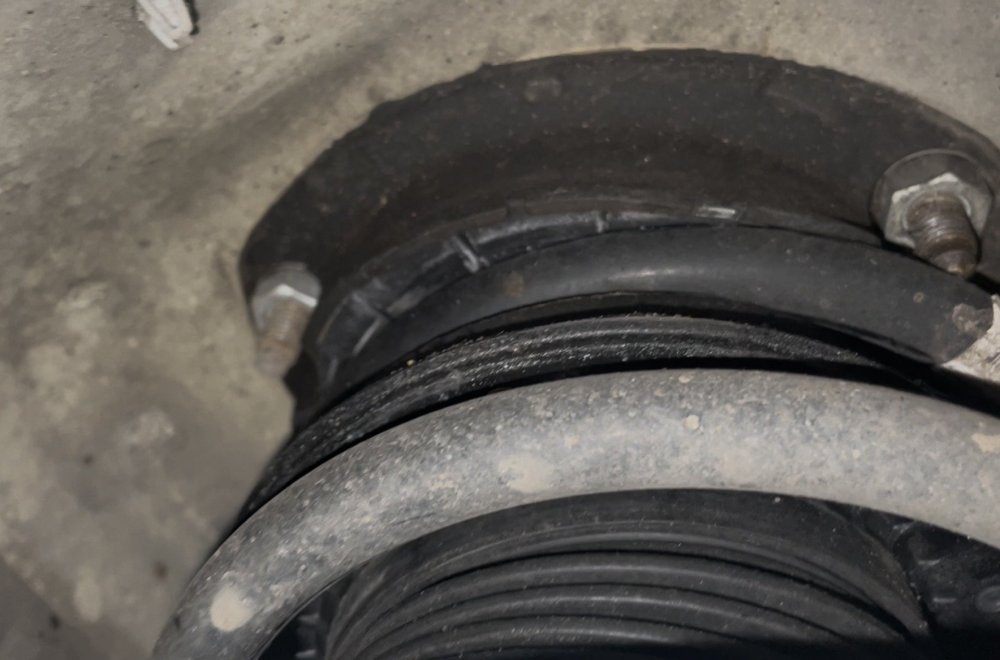
Let’s hope so. I’ve managed to convince myself that I DONT need bilsteins all round with lowering springs just because one front top mount has failed. So far anyway. From what I can see it looks like the spring isn’t seated correctly so think it is the topmount. But at least the mounts look like they have been replaced so paperwork seems legit just annoying they’ve failed so soon. Of the mileage is legit that is!
-
Went to take the kids to school this morning and had a loud bang and feeling of something forcing past each other with a typical twang of a spring when turning lock to lock. Left the car on the drive and droped the kids off in the wifes car. Looking at what I can see of the strut with the wheel on it looks like a metal shim or cover of some sort has dropped down over the shock. I am suspecting top mount. Which is annoying as it (alegedly) had new top mounts and shocks 20,000 miles ago according to the paperwork I got with the car. But this was the same garage that put the pollen filter in upside down so who knows! Booked in with local independant garage round the corner for Tuesday so will see whats what then. Might get them to change the rear discs and pads while theyve got it too as I was going to do that myself soon anyway.
-
I think this is a mistranslation of Passenger rather than Right. i.e. Passenger mirror down (Right for LHD, Left for RHD) I am not aware that its possible to have drivers mirror dip too. Im not sure i would want to as even with the reversing camera I still check mirrors and over my shoulder for pedestrians/objects in blind spot. When reversing into a bay or against kerb the passenger mirror is enough to line up properly.



.jpeg.034b891a5542adef100b424a0634510b.jpeg)