




Cedwing
Members
-
Joined
-
Last visited
Everything posted by Cedwing
-
It’s a FWD with Haldex rear drive on demand
-
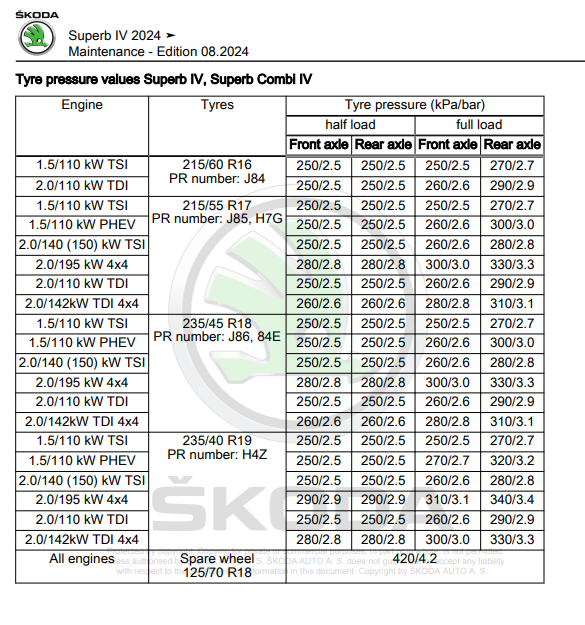
The 2.0 TSI 265PS has a much higher recommended tyre pressure that any other engine type.
-
I think its part of the option called Traffication. It was bundled for a year with mine. Look in the apps section and find the settings. As ever teh Skoda manuals are hopeless. There is some outdated information here - https://www.skoda-auto.com/connectivity/infotainment-apps-traffication
-
@Smudgers It’s the 265. The 204 wasn’t available back in July when I ordered sadly.
-
John625, How do you find the cabin noise especailly over speed humps and pot holes. I have a petrol L&K and it does seem to thump a bit over them. Good to see another car in the Southampton area.
-
A reminder I never updated this thread! Ordered 30th July 2024 and delivered Dec 28th. L&K 2.0 TSI Estate with HUD. Not driven it far yet. I have a different mirror reverse dip issue. It dips OK when I select reverse but often doesnt come back up again after driving forward even when I get up to motorway speeds. I do find the suspension a bit "thumpy" over bumps at low speed. Ive booked in with the supplying dealer next month to look at these.
-
Has anyone fitted a Dashcam with rear view camera on an estate ? Any chance of some photos of the install on the hatch glass. I’d like to fit one but want to keep it tidy.
-
That’s the coasting function for saving fuel. It’s normal.
-
At the bottom of that page.
-
7.8.1. And with a very recent build car.
-
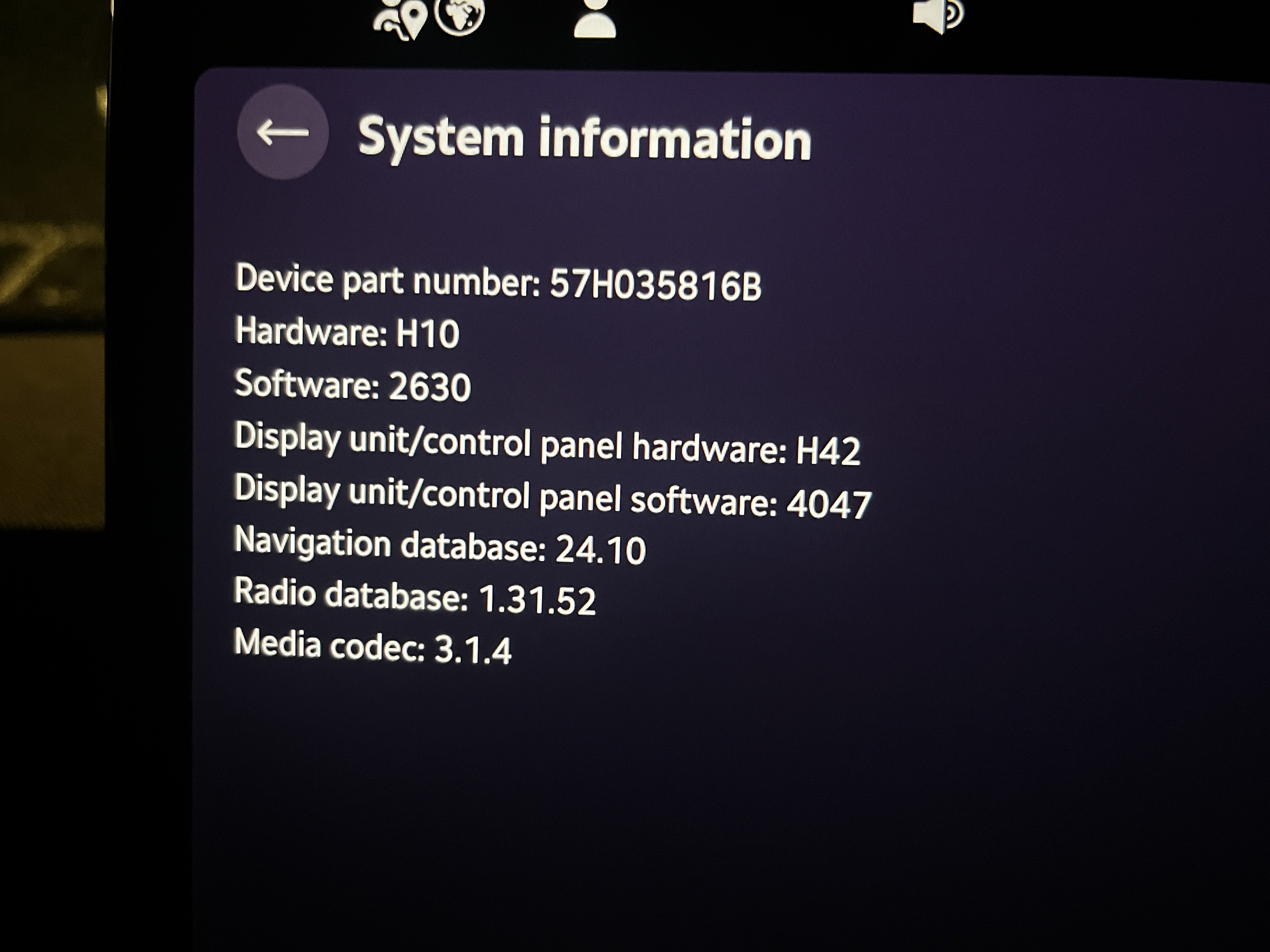
How are people finding the noise in DCC estates? Mine seems to thump over every small bump.How are people finding the noise levels in DCC cars. Mine seems to be very noisy over small road imperfections.Remote Park Assist was included in my Superb L&K delivered last week.Hi Just picked up a MY2025 L&K. So far I've noticed - Steering wheel has the word Skoda in the centre rather than the Skoda logo - Remote Park Assist is now available. Not clear which models get this but its there on L&K.Just collected a L&K 2l TSI. Playing with the MySkoda app Remote Park Assist is enabled now. So outisde the car using the app I can start the engine and move the car. The latest on line manual covers the operaion.Another collection today with the same data except the Navigation database. So far all is working.
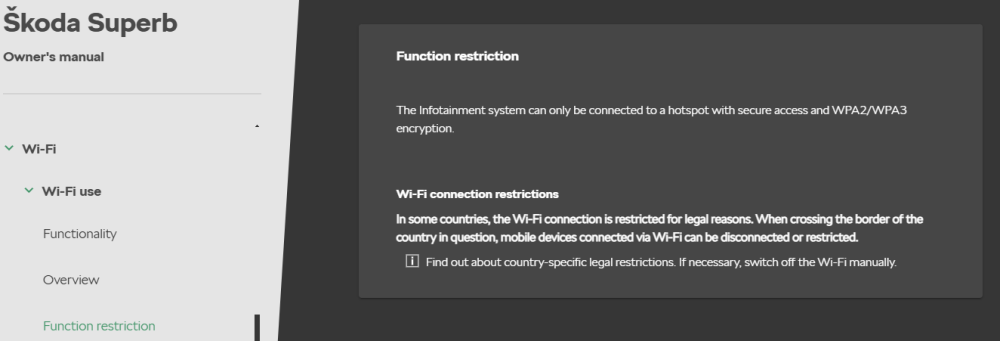
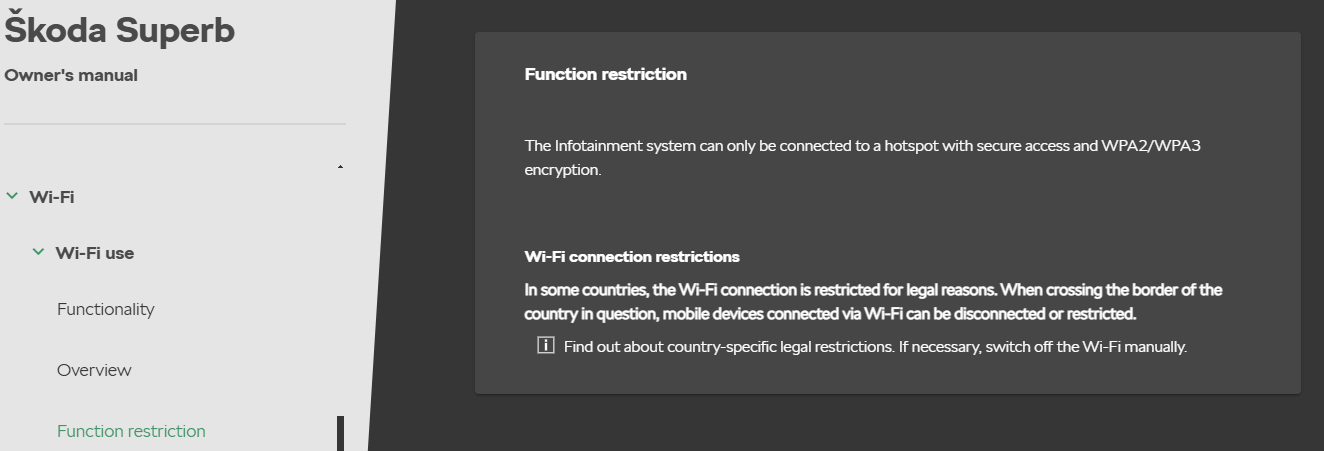
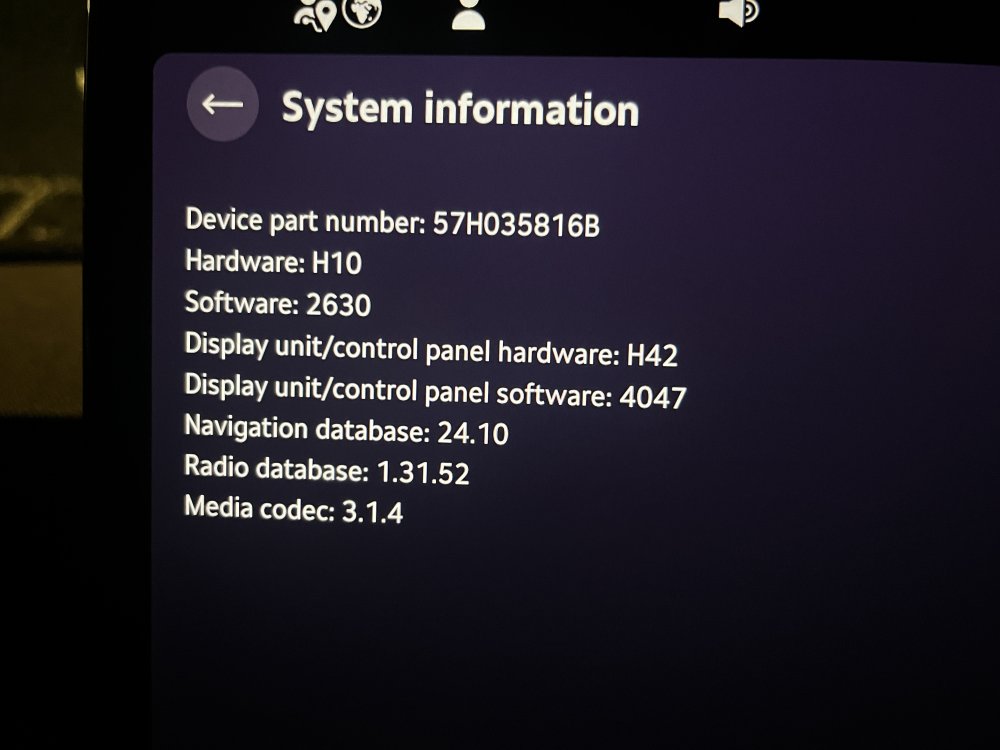 All wireless chargers are sensitive to the position of the phone over the pad. Have you checked that the phone is sat in the middle of the pad? With some hone car combinations it helps to add some padding to the side of the charging sot to make sure the phone stays in the centre..I'm due to pick up a new L&K next Saturday. Wondering if I should ask the dealer to cancel the order on the grounds the cars dont work.@CowsGoMoo Waiting on delivery of mine should be sin a week or so according to the dealer. Out of interest. What steering wheel did you get? Škoda logo or the word Škoda?This note from the on line manual implies Wifi may be interrupted at borders. If you are using wireless Carplay/Android Auto that may be related. Not saying its a the right behavior but it might explain the behaviour. Function restrictionWi-Fi connection restrictions
 This thread on the German forum seems to refer to similar issues. https://www.skodacommunity.de/threads/elektronikprobleme-ausfall-assistenzsysteme-komplett.151653/Good to hear you have resolved your issue. What is your plan to replace it ?



Important Information
Welcome to BRISKODA. Please note the following important links Terms of Use. We have a comprehensive Privacy Policy. We have placed cookies on your device to help make this website better. You can adjust your cookie settings, otherwise we'll assume you're okay to continue.