varooom
Resident Member
-
Joined
-
Last visited
Everything posted by varooom
-
Welcome Sebastien, you have a few French members on here that I am sure you will meet in time.
-
Yes in a minute or two.
-
Yes I can, it will be with you momentarily.
-
erWin Skoda, 7 Euro for 1hr access and you will have the lot you need.
-
Yes, it will be in PM shortly
-
Engine code will be CFGB (I have had one before, nice engine) Taken from the manual for the engine... 1.4 Removing and installing oil level and oil temperature sender - G266- Searching parts catalog for "G266" Give us part number 04L 907 660 C for "oil level sensor" This could also be traced back in the wiring diagrams, though I have not the time to check that right now.
-
Engine code or VIN? Pete's probably 99.99% spot on with a combined sensor as this is how they usually roll.
-
I don't think the part is too expensive to get hold of, and maybe armed with the PN, you can scour the internet auction sites to see what comes up. Call a SEAT dealer and check the price and if it can still be purchased.
-
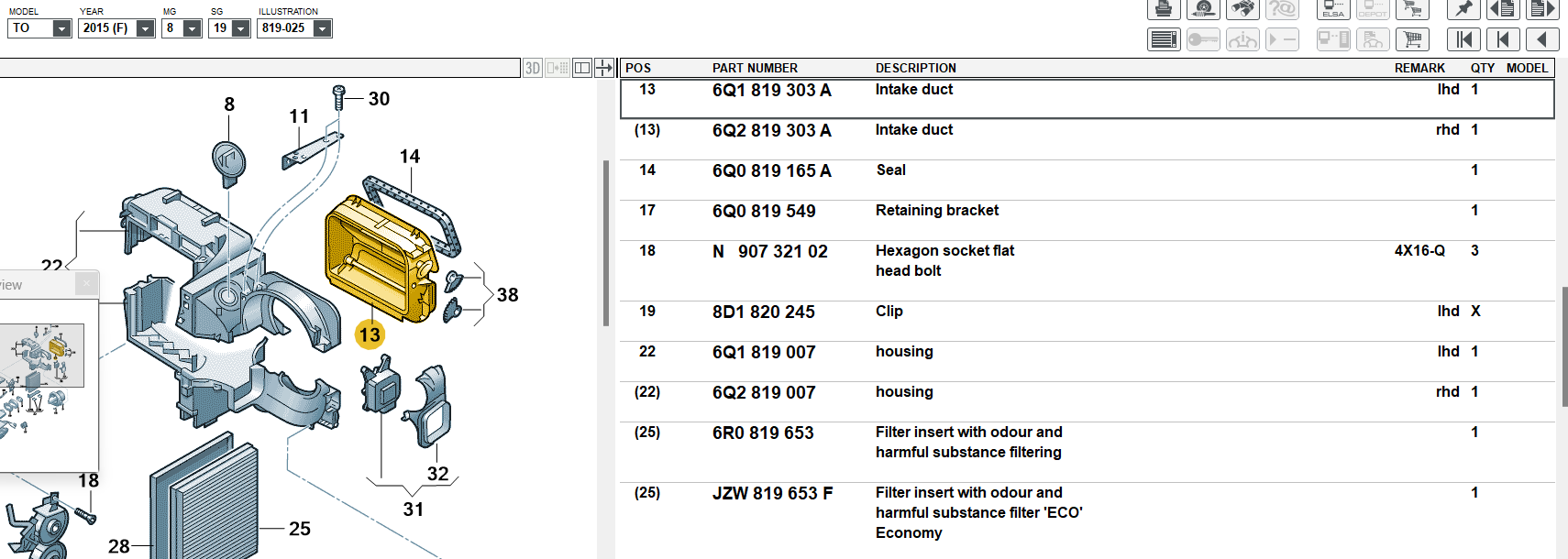
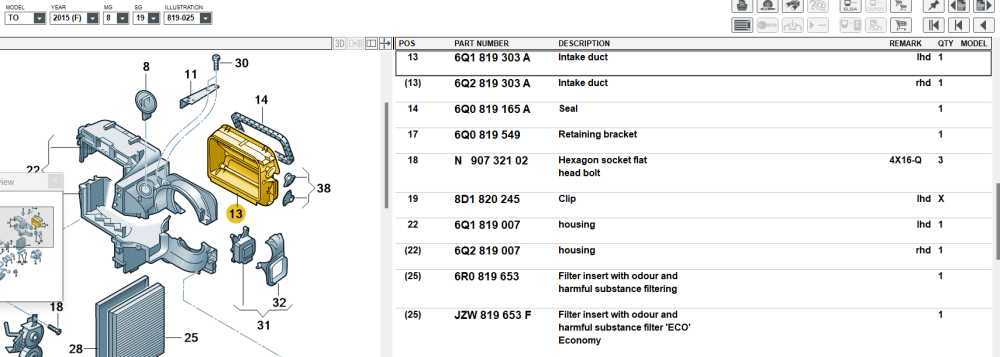
That does look a familiar picture, so here is what you probably need now, as I don't think you can just puchase the flap on it's own. 6Q2 819 303 A for a RHD intake duct
-
Yes, it depends on VIN range as to if your car if affected. I am sure it will be this post I made earlier. The "old airbag hand grenade post"
-
Well, how about you sleep on it! When you get chance, press and hold the Menu button for about 10 seconds, then look around for something to do with Software Train. And you can update firmware using any SD Card, only maps need be a Skoda sanctioned (CID Card ID) Meanwhile I will sleep on it, so you have no rush.
-
Yes an No, Update might make it boot faster, more stability, maybe you might get a better sound profile who know. If you system is working, and you are happy, then you could just leave it alone.
-
I will check your images, but looked like 6276 was loaded on.
-
I can send you an ISO file (image of a 💿) that you need to burn to a blank CD, if you have a writer? I don't think you can recover from an SD Card.
-
I will send you new version, but I mention the page here as it contains the real firmware update button.
-
I don't think there is an update to yours, There are 04xx versions, 07xx versions, 1233 version, your 1310, and 17xx versions, these big changes between numbers suggests these firmwares are tied to hardware revisions.
-
Yup, top bloke
-
Part number go as this, 1K2 820 015 G --> 1K2 820 015 H --> which then splits into two choices 1K2 820 021 Fan 3C0 907 521 G Fan Control (that silver heatsink part you refer to) You could in theory just go with first cheap choice, or use some of the numbers above to see what you can find.
-
https://www.briskoda.net/forums/topic/510650-sold-genuine-ross-tech-hex-v2-usb-vcds-interface-for-vwaudiseatskoda-cars-1996-onwards/ They do appear in the sales section from time to time, be patient and you'll have one soon enough.
-
I looked on eBay, too many LHD ones. Breakers is best bet for you. And not really wise to throw parts at it, ballast/control module.
-
1st is very clearly fake 2nd is to my eyes a good try, but serial number and screw heads are wrong 3rd looks like a winner, but if the price seems too good... that's another clue
-
Fingers crossed you do find one you can be comfortable in 🤞
-
Ah yes, the highly tuned and modified (by external forces) Superb Estate 🤔 Welcome, glad to see some progress has been made in your forum post.
-
Welcome, hopefully it's a great help to you.
-
Best to use the LLLParts just to find the part numbers only. At least with PN's you can now start to order up hopefully.