varooom
Resident Member
-
Joined
-
Last visited
Everything posted by varooom
-
-
Well check the above list and see if it matches, I guess the book could be wrong.
-
Yes there is update to 1433 version available, will PM you a link in a few minutes.
-
I think I only mentioned charging, getting a jump pack if you're unsure of the health, and last was to possibly check battery is adapted in correctly if possible. Seems like the weekend top at work is your best bet, and it sounds like it's behaving much better now, so you shouldn't worry too much. Best of luck for the future.
-
Your money 🤝
-
If it's out of "range" it will soon moan at you. If it saves then it's accepted, and not going to break anything. It certainly has no bearing on the functionality, it's about tracking mostly.
-
I don't think for one moment myself the brand makes any difference, key to swap is new serial number so it relearns.
-
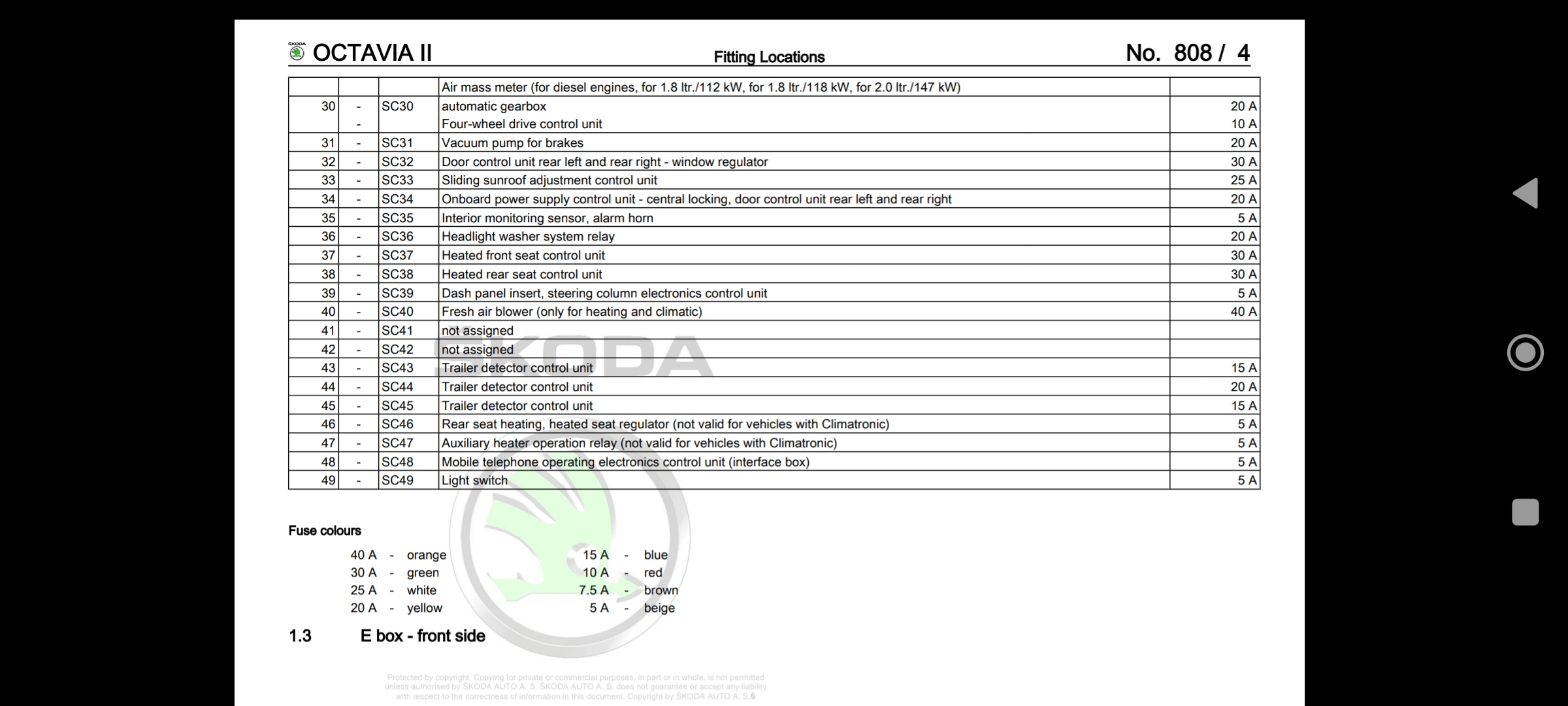
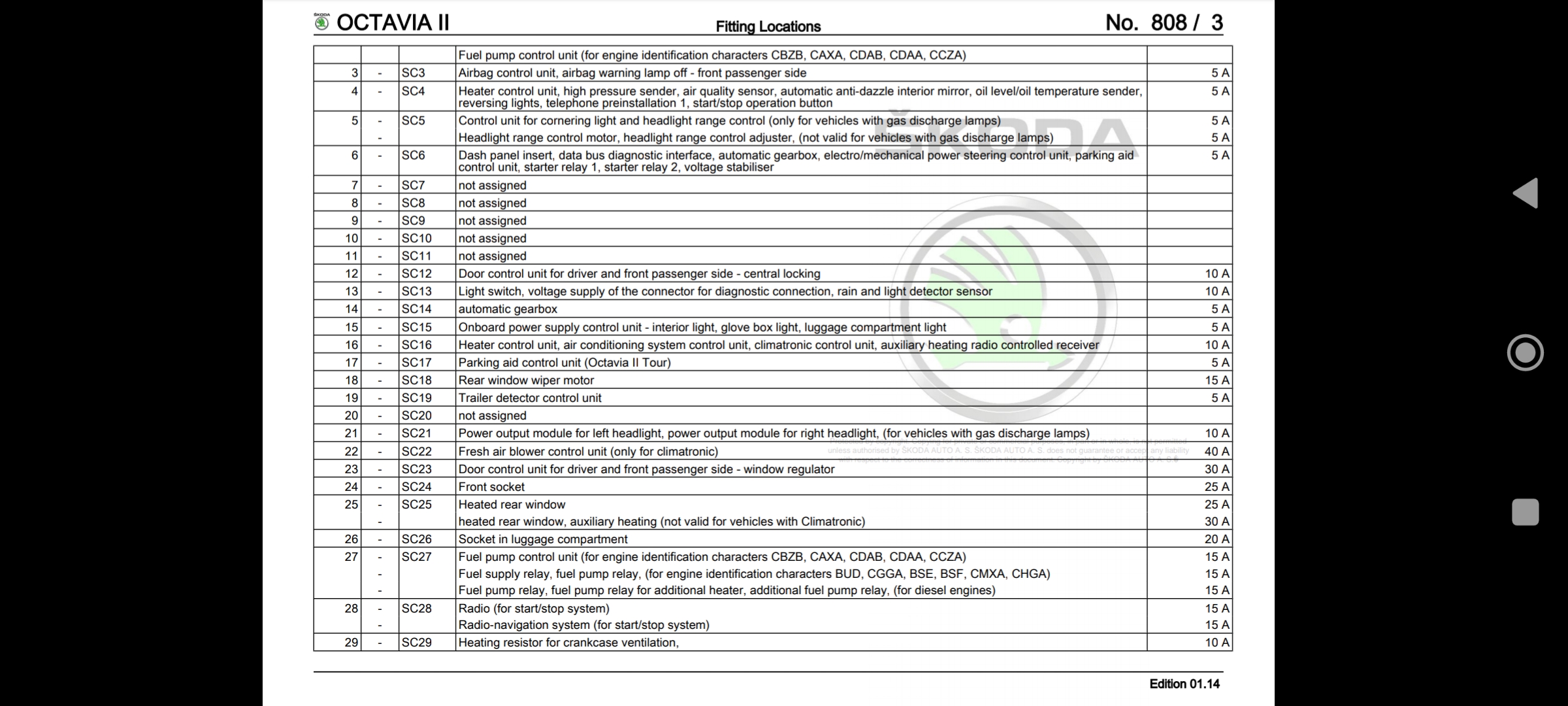
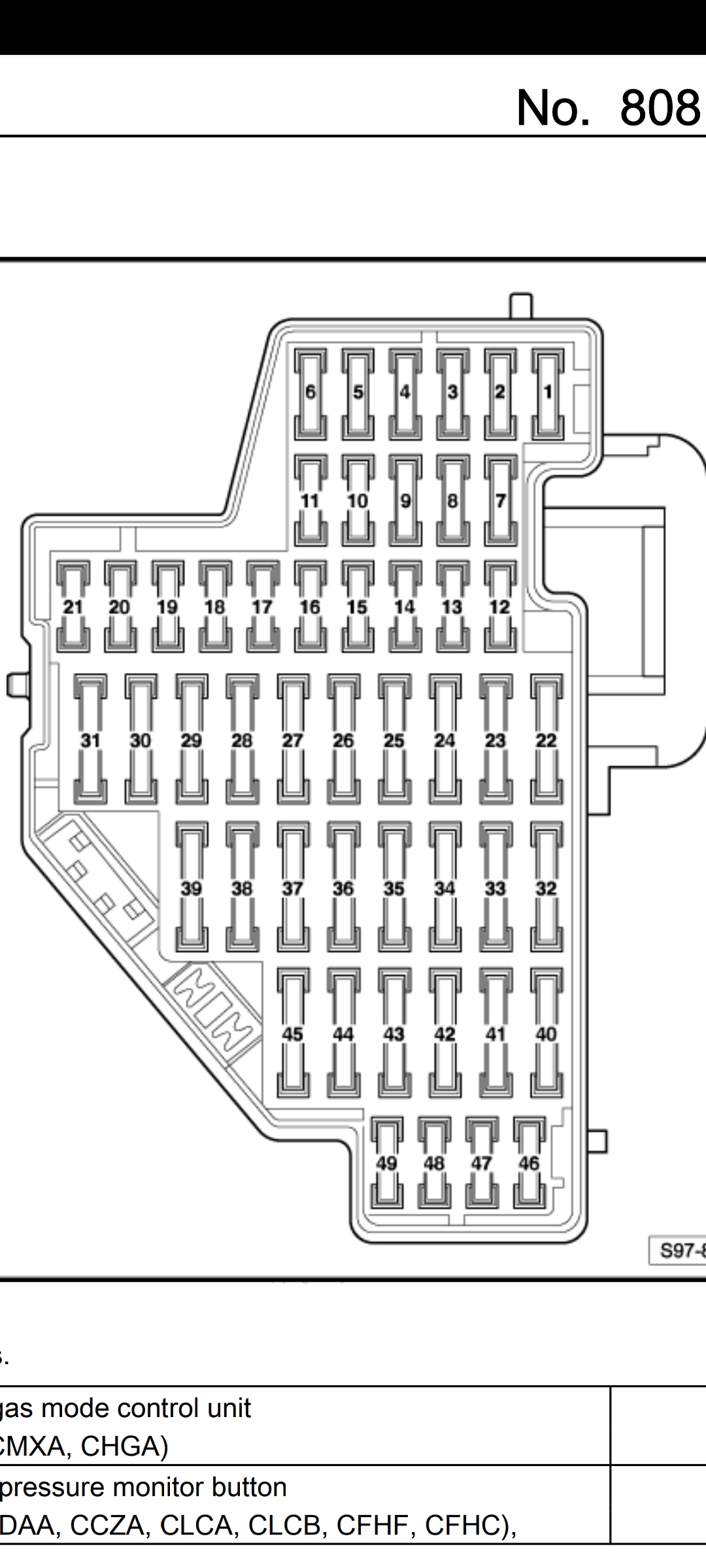
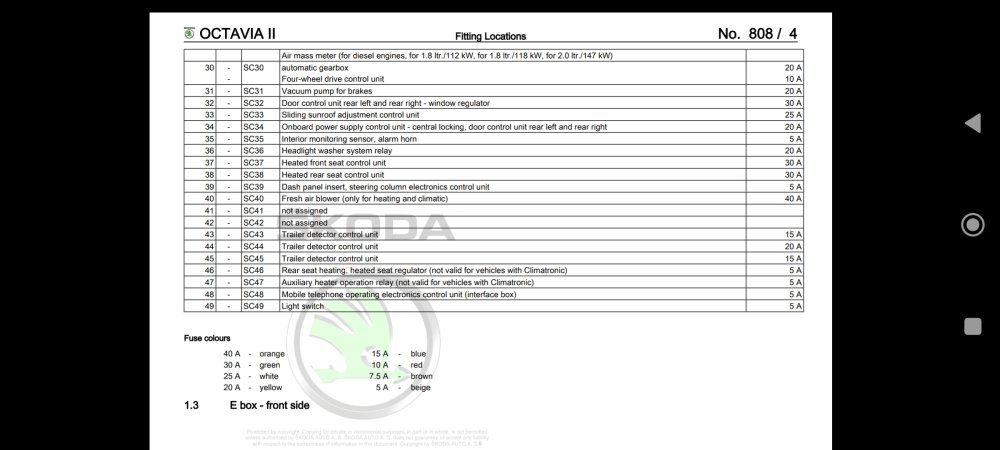
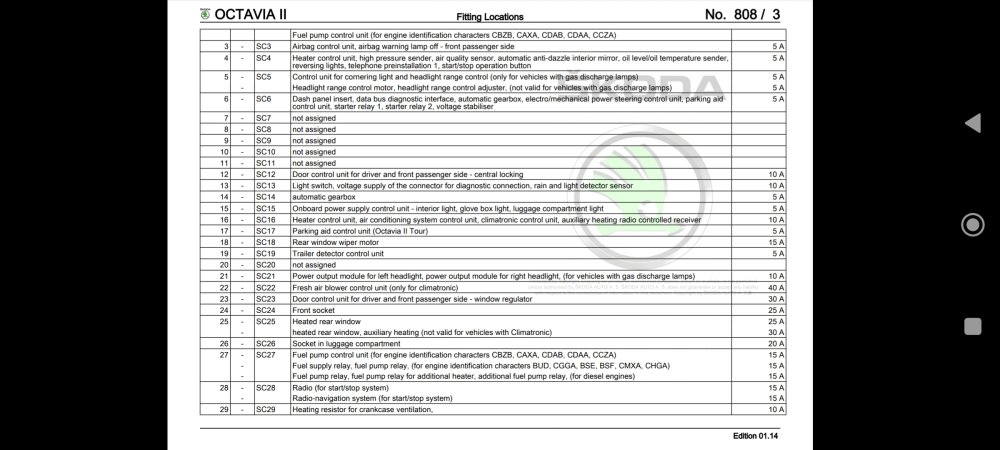
Taken from factory manual, for May 2011+ build, seems to match up with what's really in your car fuse board.
-
There's a chance of manual being wrong, or someone has been and pulled one out and put back in the wrong hole, happens a lot. Did you take a picture of the existing layout? And can you take a picture of what's printed in your manual.
-
There isn't really what I would say is a "normal" there just is regens based upon the amount of soot being generated, and the overall mileage of car has an impact as the DPF filter becomes less effective with age (talking a fair few miles though!) Try having a read here https://procarmanuals.com/pdf-online-vag-ssp-330-diesel-particulate-filter-system-additive/ You will find that on a motorway you will be doing most likely "passive" regeneration that is not as fast as an "active" regen. If you are concerned, you may want to look into the DPF app that some get on their phone and hook up a device to the OBD port to broadcast the values to the app.
-
Ok, so the fuse died for a reason then. Did you mean *Now* realise you cannot edit post just yet (reach 10 iirc and you will be able for 1hr fix spelling mistakes) Have you got the full log of the error? Maybe you need to track every wire going to/from it to check for any shorts or broken wires.
-
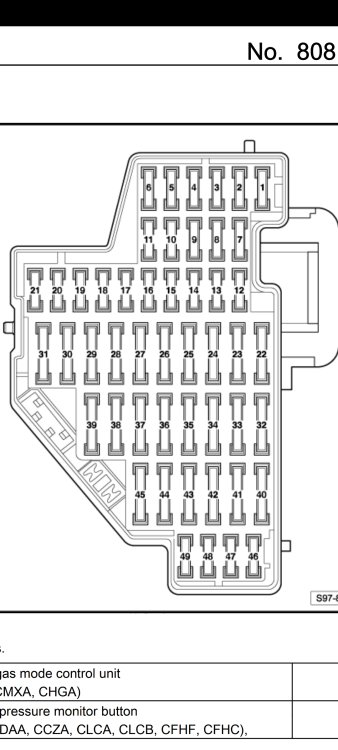
From May 2011 build, this is fuse assignment for RHD. Fuse 35, a 5 Amp for interior monitor and Alarm horn. Take a picture before you pull! And please double check your manual for the car to verify.
-
Yes you would need to login with security access, enter S12345. Then try to change value.
-
Glad you was able to update firmware. What did you need the GEM for? Also did you login to controller first for security?
-
This seems like a few questions you can answer here @pab567 a hardware issue.
-
Yes, I will send you link via PM
-
Find your engine code from your V5 Example CAYB12345
-
Yes that's where it tracks back to, and colour of wire is same.
-
Best of luck with that task
-
Take a look here for some guidance from several members.
-
The line you are on is 186, so the ws/ro 53 you will need to go back a few pages to find the numbers along the bottom to find 53. Hopefully that makes sense to you now.
-
@AtanasYordanov Green Engineering Menu needs to be enabled in VCDS, if that what you want. Meanwhile, engineering menu should be available, and in theory be able to update firmware, but it could be the internal storage in the Amundsen radio is corrupted.
-
@skoda1982 Does the fuel tank comprise of a 5l green petrol can and a small straw coming out of it? That sips the petrol 😊
-
100%, a damn good indicator of the capabilities. The gap is closer with an automatic box as well 🤝
-
Yes, in a few moments