varooom
Resident Member
-
Joined
-
Last visited
Everything posted by varooom
-
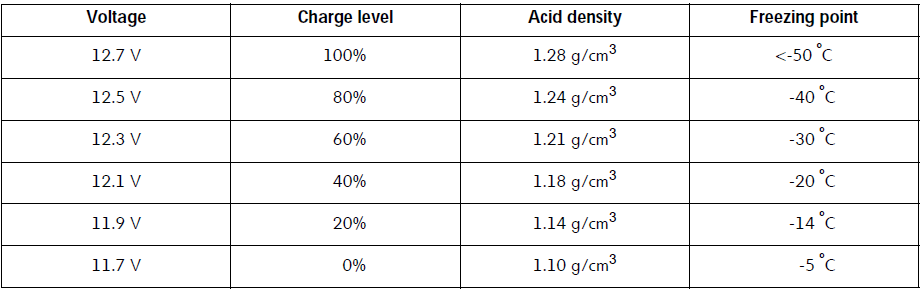
Your values seem a little low at 12.3V after a run. SOC State of Charge starts at 0% for 11.7V and 100% is 12.7V, so a 1V difference between empty and full What I would recommend is to charge again your battery, and check voltage at the end of the charge cycle directly on battery terminals. Then wait two hours, unlock car, open bonnet and again check voltage quickly, some control modules will be awake, but will give you a rough SOC. There are more things we can test, but this is where I would start. Take a read of these two SSP's to get you some useful background knowledge, and it might give you some ideas on what to test https://procarmanuals.com/pdf-online-vag-ssp-426-start-stop-system-2009/ https://procarmanuals.com/pdf-online-vag-ssp-504-vehicle-batteries/
-
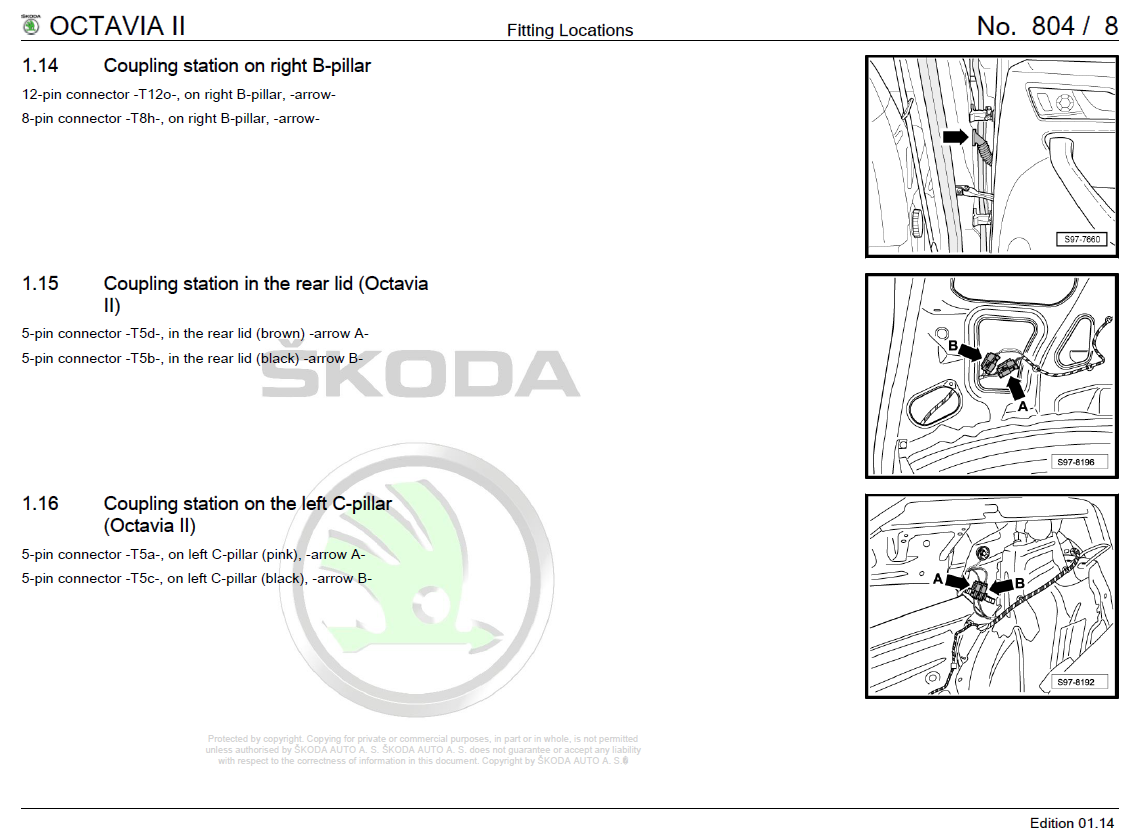
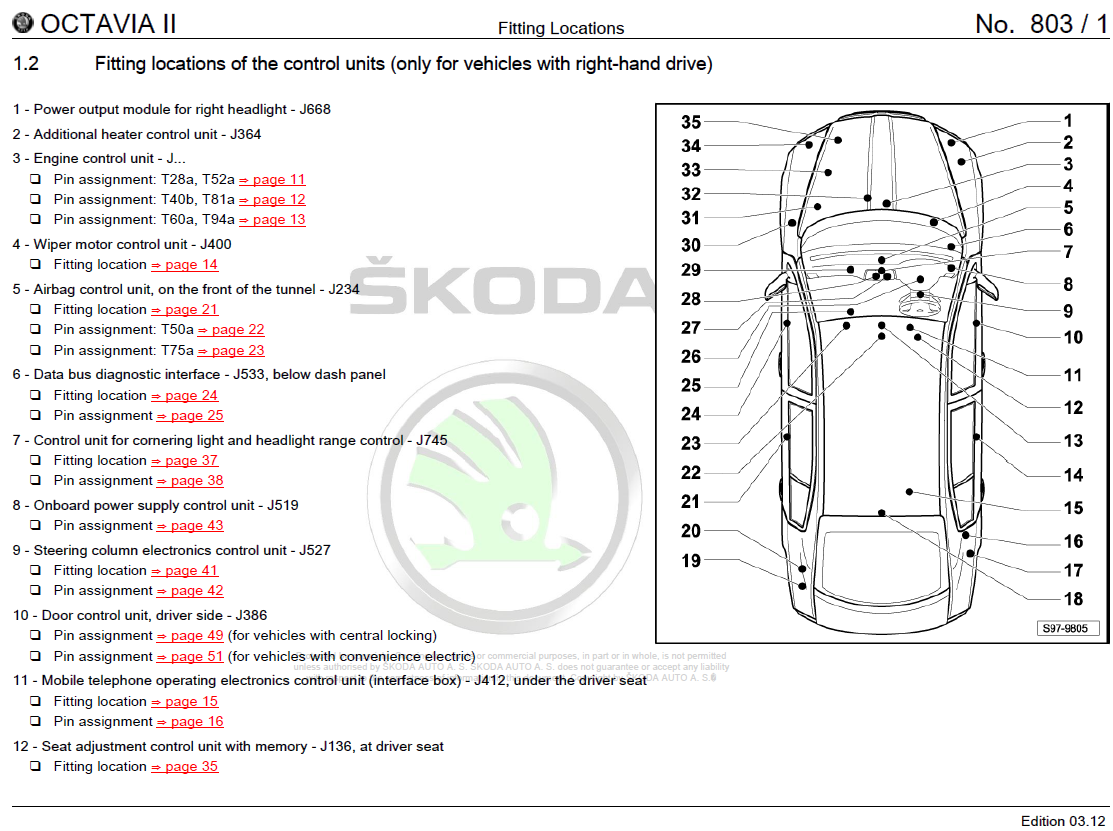
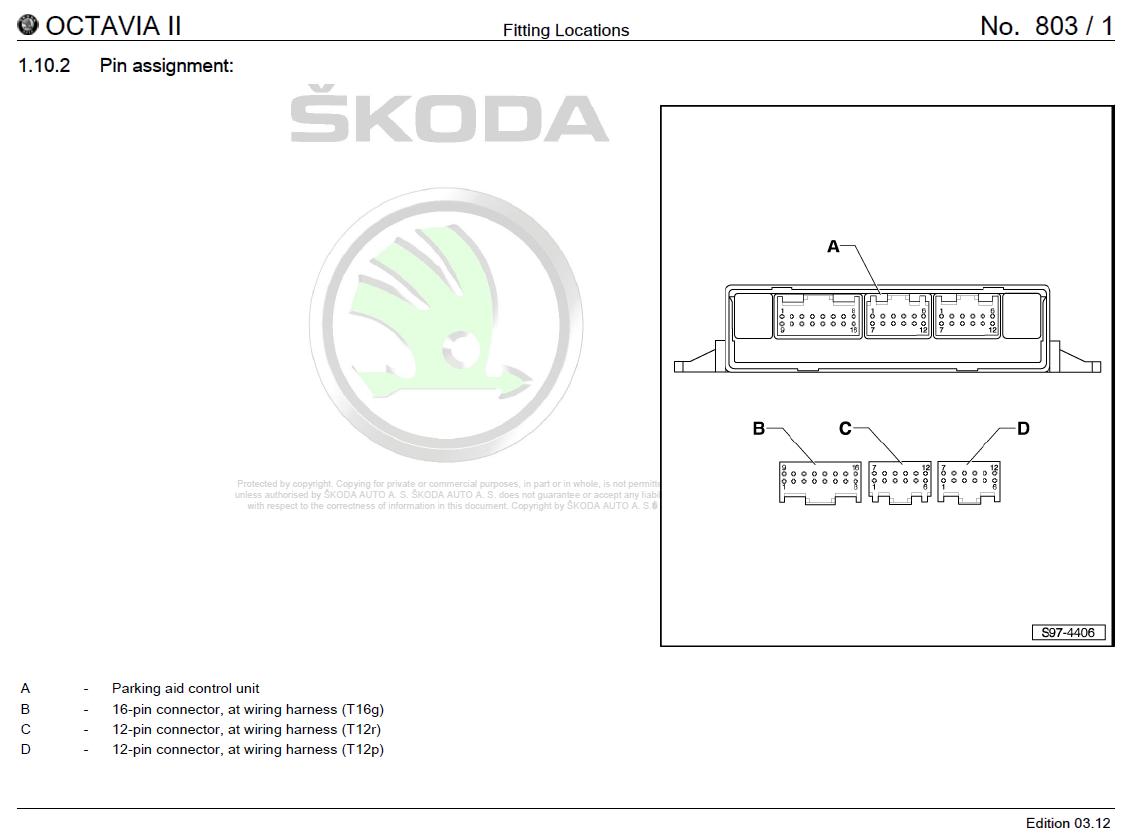
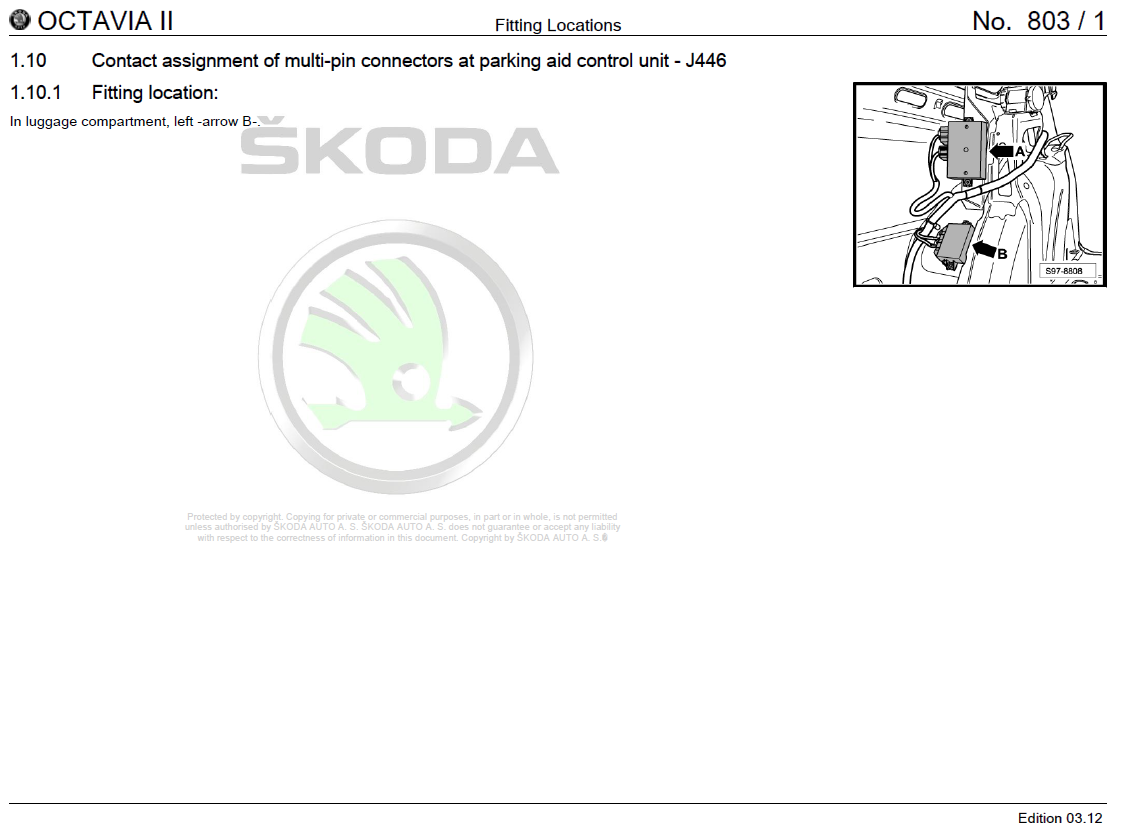
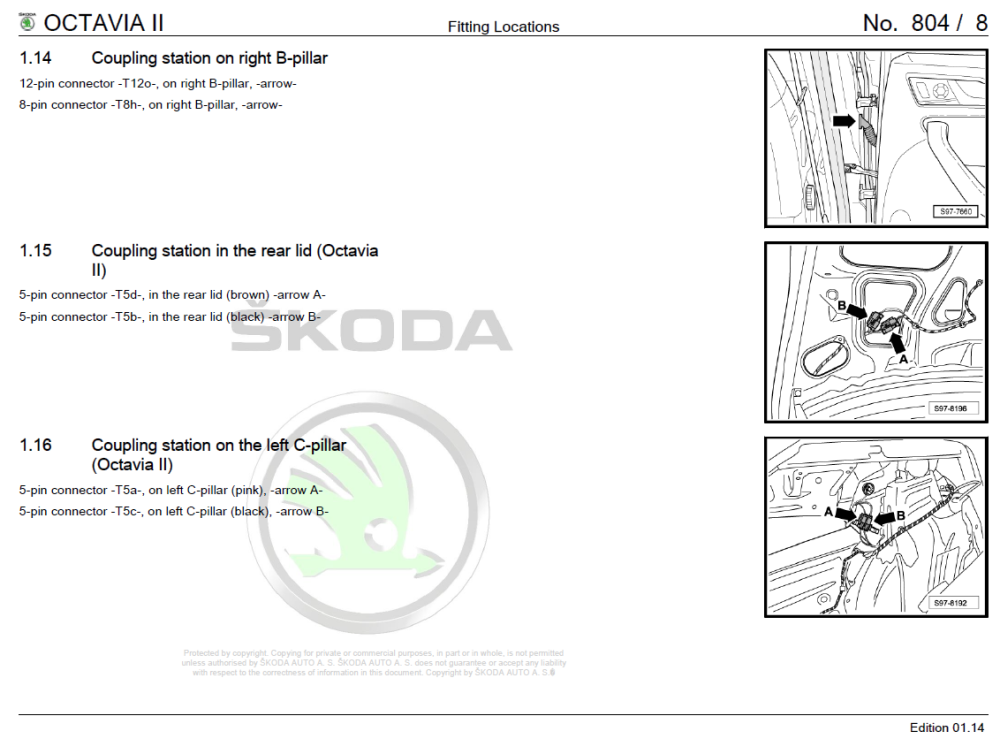
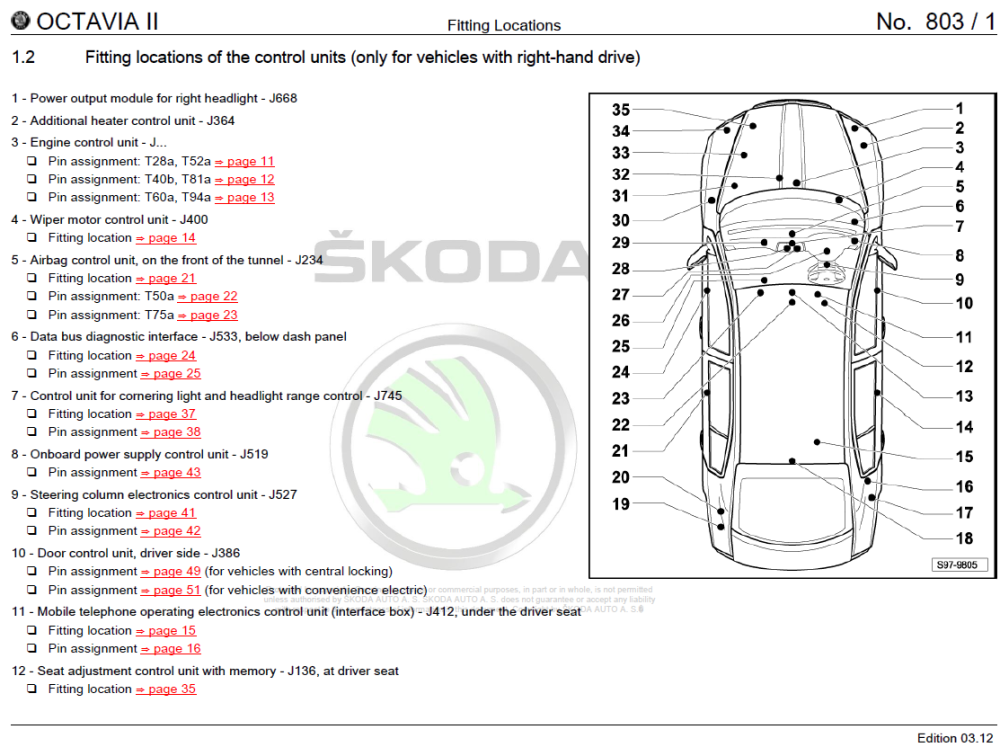
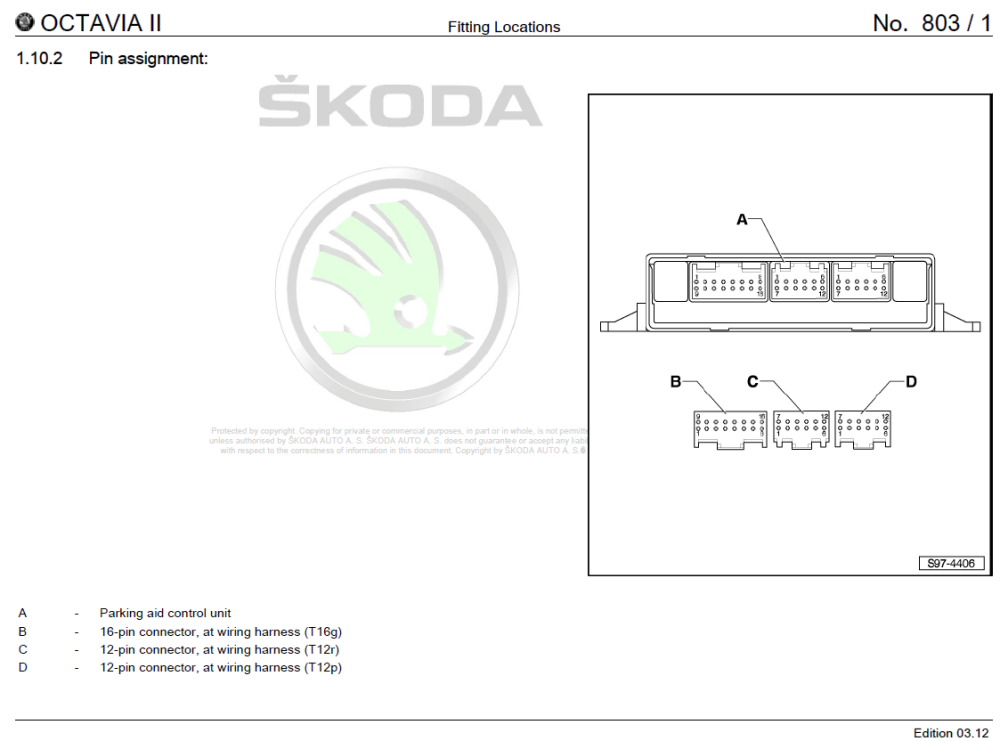
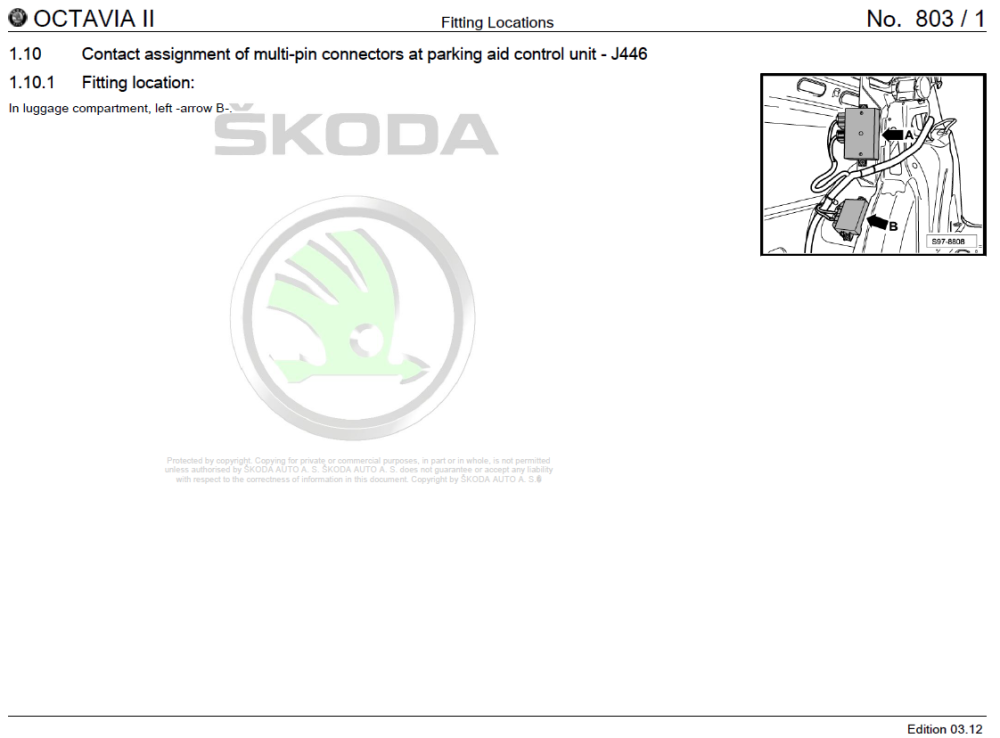
They have several thousand pages in a the wiring diagram PDF's, but in the last few hundred you will find all the good information on where to locate the control modules/loom connections. So you have for example this to find control units Here they show you an image along with the text on where to find J446 (being a PDF you can search!) You can then get an overview of the control unit and where pin 1 is located on each connector, and it's designation T12p for example If you was trying to find where the loom connections are these are also found here, and again you can see they are named (so can be searched) Finding these locations can be half the battle, as you need to remove trims.. they also have instructions in other PDF's to show you the way to remove the carpet/panels that are in the way. For a single hour in erWin you can get everything you need for your car downloaded for all of time.
-
-
I am taking a break, thanks for your kind words.
-
I am going to retire from this forum, I wish you all the best with your cars.
-
Read this thread And if you don't adapt a battery correctly, this is what could happen (was set to 7Ah rating not 70Ah)
-
My original Varta factory fitted was also stamped WK/YY, so I suspect that the majority of the VAG fitted ones will be stamped. But also a good call as another possible indicator of factory fit. No, I would say you are spot on with the 096 battery size, only some cars with small engines will be using a smaller size/or with less electric gizmo's. I am not sure if the OP is on the path yet of condemning the existing battery, I would also link them to the 096 AGM's with two important notes: It must be adapted to the car, and it needs the fabric cover fitted or suffer a premature death from heat. EFB live roughly twice as long as basic lead acid AGM live roughly three times as long as basic lead acid, weigh up the cost of both and decide (not a whole lot of price difference between the two)
-
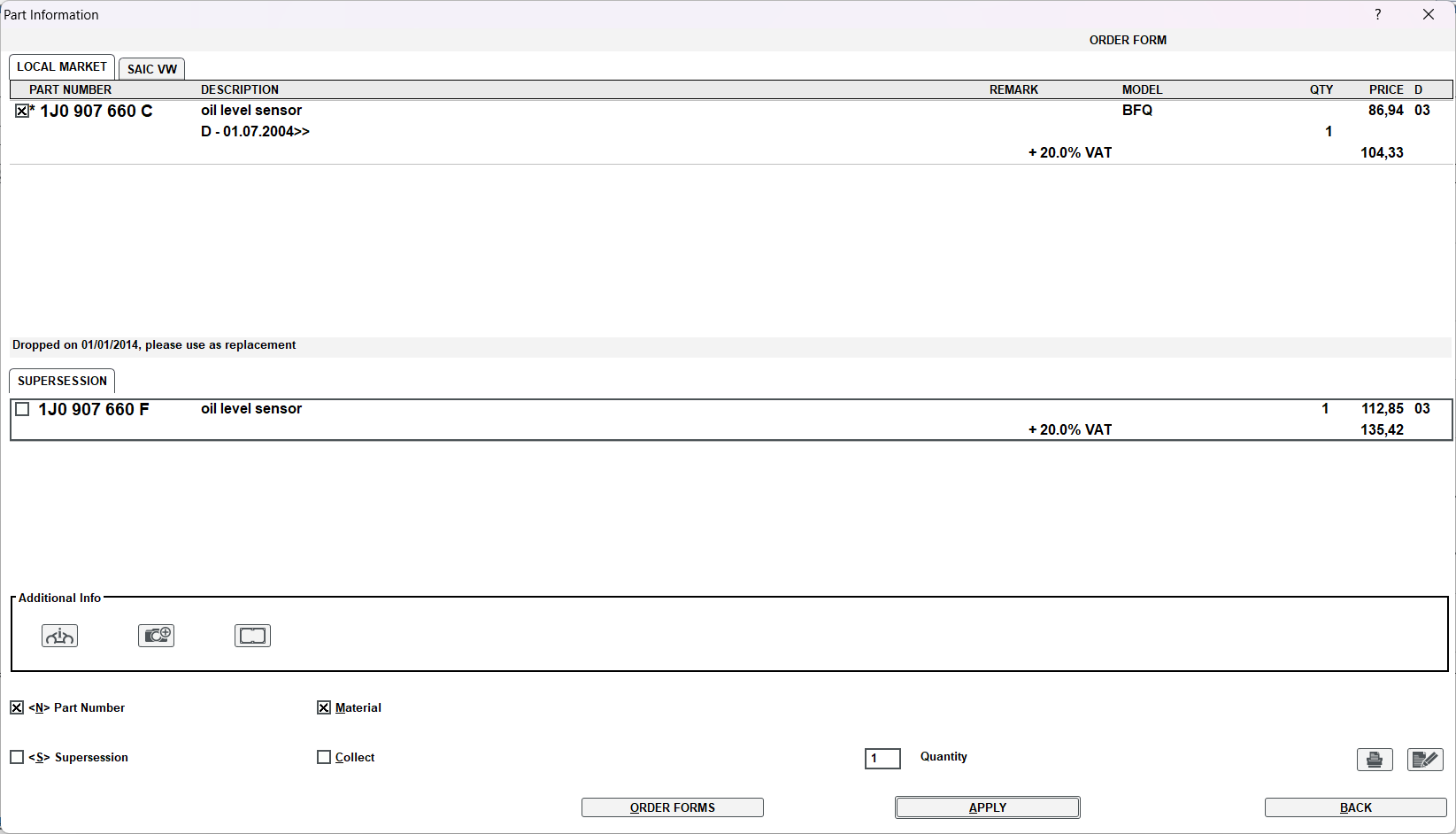
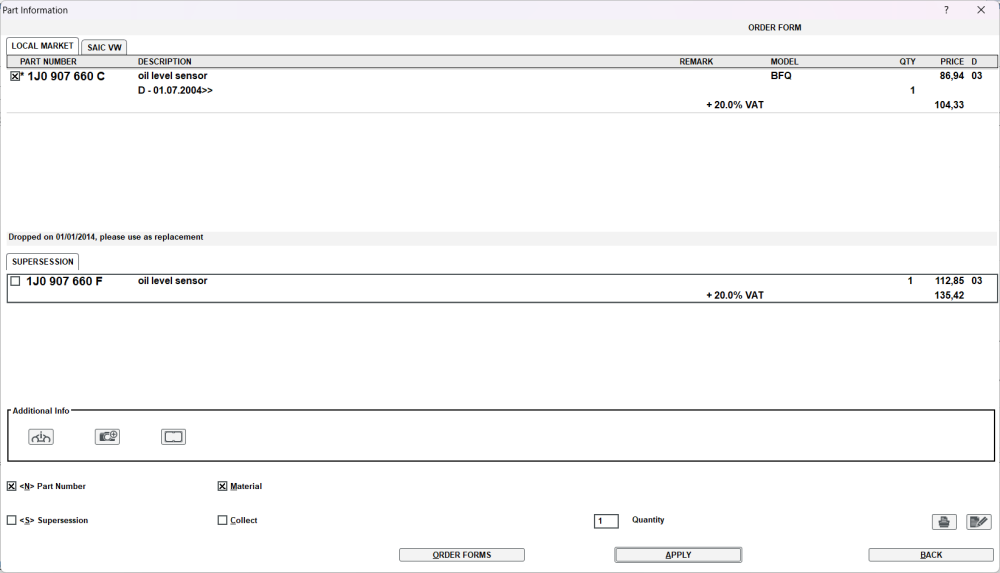
Part number was dropped, here is new number 1J0 907 660 F - Oil Level Sensor https://www.ebay.co.uk/itm/175326984011? Example of a new price for the sensor on eBay, but do a search around for best price as this was a quick search.
-
@Kodass Your map version reads as "1910" and the latest are "2010" Find link here...
-
Yes there is an update to 0480 that I can send via PM
-
It might be 30 seconds to hold it down, but hopefully that should do a soft reset of sorts. Best of luck, they are not the best the MIB3 units. 🤐
-
Only quick suggestion is to press and hold down your power button on the unit until it resets, just turning off the igntion is often not enough to sort it out. It might reset your profile back to guest/basic... but at least you will get some much needed music/sat nav.
-
That's an original battery supplied by Skoda. Two clues are the part number is a VAG one, 6R0 915 105B and the use of a QR code label on top
-
What's your engine code on the V5, that will tell me what you have. p.s. Welcome to the forum p.p.s 190PS or PferdStarke is the metric measure of horsepower. It is the equivalent of 98.6% of one HP.
-
I am sure the absolute max SD or USB is 4TB for the Infotainment systems. You're best to just wait for it to arrive and sort out this later, Amazon will supply you next day as I am sure you probably will have an account there.
-
Welcome Nathan, have a great time here 🤝
-
In a nutshell yes it is most likely the MIB3, waaaay to many stories of these bugging out.
-
I don't think there is any lights in that 2nd picture with the 3x holes, I could be wrong but I believe they are for ventilation as normal bulbs get very hot up there (I see you have LED in map lights) but that's AFAIK their purpose.
-
https://manual.skoda-auto.com/004/en-com/Models You should be able to get the information in the manuals, either with VIN, or to input the details manually. If it has SD Card slot, they should be able to support high capacity with easy, they might also and most likely be USB socket for media if not. If you do find yourself needing one, then there exists some 90 degree USB adapters to allow it to safely tuck away near gearstick so it doesn't get whacked by accident.
-
Yes you can have a PM for 0253
-
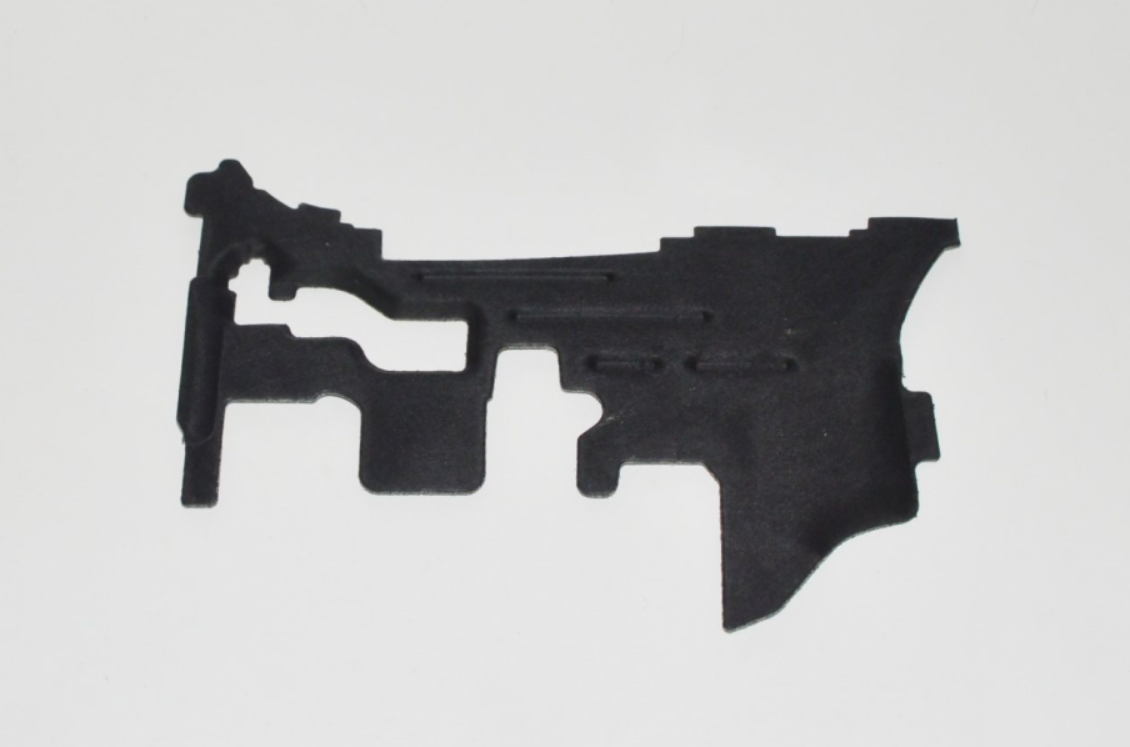
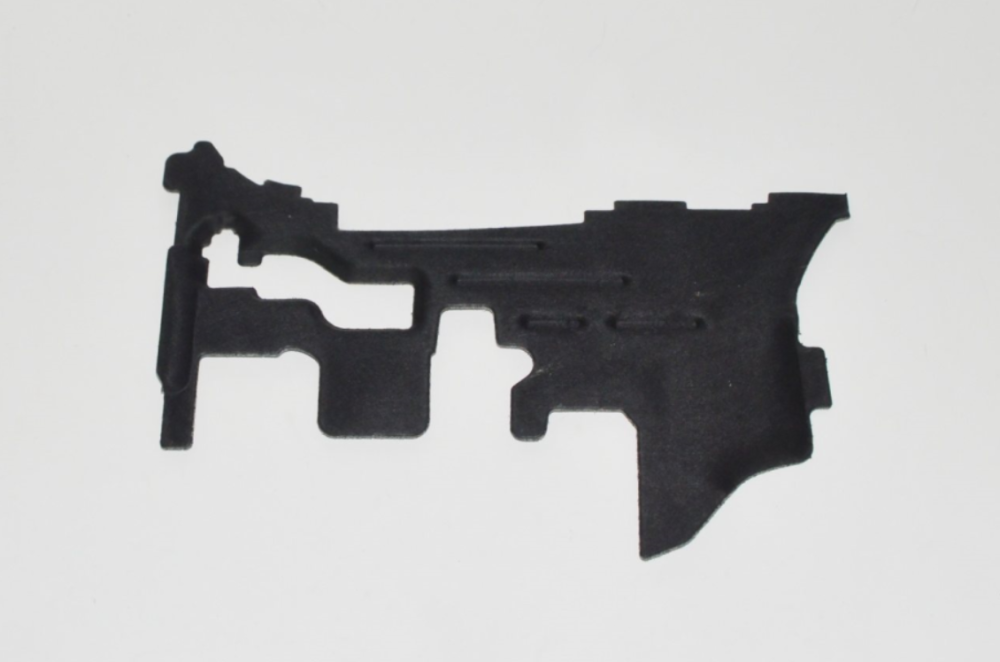
Gotcha, well as far as I can see, the solid fabric cover has been dropped for the above shaped ones. I looked and one had been replaced 5x. This might be a look around on eBay (I tried to find with PN, but no dice) and Roomster parts. The other is to visit scrap yard if they have same year as you.
-
So the hard plastic bit that holds in the cabin pollen filter, does that sound right?
-
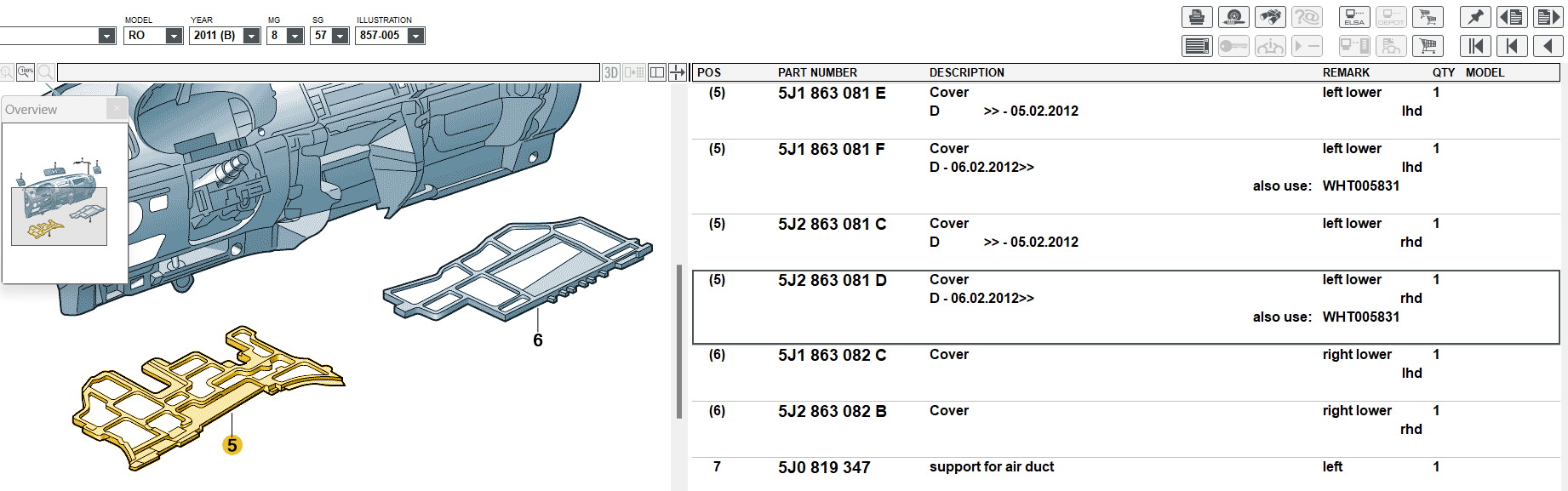
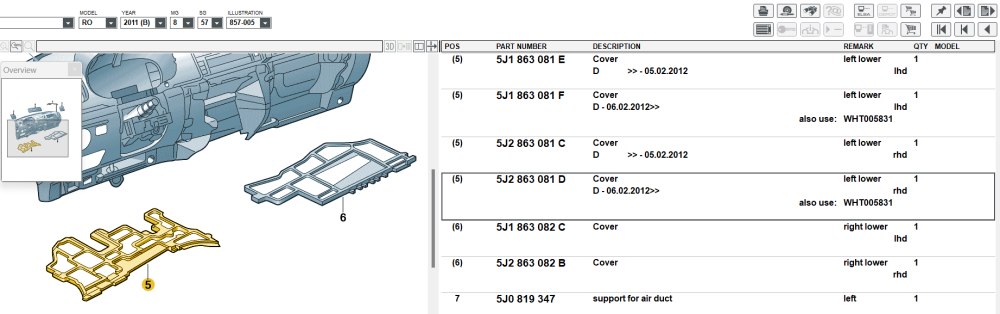
Part 5, of first picture. Just to help make sure, if your 10th character of your VIN a "B" This should be the part number 5J2 863 081D RHD Left Lower Cover
-
See if you can look at these two diagrams and let me know the part number you see. These go at the very bottom of the dash or you have these to look at as well
857-005.png.3b98dcf21501ca207022fa8e31814f19.png)
857-010.png.f6d24d7bac9c699608b5debe3270a32f.png)
-
Marvelous, with VCDS you should be golden.