varooom
Resident Member
-
Joined
-
Last visited
Everything posted by varooom
-
It might need that and update to the OCU also, goes hand in hand really, make sure they are checking software versions on that module. Also, did the bugger start working after the long power button reset? Could help others to know.
-
I was interested in seeing how far I could get with the original, but at the same time I also prefer not to get stranded. I remember you saying 10 years, that's epic, and I think it should be cleaned up and put in a glass case for all to admire.
-
Welcome, You didn't provide any car details of what you're buying, but their statement is bonkers, as they or an independent garage would be able to input, and for warranty they must input these when they do a service. Maybe you spoke to the service desk, and they're not always the sharpest of tools.
-
Understanding really, you want to have peace of mind that it will work on the turn of the key. Shop around, as batteries have been hit with the oh so wonderful inflation https://www.tayna.co.uk/car-batteries/types/096-agm/ https://batterygroup.co.uk/batteries-power-electronics/agm-batteries/9483/varta-start-stop-silver-dynamic-agm-e39-12volt-70ah-760a/en-570-901-076-starter-battery-096?number=110058 I took off my factory fitted Varta after 7 years (it was not fully dead, but not happy) and fitted a Varta E39 you can see on the above list, as whatever is inside must be good to live that long IMHO.
-
I mean it doesn't look great no, but AGM's can be "on the ropes" and still come back for a few more rounds. Right now I would try a few more charge cycles and see how you get on with it, taking the readings at the end/after 2hrs/next day as appropriate. It might be a good idea to do the logging of the Voltage in VCDS when you start the car, like I did to see what is going on (if you cannot make the pretty graph, at least grab the RPM/Voltage log)
-
It shows older version in your image was why I said about 0480, is that image old?
-
I will PM you a link to the firmware, and let you know what's involved should you wish to try.
-
There's an update to 0480 firmware (no it doesn't add features, it's for bug fixes/stability) What you seek is added in one of two ways, pay a dealer a fair whack of money to enable it, or hack it yourself for free to enable things already baked into the firmware.
-
It's shows size as zero, I suspect it's a total loss at this point I'm afraid.
-
I wouldn't bother with driving around the block a few times so to speak, using extra fuel will just throw away money. Best if you are mindful of journey planning and knowing what you know now, to be prepared to give it some juice with your C-Tec (weekly/nightly as you decide) And of course try to give the car a little longer run if there's an attraction you can go visit/town etc for a longer journey here and there.
-
Glad to hear, hopefully this has put it to bed (for now) I guess you are testing for a bit before sending back the "D" part sensor, let's hope that you are chugging along nicely now.
-
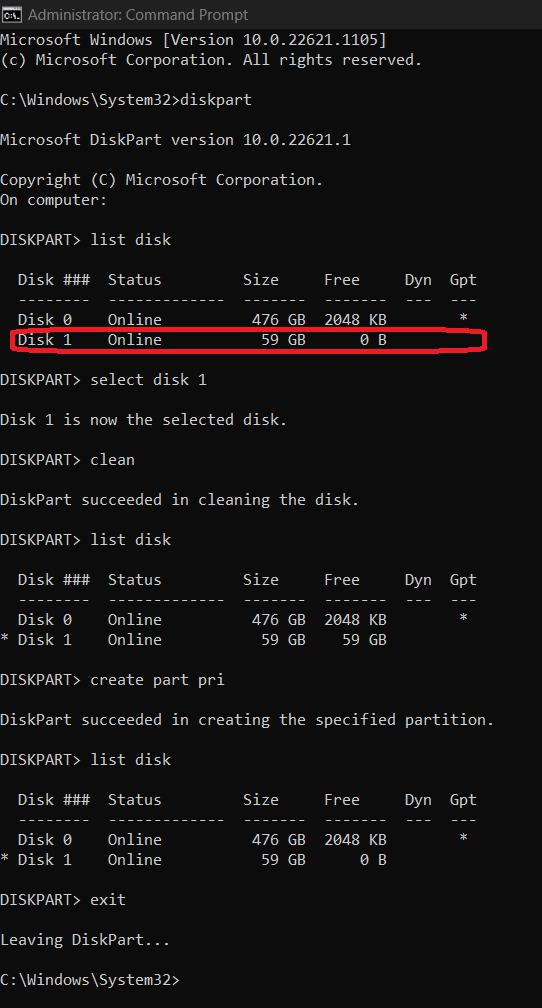
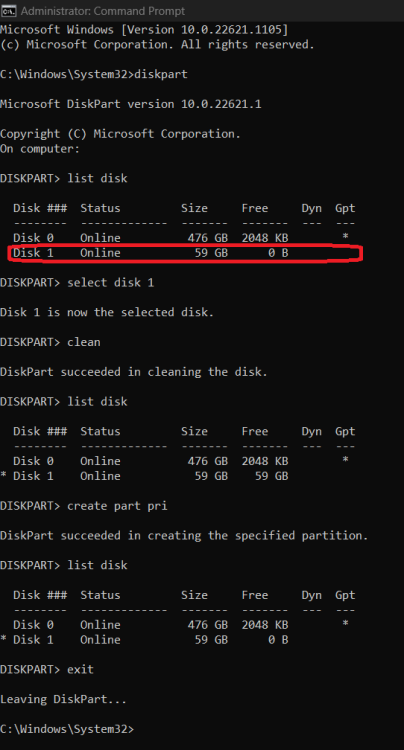
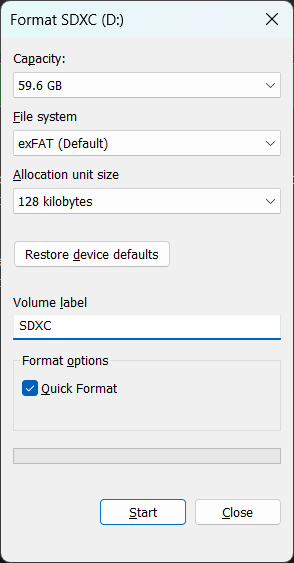
@DaniC I would suggest you insert the USB drive into Windows and run these lines in an Admin command prompt DiskPart to get up the command line tool to adjust partitions List Disk to show a list of the all the partitions Windows can see, please note that yours will be different, so you need to find the one that matches closest to your USB drive capacity Select Disk 1 (or whichever value represents your USB, take a picture if not sure, or see if it can even be seen!) Be very careful now, the next command is destructive!!! So you need to check 3x you are on the correct drive! Clean this erases the partition table on that drive, dangerous if you selected the wrong drive. Create Part Pri is short for Create Primary Partition to put on a partition you can format Now you can check to see if you can see the drive in Windows Explorer If you cannot, the type in Assign to have Windows give the new partition a drive letter, otherwise you can type in Exit to leave DiskPart If all goes well, you should now be able to format the USB drive (use whatever format you like)
-
8755 is the latest version.
-
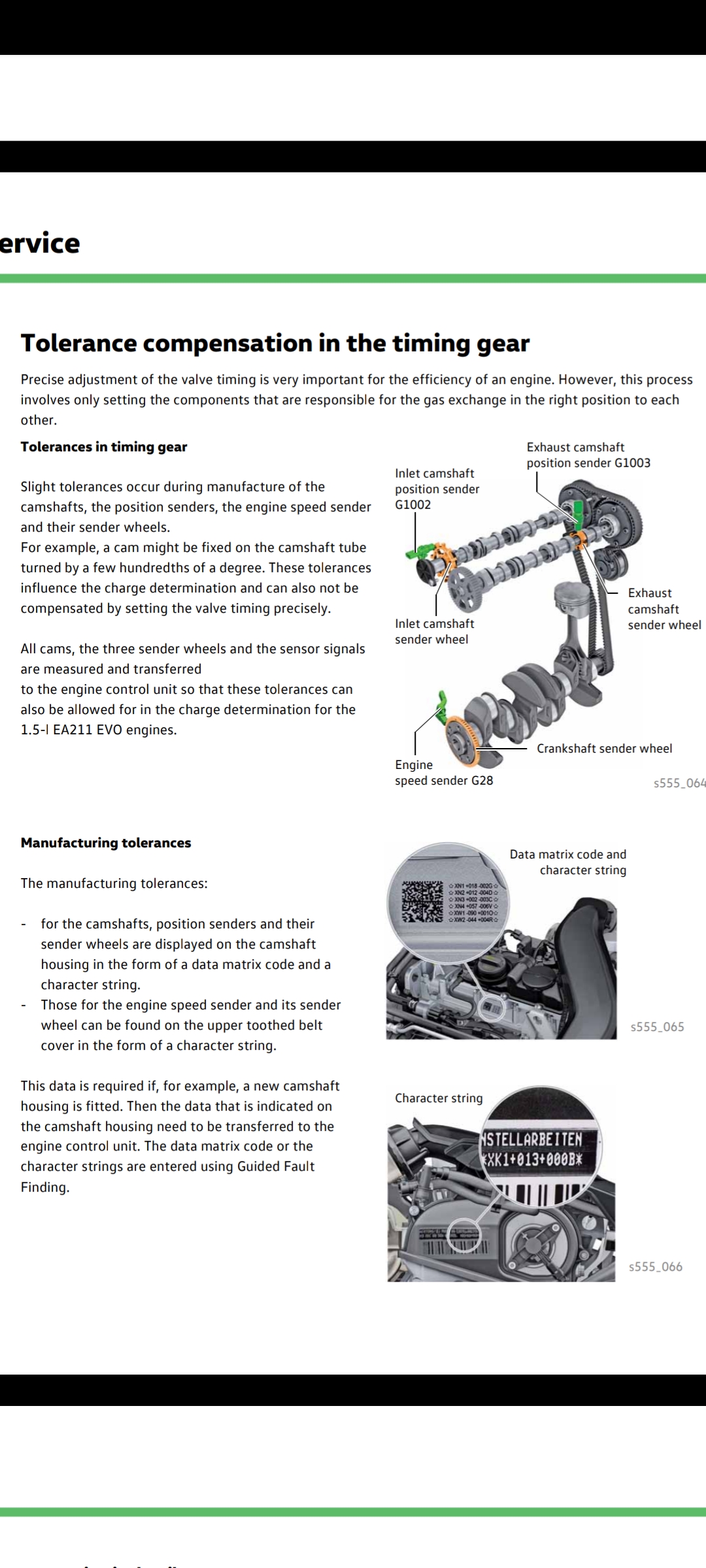
https://procarmanuals.com/pdf-online-vag-ssp-504-vehicle-batteries/ Page 19, the QR code label. Not needed to code as you now know. Just for information about the label.
-
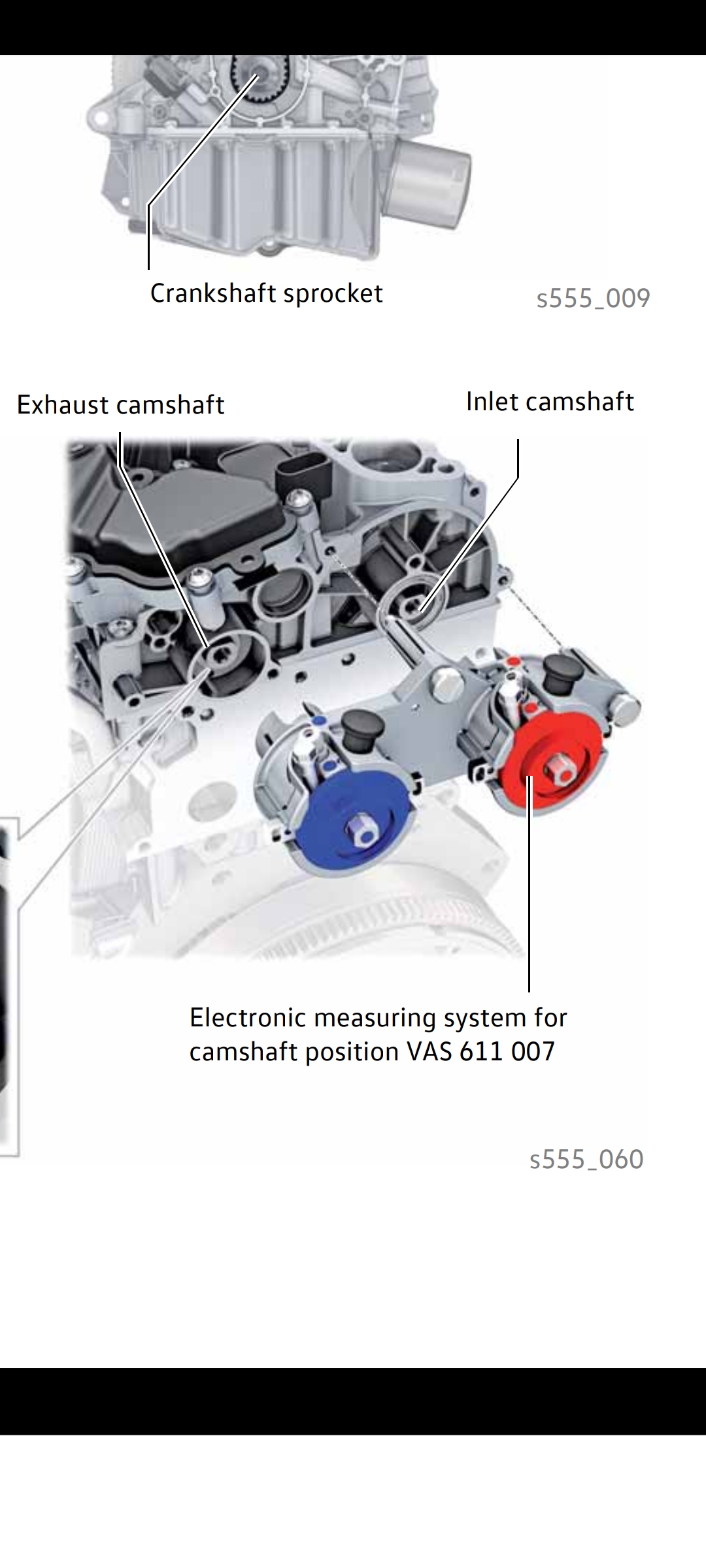
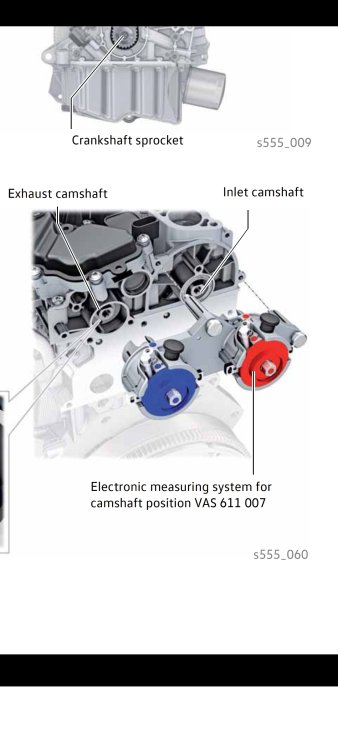
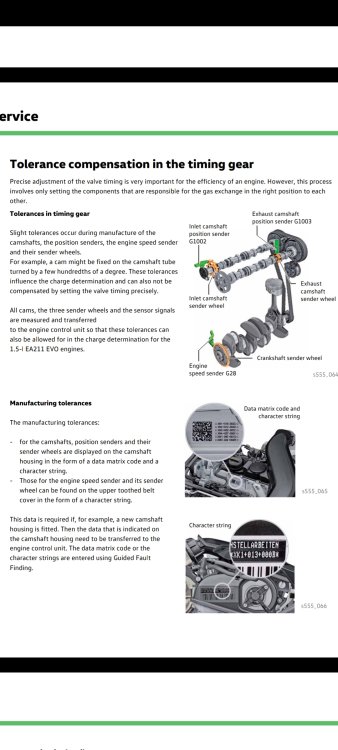
Not sure if this will help, but if you have this calibration printed on your engine, you will have the expensive cambelt change. Look for this... VAS 611 007 Calibration tool needed
-
Can you post up your new software train now, wish to see which update worked. Probably to 0253, can you locate your software train value. I guess you have developer mode enabled?
-
@Bestersthat looks like it stored correctly.
-
Take a read of this thread in full, and you will see my voltage graph, and @DuncanDisorderlygraph also, see if you can do this graph with your VCDS when you next do a start-up. If your alternator is putting out the right levels, then your battery is not too healthy (might be idea to get a load test done on battery). Your battery might still be ok for another 2-3 years for all we know, but best tested out.
-
I get 12.3v leaving my car for a whole week in freezing cold for reference.
-
I shall PM you a link
-
Make sure you have your VIN stored in a text file ready to copy/paste into the site. This will then allow it to filter files to your motor. You should also be able to download you build codes (PR Codes) that will allow you to find parts just for your car fitment.
-
Was your old one an AGM or was it written EFB on top? Asking as you should have the fabric cover (fibreglass or something like that) for heat resistance, not the plastic cover you mentioned about.
-
Ah, imagine throwing away the fabric cover that stops the battery from premature death. They are a tight fit those, real snug, but not impossible. Best of luck with your swap.
-
No rush my side, and at 9 months your end... a few days won't matter. Best of luck, maybe something will jump out at you from the documents.
-
Carl, we meet again 😆 Pages from S0062040020-Electrical_System.pdf