varooom
Resident Member
-
Joined
-
Last visited
Everything posted by varooom
-
Try to copy the existing content to Desktop folder called "Backup Map" and then delete the content of the card (not format) Make sure you do this task on PC, not a MAC. Then try again to copy maps to the SD Card. If issues, please post back. Link to ECE 7 Map, and the correct filename, can you check it matches your file downloaded for map? https://vw-maps-cdn.lighthouselabs.eu/vw-maps/DiscoverMedia2_EU-DL4_2010_V17.7z
-
@SuperLaur I will PM you MIB2 firmware, grab your private message in next 5 minutes.
-
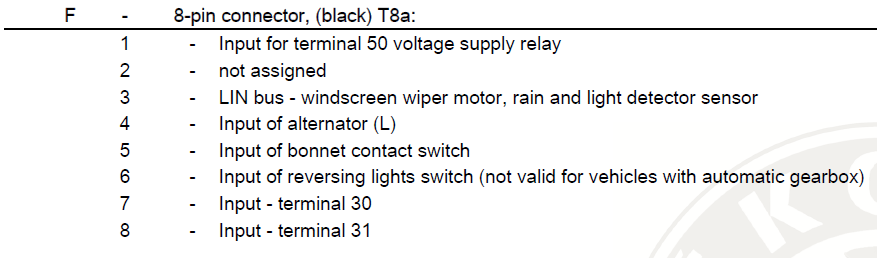
Try to get a multimeter on here, and then you need someone to watch while you wiggle test some looms/connectors. J519 Central Electrics Controller, F5 Black connector also known as T8a So PIN5 is the destination of your bonnet contact switch
.thumb.png.088c84d13f31bef557abb3626b974ad6.png)
-
Can you press and hold down your Menu/Setup button for about ten seconds to enter the engineering menu, you are looking for "Software Train" This might be what you have now (MIB2 not a MIB1 where you posted) MST2_EU_SK_ZR_P0245T Available update if you are MIB2 MST2_EU_SK_ZR_P0253T Post back what you have in the screen
-
Have you deleted the pairing from phone and infotainment, and then re-made the connection. Sounds like permission issues caused during a software update, and the security that was "agreed" upon is now revoked.
-
You need to check the signal to operate the electic shutter is getting to the headlight, you will need to have a multimeter and be ok to check wires in both sides (to compare) Probably a broken wire, if not then the headlight does have a broken motor. Left side headlight (as seen in direction of travel) T14c a 14-pin connector, No.11 what should be Yellow White colour is the shutter wire Right side headlight (as seen in direction of travel) T14d a 14-pin connector, No.11 what should be Yellow Black colour is the shutter wire Hopefully the above is correct, as depends on the exact headlights being fitted.
-
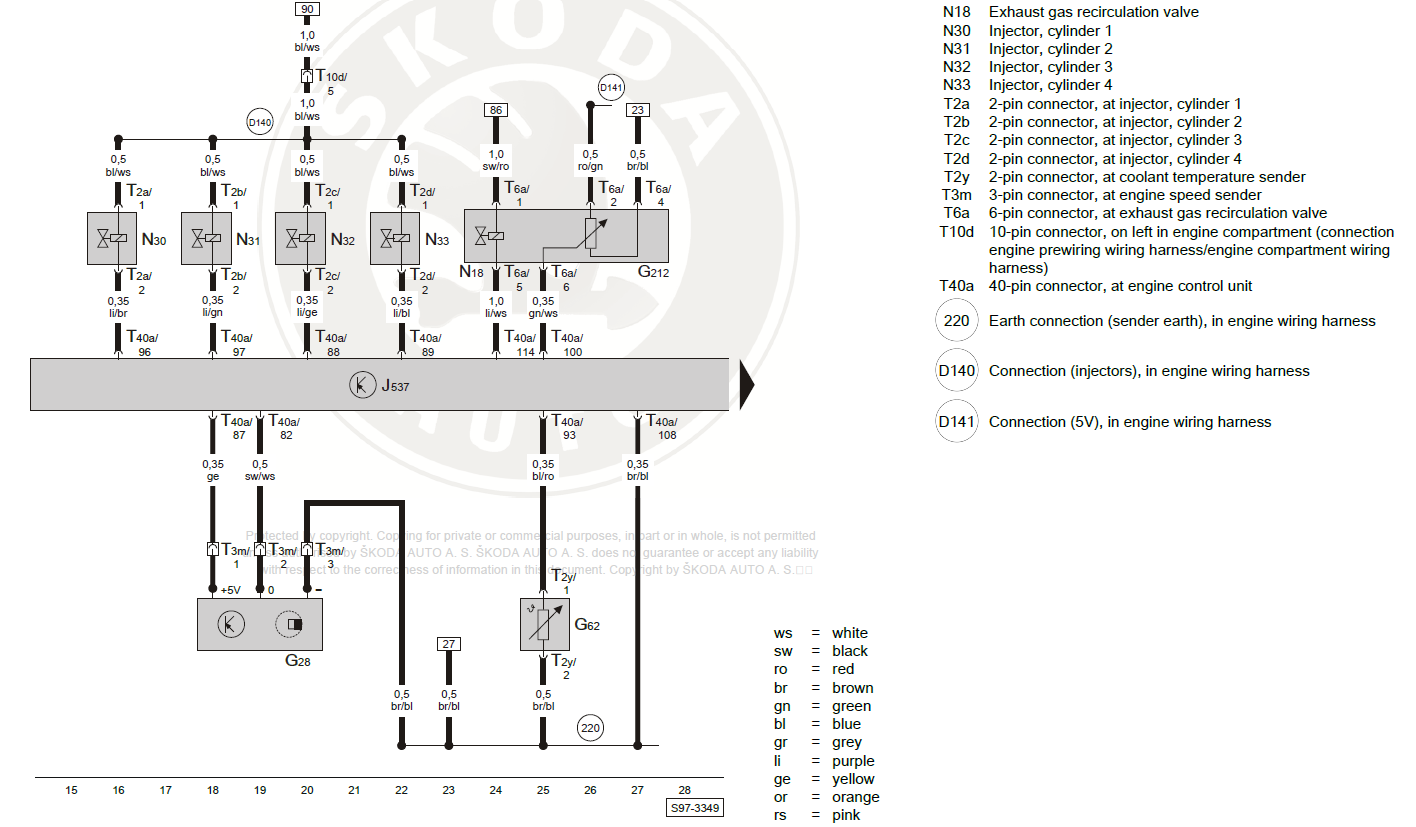
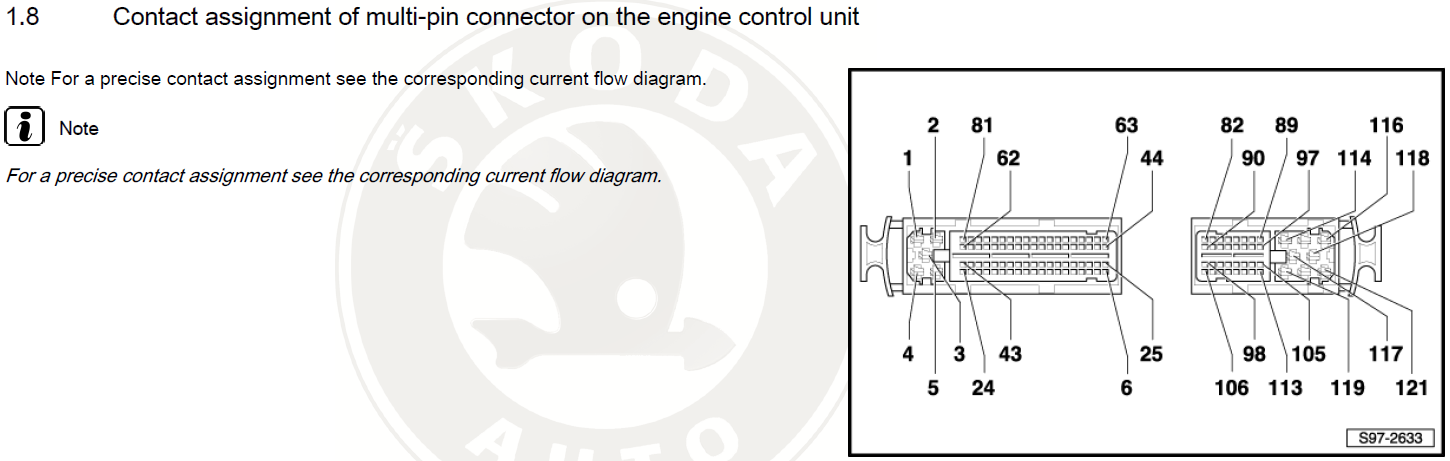
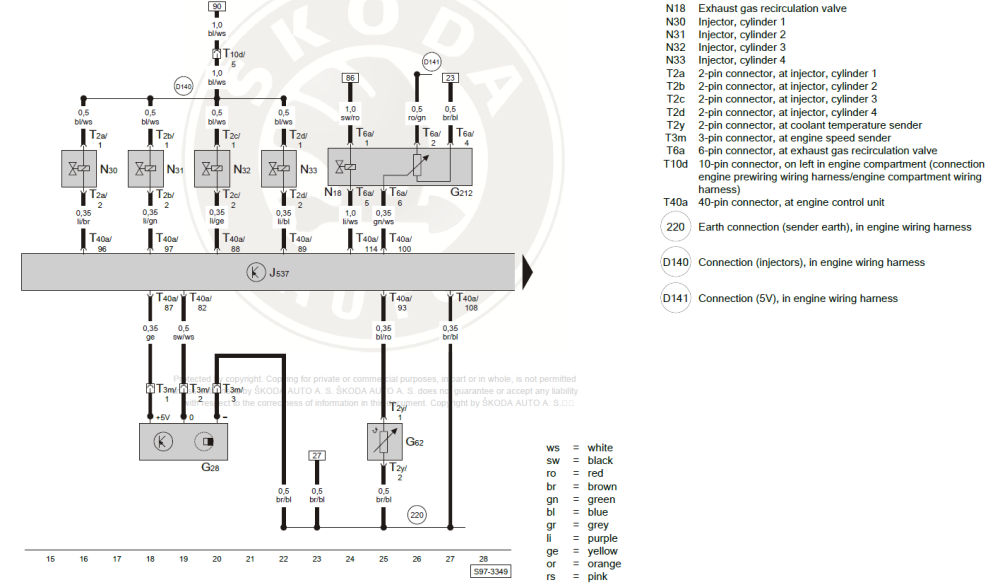
Here you go, what I found for you. Injector 4 should be Purple/Blue at T40a Pin 89 (verify with the other injectors/colour/pins)
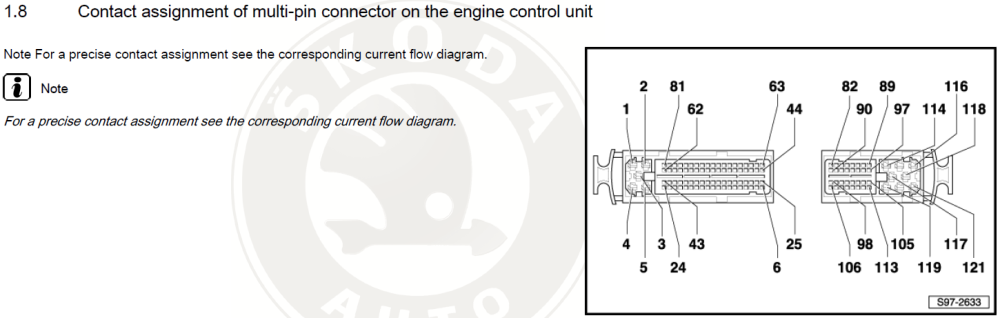
-
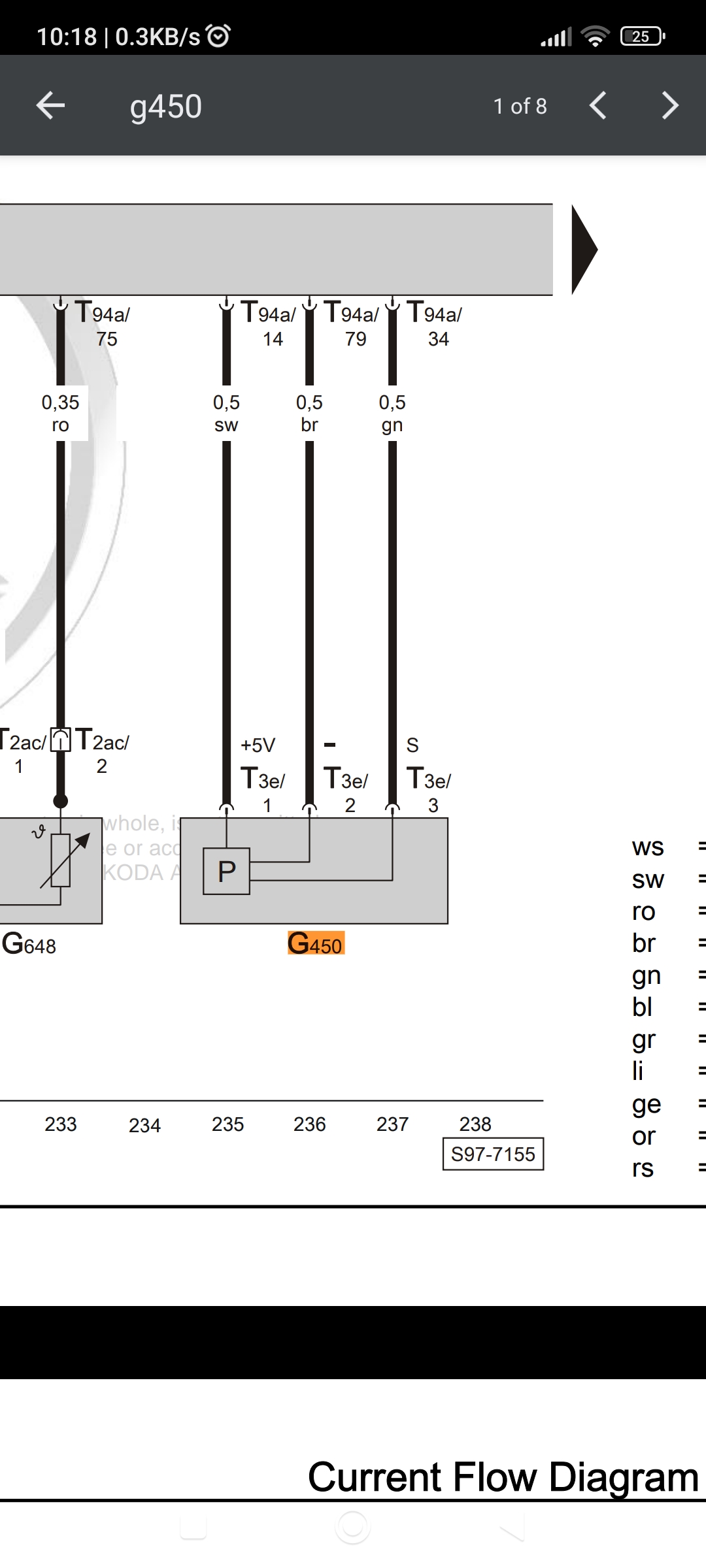
If you have a multimeter, that's what you could do with using right now. Only 3 pins to check (might not be exactly as seen, was quick search)
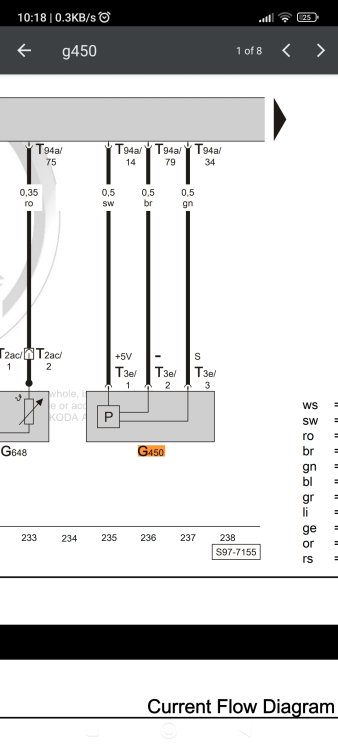
-
Just be careful how much driving you do at the moment, you don't want to clog up the filter with soot. In theory you shouldn't as there's a backup called calculated soot, but it doesn't always get correct values and you may overload the DPF and regen = fire so will be blocked. It does seem you have a possible electrical issue with the circuit, just my quick look with eyes as busy for a bit now.
-
My 30th June 2015 is MIB2 But easy to check, just hold down your menu/setup button for about 10 seconds and enter the engineering menu to locate the Software Train. MSTD_EU_SK_Pxxxx MST2_EU_SK_ZR_Pxxxx
-
Ideally you want to do a static regen process, to see if you can get the soot down (measured) to definitely sub 5g. In a healthy system it should drop to 1-3g at the end of regen process. There's a chance the soot has kind of "baked" on, so try to get the values for your car. You run the risk of permanent DPF regeneration maybe, and all the fuel that would waste
-
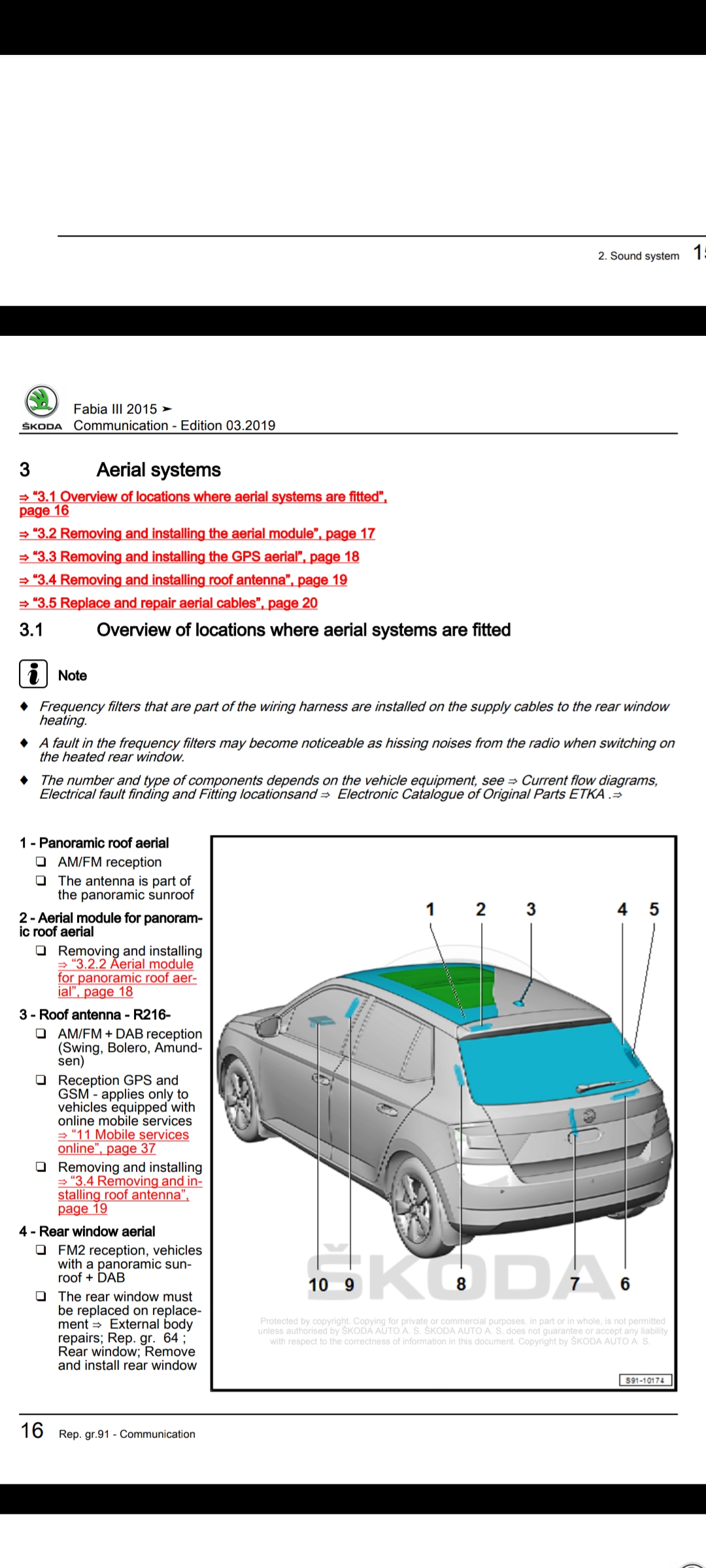
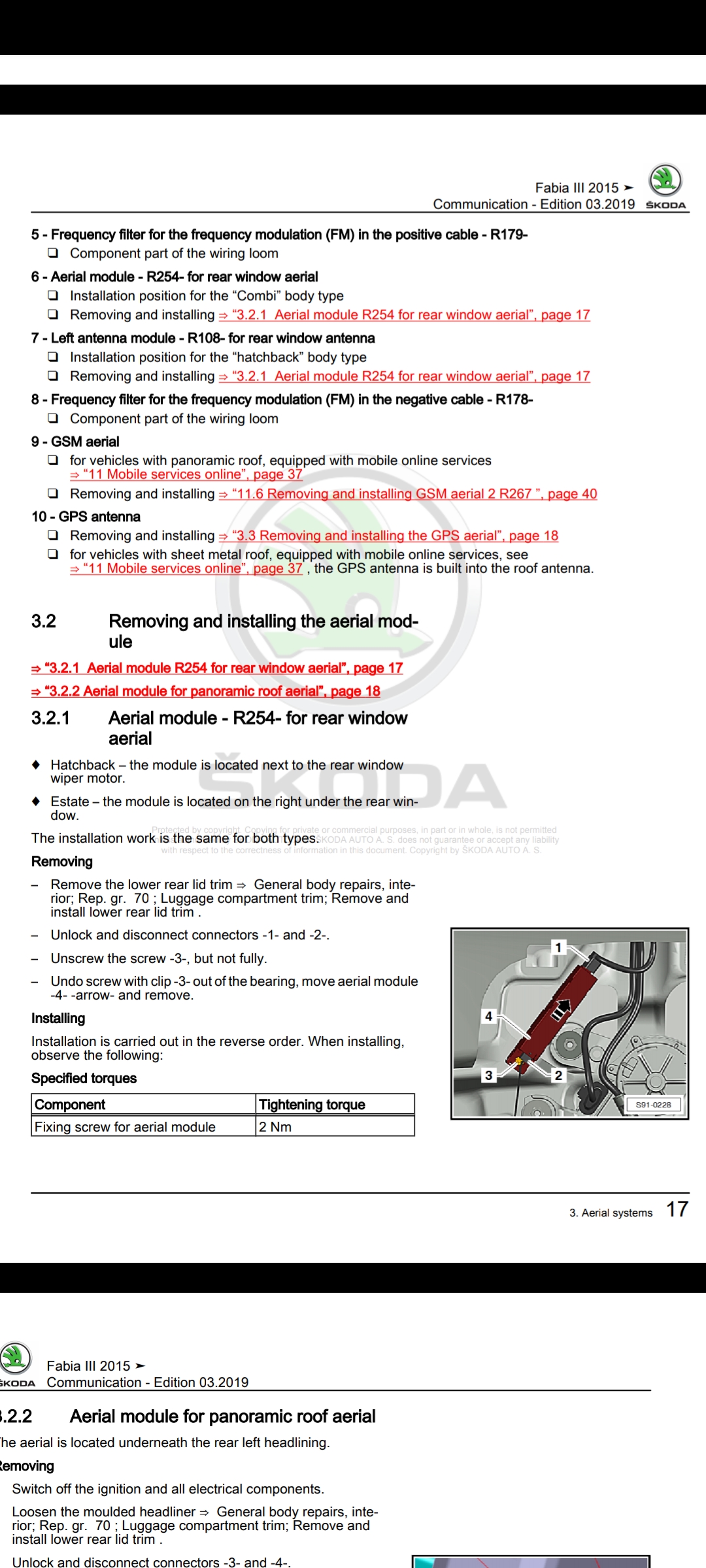
It will probably be the frequency filters in the loom, hopefully attached images will show you where to look.
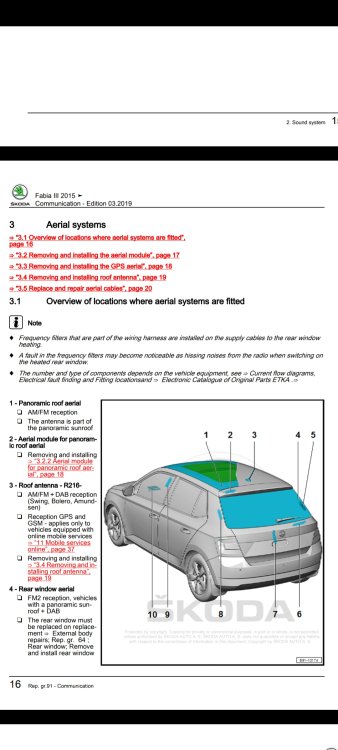
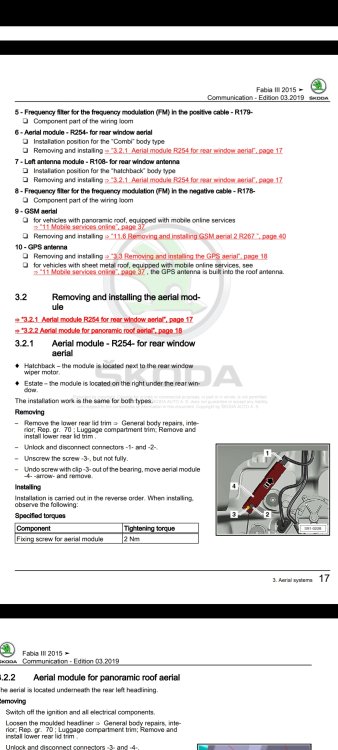
-
I dare say your tool can read measurement blocks, so try to use the guide linked to locate the values (nothing to loose but a little time trying) Meanwhile, if you plan to keep in the VAG stable, a VCDS scan tool is £225 https://m.gendan.co.uk/product_VCV23_9.html Or look about as I am sure other places sell it, HEX V2 is what you need, with at least 3x VIN
-
Be a good idea to find at least these 3x values. Maybe your tool can do the adaption? Anyhow, best to get all the fault codes present, and sniff about the live values.
-
What was the error you got?
-
PM on the way for 0253
-
Yes to 0480, link via PM
-
It sounds like you are just describing anti-stall, where the car will adjust power to keep you moving (within reason) Pay attention to the revs in the above gears/speeds you mentioned above, and see how the car behaves when on an incline. Do note however, you really shouldn't stress (labour) the engine this way. Do the "experiment" and then make sure in future to change gears accordingly. If you are on a flat, the engine won't be labouring too hard at low speed, at faster speeds the drag will make engine labour.
-
-
Before trying to remove the heater controls, as this is proving to be a pain, might be good to purchase/use a multimeter to probe the wires for the motor to see if electric is getting to it. If it get's power, the motor might have an issue. If no power reaches the motor, then look at getting the heater controls tested/out.
-
-
-
-
Quick tip. if you put the "@" symbol in front of a name it will tag and alert us 🤝 @skomaz@varooom Hopefully you have a carbon pollen filter, so the colour is normal. Nice, so that most likely rules out a duff fan for now, it could still be a culprit as you never know. I would be checking with a multimeter to see what power if any is getting to the fan. Nice work today, keep it up and the car might be working as intended soon.
-
Unlikely to be a part for your car

.png.9d5c33421629b6b2c9046889cd17e59e.png)