



Skip to content

If you look carefully...
Featured Replies

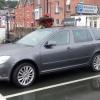
If you look carefully, you can see a Fabia vRS.

var_1883.jpg

Dont see it :rofl:

Blimey thats chewing cloth.

Or as the saying goes they are a

I think somebody's flossing!!!!!

I only see an ass with half of what's covering it out of sight! Can someone please tamper with the piccie and circle the Fabia to make it easier to spot, please? :rofl:

  • Author

...interesting dress sense those Czech women...

I only see a red Fabia vRS with women holding a cloth above it :confused: :D

great colour!

thats the receiption I`m expecting on Friday when I go to my dealer to pick up my Red Fabia V/RS :thumbup:

  • Author

:iagree:

What's the EKTA code for that option?

What's the EKTA code for that option?

I dunno mate... must be some sort of flange fitting! ;)

Note the colour-coded door handles (on the car, on the car!).

Look in the folder marked "Various" for more like this one.
Norton's parental control is blocking the pics...:(

PS Just as well I did a quick spellcheck and spotted paternal instead of parental.

I still don't see a car there! :D

I've looked hard at that photo for 5 minutes and there is definatly no car there. Is it one of those magic eye pictures?

  • Author
Norton's parental control is blocking the pics...:(

PS Just as well I did a quick spellcheck and spotted paternal instead of parental.

Tell me your taking the Mik?

  • Author
What's the EKTA code for that option?

:rofl:

:rofl:

:rofl:

:rofl:

:rofl:

:rofl:

:rofl:

:rofl:

:rofl:

:rofl:

:rofl:

:rofl:

:rofl:

:rofl:

  • Author
Note the colour-coded door handles (on the car, on the car!).

Is it just me that thinks that that fact is important?

As if.

Create an account or sign in to comment

Recently Browsing 0

  • No registered users viewing this page.

Important Information

Welcome to BRISKODA. Please note the following important links Terms of Use. We have a comprehensive Privacy Policy. We have placed cookies on your device to help make this website better. You can adjust your cookie settings, otherwise we'll assume you're okay to continue.

Account

Navigation

Configure browser push notifications

Chrome (Android)
  1. Tap the lock icon next to the address bar.
  2. Tap Permissions → Notifications.
  3. Adjust your preference.
Chrome (Desktop)
  1. Click the padlock icon in the address bar.
  2. Select Site settings.
  3. Find Notifications and adjust your preference.
