



Skip to content

Electric Window motor replacement now Environment temp v.low, door doesn't lock/unlock on fob
Featured Replies

Hi 

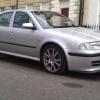
Another door problem with an octy Mk1 1.8t

About 2 months ago I replaced my drivers door electric window motor and regulator with a unit form a breakers found on EBay. Since then the outside air temp display on the dash and the climate control unit have been  reading about 10C below the actual. Also the drivers door central locking on the fob has been intermittent. I removed the live for the battery for about 10 seconds and reconnected and now the door does not work at all on the fob but does on on the key. 

Is there possibility the units are not compatible or that i need to reset the ECU to recongnise that it is new? Its baffling... and also it gets very hot in the cabin now as the heaters are on most of the time. 

I have read about corroded connectors but i did check this when I fitted the replacement. 


Thanks

A

Were the part numbers the same?

  • Author

stupidly I didn't check an i have thrown the other motor away.  :sweat:

i looked exactly the same and went on totally fine but i bet there are a few that do that :S

Check the door wiring loom, especially the red/yellow wire for a break.

The air temperature sensor is down behind the lower grill in the front bumper (drivers side IIRC) so should have not been affected by the motor change. The sensor is prone to failure and usually exhibits this by displaying the wrong temperature.

  • Author

Thanks. I shall Chase these up. Its probably coincidence that the temp sensor has failed then. And my own fault for the rest. The door micro switch has also been playing up for ages. Everything must have got wet at some point. 

Create an account or sign in to comment

Recently Browsing 0

  • No registered users viewing this page.

Important Information

Welcome to BRISKODA. Please note the following important links Terms of Use. We have a comprehensive Privacy Policy. We have placed cookies on your device to help make this website better. You can adjust your cookie settings, otherwise we'll assume you're okay to continue.

Account

Navigation

Configure browser push notifications

Chrome (Android)
  1. Tap the lock icon next to the address bar.
  2. Tap Permissions → Notifications.
  3. Adjust your preference.
Chrome (Desktop)
  1. Click the padlock icon in the address bar.
  2. Select Site settings.
  3. Find Notifications and adjust your preference.
