



Skip to content

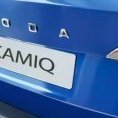
Kamiq Race Blue to Graphite Grey
Featured Replies

My SEL 1.5 DSG in race blue is being traded in for a SEL Exec 1.5 DSG on Wednesday.

It's been reliable and quick but got a reasonable offer so it's basically the same car just a different colour.

Only factory option added is a heated steering wheel and the paint 

Only gripe I have is that Skoda fits crap brake disks that need replacing much to soon. 

Just hope this one is as reliable 🤞

Edited by fergiet
Added to heading

  • fergiet changed the title to Kamiq Race Blue to Graphite Grey

Agree about the  - rear - discs, however much to my surprise, by utilising occasional applications of the handbrake whilst in motion, as suggested on here, I have managed to get my rear discs back into some semblance of a reasonable appearance.  You shouldn't have to resort to that, but if you can remember to do it, it does alleviate the issue.

  • Author
16 hours ago, lastgasp said:

Agree about the  - rear - discs, however much to my surprise, by utilising occasional applications of the handbrake whilst in motion, as suggested on here, I have managed to get my rear discs back into some semblance of a reasonable appearance.  You shouldn't have to resort to that, but if you can remember to do it, it does alleviate the issue.

Will give it a try. Good tip 

👍

Mine are fine, weird🤷🏻‍♂️

  • 4 weeks later...

Use the adaptive cruise control from time to time. It uses the rear brakes to reduce the speed when you're approaching a car in front of you. 

On 26/07/2023 at 20:40, carefree said:

Mine are fine, weird🤷🏻‍♂️

Mine too ... 

9 hours ago, SteffenA said:

Use the adaptive cruise control from time to time. It uses the rear brakes to reduce the speed when you're approaching a car in front of you. 

I’d be surprised if just the rear brakes were used as they wouldn’t be sufficient to stop the car from speed. 

Create an account or sign in to comment

Recently Browsing 0

  • No registered users viewing this page.

Important Information

Welcome to BRISKODA. Please note the following important links Terms of Use. We have a comprehensive Privacy Policy. We have placed cookies on your device to help make this website better. You can adjust your cookie settings, otherwise we'll assume you're okay to continue.

Account

Navigation

Configure browser push notifications

Chrome (Android)
  1. Tap the lock icon next to the address bar.
  2. Tap Permissions → Notifications.
  3. Adjust your preference.
Chrome (Desktop)
  1. Click the padlock icon in the address bar.
  2. Select Site settings.
  3. Find Notifications and adjust your preference.
