Skip to content

Leaderboard

Popular Content

Showing content with the highest reputation on 17/04/20 in all areas

  1. 1 point
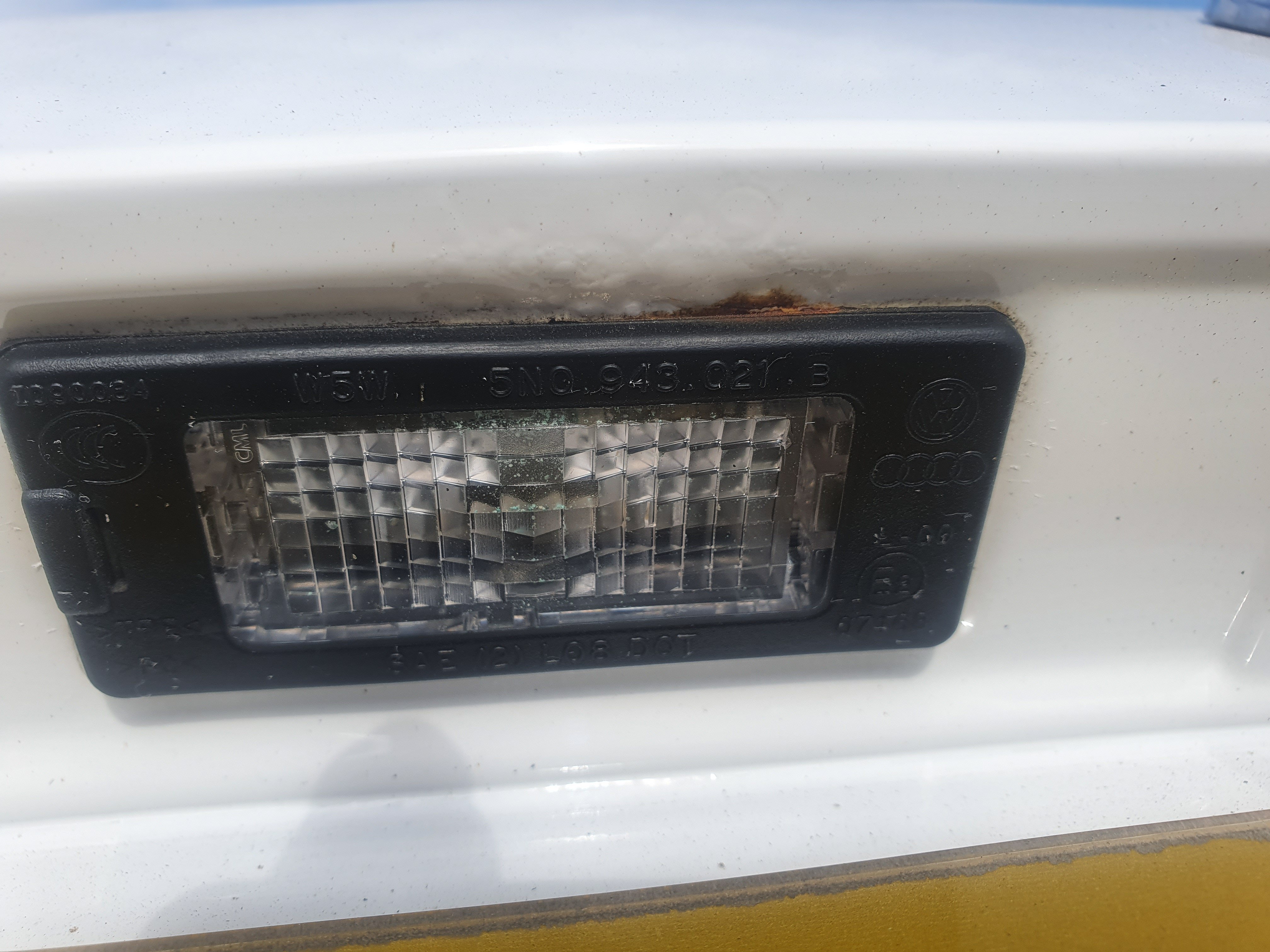
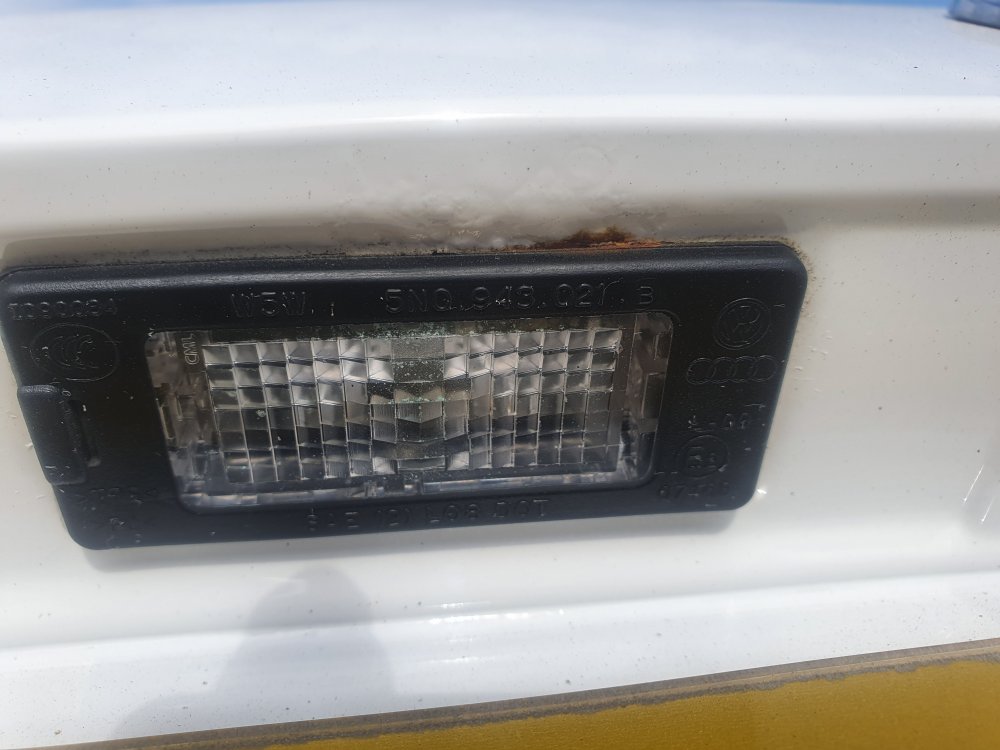
    Anyone with a mk2 or 3 fabia check the boot by the lights for the playe and the button for the boot, I have found some on my 2016 fabia, some has been found on a 2015 fabia and some on a 2012, both are work colleagues of mine. Make sure to check it (or any of vw cars on the same platform for that matter) and mk3 owners (not sure about the mk 2) take advantage of the 12 year corrosion warranty, call them and tell them. They are doing mine because I'm a key worker but they will do it after lockdown is finished for non key workers.
  2. Hello guys/girls/aliens! My name is Mike, used to work for Listers Group and ran a large online enterprise from the Worcester branch and used to help many of you with your parts. I've since moved away from the group and set up on my own. I now run and own Coverdale Car Parts. https://www.facebook.com/COVERDALECP/ Our website is in development but not to worry, you can still message me on the Facebook page or of course send me a PM on here. I cover genuine parts for the big 4, as you can imagine, but i also cover most other vehicles if you have the need. All parts are posted/couriered or personally delivered if you are local to Worcester. Please jump over to Facebook, give it a like and a share for me and of course let me know if you need anything. I need your help at this early stage of business to get off the ground! - The service books on the site are on order, so please show your interest in the pinned post. ( I know the Skoda lot were very interested in these as they were the first to go on the digital servicing and if like me like a book stamped then these will probably be for you! Even did you a Skoda green version! Books due late next week. Colin is also setting up a landing page for you to order parts too from Briskoda, so you'll be able to do it that way too. Cheers Mike

Important Information

Welcome to BRISKODA. Please note the following important links Terms of Use. We have a comprehensive Privacy Policy. We have placed cookies on your device to help make this website better. You can adjust your cookie settings, otherwise we'll assume you're okay to continue.

Account

Navigation

Configure browser push notifications

Chrome (Android)
  1. Tap the lock icon next to the address bar.
  2. Tap Permissions → Notifications.
  3. Adjust your preference.
Chrome (Desktop)
  1. Click the padlock icon in the address bar.
  2. Select Site settings.
  3. Find Notifications and adjust your preference.