TheWanderer
Resident Member
-
Joined
-
Last visited
Everything posted by TheWanderer
-
Most out of a tank for me is 359 and it said I had 25 miles left, but I wasn't brave enough to find (test) out the accuracy of the fuel range system.
-
It doesn't look metallic, sure it's not the bog standard Corrida Red?
-
On general day to day stuff, mostly the 6 miles each way trip to work and back, plus any shopping trips are returning a 29.9 mpg on Super Unleaded (97). It does go up a bit more of I venture onto the A3 or M25 (aka magic roundabout) at quiet times. Best I've had is ~44mpg on a trip to Somerset with a light foot and light traffic.
-
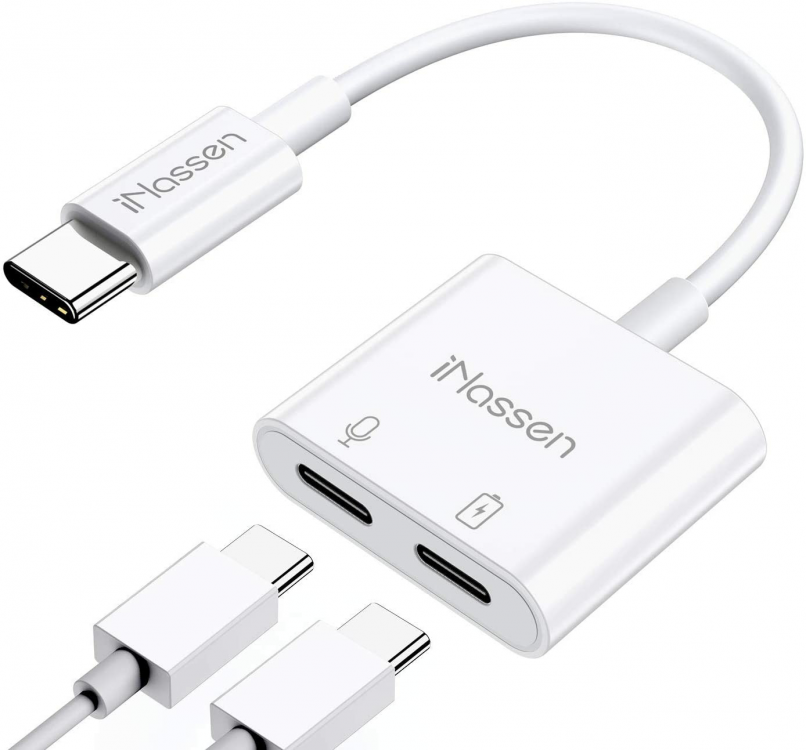
The only concern that I have is there maybe an issue with a return current, someone with electronic skills may well be able to confirm or deny that. I have a current draw issue with my S20+ if I want to use AA and Bluetooth, I have to choose one or tother. Not both as I have a wireless charger in the car, which allows me hands free conversations and charging, but it denys me AA. So I just use Google Maps instead, not that I have any need for them UFN.
-
Well I've given you a possible solution. You either put up with the problem or try and find a workaround, but it may (or may not) involve an extra cable to supplement the power draw.
-
Have you tried using a USB doubler? I can get a USB C doubler.. Something like this should allow you to charge from an adaptor, whilst you connect the other one to the USB port (in theory).
-
Are you that old? 🤔
-
Someone call the whitecoats, another one has escaped. 😉 CDs are for home, it takes my PC about 90-120s to copy a CD into MP3 format at 192kbps. Which is a good compromise on quality, size and space taken.
-
Now give your VIN number to your local dealer and they'll be able to order the correct paint for you.
-
Yes. But I ignore them.
-
Sometimes found at the bottom of the driver's side door pillar.
-
So do I. But so far (touchwood) apart from 1 very hot day, it has performed flawlessly since a firmware update. Which is something that I asked Garlands to do in the first place. 🙄
-
Dunno yet. I'll wait for a while as I can't change for about a year.
-
Have a look at a Jaguar or something else.
-
Have a look on Aliexpress or Etsy, both are quite good for finding odd things. Type carefully though as you maybe offered something quite unusual or unexpected. 😂😳
-
I won't be having one. Looking at the new Jaguar XE 2021 edition, with loads of gizmos and it comes in at a similar price to the RS. Has a traditional gear lever (well similar to BMW), although it still has an electronic parking brake. Looks much nicer.
-
I haven't. Because... 1. I haven't/don't have any time, too busy with work especially when I can get paid min £355‐£440 per extra shift. 2. I haven't got the patience to [censored] around with the stupid glovebox and the dampener, which I've looked for can't seem to find and with a car that has caused me nothing but trouble for the last 7 months, I don't think that I will bother, I'll get a company like Bannings to do it.
-
Do you think that it should be made a sticky? [Taxi! For The Wanderer]
-
Hi. Can anyone help me with a list of switched fuses that I can "piggy back" my dashcam off please. (Octavia 245 RS) Got a Nextbase 622gw to try and hardwire in.
-
Hi. Got a quick question, my car is telling me that I'm due an oil service in 27 days time. That's unlikely to happen as my last booking for my ongoing oil sensor failure warnings was cancelled by text! Is there a way to reset it, to stop its constant nagging, because gawd knows when we're going to come out of lock down and I'll be able to get an appointment with the garage to do both oil change & sensor failure work. Thanks.. Stay safe.
-
Just a quick question can someone remind this addled 52 year old, what engine oil this wretched car needs, I threw the last bottle away when I topped it up. 😟 PS. It's a 19 plate. TIA Note: Special offer at € car parts TRIPLE QX Fully Synthetic (For VAG applications) Engine Oil - 5W-30 - 1ltr normally £14, with BANK70 code £7,69 Offer expires today.