




ords
FREEDOM
-
Joined
-
Last visited
Everything posted by ords
-
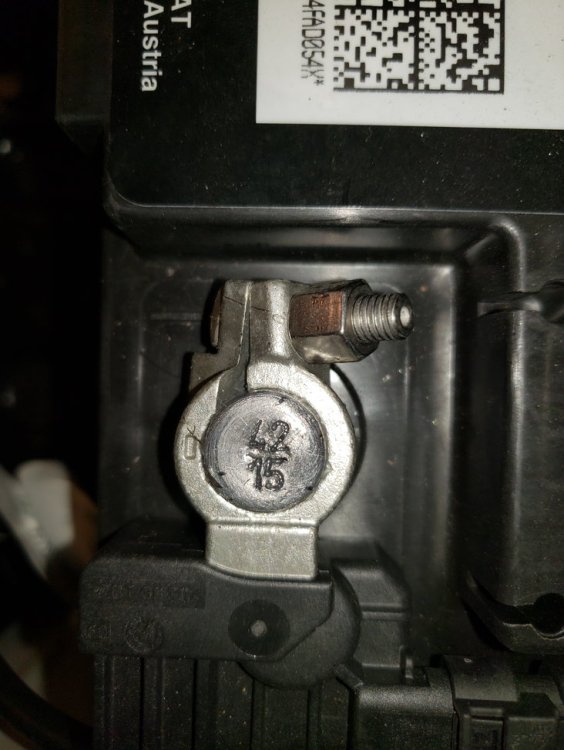
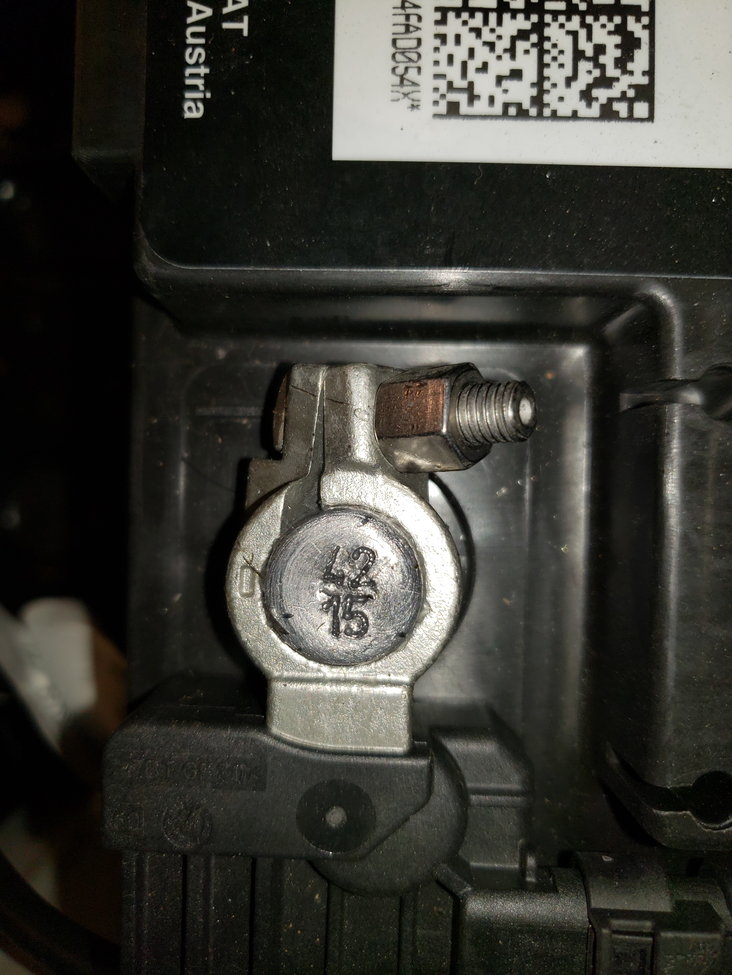
https://www.theskodashop.co.uk/products/skoda-boot-parcel-shelf-storage-box-octavia-3-hatch-5e5061109Are these instructions different from the one's you have? 5E5-061-109-MN-0142-1.pdfAny chance of driving one of the garages Scout's to see "if they all do it"?Mine allows me to remove the key regardless of whether my foot is on the brake or not or whether the handbrake is on or off.Your intial posting could be also be seen as abrupt. No please or thank you's.Were the lights on, on both sides or just one side?Have you tried to get it looked at under warranty?I'll 2nd that. My Varta AGM is 10 yrs old.I'm exactly the same.Try re-calibration firsti know it's not local to you, but the price is much better. https://www.pscautocentre.co.uk/products/audi-timing-belt-water-pump-replacement-petrol-engines-mqb-platform?variant=40099133587502I just thought that if you have 2 smart devices connected there's potential conflict. If the battery is fully charged with one terminal disconnected, then the BMS should also read as fully charged when connected as you say. However, some have said that in normal circumstances the battery is never 100% fully charged to allow for a small amount of regenerative current to be put into the batterySeems then it's best to take off one of the terminals if charging in situ, so there's no conflict with the BMS?I'll 2nd that as my Varta is 10 yrs old.Start/stop can stop working for many reasons even with a healthy battery. You could contact a member nearest you with VCD's who could code a new battery you bought and fitted yourself. A shortish drive without coding will not do any long term damage or fit the new battery at the members location.. A link to VCD owners. https://www.google.com/maps/d/viewer?mid=1Td73_uUUqscV3nRm5br_o89PmBU&msa=0&ll=21.259901462991593%2C83.39240985000004&z=2But how would that affect the chargers system into thinking the battery is not fully charged when OP said it had turned itself off because it was full?I've no other suggestions.My Varta battery has a manufacturing code which from the internet tells me it's 10 yrs old this month.Was everything switched off so no demands on the battery? Have you had the car from new? A previous owner could have permanently disabled it.I read in another forum, Banner batteries have the mfg date stamped on top of the negative terminal as per screenshot In this case it was mfg week 42, yr 15
 Can't you contact the seller and ask them to check?Have you been on a good run since changing the serial no? Can you put the battery on charge to see if it will take a full charge? If it does, stop/start should kick in depending on what consumables are on.At least you know which "specialists" to avoid in the future.


Important Information
Welcome to BRISKODA. Please note the following important links Terms of Use. We have a comprehensive Privacy Policy. We have placed cookies on your device to help make this website better. You can adjust your cookie settings, otherwise we'll assume you're okay to continue.