bigade1
Members
-
Joined
-
Last visited
Everything posted by bigade1
-
I hope you're right. Meantime, just an update. I got fed up waiting for an email so I've just got off the phone to Teleman Navtrack support and it wasn't a very helpful or pleasant experience. Their support operatives had no idea about the TMC service or its existence. They only knew about their Smartnav service and their lost vehicle tracking service and kept asking me for my non existent account number. I was then transferred to another department who provided the same questions and the same cluelessness. The operative dealing with me then put me on hold to speak to her team leader who in turn informed her to tell me that they no longer provide the service and that she had no idea when they had stopped providing it. As usual they advised me to contact my dealer. So this issue is not looking very promising at the moment.
-
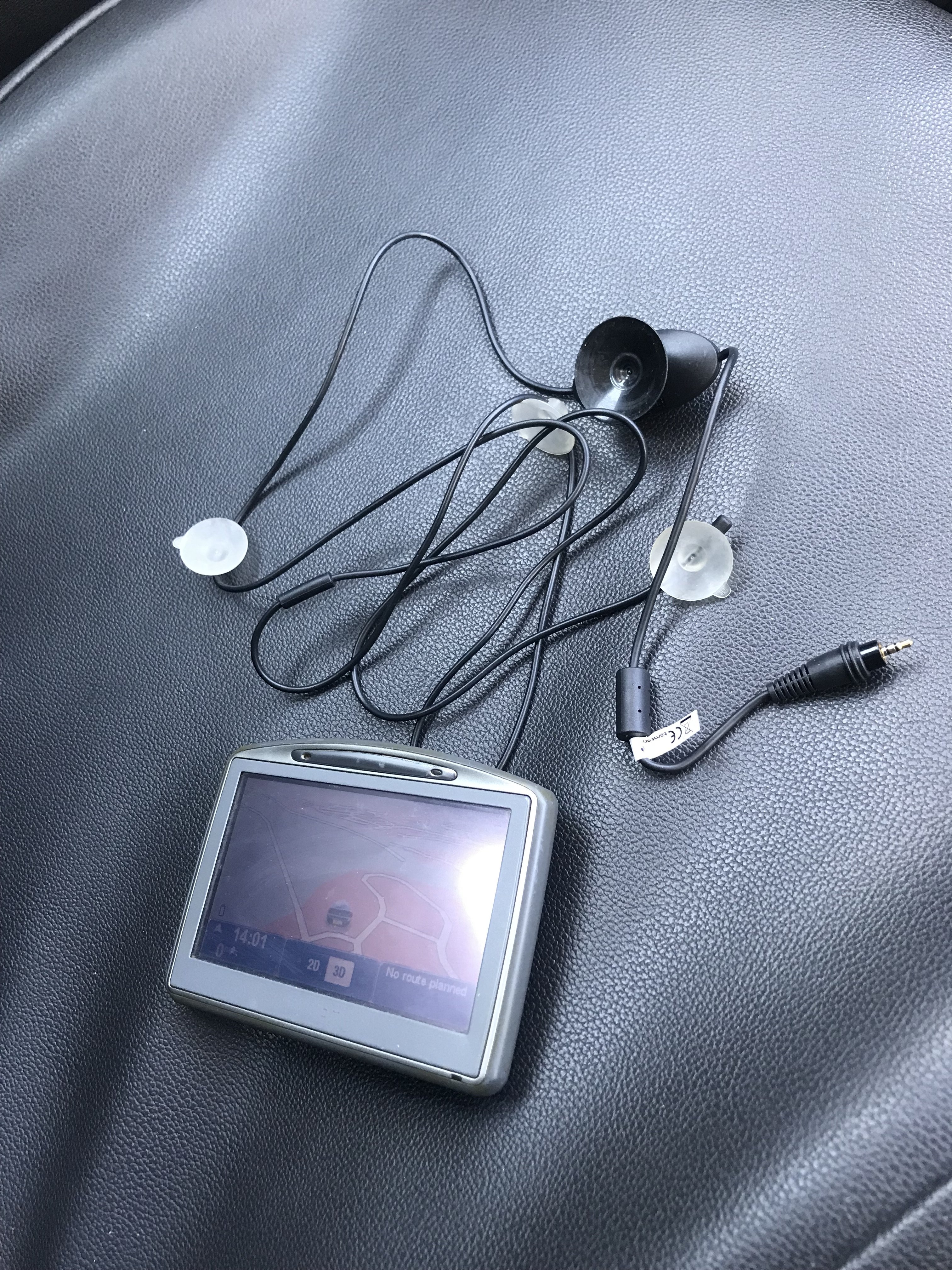
Same here - I'm also waiting for a reply. I can also confirm for clarification purposes, which I also posted in a different thread, after digging out my 15 yr old portable Tomtom and its optional plug in TMC antenna for testing purposes that the RDS-TMC service is still up and running and working perfectly albeit not for us VW Group users. I only hope that it's not a deliberate cancellation of the service by VW in favour of the new ( online ) Connected Services that are deployed in the newer model cars or possibly an individual cancellation of my TMC licence because my vehicle's media system has passed its 5 year support date.
-
I believe you're referring to a very different system of live traffic updates utilising the ( online ) Connect Services which is not the standard RDS-TMC service. Therefore your post is very misleading, inaccurate and may cause confusion. . This thread is about the standard RDS-TMC live traffic updates which is provided by information broadcast utilising the signal of a networked radio station. It's a completely different system.
-
My 2017 2.0L Octavia hatchback is also experiencing the same issue. I can confirm that rds-tmc still functions throughout the UK as I've just tested it with my approx. 15 year old Tomtom 920 and the optional rds-tmc cable that I bought around the same time. Everything worked as it was supposed to. I also rolled back my current map to a previous version after reading another thread and confirming that the tmc config files are actually contained in the map files themselves but this was unsuccessful in resolving the issue. My only other option left is to roll back my MIB2 software as I've updated it a couple of times but I can't really be bothered as it's a bit time consuming and I don't really think that's the issue. I'm hoping, as others have stated, that it's just a simple issue of VW forgetting to pay the Trafficmaster licence fee. I hope it's not a deliberate strategy by VW to discontinue rds-tmc in favour of the new connected media systems. I also hope that it's not a case of my Trafficmaster licence not being renewed simply because my media system has passed its supposed 5 year support date from car registration. If a Tomtom device can have a lifetime tmc licence then surely VW could have arranged the same. I'm going to leave it a bit longer then I might consider contacting Trafficmaster on their UK support email address to see if they can shed some light on the situation. I haven't really got much faith with Skoda support being very informative seeing as it's a total VW group issue and Skoda are only a VW sub group. If anyone else wants to contact Trafficmaster here's a link to their UK support email address and contact number: https://www.teletracnavman.co.uk/support/customer-resource/trafficmaster-customer-support.
-
Sorry for the late reply. I've also been searching for a wiring diagram for a few months and I eventually stumbled on this by accident. This may be what you're looking for: https://www.dropbox.com/s/kgmd3icidrsr02i/Basic-equipment-L0L-From-November-2012.pdf?dl=0 What a completely stupid off putting title for a wiring workshop manual. Confused me to hell. Thanks to T07 for his Hypermiler link which he posted above. This is where I accidently discovered it.
-
One thing that confuses people is that when they download my files they then extract them and then copy or put the extracted folder onto the sd card. THIS WILL NOT WORK. The entertainment system will recognise that there's an update on your sd card but will not see or recognise the files because they are inside a folder on the sd card. This is why it's important to only copy the files named PersonalPOI and metainfo2.txt directly onto the sd card without them being inside a folder. It's also a good idea to make sure the sd card does not contain any other files but it's not a necessity. Sometimes re-downloading the files may be the answer just in case they've become corrupted during the download process.
-
Latest Updated Speedcams - December, 2022. It's been a long while but at last here's the latest update of my customised version of EUR Speedcams ( December, 2022). They consist of the full EUROPE speed cameras which I've split up into four consolidated poi categories i.e. Fixed Speedcams, Average Speedcams, Variable Speedcams and Redlight Speedcams. They come supplied with my own preferred personal choice of icons, shown below, to match each of the speedcam categories. Remember to Install them as I explained in the first post in this thread i.e. after extracting the zip file remember to open the newly extracted folder and place only the PersonalPOI folder and metainfo2.txt file onto your sd card ( Please Note: a usb stick will not work! ). Also, please remember to select/tick the relevant newly added poi categories and the poi audible warning alert in your infotainment map menu settings after performing the update or they will not display on your map or audibly alert you. Hope you all enjoy them! EUR Speedcams December, 2022.zip *** A brief update*** For all those who have asked - I am still continuing to update these files but since the Covid situation I have found it difficult to get hold of a good FREE reliable updated database. I continually regularly check the forums and when I come across a suitable database I use some software to check the cameras in my area before I decide whether to convert and compile them as it does take a bit of time and effort to accomplish this. For instance, some average speedcams were installed about 3 years ago in my area but no database has yet reflected this change. It's therefore been pointless doing any updates. Thankfully, this new updated database has finally recognised them so perhaps things are starting to get back to normal. Rest assured though these files will be updated as and when I come across any further suitable databases.


-
I've been doing a bit of research and I think this may be the part no. you are looking for : 3T0103940 . I've looked on the web and the only place I could find offering it for sale is this one: https://www.skoda-parts.com/spare-part/3t0103940-skoda-logo-skoda-35045.html . It states that it's the newest design and a genuine Skoda part but they've only got 1 left in stock as I type this. Now I've given you the part no. I personally would try a main dealer or TPS if you've got a trade account with them. Hope this helps you.
-
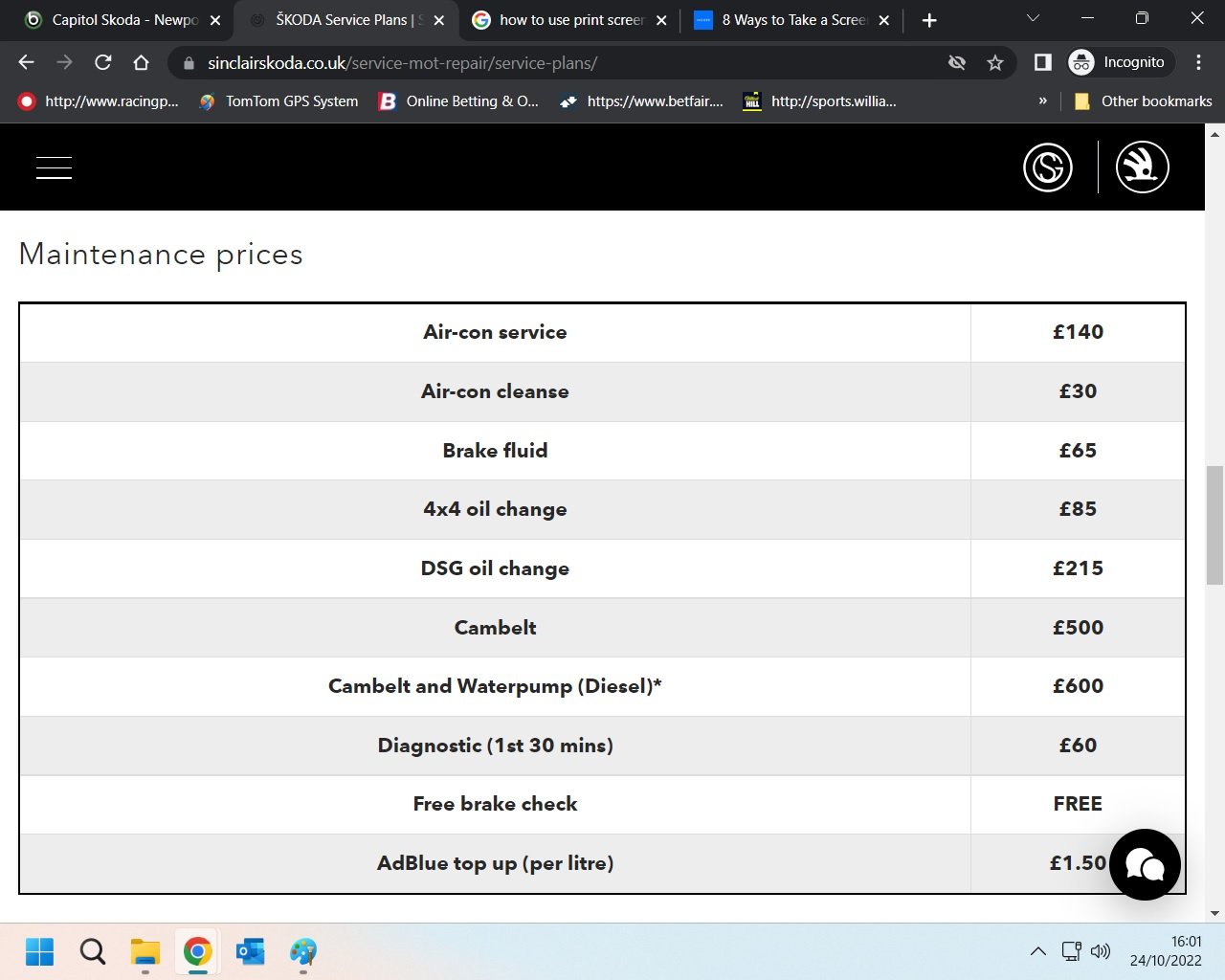
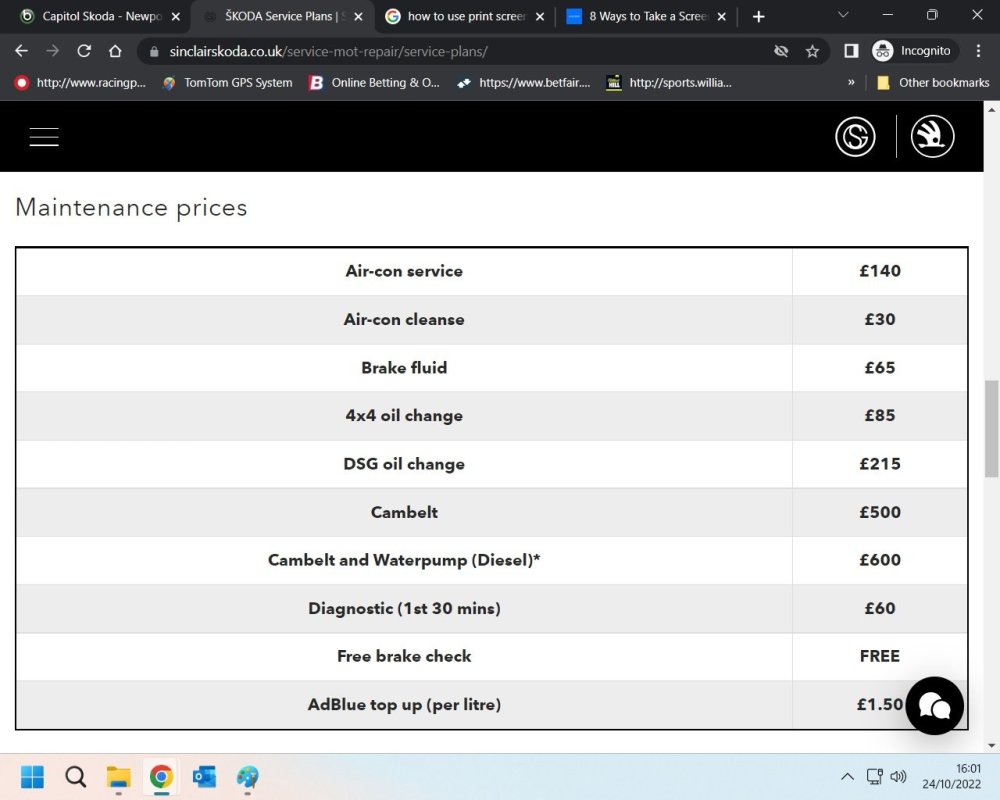
A great dealer if you want to be ripped off! Phoned them for a quote to change the cambelt on my 2017 Skoda Octavia and I was quoted £1200 plus. I informed them about Skoda's fixed price maintenance scheme throughout the UK and was told that this was the price as set out by Skoda UK. Yet Sinclair in Swansea advertises the same job at £600 and that also includes the water pump. Most Skoda UK dealers have similar prices. I even emailed Rhys Diment who is in charge of the whole of Capitol's different dealer franchises but of course he couldn't be bothered to reply. I expect he's too busy counting the cash he's raking in!!
-
If it's any help I have the exact same engine 2.0L TDI CRMB early 2017 without the water trap and I replaced my filter two weeks ago. Using my trade account at TPS the genuine OEM part was £22.30 incl. VAT. Part no. for your reference is 5Q0 127 177. The equivalent Valeo part no. on Autodoc is 587095 and is currently showing at the time of this post as £10.58 incl. VAT but the delivery cost is £8.45. So is the £3 saving and the delivery waiting time really worth it? Fair enough if you're ordering several items from them and you don't have a TPS trade account.
-
I noticed in your picture that the battery technology is incorrect. It comes from the factory preset as " fleece " for an agm battery and I've read elsewhere that fleece should be the correct setting. I'm not sure what the difference is between fleece and binary-AGM and I don't know if that gives any cause to your issues but I've read in many forums that fleece is the VW term for standard agm batteries in european cars. I would definitely physically check the serial number on the battery itself to see if it matches your picture just in case your old battery was a Varta and the new battery hasn't been programmed properly.
-
And also this one at 26 euros cheaper: https://www.lllparts.co.uk/en/product/volkswagen-5e5955711b-wiper-motor/mpn/5e5955711b According to my parts catalogue 5E5955711 was superseded on the 1st January 2018 to 5E5955711B.
-
Or any other European country e,g. Germany, Turkey, Switzerland etc. that has restrictions on displaying speedcams on satnav devices but thankfully you can turn the speedcam display and audible alerts off in the device settings before entering any affected countries. That is the official advice given by the manufacturer TomTom to their particular device owners. Obviously, the onus is on anyone driving in a foreign country to make themselves aware of any motoring rules and regulations before driving there.
-
Latest Updated Speedcams - November, 2021. Here's the latest update of my customised version of EUR Speedcams ( November, 2021). They consist of the full EUROPE speed cameras which I've split up into four consolidated poi categories i.e. Fixed Speedcams, Average Speedcams, Variable Speedcams and Redlight Speedcams. They come supplied with my own preferred personal choice of icons, shown below, to match each of the categories. Remember to Install them as I explained in the first post in this thread i.e. after extracting the zip file remember to open the newly extracted folder and place only the PersonalPOI folder and metainfo2.txt file onto your sd card ( Please Note: a usb stick will not work! ). Also, please remember to select/tick the relevant newly added poi categories and the poi audible warning alert in your infotainment map menu settings after performing the update or they will not display on your map or audibly alert you. Hope you all enjoy them! EUR Speedcams November, 2021.zip
-
@originato Here's a direct link for the Australian map that actually works: https://navigation-maps.volkswagen.com/vw-maps/DiscoverMedia2_MRM3_1710_V14.7z @langers2k The map link in the post that you linked to doesn't work. I think it's because the thread poster needs to change his links from http:// to https://
-
Depending on the programme that you use to compile the files there's normally a setting to tick to allow an audible alert. I suspect that you may be using the free version of PoiBase and if I remember correctly it also wouldn't work for me when I tried it a year or two ago. Perhaps it's done deliberately to make you pay for the unrestricted version but I'm not certain.
-
Unfortunately you must have been ripped off. I didn't compile my first database until February, 2018 which is when I purchased my Skoda Octavia. I have never put my database on eBay and I would never do so. It's totally against my principles. I get my database from another forum for free and I would never make money off someone else's generosity. I just take the time out to adjust them and recompile them for the MIB2 Skoda/VW infotainment units. I don't post them elsewhere. I only offer them on this forum and they are absolutely free to the members who want to use them. I would never ask for any payment or a donation of any kind and I will continue to do so as long as possible. I do have an eBay account but I only buy items. As far as I can remember I have only sold 1 item and that was about ten years ago. It was a second hand heater motor for a Vauxhall Vectra - my previous car. My actual eBay username is Biggerade1 as I think the name bigade1 had already been taken. I appreciate you pointing this out to me but it's definitely not me. Thanks though.
-
I would go with varaderoguy's suggestion of a firmware update then.
-
I wouldn't do a complete factory reset if you want to keep any other settings. I would perform an individual reset. Phone disconnected. Main menu - Settings - Factory Reset - Individual Setting - Scroll down to Mirrorlink. But before doing that I'd recommend going to the settings on your iphone - Settings - General - Carplay - Skoda - Forget This car. Then do a hard reset on your iphone. The method varies depending which model iphone you use but is pretty simple. On my model you press and hold two buttons which will knock the phone off but you must keep holding the buttons pressed in while the screen goes black and until the apple logo reappears.
-
@Thygesen You've opened the extracted folder but there's no need to do that. If you put the complete folder and metainfo.txt file onto your sd card your infotainment unit will then process it and select the correct files providing your unit is compatible with the software that I use to compile the files. It should still work though if you only place the files shown in your last image i.e. MIB2STD onto your sd card because that's the ones for your model number.
-
I've just had a play about purely for testing purposes and unfortunately the World map will not load on my Amundsen MIB2 either. I am get exactly the same 3 messages as the OP. I even done a factory reset of the navigation settings. I suspect that some settings may need to be adapted using VCDS but due to my work commitments I haven't got the time to look at it. Maybe tomorrow I might be able to look further into it. Try and get a refund. You don't need that card. Do as PetrolDave suggested. Download the VW World map for free - it's exactly the same as the Skoda map - and use it on your existing card. You shouldn't have to pay for a new map as your current sd card is quite sufficient. Unfortunately, it won't work though until we find out if the car or unit needs any re-coding.
-
Latest Updated Speedcams - June, 2021. Here's the latest update of my customised version of EUR Speedcams ( June, 2021). They consist of the full EUROPE speed cameras which I've split up into four consolidated poi categories i.e. Fixed Speedcams, Average Speedcams, Variable Speedcams and Redlight Speedcams. They come supplied with my own preferred personal choice of icons, shown below, to match each of the categories. Remember to Install them as I explained in the first post in this thread i.e. after extracting the zip file remember to open the newly extracted folder and place only the PersonalPOI folder and metainfo2.txt file onto your sd card ( Please Note: a usb stick will not work! ). Also, please remember to select/tick the relevant newly added poi categories and the poi audible warning alert in your infotainment map menu settings after performing the update or they will not display on your map or audibly alert you. Hope you all enjoy them! EUR Speedcams June, 2021.zip
-
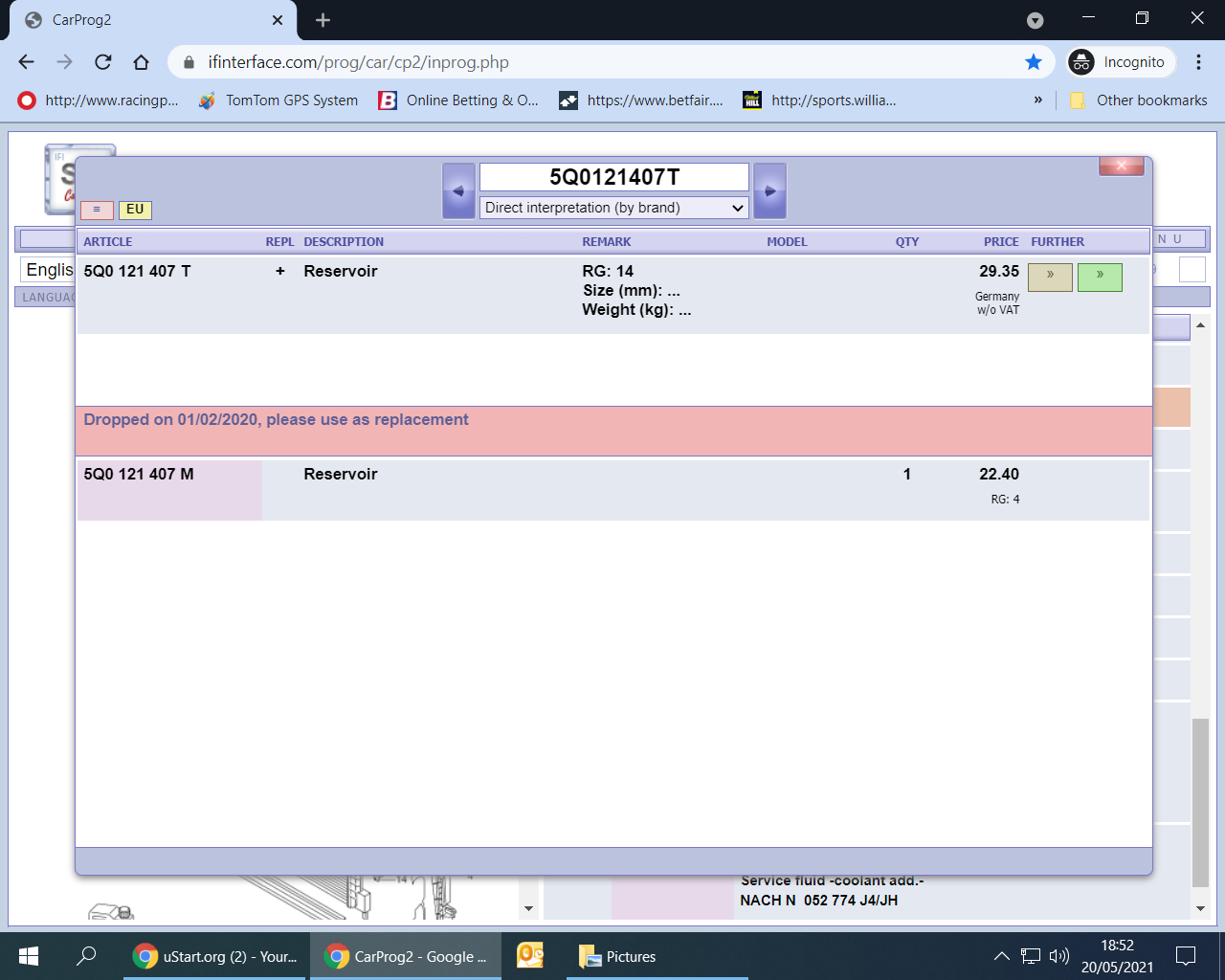
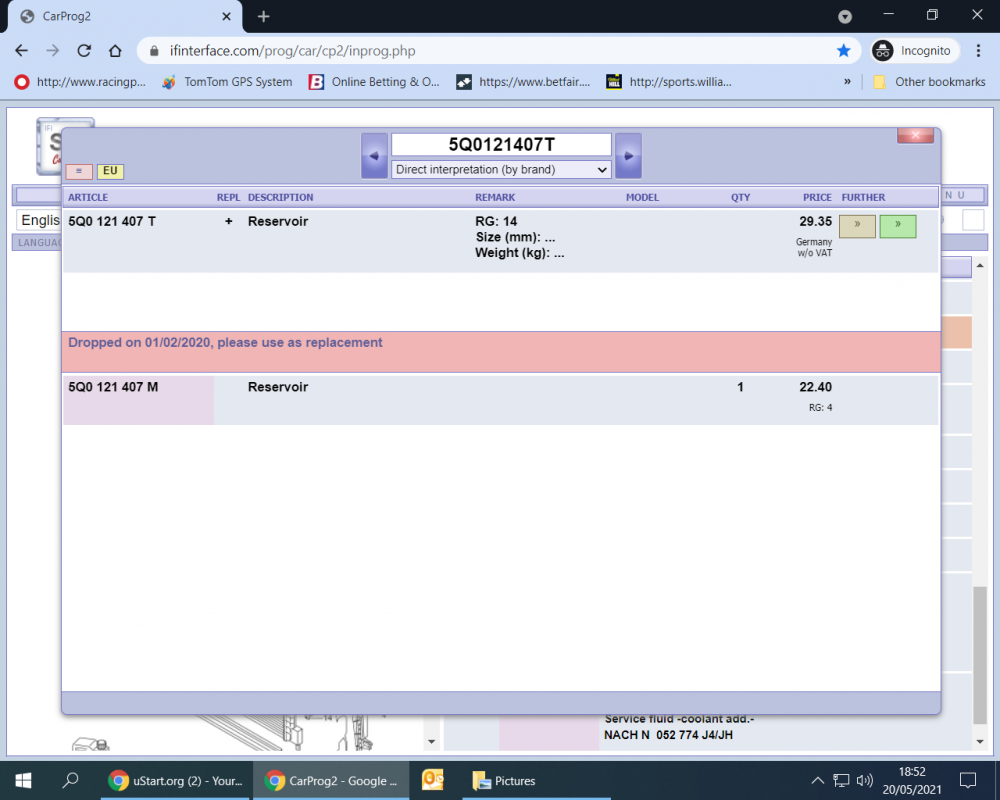
@MassiveTurboLag Just in case you decide to buy one yourself the T revision was dropped on 01/02/2020 and the M revision is the latest revision as illustrated in this parts catalogue:
-
I don't understand your comment. The files are already attached to my post and available for download. As this is a Skoda forum I doubt very much if anyone has tested it in a Seat car. Saying that, Seat and Skoda are sister companies so it all depends on the make and model of your Infotainment system. My compilations are prepared for the Amundsen MIB2 which is the one that I own. They will also work on most MIB2 Columbus units as well. If your unit is the same make then they may work. You can try them yourself. It shouldn't cause any harm because if the files are not compatible then the unit will not recognise them.
-
About two weeks ago I recoded a new battery into my vehicle with VCDS BUT now for various reasons ( too lengthy to go into details ) I've re-installed my 4 year old original battery back into place. I've recoded it back to the original default settings i.e. JCB, Fleece, 1111111111 etc even though it's actually a Skoda Varta battery with all the BEM details still attached to it. My question is this - will the vehicle remember the old settings/working parameters/age etc or will it treat it and set it up as a new battery because I've done two or three different recodes prior to re-installing it?