agedbriar
Members
-
Joined
-
Last visited
Everything posted by agedbriar
-
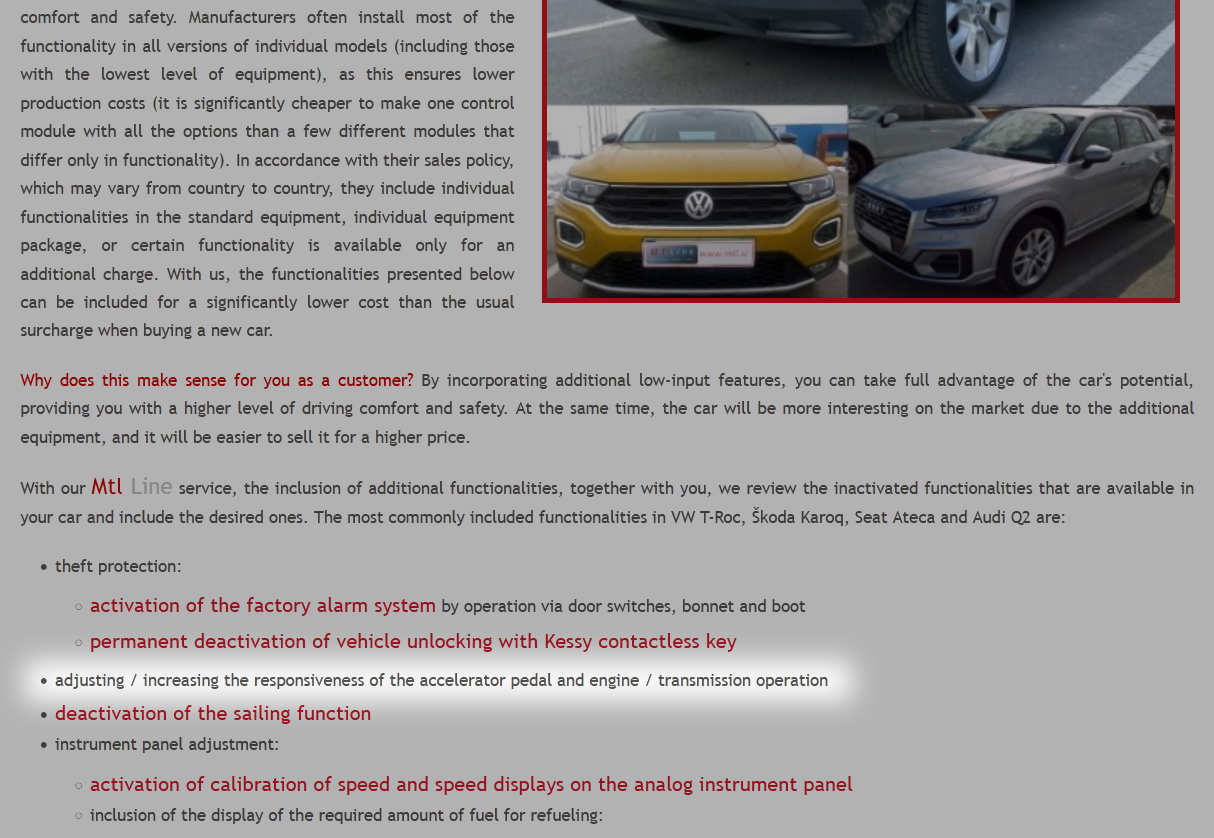
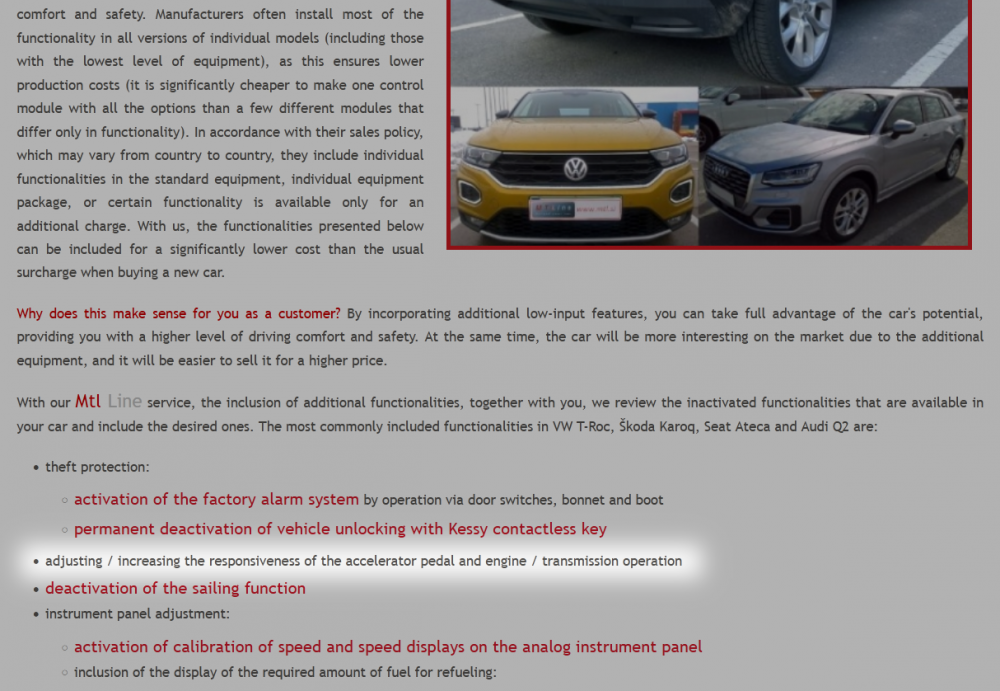
Me too... Seems that it can be mitigated. I may look into this when the warranty expires. http://www.mtl.si/sl/avto-storitve/vkljucitev-dodatnih-funkcionalnosti/vw-t-roc,-škoda-karoq,-audi-q2.html
-
On my car, Auto Hold will always activate on standstill, no matter how softly breaking I've come to it. I only switch Auto Hold off if I have to park most gingerly or when I park on level ground for a freezing night.
-
That's, in fact, what happens when you mash the throttle to overtake. Still quite tolerable.
-
Unfortunately the above doesn't work on my Karoq. 😧 The parking brake can't be turned off if it was invoked by the Auto Hold system upon engine stop. Not even by establishing contact again. Too bad...
-
I see. Turning off the parking brake just before leaving the car (rather than turning off Auto Hold earlier) would equally eliminate the risk of brake freeze-up without the need to re-activate Auto Hold on the next trip. Will take on that, thanks for the tip e-Roottoot.
-
When the car is parked with Auto Hold on, the latter it's automatically replaced by the parking brake (P) function.
-
Same here. But I do turn off Auto Hold before parking for the night on level ground in winter, lest the breaks might freeze up.
-
Same Karoq 1.5 TSI 4x4 DSG and same disappointing behaviour, albeit that's my only complaint. For me, the use of Auto Hold helps a lot. I can press the throttle in advance with more confidence since there is no more creeping between standstill and pull proper.
-
In 2018/2019 I had to wait 9 months after the decisive test drive for the version I wanted (1.5 TSI 4x4) to appear on our lists. Then 3 more months to delivery. Absolutely no regrets.
-
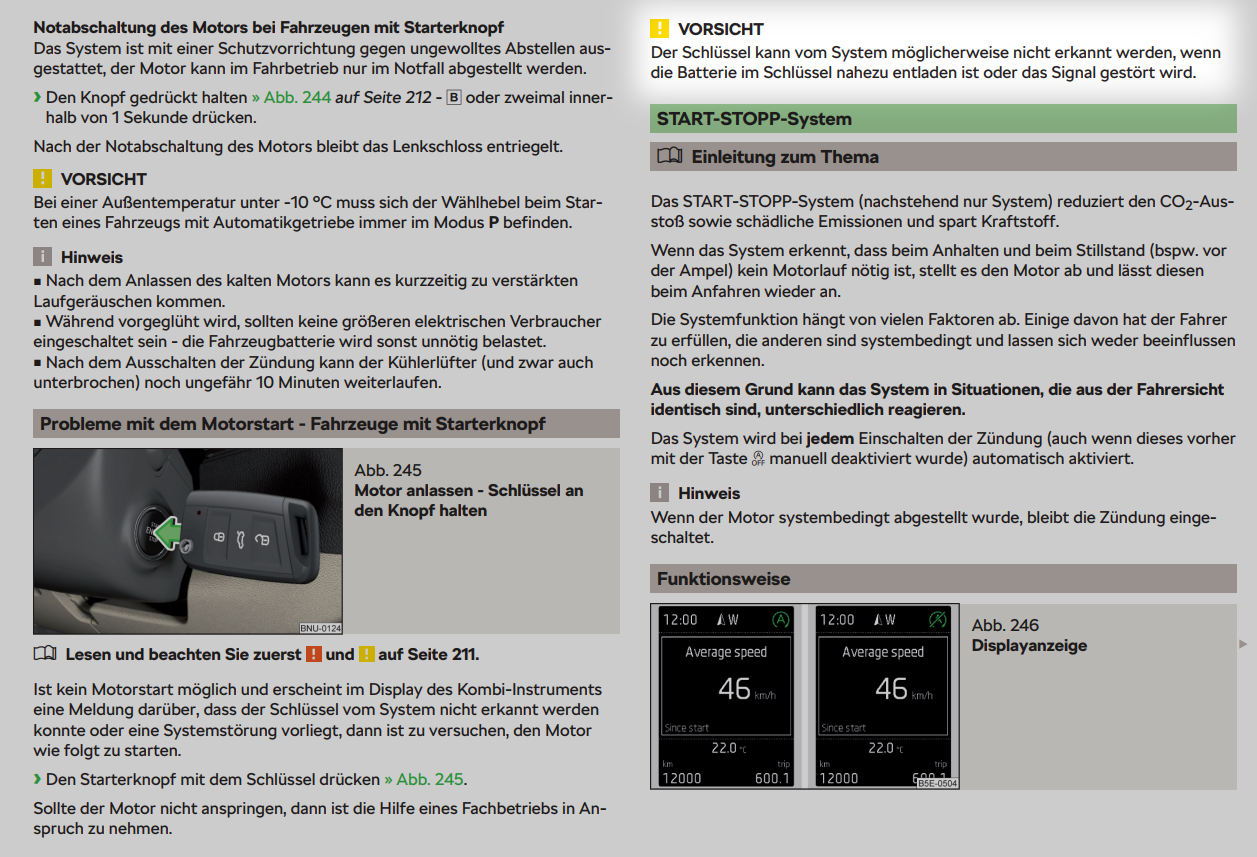
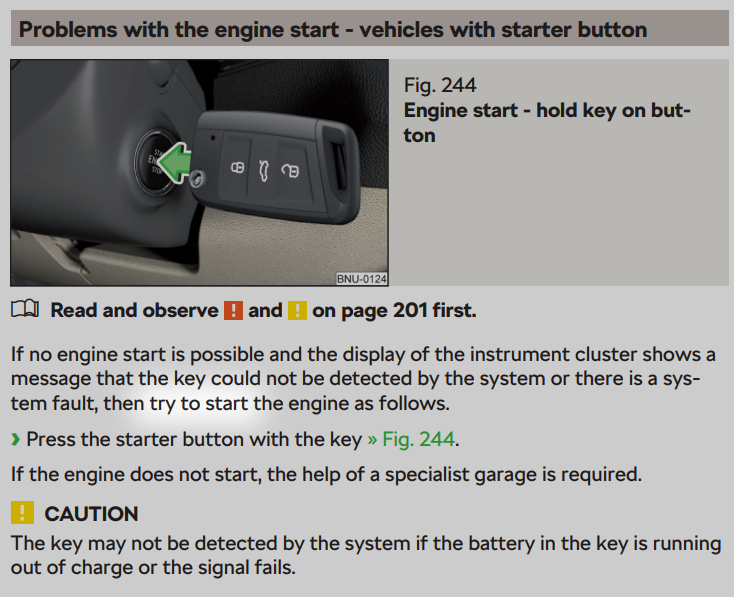
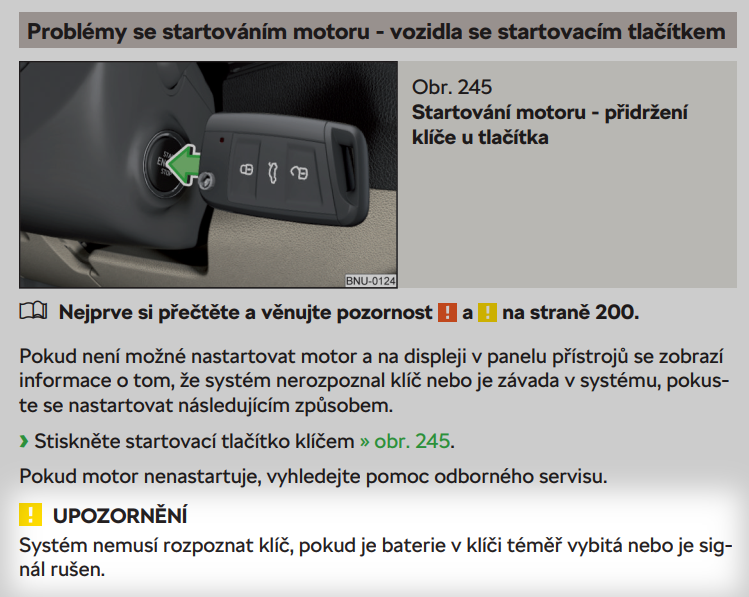
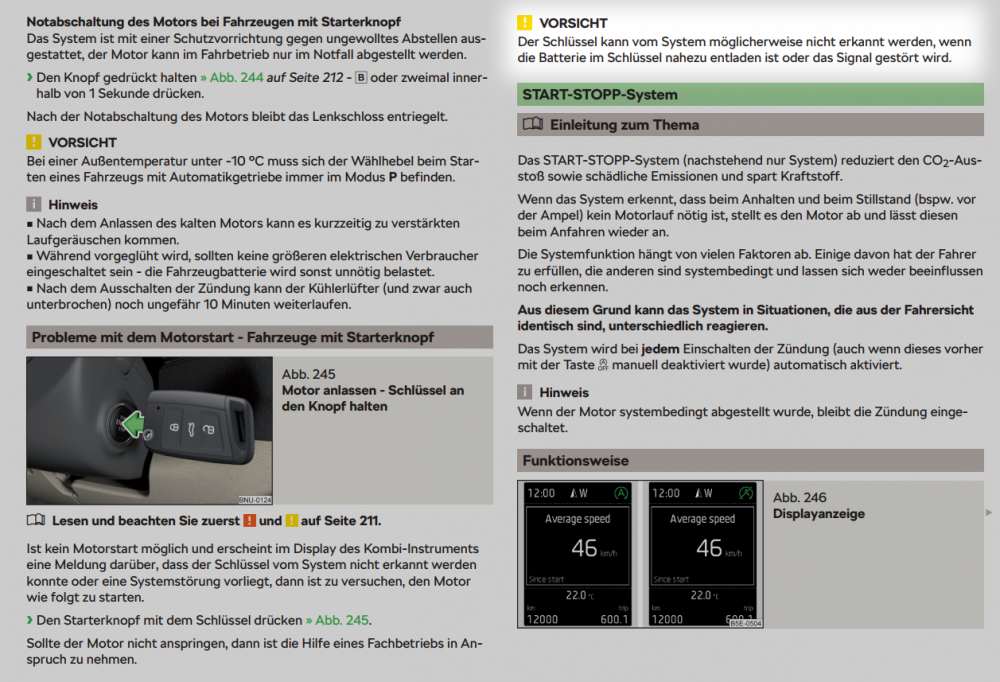
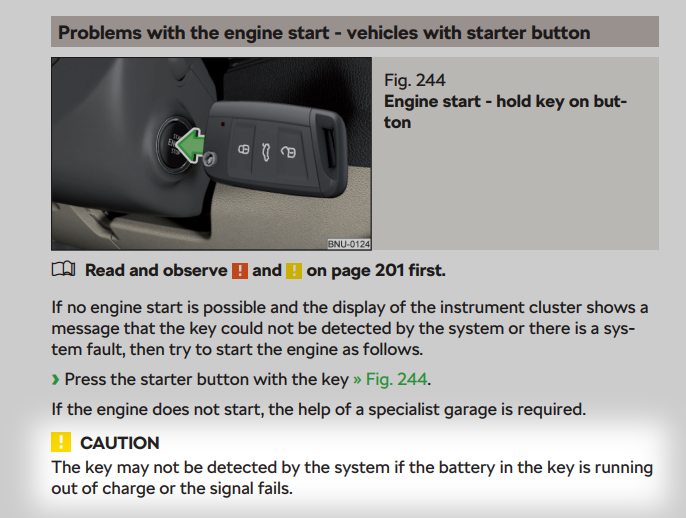
Perhaps we should have paid more attention to the spotlit words below... It would seem that the suggested expedient is based on marginal conditions (hence "try" resp. "pokuste se", "ist zu versuchen" ) which would explain the different results reported.
-
... and the reports of cases when a new keyfob battery fixed the no-start problem are lost in translation as well. The Czech and German handbook version. One of them should be the source text.
-
It seems that we are either dealing with different versions of KESSY or experiencing problems (and testing) in different contexts (even different timing?).
-
But was the battery actually dead or did it keep on working after that procedure? I once tested the procedure with a battery-less keyfob and it didn't work.
-
I think the manual is ambiguous on that. As I see it, the suggested expedient is only meant to fix a system fault. A dead keyfob battery is another matter, although the error message is the same. Hence the Caution. I too have heard of cases when the suggested procedure didn't work, while a new keyfob battery did.
-
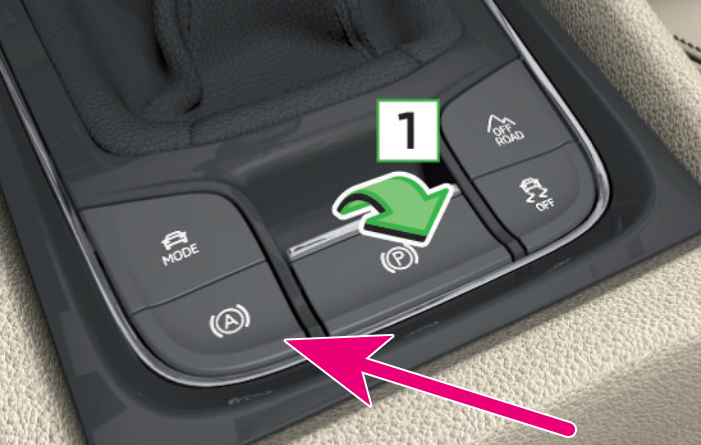
Autohold button on my Karoq (red arrow):
-
Amen to that!
-
I'm always confused whether LHD/RHD refers to the driver's position in the car or the car's position on the road.
-
... while for the Continent it's Bosch Aerotwin A863S.
-
On my KESSY keyfobs, the battery size, 2025, is embossed on the inside surface of the battery cover.
-
Please do report if successful.
-
I think it's all about reducing fuel consumption - and hence emissions.
-
There are precautions to be taken before disconnecting the battery, or malfunctions can ensue. I can only recall the need to have the windows shut, but I think there were more.
-
I read about that somewhere... unofficial, but quite logical with all this emissions supervision. It doesn't make sense for a car manufacturer to obtain a good WLTP score (thus avoiding heavy penalty) with the contribution of some technical device while letting the car owners drive in a more emissive mode by simply switching that nuisance off.
-
Banning the Start-Stop disabling button, I mean.
-
But that ban is due to happen, I read?