Tell
Members
-
Joined
-
Last visited
Everything posted by Tell
-
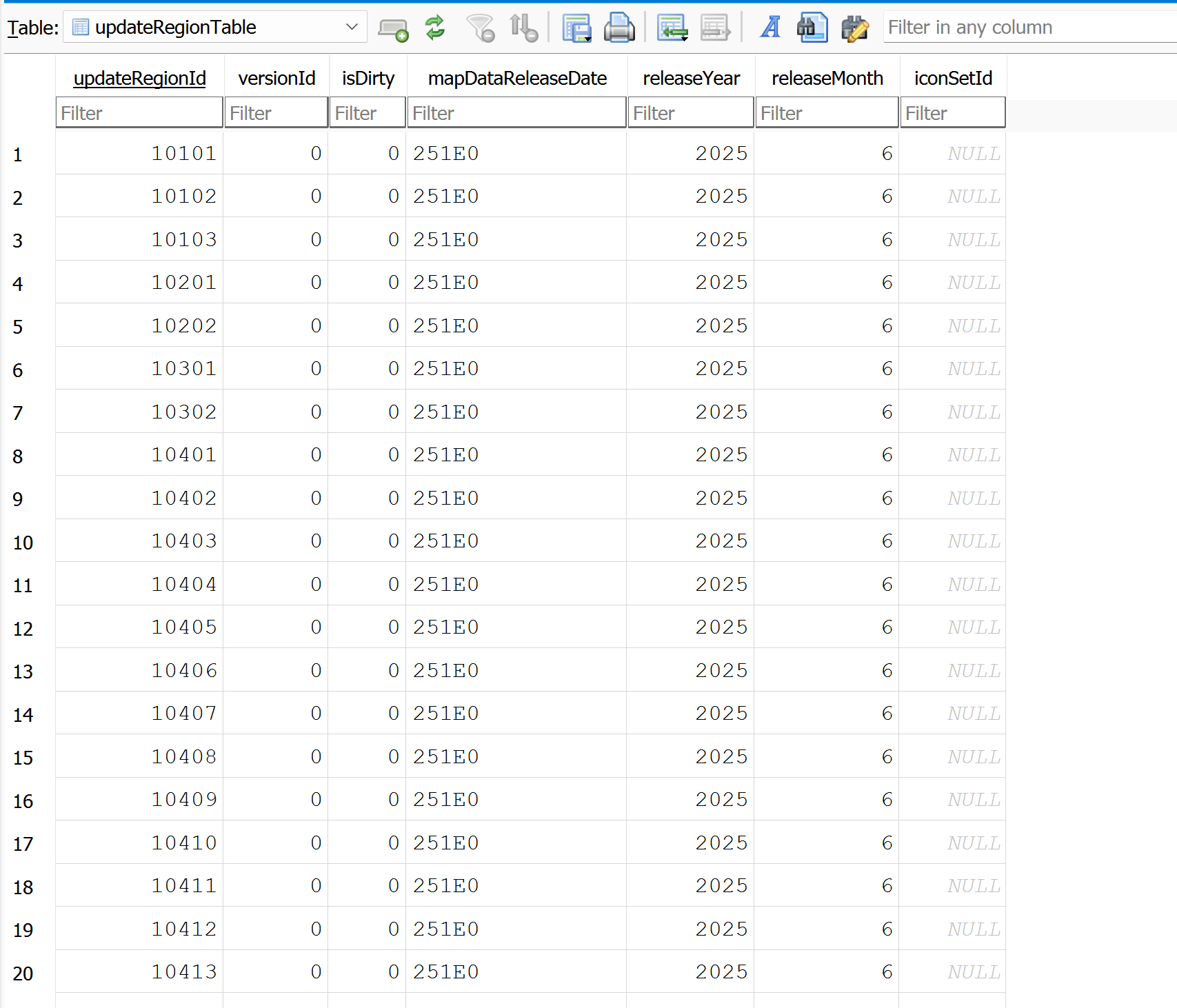
By following in the pdf. I attached all of the Vag ones on this SeatCupra post. See attachment on the first post. The Skoda one is there. It's all the same. 64gb usb. Some people like the usbs that flicker so they know something is happening. Poke it in and wait after correctly unzipping it. Although I've given a few tips. There is no update button. It just senses the usb there with a map update on it. VAG uses restart points so if it doesn't complete it will restart next time you use the car. There have been some issues unzipping the European file but surprisingly you can ignore them. A recent copy of 7zip should be used or the internal Windows unzip. I haven't spotted this issue myself. Others have but as said it does update to 25.06. https://www.seatcupra.net/forums/threads/updating-the-inbuilt-mib3-satnav-offline.472408/
-
The delete and re save came up on SeatCupra board. That fixed it for the individual. I think this was where the virtual cockpit display didn't reflect what was on the mib3 unit. They were told to do it and it worked. Basically the logos are in a general mess how Vag have done it not allowing users to correct it as mib2 so its always going to be like that. Only as good as the official database maintained by Phonostar if that's not correct or missing logos then it can't be user corrected.
-
The other thing that has come to light on the Seat side is the update over WiFi for people out of connect services contract. This occurred after an out of contract person got a firmware update over wifi. After that came a radio logo update. They connected the car to a phone's hot spot and waited. If the car is identified as being a candidate for an update, it can get it that way. Must be handshaking. Fishing for updates. Not too sure how common that knowledge is. They said they had been looking over a number of days leaving it wifi connected. Don't think you'd get map updates that way.
-
-
-
If you pay for connect services you will get the update ahead of those that don't pay. Like monthly. Whilst the free ones run later on a six month release cycle. June, November. You pay your money and take the choice. Don't pay and they are a few month older than the paid ones. Anyhow @MartiniB a Seat poster now says that the European one is now available online (free) https://infotainment-cdn.skoda-auto.com/base/maps/OI_P153_EU_202525_Offline-Update.zip The 202525 is inline with your other post for 2025.02 so assuming it unzips fine and no mistakes by Vag should be fine. I'll inspect for 2025.02 in the file later. Leave you to test since I don't have mib3.
-
Suppose to be a digital ID but he's corrected me in the past and may be over the air jpeg for DAB. If the logo as a jpeg is never transmitted then you can see you are a bit stuffed when the station ID is recycled. Seen that in the UK. Think actually the logos are not transmitted just a station ID. You can inspect the mib2 ones via sql light or whatever its called. I'm travelling at the minute so can't check. It's the SQL commonly used so if you have database skills you can poke about in the tables but no good to change anything. All locked down.
-
I stuck with the 32gb sd card in Fat32. After vag stopped the support of the mib1 component in the update you didn't need the 64gb card since it stopped outgrowing the 32 gb card... however if you had some 32 gb SD cards that combined release would just fit on. MartiniB was like me when some started moaning and we didn't have an issue with our SDs 32gb cards. Aldi ones I inherited 😉... nothing fancy. Probably the Format command in Windows was playing up in exFat. Windows 10/11 did have a bug at one stage that messed up the sector size by not retaining it in a format. Probably something like that happened. Think that is what was messing up mib2 standard map cards that got zonked. I have certainly seen one release of Windows defaulting the sector size to the max it can.
-
Yes that would be inline with the November release and ECE 2026. Normally in old naming the June release was a combination of current year and next year. Whilst the November release is named to the following year. That I seem to recall got corrupted for mib2 standard when they lost a release due to processing issues.
-
-
I guess this is a catching up release since way back when the six monthly release got delayed and missed a six month period. Now this could be the official June release caught up ?. Away on holidays. Let @MartiniB check the production dates. Note the next post on that Ateca link says the all European link doesn't work. Needs validating whether that is the case.
-
I could see if you had poor 4g you may have to wait over a month if you never moved your car... 4g is shocking where I live and it's a piggy back low bandwidth service they use. I would get zero success.
-
USB method isn't bad but if I had mib3 I'd probably pay up for rest of what connect services can offer.
-
It's either the development database you are looking at is correct but the production database which is either what is loaded in the car or held centrally doesn't tally. Either it's been subsequently sorted but the cars system doesn't reflect that or the production database has drifted from the development one ie. They have not taken the correction put into the development database so the production one is out. Last edits were done by the Here Maps Team in October 2024. It's a precision road so small adjustments are not allowed so it locked down from movement. It's conceivable that if it was changed in October 2024 it would not get into the shipped files for six months or so. 25.05 was your map in the car. I'd give it till Xmas 2025 to see whether it passes through or take it up with Here Maps.
-
Unless it's reading it off some small sign somewhere. You get those bin stickers and it's not on the digital map in Herecreator ?. I think you might find a toggle to turn off TSR. One in mib2 for a test drive. Dynamic sign recognition. The other one that started to effect me a couple of years back it decided the local street was 5 mph. I put that down to slight misalignment where it reckoned you were off road. Always when I turned into the street getting home. Dong. I got Here Maps to look at that found nothing. Mib2 high auto recalibrates it's position if the maps are reloaded. So by driving a route few hundred yards through bends it places the car back on the map. Interesting one when you see it. Did that with the latest maps that I loaded up. We had a 5mph limit for quarter of a mile. Then learned from GPS and the road contour so then behaved itself. That issue has gone. It was the recalibration. I have had this one in France, reading the traffic signs off the back of lorries you are following on the Calais / Dunkerque road. The only place it does that one. The Heremaps creator database you see is the development database, whilst the production database is different, so they might be out of synch in that area. Sometimes you get two roads on top of each other. Which need to be weedled out. Previous edit error and what appears to be an AI system going off on one which can take a few days to straighten out. So a few things to check. You might have a report something wrong icon. The systems they sell for lorry navigation etc have report issues from the cab. They get pulled up into the Here Maps validation. A select few were allowed to validate and change the source materiel, then it became apparent that the select few were not much good and that features was removed, so I did see everything their validation teams saw at one stage. They were hoping to get validation on the cheap. Might be your issue falls into the one the production database needs to be looked at if the development database isn't showing it. If it's not a TSR misread or misalignment. The other thing is Vag contracts out the development of the mib3 files from the cartography. If the programmers misunderstood the source files then cartography doesn't work. In the first year they had the postcode controids pointing off road. The postcode is matched to the road but they were taking you to an offroad centroid. They were interpreting the files in a GIS market research method than navigation. In Heremaps house numbers are allocated to a centroid to the building and the navigation point on the road. You walk from there. The postcode only guys were getting taken off road. That's been corrected now in mib3.
-
Yes you'll be on connect services OK withn25.05. There is a way of offering up user corrections. You need a Heremaps login and you do it through their portal mapcreator.here.com/ The mobile app of it allows you to upload the evidence via a photo. May help. Generally the camera recognition works well except where the council put the 20mph speed limits in on side roads and it sees the sign as going past. The signs need to be a bit further down the road. Only effect of the speed limits coming in and grumpy people thinking they don't apply to them. I did do my bit where you could enter the village here on an unauthorised farm track. Council had left the old sign up of 30, got that changed so no excuses for those taking the short cut. The radar signs had been turned off that we had a whip around for. Got that reprogrammed. Heremaps has more stringent validation process than Google and Waze being run by a proper cartography company. The official 20mph roads in Wales are here. https://datamap.gov.wales/maps/roads-affected-by-changes-to-the-speed-limit-on-re/ This is what was examined to update the Here Maps roads. Use to do health planning in a department that did gravity modelling for services planning. When the NHS use to build things and not close them down. So our analysts would pour over maps, travel times, timetables etc as part of siting work, ambulance stations, regional centres etc. Was heartened to hear that HereMaps geographers went over the Welsh Government files. Assorted notices also go in on road speed changes so they go back to them as well. Published road plans for road developments. The survey cars for precise road position on A roads etc for self drive cars... they are set up for that. The architectures stuff. Regenerative predictivd breaking is another one. Being mere mathematical modellers we like to make sure the geographers do it correctly 🤣. As you know the 20mph limits are being revisited in Wales so that process will be repeated.
-
The part release of the manual one for the last period is: (doesnt include all of Europe yet... so you'd update manually with the one above if connected services was not working or configured. YY.MM is the serial designation on the unit.
-
2024 means it's a mib3 since that is what was fitted to 2020- models, mib2 generally 2015-19. If you have connected services working with mib3 then the maps should auto update. Annual fee or free if you do it yourself. Some people manage not to have connect service set up correctly with mib3 and in that case the maps don't update. The update release can be read off the infotainment system. If we are talking about Welsh 20mph speed limits that date and maps not being updated could leave it reflecting the old speed limits. Certainly the Welsh speed limits are in the database for the last year or so. Mib3 maps use Here Maps cartography. It's that team that have put the road speeds in using the Wales Government's negotiated speeds and agreed speed limits with the local authorities oublished on a public map. The later play, parse the parcel with these but they had the final say by agreement with the Welsh Government. Some local authorities in Wales pretend they were mandated. No they could change them back to 30 mph, if they so wished based on local knowledge of what speed they thought was suitable for that road. The manual update is shown on this link:... note the map is designated yyyy.mm. Thus if your system is above 2024.06 then you have newer maps and connect services is running fine. If it's 2023... something or other your maps won't be updated with the Welsh road speeds. It was in the 2024 maps when the Welsh speeds got into them. My mib2 high started donging that I was speeding as I left the village from start up without reading any traffic signs.
-
That's TomTom not on top if it. Try http://www.tomtom.com/mapshare/tools They are reluctant to take users speed suggestions though preferring their survey cars. Wales they have the Welsh Government marked up map.
-
It's the digitised road speed on the map. Ah Wales... where I'm sat. If it's mib2 high columbus or mib3 it's Here Maps. They updated all the roads on the system. For mib2 high you need to update the maps. Connect services for mib3 would do it for you but if out of contract MartiniBs files pinned. SD card based mib2. Use the latest maps, these are TomTom equally they updated the digital roads like HereMaps from the Welsh Government map file where they agreed the speeds limits with each LA. So I'd say you are using old maps. TSR will override the digitised road speed but once you pass onto a new digital segment on the map it will take the map speed. Hence it will revert if you are using old maps. Check out MartiniBs pinned map updates. If mib1. May be more tricky. I have pointed people to a mib1 2023 update where it's possible it may have the new Welsh speeds. Mib1 update you have to use a teething approach which is used on Seat's. Works on Skoda as well. Since the Welsh speeds came in, in 2023 and the latest mib1 for Audi which can be used is 2023... might not be in it. You'd have to check. Whether there will be an Audi 2024 release pass. The files are compatible with a small edit.
-
Yes. You need someone with Audi mapcare to then cut and paste the link out just to see whether it's protected. May be a cookie or it would be accessible only via the login. So that was as far as my checking was concerned... I needed a subscription to dig deeper.
- 53 replies
-
- columbus
- discover pro
- mib2
- mib2h
-
Tagged with:
-
If that's the Audi version that got leaked by Russian boards and mibsolution.one last year it was just manufactured differently. The UK was identical apart from how it was put together with the meta check sum and signature. I gave up checking every country and concluded the early release via Audi was identical. Ofcource it might not have been a release but a beta test file put out. Other year's I caught site of the file being discussed on the German Skoda Commumity board. Only last year did I lay my hands on it. MartiniB will tell me whether I've got my years wrong. It's on the board where I said, no difference based on my check. So as I've said Audi files are behind a pay wall on their server.
- 53 replies
-
- columbus
- discover pro
- mib2
- mib2h
-
Tagged with:
-
When I looked last year with the Audi ones, since I was intrigued about them, they sat behind a pay wall. If you had coughed up for Audi mapcare you got past the pay wall, if you didn't, you couldn't. Expect Porsche ones may be like that, hence why Audi and now Porsche come looking on Briskoda.
- 53 replies
-
- columbus
- discover pro
- mib2
- mib2h
-
Tagged with:
-
Thats an Audi unit based on https://mib-helper.com/index.php?train=MHS2_ER_AU_P0448#details A MIB2 High Scale whatever that is. Wiki: https://wiki-online.vcds.de/de/Plattformen/MIB Not a mib2 high as we know it. Not come across those before.... does it look like this: https://www.audi-mib.bg/audi-delphi-mhs2-scale-map-activation-2021/ Reckon you need an Audi forum / trawl Russian websites for knock offs... Audi map were sold with mapcare so were never free. FeC can be adjusted so maps for Skoda and VW etc can be used but whether they were fitted to those cars... least not. So a nitch unit. You might find they have fallen off the back of an annual generation or may be not. If not ebay may be a source for a map card. Your best bet is an Audi forum. Your unit / file still needs to be patched hence the need for an Audi forum where people are familiar with the process... Your man that you have lost.
- 53 replies
-
- columbus
- discover pro
- mib2
- mib2h
-
Tagged with:
-
Those are on the threads but as he said they have messed up their library now on some of them... least I think that what he said. Too early here. Where he lists out the alternatives by brand you try each one till you find one that works. I say map files are like hot cakes best to get them fresh before they go off... mib3 waiting for the next batch. Then nothing new at the minute.