Tell
Members
-
Joined
-
Last visited
Everything posted by Tell
-
Did you see that MartiniB edited in the rest of the links for the November 2024 release last Friday. Particularly Australia. # Australia 1.8 Gb VW portal: https://navigation-maps.volkswagen.com/vw-maps/AUS_12PR119_CT3WS-23131_Offline_Update.tar The one you were after. Comes up with the designator for June which is what you'd see with connected services... the other debate. So that the November release.
-
Yes do a new thread in your normal style in your name with the files inside etc text. I wanted to get the SeatCupra one posted up since it had started to go on the wrong thread and was incomplete. So having found that our friends had missed off the RoW, corrected that. On that one above I've got 2024 in the title should actually say 2025. Just the title out. Needs your exacting hand to get it totally it your style. Anyhow. We got there mib2 standard isn't dead yet. The cartography is TomTom, they haven't changed that and TMC for Trafficmaster doesn't work in the UK as we know, so the Briskoda fix for using Inrix on the last release of the HereMaps one, still reigns supreme if you put TMC ahead of newer maps as far as the UK is concerned. I just keep both in the car. Can swap if I feel like it. Yes so a nice new thread, in your name with your exacting eye is required to check mine. That then needs to be pinned together with the mib2 high one you reference. All should be done then on mib2 till June 2025. RoW mib3 is still to be found and the Vag links for the 2025 (November2024) release and that will be done. Seat people are already using your Skoda link for Europe. BTW anybody got a link to mib1 standard V5. Seat poster has lost their files.
- 55 replies
-
- amundsen
- discover media
- maps
- mib
-
Tagged with:
-
@MartiniB the rest of the world is also there, the DLs so I've got this list (done a hack job of your normal post 😍). You can check where I've got it right. Needs your normal creation dates etc for you. # ECE AS(A1) 2024 (All Europe - needs the 32gb card) VW portal: https://navigation-maps.volkswagen.com/vw-maps/DiscoverMedia2_EU-AS_2310_V20.7z # ECE 1 2024 VW portal: https://vw-maps-cdn.lighthouselabs.eu/vw-maps/DiscoverMedia2_EU1_2310_V20.7z VW portal: https://navigation-maps.volkswagen.com/vw-maps/DiscoverMedia2_EU1_2310_V20.7z # ECE 2 2024 VW portal: https://vw-maps-cdn.lighthouselabs.eu/vw-maps/DiscoverMedia2_EU2_2310_V20.7z VW portal: https://navigation-maps.volkswagen.com/vw-maps/DiscoverMedia2_EU2_2310_V20.7z # ECE 3 2024 VW portal: https://vw-maps-cdn.lighthouselabs.eu/vw-maps/DiscoverMedia2_EU3_2310_V20.7z VW portal: https://navigation-maps.volkswagen.com/vw-maps/DiscoverMedia2_EU3_2310_V20.7z # ECE 4 2024 VW portal: https://vw-maps-cdn.lighthouselabs.eu/vw-maps/DiscoverMedia2_EU-DL1_2310_V20.7z VW portal: https://navigation-maps.volkswagen.com/vw-maps/DiscoverMedia2_EU-DL1_2310_V20.7z # ECE 5 2024 VW portal: https://vw-maps-cdn.lighthouselabs.eu/vw-maps/DiscoverMedia2_EU-DL2_2310_V20.7z VW portal: https://navigation-maps.volkswagen.com/vw-maps/DiscoverMedia2_EU-DL2_2310_V20.7z # ECE 6 2024 VW portal: https://vw-maps-cdn.lighthouselabs.eu/vw-maps/DiscoverMedia2_EU-DL3_2310_V20.7z VW portal: https://navigation-maps.volkswagen.com/vw-maps/DiscoverMedia2_EU-DL3_2310_V20.7z # ECE 7 2024 VW portal: https://vw-maps-cdn.lighthouselabs.eu/vw-maps/DiscoverMedia2_EU-DL4_2310_V20.7z VW portal: https://navigation-maps.volkswagen.com/vw-maps/DiscoverMedia2_EU-DL4_2310_V20.7z # ROW 1 2024 VW portal: https://vw-maps-cdn.lighthouselabs.eu/vw-maps/DiscoverMedia2_MRM1_2310_V20.7z VW portal: https://navigation-maps.volkswagen.com/vw-maps/DiscoverMedia2_MRM1_2310_V20.7z # ROW 2 2024 VW portal: https://vw-maps-cdn.lighthouselabs.eu/vw-maps/DiscoverMedia2_MRM2_2310_V20.7z VW portal: https://navigation-maps.volkswagen.com/vw-maps/DiscoverMedia2_MRM2_2310_V20.7z # ROW 3 2024 VW portal: https://vw-maps-cdn.lighthouselabs.eu/vw-maps/DiscoverMedia2_MRM3_2310_V20.7z VW portal: https://navigation-maps.volkswagen.com/vw-maps/DiscoverMedia2_MRM3_2310_V20.7z # MRM DL1 2024 VW portal: https://vw-maps-cdn.lighthouselabs.eu/vw-maps/DiscoverMedia2_MRM-DL1_2310_V20.7z VW portal: https://navigation-maps.volkswagen.com/vw-maps/DiscoverMedia2_MRM-DL1_2310_V20.7z # MRM DL2 2024 VW portal: https://vw-maps-cdn.lighthouselabs.eu/vw-maps/DiscoverMedia2_MRM-DL2_2310_V20.7z VW portal: https://navigation-maps.volkswagen.com/vw-maps/DiscoverMedia2_MRM-DL2_2310_V20.7z ======= coverage ======= # ECE AS(A1) Albania, Andorra, Austria, Belarus, Belgium, Bosnia and Herzegovina, Bulgaria, Croatia, Czech Republic, Cyprus, Denmark, Estonia, Finland, France, Faroe Islands, Germany, Gibraltar, Greece, Hungary, Iceland, Ireland, Ireland, Italy, Kosovo, Latvia, Liechtenstein, Lithuania, Luxembourg, Macedonia, Malta, Moldova, Monaco, Montenegro, Netherlands, Norway, Poland, Portugal, Romania, San Marino, Serbia, Slovakia, Slovenia, Spain, Sweden, Switzerland, Ukraine, United Kingdom, Vatican City State # ECE 1 Andorra, Belgium, Faroe Islands, France, Gibraltar, Iceland, Ireland, Ireland, Luxembourg, Monaco, Netherlands, Portugal, Spain, United Kingdom # ECE 2 Albania, Belarus, Bosnia and Herzegovina, Bulgaria, Cyprus, Denmark, Estonia, Finland, Greece, Kazakhstan, Kosovo, Latvia, Lithuania, Macedonia, Moldova, Montenegro, Norway, Romania, Russian Federation, Serbia, Sweden, Ukraine # ECE 3 Austria, Croatia, Czech Republic, Germany, Hungary, Italy, Liechtenstein, Malta, Poland, San Marino, Slovakia, Slovenia, Switzerland, Vatican City State # ECE 4 Andorra, Austria, Belgium, Croatia, Czech Republic, France, Germany, Hungary, Italy, Liechtenstein, Luxembourg, Malta, Monaco, Netherlands, Poland, San Marino, Slovakia, Slovenia, Switzerland, Vatican City State # ECE 5 Andorra, Austria, Belgium, Croatia, Czech Republic, Faroe Islands (land-use only), France, Germany, Hungary, Iceland, Ireland, Italy, Liechtenstein, Luxembourg, Malta, Monaco, Netherlands, Poland, San Marino, Slovakia, Slovenia, Switzerland, United Kingdom (incl. Isle of Man), Vatican City State # ECE 6 Andorra, Belgium, Denmark, Faroe Islands (land-use only), Finland, France, Germany, Iceland, Ireland, Luxembourg, Monaco, Netherlands, Norway, Sweden, United Kingdom (incl. Isle of Man) # ECE 7 Albania, Austria, Belarus, Bosnia and Herzegovina, Bulgaria, Croatia, Cyprus, Czech Republic, Estonia, Greece, Hungary, Italy, Kosovo, Latvia, Lithuania, Liechtenstein, Macedonia, F.Y.R.O., Malta, Moldova, Montenegro, Poland, Romania, San Marino, Serbia, Slovakia, Slovenia, Switzerland, Turkey, Ukraine, Vatican City State # ROW 1 Israel, Argentina, Brazil, Fr. Guyana *, Guadeloupe *, Martinique *, Mexico, Turkey * # ROW 2 India *, Chile * # ROW 3 Australia, New Zealand, Botswana *, Lesotho *, Mozambique *, Namibia *, South Africa, Swaziland *; Reunion *, Brunei, Indonesia *, Malaysia *, Philippines *, Singapore, Thailand, Egypt *, Algeria *, Bahrain *, Jordan *, Qatar *, Kuwait, Morocco, Oman *, Saudi Arbien *, Tunisia, United Arab Emirates * # MRM DL1 Argentina, Brazil, Mexico, French Guiana, Guadeloupe, Martinique # MRM DL2 Israel, Turkey
- 55 replies
-
-

- 1
-
-
- amundsen
- discover media
- maps
- mib
-
Tagged with:
-
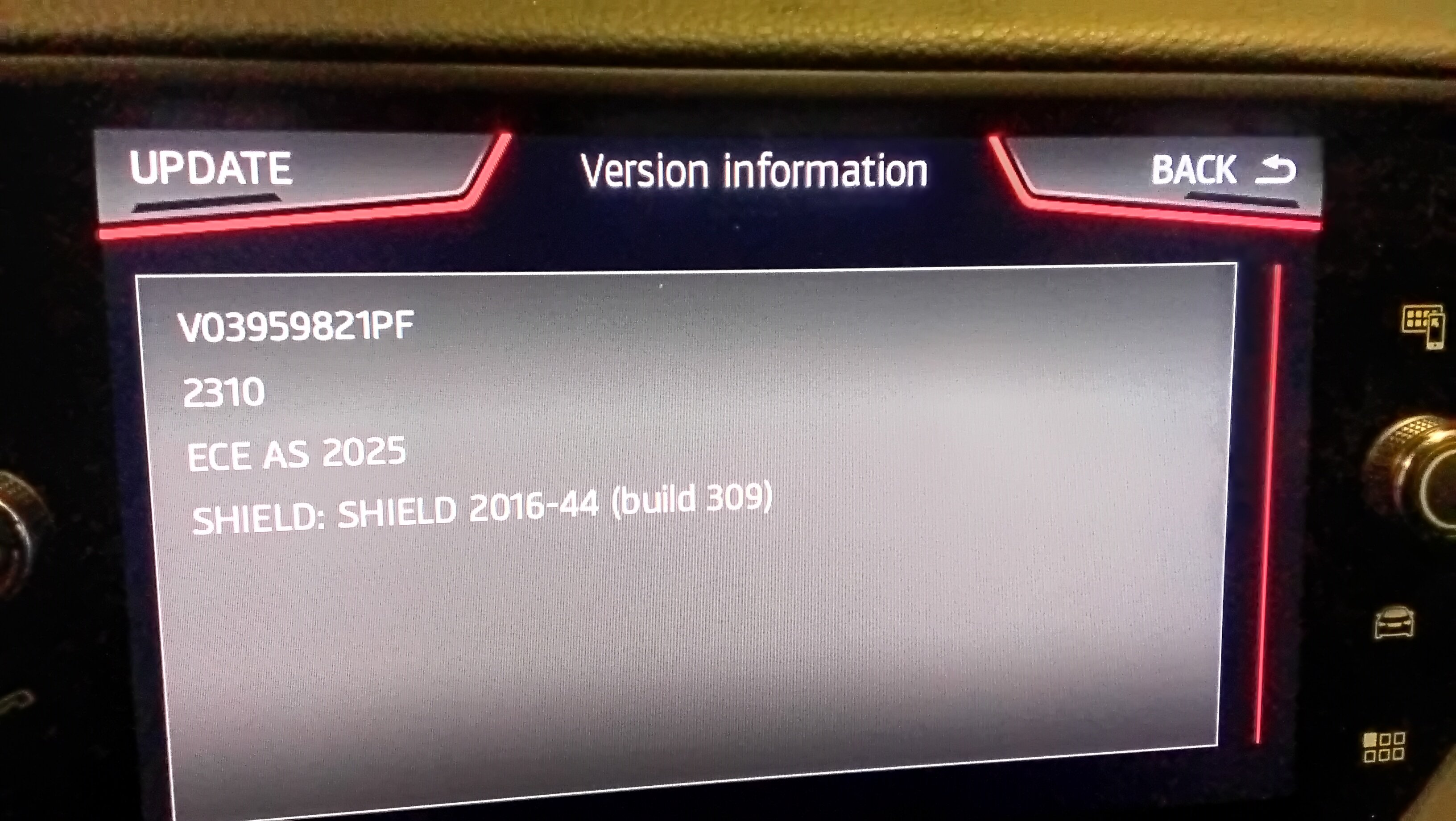
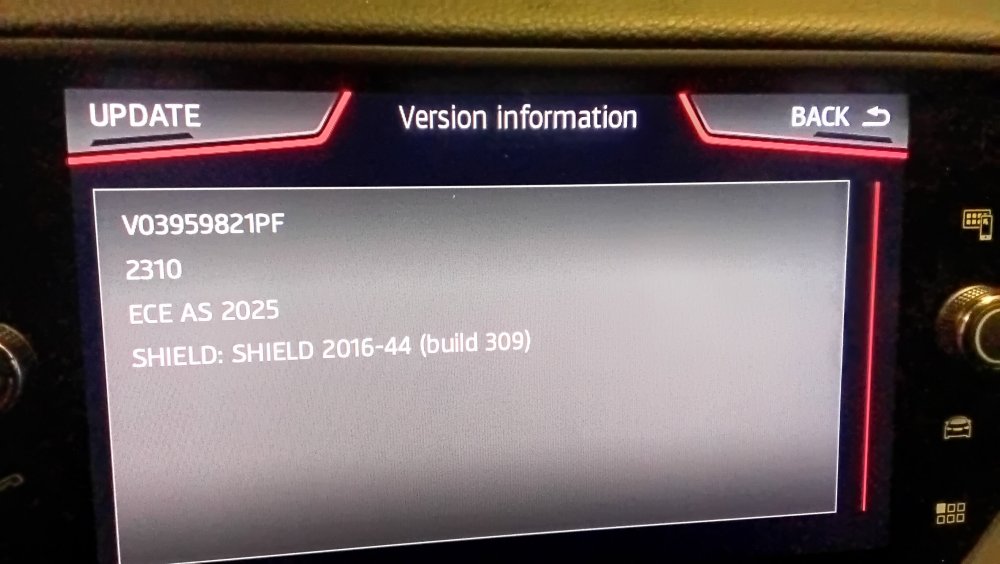
@MartiniB normal success screen on the all Europe map. Haven't checked the others yet. Not sure whether they might have messed the road top speed signs up (again). Seemed to be an indication from Cairus to that on a Seat post. Think he's reading another board which isn't the one linked to above. Something to look out for. I don't use these files myself.
- 55 replies
-
-
- 1
-
-
- amundsen
- discover media
- maps
- mib
-
Tagged with:
-
It was Cairus that gave me that before it got edited to those links so he was ahead of that post. The files are 10 days old... so quite recent. Zipping date. I might claim the edit to get the rest 😍 what I told Seat guy to do last night. I found it worked and went to bed.
- 55 replies
-
- amundsen
- discover media
- maps
- mib
-
Tagged with:
-
Oh yes I recognise one of the Seat posters there on the thanks line. It started off with all Europe. Thought I'd edit for EU1 and found it. Went to bed and the list was posted up at about 2:30am on the Seatcupra side. Youngsters...🤣
- 55 replies
-
- amundsen
- discover media
- maps
- mib
-
Tagged with:
-
Eager beavers have produced these links following the edit. @MartiniB let you QA and publish them proper. Will check out the all Europe and the Europe 1 map later. Europa 1. https://navigation-maps.volkswagen.com/vw-maps/DiscoverMedia2_EU1_2310_V20.7z Europa 2 https://navigation-maps.volkswagen.com/vw-maps/DiscoverMedia2_EU2_2310_V20.7z Europa 3 https://navigation-maps.volkswagen.com/vw-maps/DiscoverMedia2_EU3_2310_V20.7z Europa 4 https://navigation-maps.volkswagen.com/vw-maps/DiscoverMedia2_EU-DL1_2310_V20.7z Europa 5 https://navigation-maps.volkswagen.com/vw-maps/DiscoverMedia2_EU-DL2_2310_V20.7z Europa 6 https://navigation-maps.volkswagen.com/vw-maps/DiscoverMedia2_EU-DL3_2310_V20.7z Europa 7 https://navigation-maps.volkswagen.com/vw-maps/DiscoverMedia2_EU-DL4_2310_V20.7z
- 55 replies
-
-
- 1
-
-
- amundsen
- discover media
- maps
- mib
-
Tagged with:
-
You might find the other variants there. I found this by manufacturing the filename: https://vw-maps-cdn.lighthouselabs.eu/vw-maps/DiscoverMedia2_EU1_2310_V20.7z # ECE 1 Andorra, Belgium, Faroe Islands, France, Gibraltar, Iceland, Ireland, Ireland, Luxembourg, Monaco, Netherlands, Portugal, Spain, United Kingdom Haven't tested it yet. Suspect it's fine.
- 55 replies
-
- amundsen
- discover media
- maps
- mib
-
Tagged with:
-
@MartiniB eager beavers posted this up on the Seatcupra site haven't looked at it yet. https://navigation-maps.volkswagen.com/vw-maps/DiscoverMedia2_EU-AS_2310_V20.7z Will have a look tomorrow although we have a gale so might not get out the door.
- 55 replies
-
-
- 1
-
-
- amundsen
- discover media
- maps
- mib
-
Tagged with:
-
We don't dwell on the "outdated" bit. The Google map people think they have the latest maps but still on a production / validation cycle. So the material itself will go through a validation cycle if spotted as a road change / new build. That can vary by cartography company. Google can be very bad digitising private farm tracks. Loonies behind that. Google cars also go up them ignoring no though road signs. Saving grace round here is the camera gets knocked off the top of the vehicle on over hanging branches, so they stop and turn round, others they have got through and Google digitises a private farm track. My pet hate living here as hotel guests proceed up an unmade private farm track road between two made public roads. Have to jump to one side. Unlike Oz we don't drive on unmade roads in the UK... and not farm private tracks that cut between public roads... loony mappers and loony cartography companies put this stuff in. The speed of the road should get you on main roads but if farm tracks are put in at 60mph it fools the algorithm on route selection. How you get taken up silly cut through roads. The production cycle is then about six months which are those two dates. It can take 1-2 years to get new builds into digital maps. Proper cartography companies like Here Maps have them digitised in for complete new highways, then turn the changes on once they hear the road is build. The new estates can slip through un picked up. Traffic is monitored by probes from the mobile phone traffic. That one is how loonies manage to get non existent builders roads into digital maps. On housing estates the development company have one set of roads that are builders roads from the depo etc then once the estate is build the geography is changed. Careless mapping companies digitise the developers roads which never get taken out. Happens a lot. Roads go through people's front gardens or houses.... Builders roads should never be digitised in, only the finals roads. The road must be there since we have traffic, no the bulldozer driver phone in their back pocket. In the UK the gold plated standard is the Ordance Survey planning maps. Any development has to be on these Crown maps. The local authority planning / survey department use these as indeed private survey companies making applications for builds. The local authority allocate house numbers against them. Where the UK house number scheme is found and the post office, postcode / house number directory. Problem is they cost money for cartography companies to use and they are set in their international ways of one way of working fits all. Where GIS proxy solutions are used on house numbers in digital maps. They don't get them in the right place. Scatter them along roads equally spread. Another GIS solution used but not very good by some cartography companies. Early mib3 maps in the UK clearly had something wrong with them. They took you off road to house numbers. The company that translated the Here Maps cartography files didn't have a clue about GIS. You went off road to a house number. That has now been fixed. That issue was fixed two years back. So yes I wouldn't dwell too much on that six month cycle from file closure to distribution there is a long lead period before that. If the cartography company isn't doing their job well it's garbage in garbage out so any lead time is meaning less. So yes MartiniB is now using the YY.MM as the map designator that you'd read on these maps in the car so it falls into line. SQL can be used to inspect the files as above to check to find it. Before the kind soul told us how to do it we didn't know. I put a request out for somebody to say where it was in the file. They duly told me 👍 which means you can audit the materiel for how it will appear once installed. Useful when looking across what Vag sites are offering up.
-
YY.MM Those on connected services in Europe get the monthly updates over the air and quote that YY.MM if they have lost the update for whatever reason. Only recently we got told by a clever soul where the YY.MM was in those files since we had no way of placing the offline maps to the online ones. We know now. MartiniB in anycase loads those in his car. The issue was placing the maps provided in other Vag sites. Seat, VW which were old and which not. SQL Lite provides the answer but I'll take MartiniB's word. We know that Seat maps are hopelessly out of date offline... may have changed that now. Depends how good their library services are for filing away what they get given. Seat was very good once, better than VW. They had files that VW didn't in their filestore. South America. Skoda has lagged behind VW at times but seems on top of it now. MartiniB meticulous notes the stuff down. Those dates listed are a carrier over from his mib2 listings but he has now added the YY.MM which is the version release in traditional terms. Mib2 high is on 390 now, the 24.11 is the equivalent in mib3 (November 2024 release). You'd expect 25.05 to be the next release but we'll see. As for 390, it could be 410 but they have been known to leap much further forward at times.
-
Well they won't load in if the file is scrambled. Not sure of the mib3 behavior of how it re sees something it already has. You'd expect a delay whilst it read the files to check or maybe it shows nothing. Other than that you will be climbing into recent release cars to read their series release. You can do that on a Cupra Tavascan for me... think you should be seeing that before Europe. I reckon that has mib4. Think we might be seeing those releases that Audi have which you see on the Drive2 board that aren't the sequence of mib3s we recognise. Fun when a new mib is brought out. Throw this one out for MartiniB. I'm sticking with trusty mib2 high for the time being but a slick EV would be nice in 5 years time. Mib5 if Vag doesn't go bust by then. Might have to have a few years of no map updates to get to that point.
-
Tried the first one on MartiniBs list ?. MartiniB has his sniffing out program, evident he's not found the group of RoW November 2024 maps yet. Probably not loaded up into the Skoda filestore yet, which is why. Ozzie summer time drives at Xmas may have to be done with older maps till then. Few more days left in November for that or may be a late running release. On the positive side MartiniB said recently that these maps (Mib3) were only being release 12 monthly rather than the 6 monthly mib2 cycle to get you to buy the connect services contract for maps. The European November release popped out 🎉 which suggests they are keeping to the six monthly release. In some world markets the online connect services maps won't be released which is why one suspects you see the detailed release by country in the filestore of MartiniB's previous posts. It's just going to be late I guess. Somebody hasn't loaded them up yet or they haven't all been run off yet.
-
Well it was late last year about February as I recall.
- 55 replies
-
- amundsen
- discover media
- maps
- mib
-
Tagged with:
-
Ah perhaps you need the trusty infotainment reboot. Long hold on the on/off but till you see the splash screen reappear. The units stay powered up after locking the car for 20 minutes. Old Vag rules. Why your infotainment stops running if listening to it with the engine off, doors closed. Leaving it off over night replicates the reboot procedure. As I hinted the firmware in these units can be problematic. Well we are all running different firmware in our vehicles, brand by mib2 firmware release. So what you are seeing may be different. I also get strange ones if I use way points at times. Programming bugs.
-
Google swdl mib2 high... but as said you have to be careful to keep the power up to the unit else if you loose that you are sunk. Retrofitter leave the door open since that keeps power to the head... battery charger or engine running as well. You fake the infotainment unit to keep running during the swdl process... mind you I've never tested it to destruction on loosing power. You wouldn't want to, map upgrade you can start again from fresh but a firmware half done you are sunk... that's the open up and short pins to get it back. That's on the net.
-
Think the traditional update method only goes forward. You need the swdl menu which is unlocked by vcds / Obdeleven Pro as the "developers menu". A long press on the menu button will bring up a second menu with swdl on it once the developers menu is activated. That is the backend menu to load in firmware, maps, pois whatever in the upload form but goes backwards as well. Niffy finger work. Manual download is the button you hit then all or something like it... pretty close. The manual button is above all and start. I dance my fingers round these. I've had someone doing it on the firmware in the past... I just use it on maps but it's the same. You do need the firmware thou and you do it with the door open to keep power going to the unit. So that I reckon is your savour over and above the normal software update.
-
Hmm. Seat here with Seat firmware running on those maps. I can say I've had no issue or perhaps I have. I'd decided it was the limit of the destination store. Might not be your issue... I do have 200 or so destinations. Formally I typed using the "Find button bar"... if it's called that on yours. Say I have a lot of destinations in Milton Keynes. I start typing Milton... it's shows all those that start with this but the one I saved isn't there. However if I finger down the destination store it is there. It's only started to do that recently. I had assumed the programmers hadn't left enough slots in their link list tables. Those index tables anybody who has studied computer science knows about. Probably not called that. String linked indexes... big in the 1970s. Programmers that write mib2 aren't very good at declaring array sizes. That's the idea of these string look up way of storage, it hits a limit. You share fixed storage in the link lists but declaration is important. Them youngsters know nothing 😉. Often mib2 units go out of memory exhibiting strange behaviour or rebooting. Might add it's been 30 years since I've written code but the principles haven't changed so you can diagnose what's going on. Memory leakage is what they call it now when programs go wrong. Anyhow it could be that. You might be saving the destination fine, but not found on a "star" search which is what I'm talking about... it's indexing down for all Milton* but gets lost in the list, but is there if you run down scrolling the list... I'm now scrolling rather than those find "star" searches off giving it a few characters. They might have messed up the interface of the map code with the firmware ?.
-
-
-
7zip is the best extraction tool, Vag recommended. Because of the encryption signature any noise in the file or wrong placement in how it's presented and it won't be seen. It's like mib2 high map presentation you have to get it spot on. A lot of posts in the past people were incorrectly presenting the file or it was scrambled by Mac OS. CleanMyDrive if using a Mac. They place a character sequence in each line which blows the signature encryption. These are just stumbling block in file preparation which stop the upload being seen.
-
-
The latter would be similar to the old online destinations through their website. Probably too lazy for them to implement that. Saying that they pulled the plug on the mib2 support sites in 2020 when mib3 came out apart from navigation map import. Their record isn't good on support once the infotainment unit is changed. Not sure whether "mib4" uses the same files as mib3. I see there is also a range of different mib3 navigation files. Audi / Vw seem to have different ones. Not totally following that area. You see them on the Russian sites.
-
They didn't do a re-print. It's whatever newer pdfs say but they may not be right. The issue effects all Vag cars. In the UK missing logos tends to effect the commercial stations more than the BBC. So yes it's a pain for mib3. Phonostar seem to have the license to maintain the logos for Vag via that download. The download isn't available for Seat but is for VW and Skoda. Seat get them over the air, that file is an update but if isn't "uptodate" it's no good. Its all locked down on encryption signatures. Case of Vag over engineering it since that are frightened of hobbyist programmers that might write better code than them. Petty.
-
Looks fun... bit pricy. I'm happy to be off line as far as maps are concerned. The other one is to rip out the unit and put an Android based unit in but as said haven't heard good reports.
- 5 replies
-
- amundsen
- android auto
- apple carplay
- estate
-
Tagged with: