




Tell
Members
-
Joined
-
Last visited
Everything posted by Tell
-
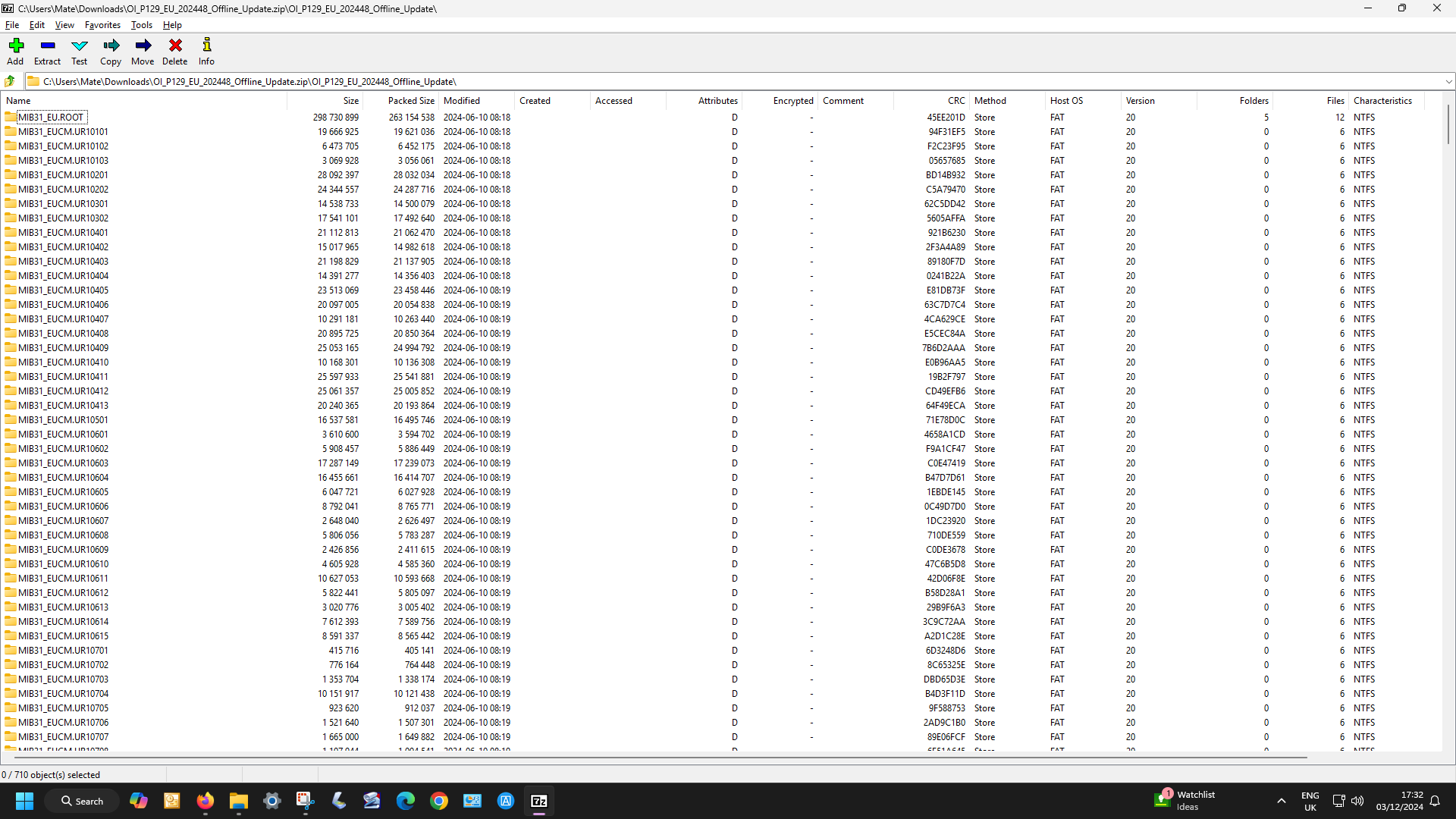
Think @MartiniB labelled it correctly in the mib2 series updates so there isn't a problem. You get freeze dates and production dates. The actual date you see on the screen and is in the files, we got told how to read them (I asked for a bright spark) tallies with the connected services date. 24.6 in this case. You can't better that offline currently. So it's all sorted now we have all the reference dates. The bright spark method allows those into this type of thing to read the VW and Seat files so we know what is what (YY.MM). The files are interchangeable but you only want to update with something newer, hence why we needed the bright spark. MartiniB can now table that as well with assurance. Bright spark bit>> Technical Note - Derivation of the YY.DD as shown on the Infotainment Screen I have now been told how to read that YY.DD date off the files after putting out my request for some time for a bright spark into these Mib3 files. It's been delivered. If you don't want to load up the file you can look up what year the and periods the files relate to. It's important with MIB3 files you don't alter the contents because you can't they are signed and they will refuse to load. So no tampering with the files like mib2 standard maps. Anyhow, this is how you do it thanks to C34 on the Briskoda site... only two posts popped up to tell me. You need to install DB Browser for SQLite. This has an extension in it to read the NDS Associate files, the normal SQL Lite brower that is popular won't. Install the MSI of DB Browser for SQLite in the link above. We now use C34's text... In this example on the file Update OI_P119_EU_202425_Offline_Update.zip contains data from 23.12 (YY.MM). You can check this for example in the MIB31_EU.ROOT/3D/PRODUCT.NDS file. This is a SQLite database, you can find this information in the updateRegionTable table. You open the table up and have a look. Does help if you have database experience .

-
People have their favourites but 7zip is the official one. Basically Skoda often messes up the zip process so whatever unzipping tool you use it won't unzip a zip file which is corrupted. Then there is the debates of whether you should zip directly to SD or USB or to HD/SSD. The problem with the former it depends how fast your bus is to the peripherals as many checks are made during this process. A straight write to the peripheral is faster than unzipping to it, but ofcource if you have fast hardware you might not notice the thrashing that's going on to the peripheral.
- 27 replies
-
- columbus
- discover pro
- mib
- mib2
-
Tagged with:
-
Under resourcing on the other VAG brands means a pecking order of quality. Audi, VW, Skoda and Seat. Not sure where Bentley fits into that. They use curious zipping programmes that don't get it right at times. For the user best to use 7zip VAG recommended staple although the built in tools of Windows 11 can now open these files. Where MartiniB publishes a range of files from the brands, you try the next one down if it doesn't open. These files are on the brands file servers. You can read that off. The 39* files are the November release. 37* the June release for mib2 high. For maps the release is interchangeable between brands on the relative infotainment version.
- 27 replies
-
- columbus
- discover pro
- mib
- mib2
-
Tagged with:
-
It's happened before on other releases. Use the VW links.
- 27 replies
-
- columbus
- discover pro
- mib
- mib2
-
Tagged with:
-
There was some ambiguity about whether you need the latest firmware, so in your case it works. As long as you retain the hard disk / SSD version of the mapcard, you can then branch out into getting the 2023 one working.
-
The fudge is the partnumber you edit into the new dbinfo.txt file using notepad is your old Audi line from the existing file. That replaces those two values above, PartNumber1 is the Audi part number on the old file. PartNumber1="V03959803RQ" PartNumber="V03959803RQ" With your code. Get any spare space right at the end... possibly. They have an 11 character field so it appears. Resurrected that from the lost file by searching WWW for the Skoda part number shown on the SD card without spaces. PartNumber3 is Skoda in the bank of codes. PartNumber4 is Seat for reference. Probably why people stopped doing this on Seat's back in 2016/17 they possible made a pigs ear of the edit and deleted their files 🫣. Having the latest / last release of the firmware may be helpful as well. Normal applies use Windows and if you do use a Mac use CleanMydrive on the SD card after. Don't just format the SD card that has been known to cause disasters in wrecking them, just identify the contents and delete. Report back.
-
I found it in my bedtime reading 📚 The first bank of codes https://www.seat-online.nl/index.php?threads/seat-leon-5f-cd-info-over-originele-sd-kaarten.30132/ It's v6 we are talking about: PartNumber1"8V0919866C " PartNumber2"5G0919866Q " PartNumber3"5E0051236G " Part Number4"5F0919866K " PartNumber"8V0919866C " Application SoftwareVersionNumber"0045" SystemName" ECE 2015 Then referring to this post @A190 where it was got working on a Skoda for a unit configured with ECE 2015 it's... (done the edit for you): So for A190s post it would read: All right. I just tested and it works. -First I deleted all files on the 8GB SD-card. -Then copied everything exept all of the "Russia" files onto the empty SD-card. -This was the situation I had this morning, when it failes to start the navigation. -Then I edited the DBInfo.txt and saved it on the card. -> DBInfo.txt delivered with P106_N60S3MIBS2_EU_NT (8V0060866S) PartNumber1="V03959803RQ" PartNumber="V03959803RQ" ApplicationSoftwareVersionNumber="0106" SystemName=" ECE 2023 " to -> DBInfo.txt edited by myself to fit my Skoda PartNumber1="8V0060866C " PartNumber2="5G0919866BD" PartNumber3="V03959807NT" PartNumber4="5F0060884CJ" PartNumber="8V0060866C " ApplicationSoftwareVersionNumber="0106" SystemName=" ECE 2023 " -Saved the new DBInfo.txt put it in the car This is the solution which works well for my Skoda with Amundsen MIB1 Firmware 0490 and VW Navigation AT card. ---- That's what I reckon it should be for ECE 2015 to 2023. At this point I say put it on a Vag mib2 card 16gb they share the same CID as mib1 that avoids editting out countries to get it to fit or go for broke. If that other link is really the 2023 card you could just buy that. At the time nobody was selling cards with 2023 Mib1 on them. The country edits are mentioned on the Seat link, all of this was lifted from a European board referred to on that link. You could do what @A190 delete Russia to get it to fit. Save £24. Mapcare was never sold by Seat in the UK so these work around were not new to some people although back in 2015/16 not all people were managing to get them right ending up out of pocket - Seat officially would have them in to adjust the coding and charge £200 for that. Skoda had free mapcare so never had to fiddle with headers to get the update to work. That Dutch Seat post isn't in the know about this but usefully published the 2015 header 👌. This is when mib1 map updates kicked back off again on Seat's in the UK after everybody had given up 7 or 8 years before. It had never been properly documented. 50% got it to work, 50% didn't. https://www.seatcupra.net/forums/threads/updating-the-inbuilt-mib2-satnav-mib2-tricks-and-mib1.388586/page-138#post-5050968 Links to other sites there. It appears you need up to date firmware plus the edits.
-
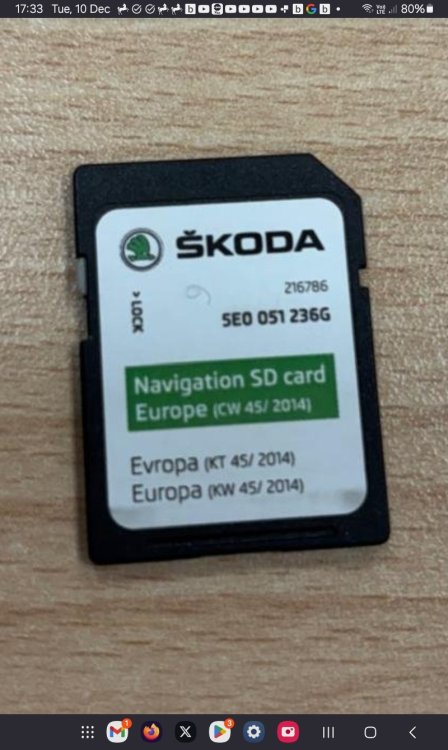
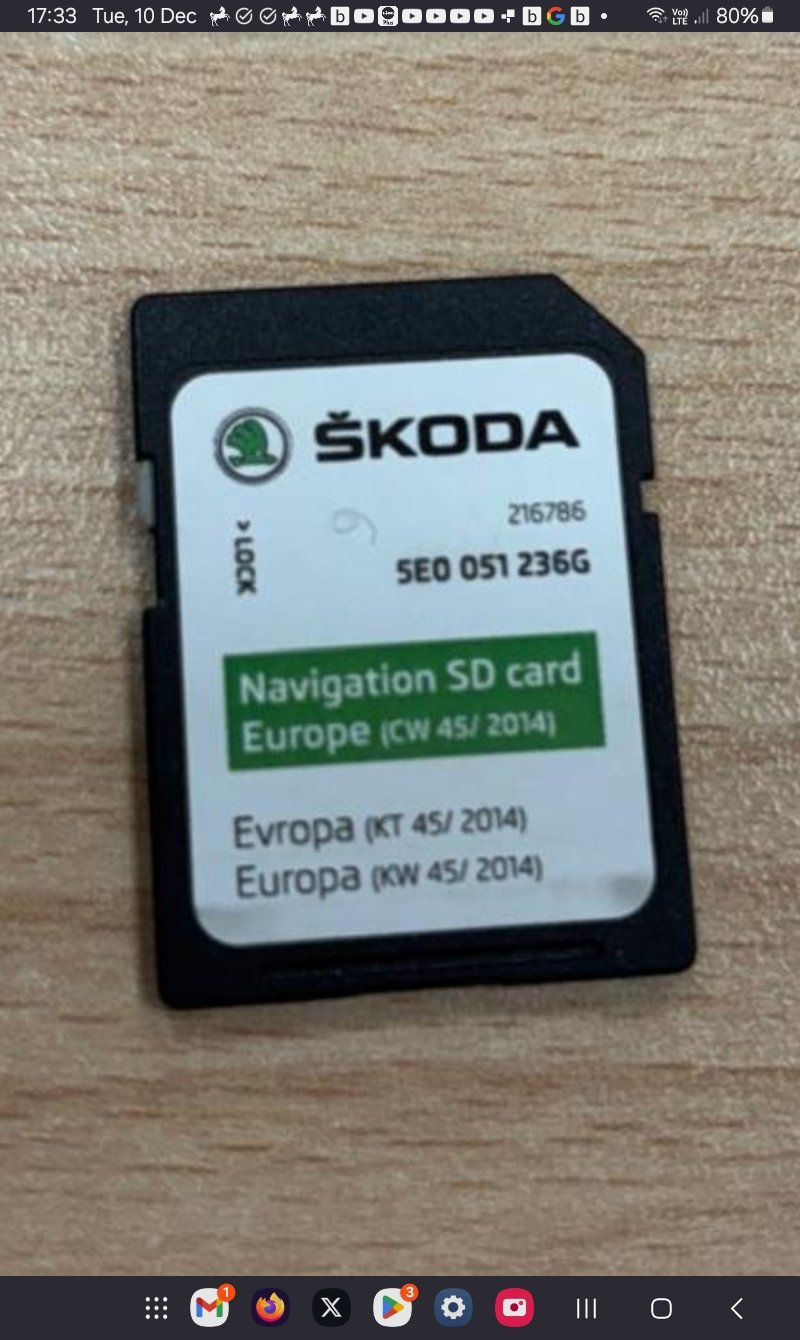
Suspect the Mibsolution.one link is this or related to if you can't find the original as described... haven't yet. Need someone to pull the card out and list out the file Example DbInfo.txt: PartNumber1="8V0919866B " PartNumber2="5G0919866F " PartNumber3="5E0051236C " PartNumber4="5F0919866F " PartNumber="8V0919866B " ApplicationSoftwareVersionNumber="0036" SystemName=" ECE 2014 " We are looking for one with the PartNumber3="5E0051236G " Failing that cough up and buy this which in principle should get you to 2023. https://satnavdiscs.co.uk/skoda-as-mib1-amundsen1-navigation-sd-card-map-update-latest-2024 You could alternatively try a feature of mapcare which allows previous release to be used so Daz3d's post would work. We know that PartNumber3="5E0051236G " Is after the Seat link above so that should work in principle. It's a feature of mib2 and I've recommended that for mib1 before. So you can revert backwards and then move forward. Got them to do it in stages on mib1. Similar incident of deleting their map file without a copy. This won't work if before 2014. You need another DbInfo.txt... the one that you have. https://www.seatcupra.net/forums/threads/updating-the-inbuilt-mib2-satnav-mib2-tricks-and-mib1.388586/page-144#post-5056706
-
The above post should read... oops... wondered how people do that 🤣 https://www.seatcupra.net/forums/threads/updating-the-inbuilt-mib2-satnav-mib2-tricks-and-mib1.388586/page-144#post-5056706 That is 236C... part number 3 which is the Skoda. Seem to recall that is V4. Probably V5 is the one we are looking for. Now it's version V5 someone has lost on the Seat board still looking. Need a call out on the Skoda board. You just need the details as shown in this post Partnumber 1 is the Audi partnumber and that is lifted and put in as shown in those two places. Just need the block of codes off the file for someone who has it for this card 😀
-
https://www.seatcupra.net/forums/threads/updating-the-inbuilt-mib2-satnav-mib2-tricks-and-mib1.388586/page-144#post-5056706 That is 236C... part number 3 which is the Skoda. Seem to recall that is V4. Probably V5 is the one we are looking for. Now it's version V5 someone has lost on the Seat board still looking. Need a call out on the Skoda board. You just need the details as shown in this post Partnumber 1 is the Audi partnumber and that is lifted and put in as shown in those two places. Just need the block of codes off the file for someone who has it.Might be long gone on down loads but I'm wondering whether that is the Seat one on the link. I'm hammering away on it. That part number list we want for each release then we are there.Hmm I don't know why people do this... one keeps saying don't delete it. If it's like a mib2 card, printed in small print on the card is the release. If you post that up / a picture you are better placed. Then ask someone for the details. Have fished out people with this issue where you just replace it with a copy of the one lost and start the process again.See above and you'll find another link via that Resource of Seat and Mib1 and Mib2 https://www.seatcupra.net/forums/resources/updating-the-inbuilt-mib2-satnav-mib2-tricks-and-mib1.60/ It's just a file in the map directory. Pretty standard. Main thing don't delete your map card without taking a copy. Best to invest in an eBay mib2 card and use that, than try to hack down to fit on your existing map card. Some do... best to splash the cash for added security. Long press on the on /off on to get a reboot when changing map cards else it remembers the old stuff Mibsolution.one web site also recommends using a file manager for the download.390 is here BTW the November 2024 release Waiting for the mods to pin this and unpin 370. This one.
- 27 replies
-
- columbus
- discover pro
- mib
- mib2
-
Tagged with:
I keep answering this one on Briskoda and SeatCupra. <=350 supports mib1 + mib2 in one release >350 supports only mib2. Mib1 release dropped The directories don't bear much resemblance to the names. Basically when mib2 high came out the mib2 high only stuff was put in the mib2 directory but it also uses what's in the mib1 directory for the overlap. Hence why the mib1 file has still got stuff in it. Audi always apparently released mib2 high like this. From 370 on Skoda and VW switched to this type of mib2 high only release. Mib1 high has bit the dust for now.- 27 replies
-
- columbus
- discover pro
- mib
- mib2
-
Tagged with:
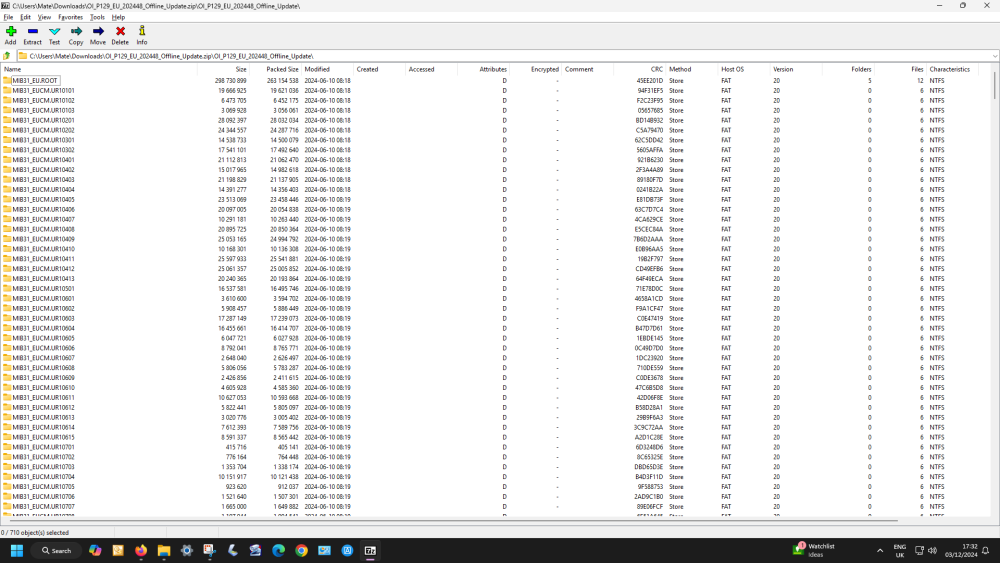
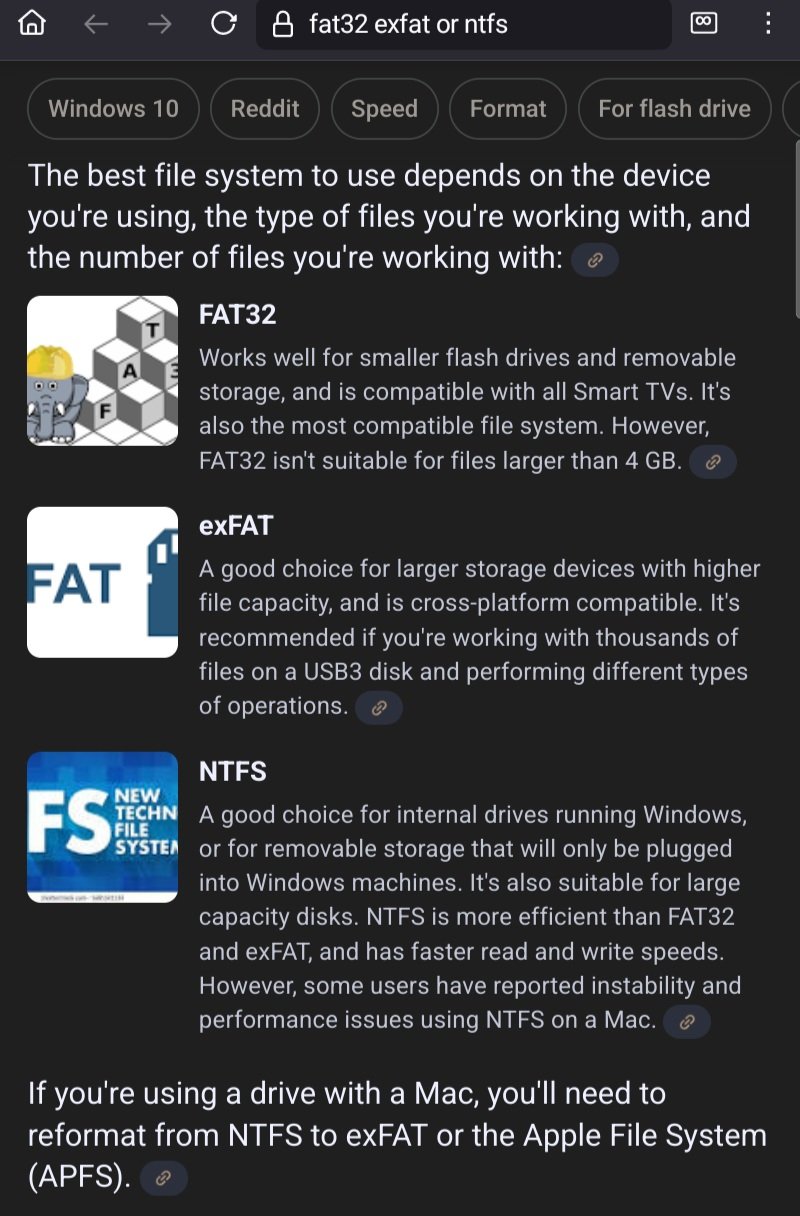
Those formatting programs date to before exfat and to using disk drives at the time on fat32 devices that only could see Fat32. Use to use disk drives with satellite TV boxes. You could put any disk drive onto your sat box (usb plug) but the inherent nature of fat32 is even if you fiddle with it, no file can be greater than 4gb within a much bigger drive. Hobbyist sat TV boxes. It still gets Firestick users that put storage on Firesticks since Amazon use Fat32. Upshot is you can't turn a Firestick into a useful media player if your video is greater than 4gb. 4k / HDR films tend to be way above this. Android TV on Nvidia and Chromecast 4k etc on the other hand support newer file formats. I stuff 1tb SSDs onto these in usb3 cases. Cunning of Amazon to limit Firesticks to fat32 although a cack handed way of doing with with ES Explorer is reported. Nvidia is my main home media player. Firestick for holidays and the Chromecast to play with. The development machine in old talk. The second mainframe sitting in the corner... Firesticks don't take useful disk packs. 🤣 https://en.m.wikipedia.org/wiki/Disk_pack Digress. Fat32 has had its day really for big storage, exFat replaced it. There were those fiddle programs that allowed its design bounds to be broken, but the 4gb individual file limit is still there. Solid state storage is now optimised for exFat over NTFS why it's the standard above NTFS. Why the big SDs and USBs come formatted in exFat. It's then a bit eccentric to format them to NTFS as some do if your hardware is fundamentally designed for exFat. You'd get away with the extended fat32 fudge programs on Vag mib3 on these drives because the source map fragment files are less than 4gb in size. They don't break the fat32 fundamental limit of how it indexes. The same way as SD TV series can play on the Firestick but no good for 4k where each episode is highly likely to be above 4gb 😉. The 4gb limit is in here https://en.m.wikipedia.org/wiki/File_Allocation_Table The achilles heel of Fat32. exFat took over.Think yours are the Antipodean smaller files. Probably your Fat32 is working well since it's in the 4gb area. There are mods about of formatters which push the limits up of fat32. Google friendly AI system says this which I wouldn't disagree with... exFat is designed for solid state memory. I did do some timing on an SD card when this came up about mib2 high maps bridging the 33gb limit. There is a burst mode on some USB drives which is how they get different speeds. At the end of the day it's whatever works for you although keeping to Vag guidance makes it easier to give one set of instructions of how to do it. I quite like the idea of the stick with the data flashing light on it. Mib2 high I use the engineering menu so see the components parts go over as the map is updated. Not sure of whether anybody has mastered the mib3 swdl. Probably. In the meantime flashing LED on the USB does show some data traffic.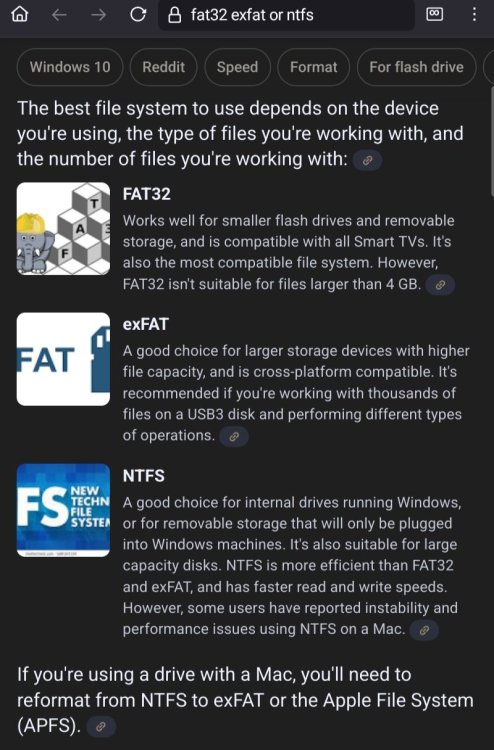 It is digital nothing is lost. If you do it directly you start thrashing the interface between the motherboard and the USB as it goes backwards and forwards unless UnRar uses a working directory then copies everything over once unzipped. 7zip doesn't. The built in Windows 10/11 are slow on unzipping which is why I stick to the Vag recommended process. I know Skoda drivers don't follow set rules like wanting to use NTFS when they shouldn't. 😉If you are using MartiniBs current top post that is 24.06, so on your last question is whether your current downloaded maps over the air I take it are after 24.06 as shown on your screen. MartiniB's files are direct from the file server so if you use the VIN approach via the respective VAG website you may be served up old maps. Always best to use MartiniB's direct link since these are identified before they get wrapped in a web page. VW, Skoda and Seat they all use the same file so you use the first one that's works doesn't matter which branding its on. Seat currently only shows 2022 maps which is ridiculous. So yes you will have the latest downloadable files. I would have thought your contract ending in February would give you earlier files but you can read that off the menu. That then falls into presentation. 7zip is recommended, other unzipping programmes can add extra characters. Having downloaded the file as a zip. You make another directory where you are going to unzip it too. Open that up with the filemanager, blank one. Then go back to the download directory. Hangover the zipped file, right click, 7zip open. Highlight all elements than drag and drop to the empty directory. That is then a replica of what is going on your USB. After unzipping it, then drag and drop all of that onto the USB. Those multiple open screens can be done on Windows 10/11 by picking off the top right in the filemanagers. Use 7zio since some early versions of Windows 10 can add those random characters. Then put it in the car and follow those menu options to kick it off. Your download folder will have this in it Then all of this stuff is got to be in the root of your USB.... not one down if you see what I mean. I ball the PDFs. This is what happens people get it in the wrong level. You might be fine using the built in Filemanager opening up of the zip file but it's got to be as below in your root. You don't want to see OI_ blah, blah on the USB what's below is in the route. USB needs to be blank before the copy. As per the SKODA PDF https://www.seatcupra.net/forums/attachments/skoda-map-updates-mib3-pdf.36225/ But I open it up and copy out to a save area, then copy it out to the USB but as per the documentation that is what goes in the route and it's exFAT, there are NTFS lovies about but they really shouldn't be using NTFS on SD and USBs !. It's slower. On this bit: That's the incremental update with roll back restarts if it does roll back. Should take the 40 minutes on the EU maps.
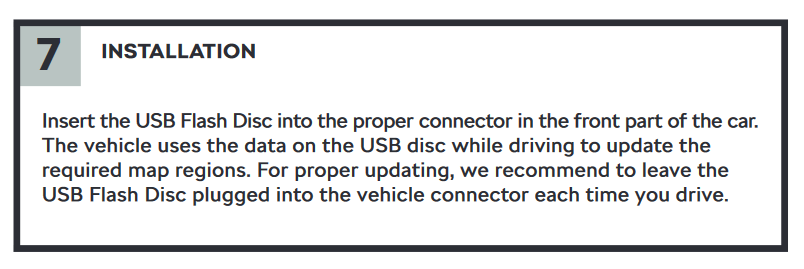 exFat should be fine. That's the default format for large semi conductor memory. If it's a reversible stick with a connection at both end that is the preferred Briskoda advice you read on here if your PC / Laptop only has USB A. If it's got USB C then a USB C only stick is fine. It's the USB A / C adaptors that don't support data that are an issue. That's reported elsewhere. There are some USB sticks that have a flashy light on them where users like them since they see that it's doing something. That got the thumbs up from SeatCupra website of recent. That just brings us onto presentation. Mib3 is like mib2 high, an encryption signature is used to ensure the integrity of the upload. You can't poke about inside the files and resave them, quit is fine. You have to be careful that any inspection of the files is kept separate from what you are going to put into the car. Getting the files presented at the correct level is also important. That's in the documentation for the map uploads and radio logos. You mentioned Windows so that would be fine as far as Macs are concerned where CleanMyDrive needs to be used to take away Mac garbage that Macs leave on the USB drive. That's the encryption signature check that the files fail on if CleanMyDrive isn't used. The map upload can take a time and will only take place in the window that the unit is powered up. Restart points are used if the unit powers down. Why map updates can take several days dependent on how you use the car. The speed of the USB will also have a bearing on this obviously. So as to not re invent the circle I've used the best Briskoda / Seat Cupra advice on this thread. The first post has the PDFs for each of the VAG brands, which are all the same technique. Down the bottom of that post, you can see the level of success. It's a fair level of success. I suspect it's like mib2 high, presentation issues kick in and people have issues. You see that across the Vag brand on mib2 highs (that SLA encryption signature and presentation), once sorted out, no issue. https://www.seatcupra.net/forums/threads/updating-the-inbuilt-mib3-satnav-offline.472408/ As far as radio logos are concerned no luck with Seat it's not supported. Only VW and Skoda. Seat haven't argued the toss on that one well enough with the Vag contractors. Skoda owners are more fortunate.You could try opening it in SQLite and if it looked like the other one. Failing that you'd have to deploy your SQL skills in a query 😏. Been a while. Presume bash tool isn't fussy about signatures and checksums else you'd be working those out. As far as mib2 high is concerned I just download the missing graphic to in fill a station which you can do... think you can do the same. The bash update must overwrite the built in ones of the mib2 high incanarnation on Audi. Mib3 as we know are stuffed on this except using these files which don't work on Seat... the poor relative of the Vag family. Under resourced.

Important Information
Welcome to BRISKODA. Please note the following important links Terms of Use. We have a comprehensive Privacy Policy. We have placed cookies on your device to help make this website better. You can adjust your cookie settings, otherwise we'll assume you're okay to continue.