.jpeg.2be1ff23db65b1928106364ab86f4b3c.jpeg)
Binx1310
FREEDOMLite
-
Joined
-
Last visited
Everything posted by Binx1310
-
Doh. Sorry yes. Read it now. Thanks
-
Yes. It’s an app for your phone. You need a Bluetooth obd reader for around £20 https://www.amazon.co.uk/dp/B06XGB4873 and I paid £8 for the pro version of the app. It can do coding. So far there’s nothing I have wanted to do that the app can’t do. https://www.carscanner.info/coding-mqb/
-
Vw Audi workshop on Woodbridge road. They’re brilliant but booked up months in advance.
-
Thanks! Taking it to the VAG specialist to give it a good once over and hopefully catch up on the bits that have been missed in the past. Plan is to do all the servicing and work myself from then on.
-
Ah that’s useful to know. Thanks. Thanks. I was looking at Ali mirror caps which were they a straight fit or did you have to modify to fit the mirrors at all ?
-
Removed the rest of the locking wheel bolts and replaced with standard. Managed to source the key from Amazon by matching the shape of the bold head with the pictures. Shows how pointless they really are for OEM locking bolts with OEM wheels! Also ordered an actuator to try to repair the AC diverter issue.
-
It’s still a lot for a nice to have feature. Did you have to calibrate once it was installed?
-
Cost. £30 for AliE, £450-1000 for oem
-
Thanks. I will be connecting to a cheap AliExpress kit. Will probably just install the standard lights for proof of concept but keen to make it look OEM and have the big lights in the mirror caps which are more cost effective than changing the mirror glass.
-
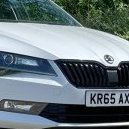
Do facelift mirror caps fit on a non-facelift car? I’m wanting to add the large blind spot lights to my mirrors and then connect them in to an aftermarket BSM kit. If the mirror caps fit then it’s a straight swap. If they don’t then I would have to get the lights and cut them in to the housings.
-
There will be a cable tie that holds the bundle of cables to the dash rail. If you very carefully snip it you will have better access. On my superb you can just get to it above the fuse box but I’m not sure on kodiaq if it’s the same.
-
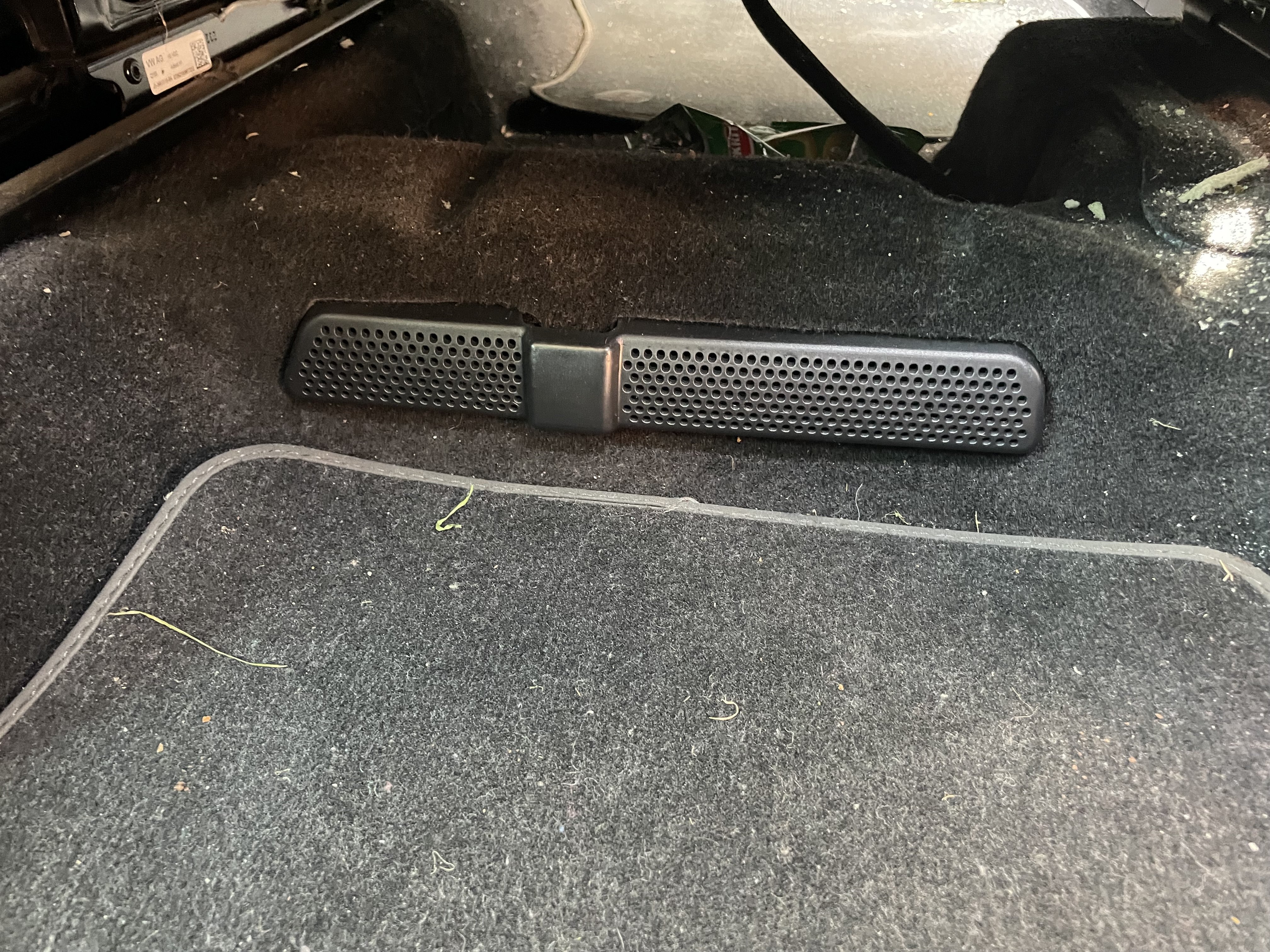
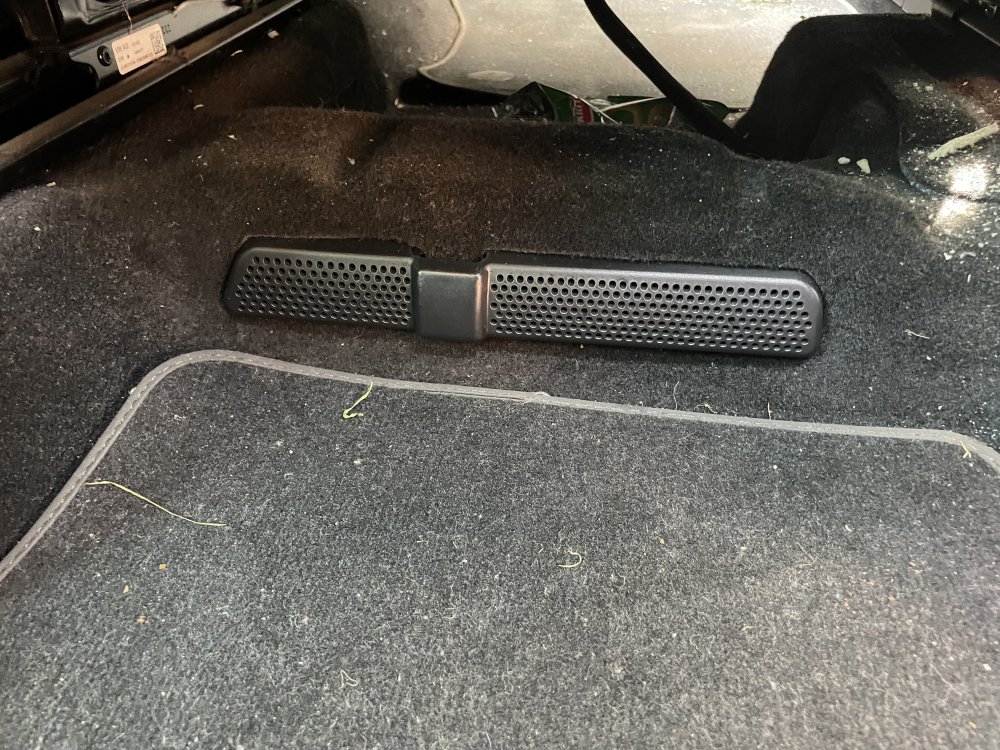
Fitted floor ac vent covers to try to prevent kids mess and items being lost into the ac ducts. Perfect fit and they are held in by a tight fit between the vent and the carpet. Not bad for £2 from Ali! https://a.aliexpress.com/_EvW5nTA
-
Do you have any cheap usb chargers plugged in? My DAB stopped working and it was cheap 12v usb adaptors. Unplugged them and DAB magically started working again. I have a similar reversing camera in my superb without issue. The black plug is the DAB. Have you definitely plugged it all back in correctly. I have had issue with the wires being very tight behind headunit with the extra plugs from the camera too. Could be putting pressure on some wires.
-
-
Collected her from the garage today. New shock, spring and top mount. One locking wheel bolt replaced for standard. And I’m now £600 lighter. Got three more standard bolts and ordered a new locking bolt key based on eyeballing the bolt and hopefully picking a match! I shall remove the other lockers and throw them in the bin! Full service including DSG next week so that will be pleasant on the wallet!
-
Hi. Yours will not be facelift model. That’s from 2019 onwards. With regards to dataset I only know how to see this in carscanner I don’t use vcds
-
-
-
Ah didn’t know that. Is that in the long coding?
-
Hi. Not sure of anyone offering it as a service but you can do it yourself with coding so long as it’s not a facelift version. Have a read through some of the recent posts on this thread. There’s som instruction. But equally it’s possible to mess up the coding and the buttons not work properly. Can be a bit hit and miss. What age is your car?
-
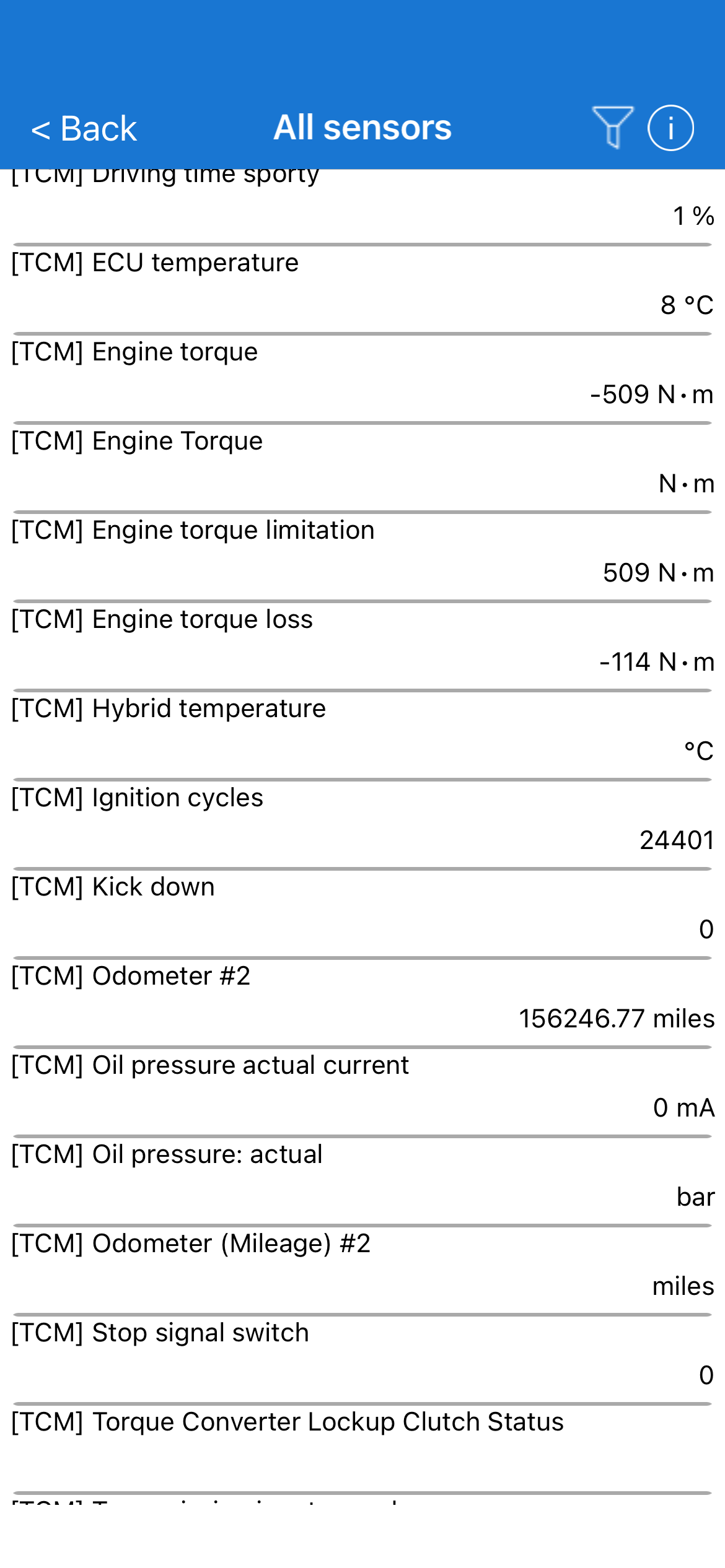
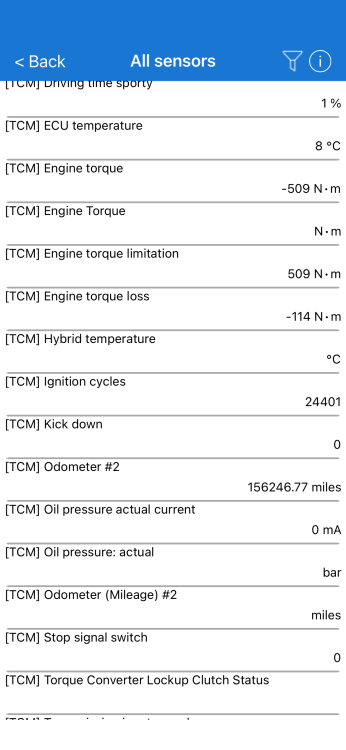
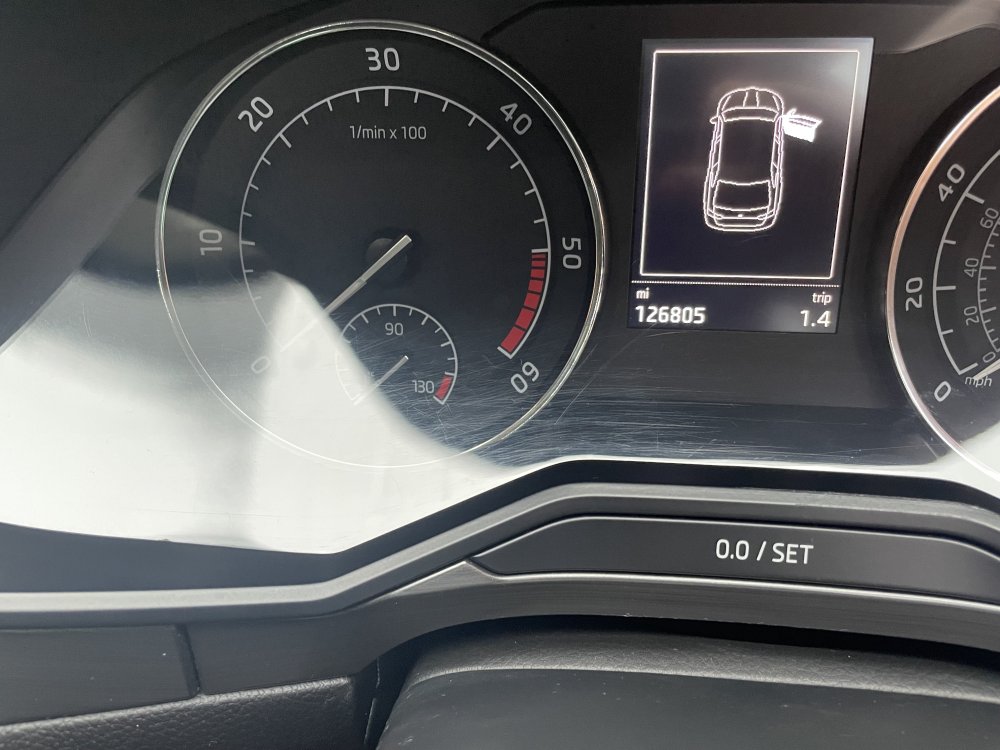
I checked all that before I bought and looks ok. Service history mileages seem to match up to mot history. There’s a couple of years where it only did 2000 miles or so but from what I can make out it was sat on a forecourt waiting to be sold. I just find it curious the dsg and ecu have different ignition cycles and odometer readings. Unless it indicates something on the dsg has been changed at some point
-
Excellent. Can you tell me the part number? Was it ok to get to/install?
-
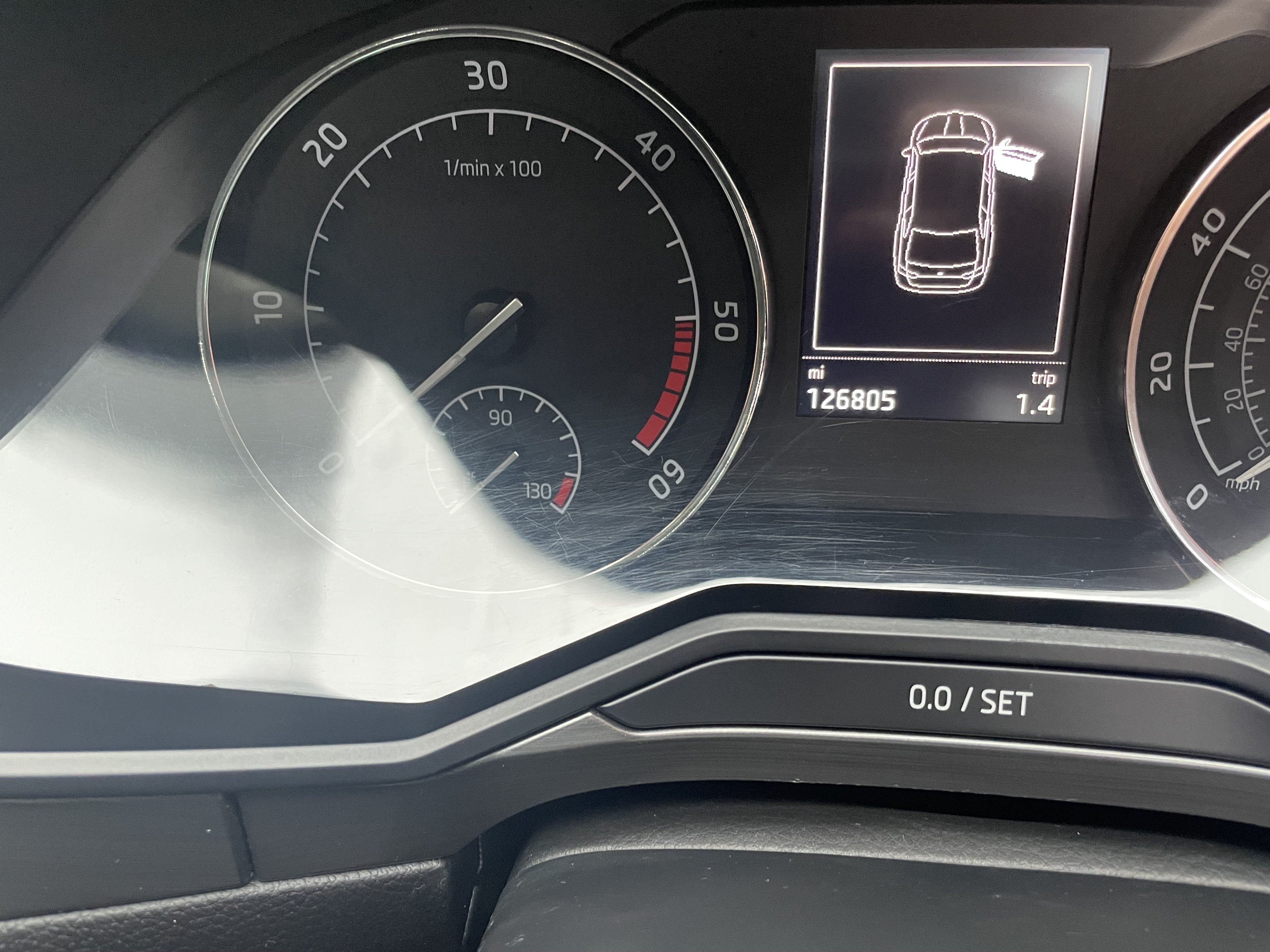
I don’t. But according to carscanner app the dsg odometer is showing about 30,000 more miles than dash which matches all other components with odometer readings. At the end of the day the car is mine now. Out of warranty and I suspect there’s no comeback on the independent trader that sold it to me really. It is what it is. I’m going to keep it until it dies is the plan so service it well and keep things fixed as they crop up.
-
Yes they said the ones I got were "tapered" but they needed to be "coned". I said while its on the ramp they might as well change the rear brakes that I was going to do this weekend myself too. They want to do a road test to confirm my diagnosis that thats whats reqired. Will see what they say and what the final bill is.
-
What a roller coaster. Locking wheel bolts have been removed. But the replacement supposedly OEM second hand standard bolts I got from eBay are not correct. So new being sourced. £10 to lost to idiot tax. Just had a call to say that now they have the strut out the shock has some evidence of leaks and did I want it changed. Well while they’ve got it out I might as well. And all this with a full service next week. It’s going to be an expensive month. Curiously, new sachs shocks and strut tops were supposedly fitted 20,000 miles ago. Is it likely they would fail that quickly? Or am I now back to the original theory that the car has been clocked and is actually 30,000 miles more than the dash says due to the odometer on the DSG being more. In which case the suspension may have 50,000 miles on it which feels more realistic as to the wear and tear on it.