Giannis20
Members
-
Joined
-
Last visited
Everything posted by Giannis20
-
Hi, i used a black silicone. You just need to make sure that no moisture can get inside. So I think silicone can do this job very well.
-
Yes you are right. It is common on those dynamic turn lights. I have installed a similar one in my other car, a VW Polo, and it is also almost invisible there.
-
Hi, thanks. There is no hard step on the installation. Here some photos from the procedure, i t might help someone. Mirror removal: 2 screws Clips for the upper part. Front frame removal l
-
New turn lights, working fine, no error messages on dashboard. The light intensity is better than the OEM lights.
-
Well, i did the installation. One hour for both sides.
-
I recieved them I tested them, working fine.
-
Hello, I am expecting these dynamic turn lights today. The installation procedure is almost the same as the previous Octavia model. Please watch the video below Install Dynamic LED Lights for mirror - Octavia 3 - YouTube
-
check this out.
-
Yes my friend.
-
-
-
-
The retrofit is stuck in the process of registering the new radars through the online connection. So far, no solution has been found. The car's BCM does not accept them, because they are not registered in the car's VIN. It seems that the end of the retrofit is near, at least for the MQBEvo platforms. Any help would be appreciated.
-
Did you try them with 12V to see how they work?
-
I couldn't help myself. I just ordered them. I hope they are of good quality and fit properly.
-
It's the same procedure as Octavia MK3 This is the steps
-
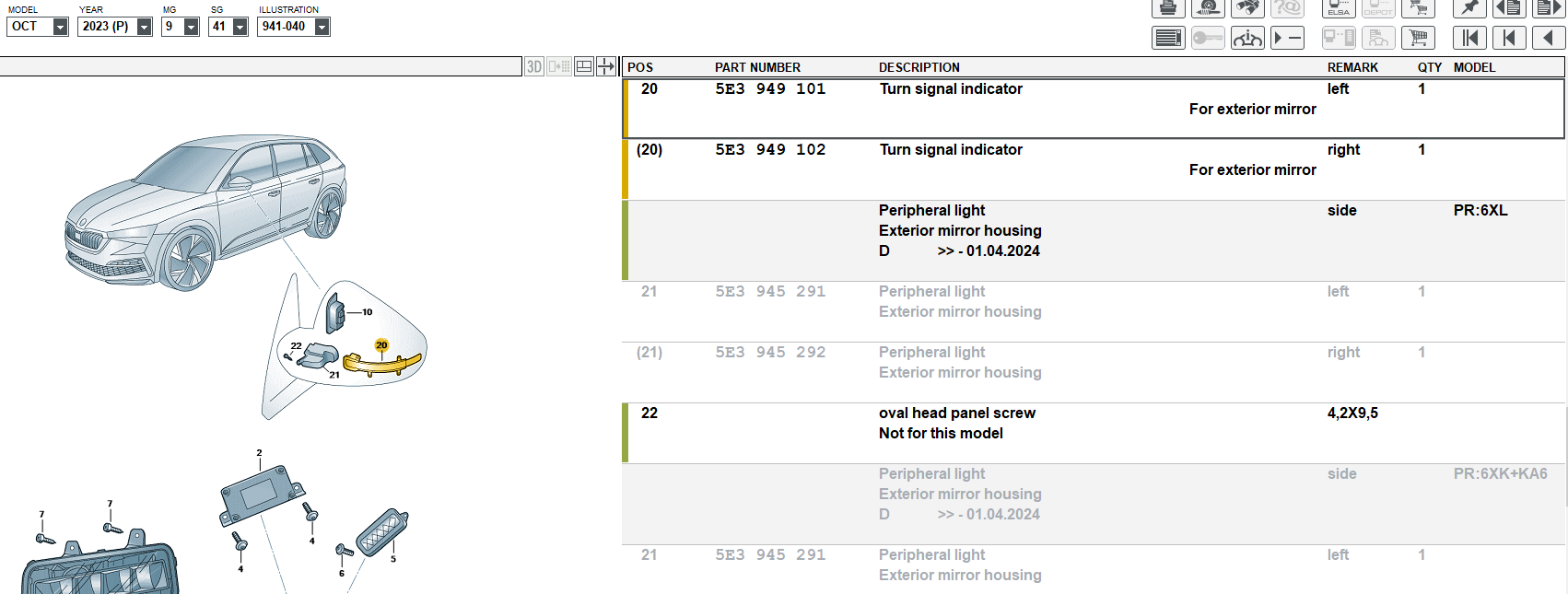
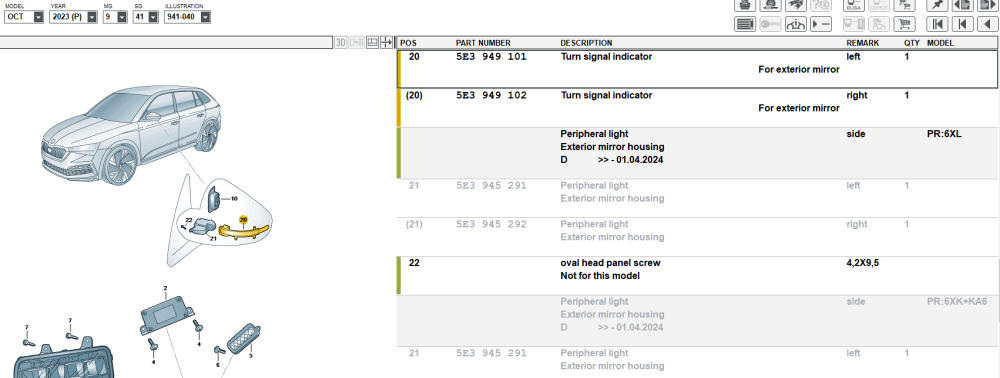
OK, there is a start. I found the same on Alixpress at a lower price. It's smoked black, I prefer the clear glass option, but it's not available. https://www.aliexpress.com/item/1005008665725468.html?spm=a2g0o.detail.pcDetailBottomMoreOtherSeller.14.66adDj6lDj6l2x&gps-id=pcDetailBottomMoreOtherSeller&scm=1007.40050.354490.0&scm_id=1007.40050.354490.0&scm-url=1007.40050.354490.0&pvid=6a714554-1e20-44ee-bbed-76842b7649bc&_t=gps-id:pcDetailBottomMoreOtherSeller,scm-url:1007.40050.354490.0,pvid:6a714554-1e20-44ee-bbed-76842b7649bc,tpp_buckets:668%232846%238111%231996&pdp_ext_f=%7B%22order%22%3A%228%22%2C%22eval%22%3A%221%22%2C%22sceneId%22%3A%2230050%22%7D&pdp_npi=4%40dis%21EUR%2168.83%2120.65%21%21%2174.40%2122.32%21%40210385a817439185960088775e6f45%2112000046152823432%21rec%21GR%21109817215%21X&utparam-url=scene%3ApcDetailBottomMoreOtherSeller%7Cquery_from%3A I checked the part number from ETKA and it is the same as the seller (for my car MY2023). It is the 5E3949101 and 5E3949102
-
the schematic I read that someone use the rear camera wiring to connect the BSD radars with power and Canbus net. this is the schematic of the rear camera wiring. The place of the rear camera wiring is very convenient, is at the right side of the trunk, and has an easy access. it is behind the luggage compartment side trim. I decided to use the same idea. I also decided to use a 4pin connector for my convenience. This is the result. I root the wires thought the rubber gromets at both sides of the car. And inside the trunk. Connected my 4pin connector. Done!!! The only thing left is to root the wires (green and yellow) to the front doors for the notification indicator.
-
-
Yes, that's right.
-
Hi, for ambient light you need to use the Pin3 from the original connector, it's the Blue/Gray cable.
-
Hello, we are tried different methods. One of those was the replace module. So you advice is to remove the Component Protection with the online ODIS connection. Than configure manually the module (offline) and with another tool. Thank you so much. Can i ask you another question ? Those radars, according to ETKA, are 1st-order equipment on this particular car. However, radars with INDEX D and G also appear, would the process be easier with such codes (which I think do not have the SFD 2 lock? I could buy used ones like that if it is certain that the job can be done.
-
Thank you for replying. The expert has official accounts and tools, that's for sure. Those radars are brand new. I have screenshots. This is what ODIS saw: And that's the mistake. It's in Greek, I'm translating it into English. The following error occurred ERP0617E Software configuration (encoding, adjustment/calibration, parameterization) could not be calculated. Check if a car-compatible control unit or spare part is fitted. If fault continues to occur contact the Support department for support.
-
hello, i am trying to retrofit BSD to my 2023 Octavia. I bought brand new radars with INDEX H (2Q0907685H) I can't remove the CP (component Protection) and to set those to my car. Rumor has it that from 2025 things will be more difficult for retrofits even with new materials. Personally I was not able to do it, even though I connected Online to the SKODA servers. What is your opinion? Thank you
-
I have the same car. The update works, but without any great effect. I can understand your disappointment. I found a lot of station logos (stations from my country), but I can't use them, because there is no known way (so far) to pass them to infotainment