varooom
Resident Member
-
Joined
-
Last visited
Everything posted by varooom
-
I meant poor, as in the poor thing must be in pain. 😁 Yes, of course it's a Pawl
-
The list of PR Codes will tell you what it left the factory/dealer with. Sometimes a dealer will print this out, but not always.
-
Welcome, looks nice. 2 minutes before you upgrade something 😄
-
Because you car is resting on the poor pin? Pull up handbrake before you release brakes, put in park. Then test if you can go from P to R easily.
-
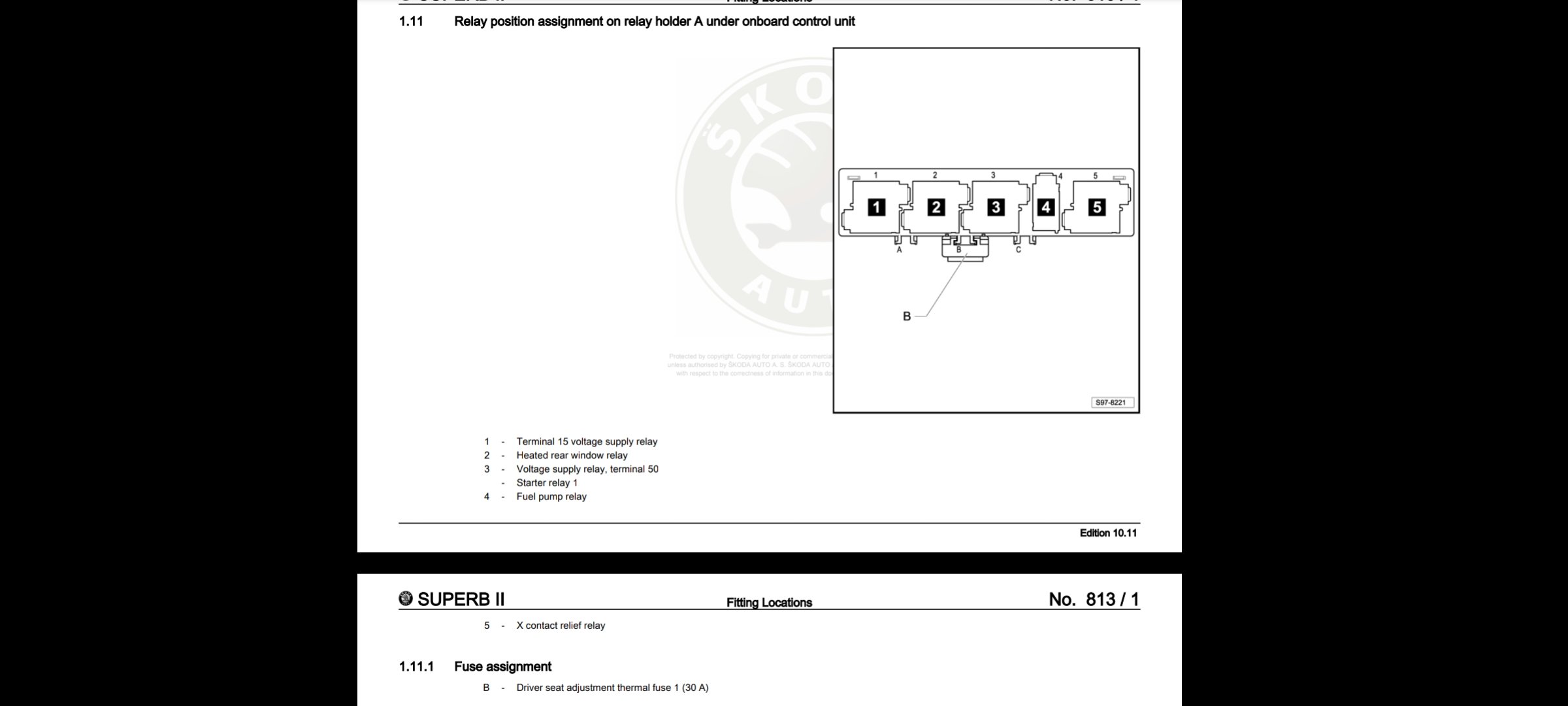
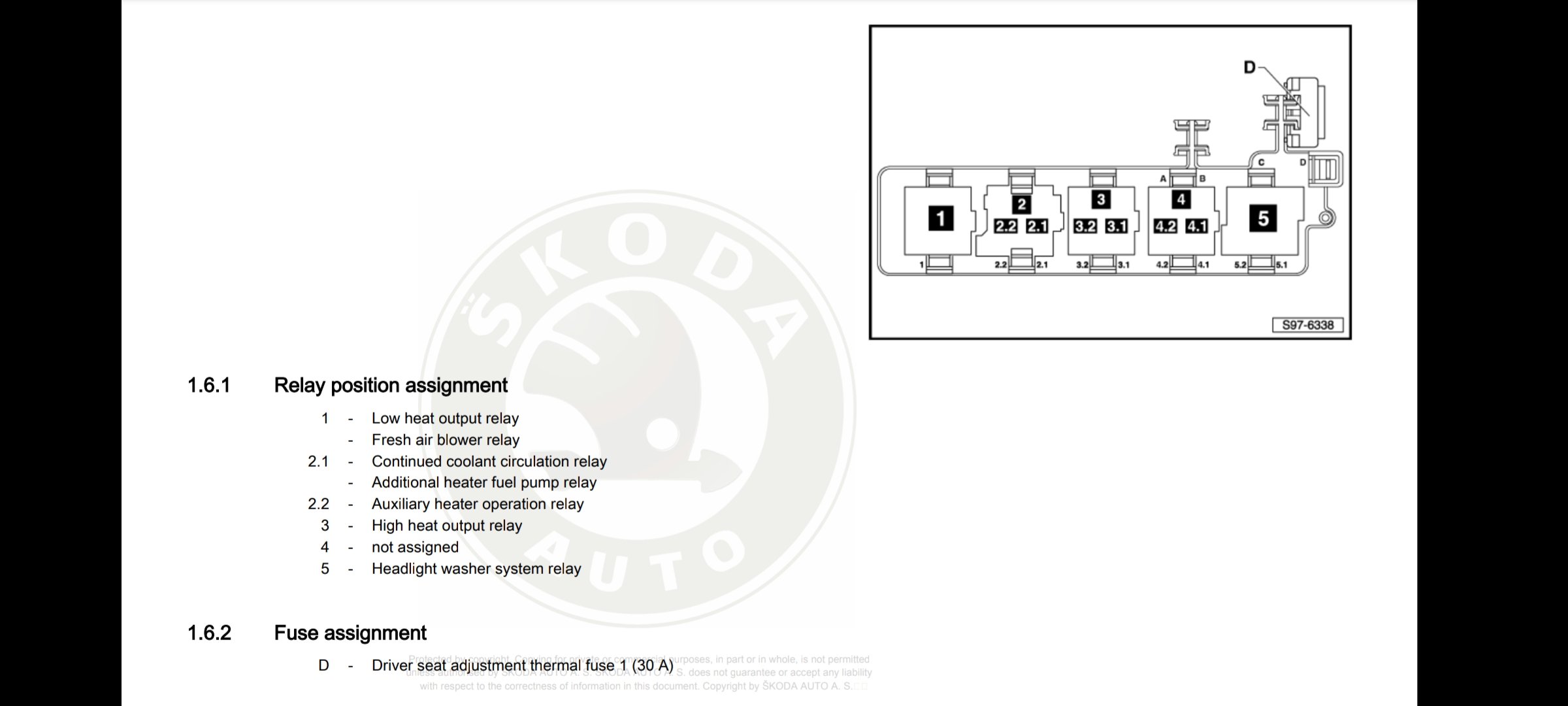
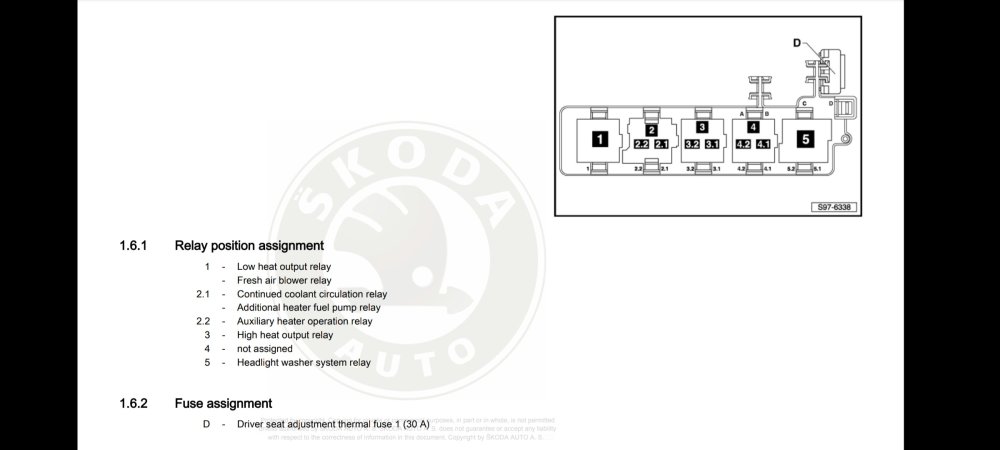
This is another location to check, above and below the Onboard control unit. On RHD, it should behind the little storage compartment near your right knee, removal should allow you to see relays and the onboard control unit. Looking for relays, with a fuse shown here or in above image
-
Thermal fuse, 30A in 'D' position. Hopefully it's sat there.
-
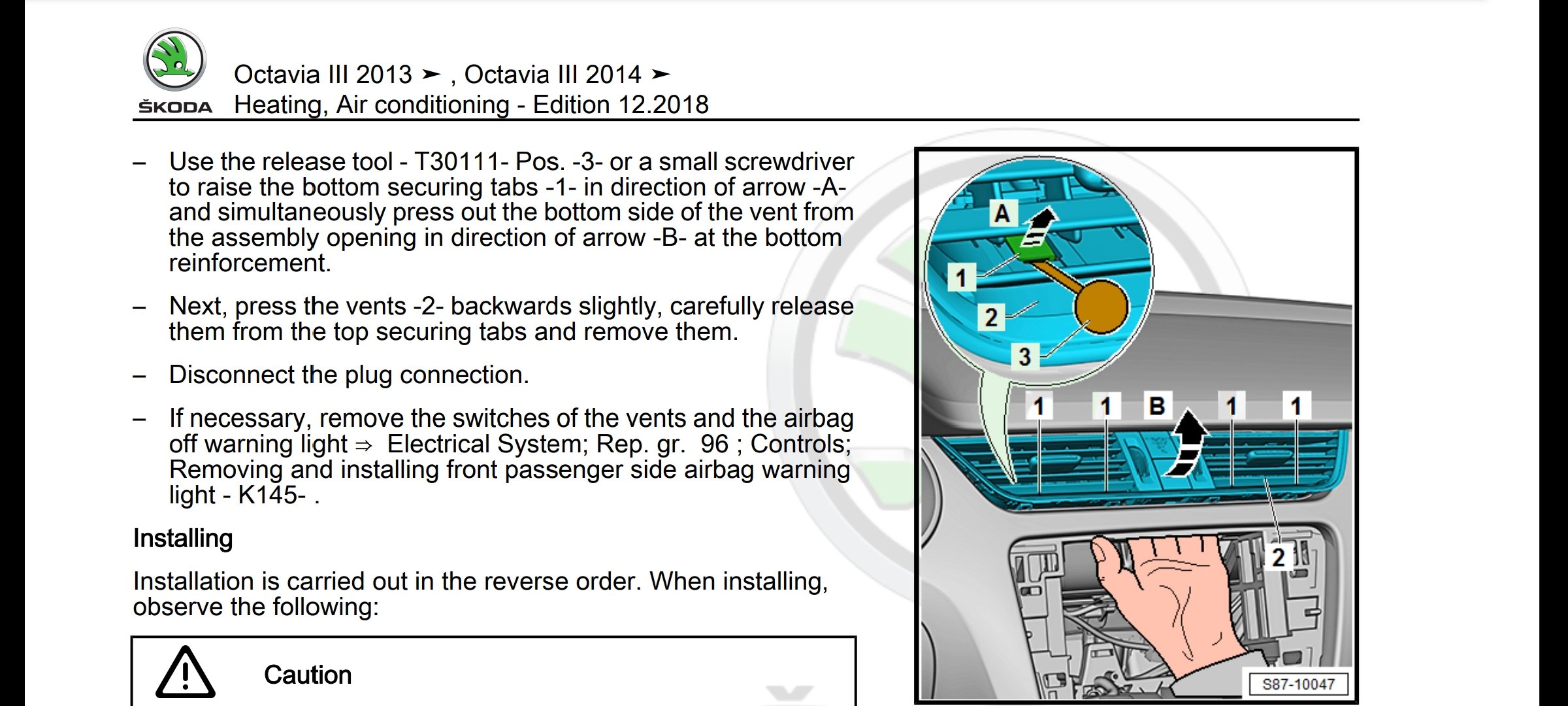
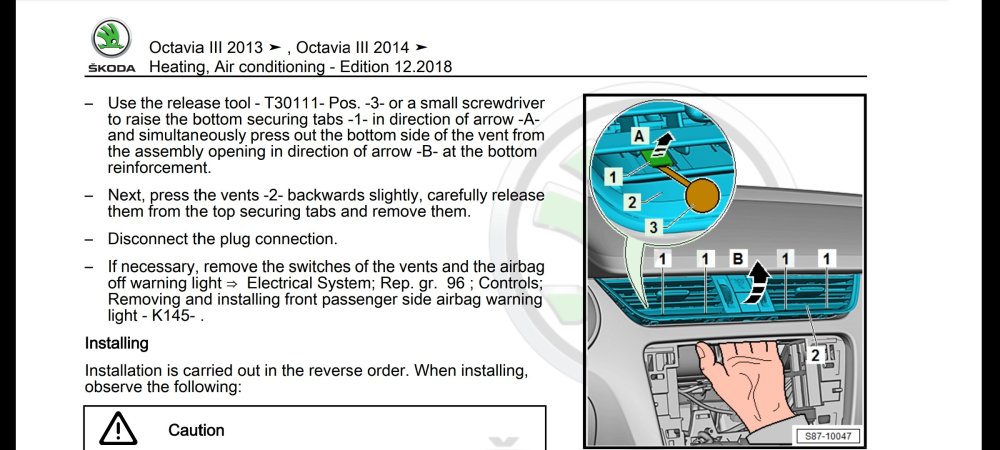
Side of your dash, that triangle shaped piece of plastic trim needs removing. Could also be a thermal fuse in E box
-
Octavia III Diagram
-
Yeah getting a PC for this task might be your fastest bet.
-
Free most days/nights
-
https://www.briskoda.net/forums/topic/504028-amundsen-mib2-map-updates-2023/?do=findComment&comment=5677857 If it is a MAC, then this post by @Tell tells you how to format card and clean up all the added crap.
-
Is that a MAC? Because they are well known for 'adding' files to external drives, borking the maps!
-
Are you sure it's actually a firmware? Got a picture of the files on the SD Card? What about the original filename of what you downloaded. Odds are you downloaded a map update.
-
I can bulbs on both sides myself. Though won't mean a thing if he cannot get the car coded, or feed power to the 2nd fog light.
-
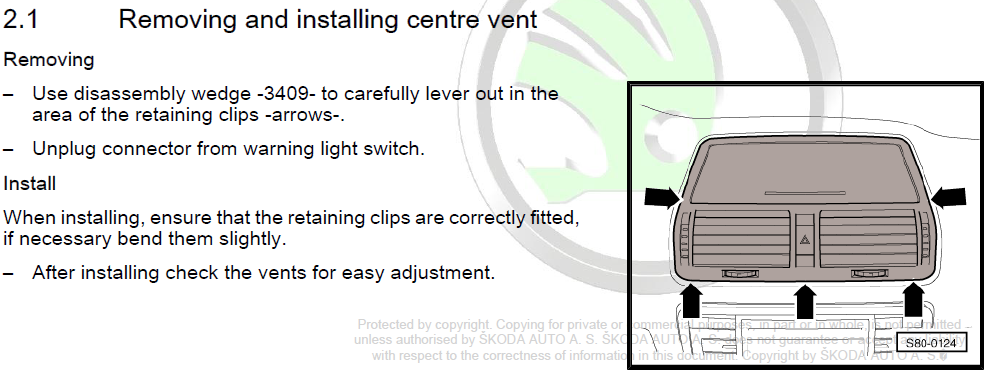
This is for Octavia II, the car in your - Model: octavia mk2 1.9tdi You have posted in Mk III
-
I have update file for this, but you can only attempt to make the update... it will either work or not.
-
This is the only reference I have found where they say that they got passed the error message:
-
Yes seek permission to update the software, as it will probably flash a new firmware to the cable. Trying to lookup the fault code, doesn't exactly yield good results, no real clear definitive answer.
-
Was you able to input the login code? You may also find yourself locked out for security purposes for a bit (10min?) Might be an idea for a coffee break, bit of forum reading to allow it to timeout, if locked out.
-
If you are new to VCDS, you will want to make and save a FULL car scan! This text file you can save with all your original codings. I didn't see the message about the uninitialised control module, you can accept the 12345 values, or copy down some from your other modules and use a more legit looking values.
-
I think that VCDS error means your login has expired. Close VCDS, open car door, close, lock (even if sat inside) Unlock, open and close door, open VCDS and login to module again before attempting to change codes.
-
That's going to be one annoying rattle if so transient. Makes finding it feel as you have found a gold nugget.
-
Have you tried striking with your hand various parts of the interior to see if you can 'encourage' the offending item to bounce about? I presume the item rattles around fairly easily, meaning it occurs very regularly upon turning/accelerating etc?
-
I would go with Horton, should be painless process. I think your dataplug is as much use as a chocolate fireguard, it's more of a simple data logger for how you are driving, not sure if it does much more than that (didn't research too deeply, so could be wrong) Now as for coding in the LED lamps, it would appear you are in luck, fabdavrav is just around the corner in Nairn. Taken from the list here: List of VCDS owners @fabdavrav Tagged you in this message as your VCDS services might be required. p.s. It might be a good idea to "batch up" any other VCDS coding changes you may have in mind too for your car, if there's some things you would like adjusting.
-
Set the doors to motion locking... it's West Yorkshire dammit! They will steal the chrome off the trim as you're moving 😄