




CJJE
Members
-
Joined
-
Last visited
Everything posted by CJJE
-
The older MIB1 and MIB2 systems needed you to find the postcode button, and then enter a postcode. For the MIB3s, I believe you just enter the postcode in the generic input field, and the software will recognise it as a postcode rather than an address. Chris
-
It's not just Skoda as the same MIB3 systems are also being fitted in SEATs and VWs, with the same complaints being made in their forums too! So it's a VAG-wide problem - they've launched a new product without training their support staff or dealers, and with inadequate documentation! Perhaps a flood of complaints from customers will help them to prioritise remedial action? Chris
-
I agree with you, but I think the official advice from tyre experts is to have the best tyres on the back!
-
As I did on my previous Golf SV. But my new Karoq is wearing Bridgestone Duelers and I'm still waiting to find out just how much I'll miss them this winter! Chris
-
Not sure who you were aiming that comment at? I agree the Skoda Update Portal hasn't been updated to reflect the MIB3 Amundsen, and the video shows an SD card being inserted into a non-existent SD card slot! The VW Discover Media Gen 3 is I believe the VW version of the MIB3 Amundsen, and uses the USB-C slots instead. Chris
-
Michelin CrossClimate+ were my choice a few years ago, but from recent tyre testing reports they've now fallen behind the Goodyear and Continentals mentioned above. But there's apparently a 3rd generation Michelin on the way, so that may take the crown again. You have to watch the test conditions being used by the magazines, as the German ones in particular place a lot of weight on their performance in snow, which is less of a problem for me in the Midlands and so I place a greater priority on their performance in rain. Chris
-
I've been looking at the VW update portal - since the latest T-Roc also has a MIB3 satnav system, and owners are reporting the the same problems getting radio logos and updating maps. That leads me to : https://webspecial.volkswagen.de/vwinfotainment/dam/jcr:be0a282e-76bc-4f98-bf3c-bdd9d5294591/Discover Media Gen.3 June_2020_EN.pdf which is the download manual for their version of the updated maps. Interestingly, VW use the 7z compression format rather than Skoda's zip, but the actual files look remarkably similar. However their file covers Western Europe and only needs a 32GB USB stick. I'll have to go back to my downloaded Skoda file and see why the extracted files wouldn't fit on my USB stick tomorrow. Chris
-
I've read the update portal information, and it also says there's an update for my MIB3 Amundsen (to ECE 2020/2021). But it ignores the fact that MIB3 systems don't have access to the SD card, and would presumably have to update via the USB-C ports down by the gear selector. I've downloaded the 25Gb zipped update file, which seems to then contain 207GB of files! I haven't got a 256GB USB memory stick so can't get any further at the moment. The update webpage does imply this file covers the whole world, so I wonder if the Windows downloader program it fleetingly mentions only extracts the Western European maps or something? But I can find no further mention about this software. For online updates, I believe you just need a MY21 car with the Infotainment Online service active. (This is free for the first year for MY21 cars.) This is working on mine as I can see the petrol prices at nearby petrol stations, but it hasn't attempted to download a map update to my knowledge. (My Amundsen's System Information still shows the navigation database as 19.11.) As I've experienced elsewhere while trying to get radio logos for my presets, the factory seem to have started fitting the MIB3 Infotainment systems before telling the dealers or Skoda technical support how to answer these basic queries! Interesting days! And I've also seen a report on another Karoq forum that an owner has tried to update his maps and crashed the whole satnav system! So I think I'll hold off until I have clear instructions from Skoda on how we're supposed to do it Chris
-
The MY21 Amundsen (MIB3) still uses an SD card memory for the maps etc, but it is not accessible. Instead the maps can either update themselves using the online data connection, or - I'm told - they can be updated by downloading the file onto a USB memory and plugging it into a USB-C socket. I've only tried this with the Radio Logo file, but that doesn't add any of my missing radio logos :( Chris
-
Good advice. The only time I ever use the feature is when the car has been sitting in the blazing sun (usually in the south of France!) and I wanted to get some fresh air into it fast. But when it's that hot, the air isn't that much cooler anyway! Chris
-
Just the rear windows? And the sunblind rather than the sunroof itself? If you press the open button on the key fob, it will open all the windows and the sunroof... and you could perhaps do this inadvertently if it is in your pocket... but I don't understand why it would open just the rear windows and the sunblind. Are the doors still locked?? Chris
-
I suppose you could get a SD card adapter with a USB-A plug and a USB-C adapter, but it would be rather bulky. I've transferred all my music onto a tiny USB memory stick - with a USB-C connector on one end and a USB-A on the other. Like this: I got mine from https://www.mymemory.co.uk/integral-128gb-fusion-dual-usb-c-usb-3-1-flash-drive-200mb-s.html, currently £21, and it fits under the sliding cover in the Karoq. Chris
-
I've escalated this to the 'multi-media support' at Skoda UK. And I've also found that while I can play music files or video files via USB-C, I can't see still images on my MIB3 Amundsen. The support guy said he'd investigate with his technical support - who then came back and told him I could download the files onto an SD card or USB memory! He has reminded them that we now have MIB3 systems that don't let you add radio logos this way, and is promising to keep chasing an answer. (He's planning to visit a dealer to look at a car with a MIB3 system). I suspect that the Amundsen is seeing the radio logos actually transmitted by the radio stations, and relying on them being provided that way. But in practice the majority of stations save bandwidth by not transmitting that data! In which case we will probably have to wait for a software update to the MIB3 systems to allow us to add them ourselves as we used to on MIB1 and MIB2 systems. Chris
-
The USB port is a USB-C type, so any lead to suit your phone with a USB-C on the end will work - there are plenty available. (But doesn't Octavia support Qi charging like the MY21 Karoqs?) Alternatively you can use your existing lead plugged into an adapter in the 12v socket, or use a USB-A to USB-C adapter. Chris
-
You'll need to check it's the right one before trusting it! Despite my VIN telling the app that I've got a MY21 Sportline, it gives me an older version of the manual that predates my Amundsen system.
-
-
Further research has revealed that the BBC DAB stations, and a few others transmit their radio logo in their signal. However most don't. And this is also true across Europe. I suspect that VAG have designed their MIB3 DAB radio software to only use the transmitted logo and do not have a way of adding your own. So the only way to get them added is by a software update to the radio software :( Chris
-
An update on the Radio Logo problem with MIB3 systems (where this thread started). I had a chat with Skoda UK on the Twitter feed, and was passed on to their multi-media specialist. He phoned me and confirmed all the details with me of the stations that didn't have logos, and promised to investigate for me. He phoned again yesterday to say he'd contacted his technical support, who were still stuck in the past, telling him how you add logos with an SD card for a MIB2 system! He pointed out to them that this information was now out of date, as the factory were installing MIB3 systems. (Which despite them being fitted to Kamiqs etc for months seemed to surprise them!) I reminded him this was a VAG-wide problem as I've seen complaints in SEAT and VW forums as well. He agreed it was embarrassing, and said he'd have to visit a dealer to see a MY21 car as he did not have access to one any other way. But the upshot is that he'll be pressing for either an online update to the radio logo database, or the MIB3 infotainment systems - or to one that will have to be installed at a dealers if it is too big to provide online. Normally he spends his time trying to resolve Connect issues (another half-baked solution that has no end of problems of course), so he was quite eager to move on to investigating a different problem. Time will tell how successful he'll be though Chris
-
If you open the PHONE application on the infotainment system, do you see your phone's contacts? If not, it sounds like it isn't linking up properly. Chris
-
An interesting question as I was expecting the worst from this feature. My daughter's Passat has this, and has told me it is much more aggressive than I was used to in my previous Golf... she has even had it slam the brakes on as she passes a (stationary) lamp post! But it hasn't been activated at all in my new Karoq. I wonder if it is speed-related? Chris
-
Hope the dealer has it wrapped up nicely for you!
-
The changeover to the new model year happens during the factory closedown for its summer holidays. This year it was around late July I think, making your car one of the last MY20 cars. But at least you can be thankful that you have the MIB2 Amundsen system, as the MY21 cars switched to a new version (MIB3) which has a much poorer user interface and teething problems (IMO). Chris
-
But uprated bulbs tend to have shorter lives than the normal ones as they burn out faster, and the OP already has problems with needing to change bulbs frequently. Surely this isn't common in the Octavia? I went for years without changing headlight bulbs back in the day my cars were on halogen bulbs. Chris
-
-
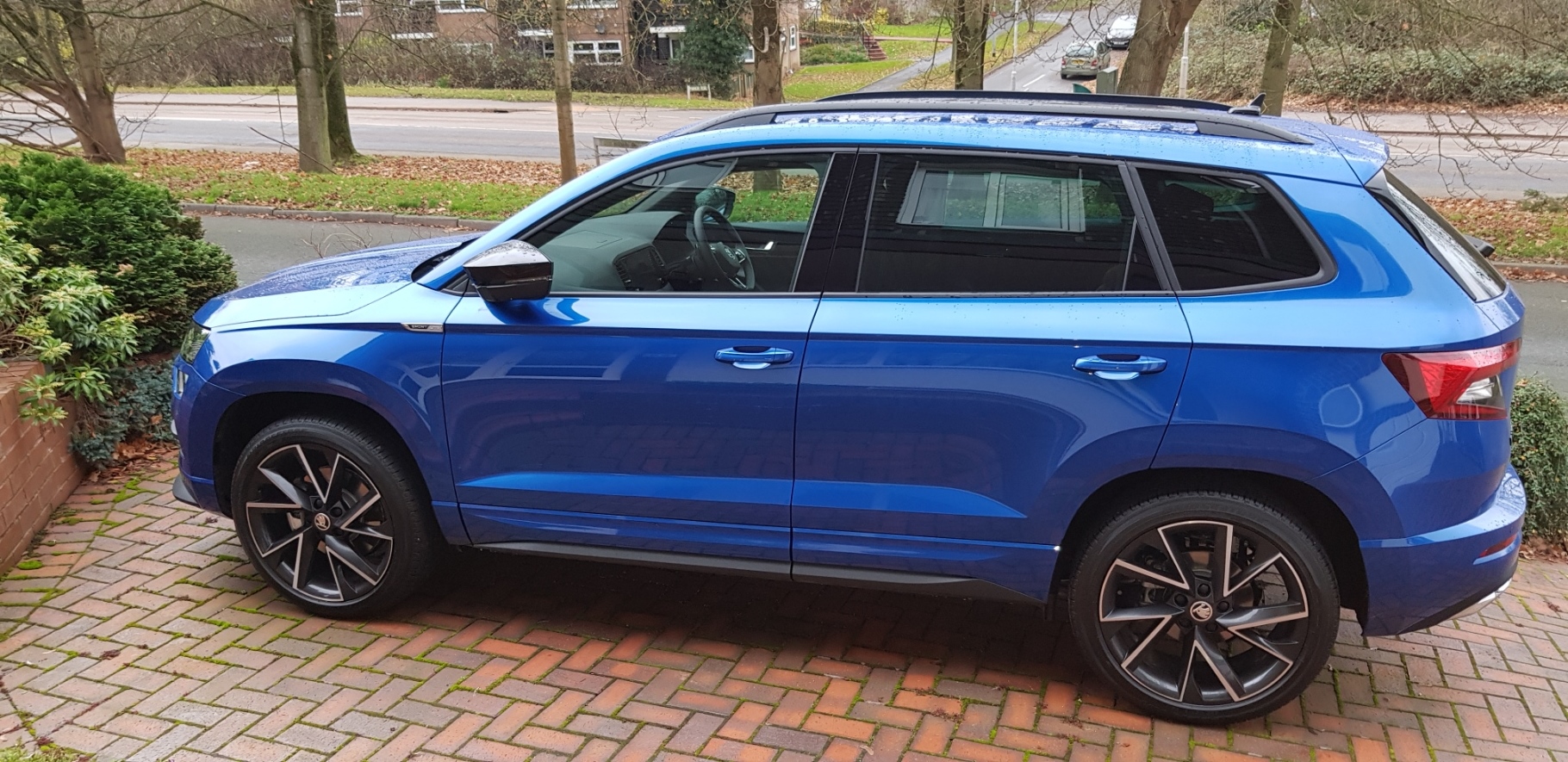
Thanks Rajj for adding your location. Was your car built after July this year - making it a Model Year 2021 (MY21) car? You can confirm this by looking at the VIN - the 10th character will be am M for a MY21 car, or L for a MY20 car. My21 cars also have USB-C ports instead of SD card readers, and silver rollers on the steering wheel. The reason for asking this is that Skoda UK included their Connect services in the price of the car for MY21s, whereas it was an optional extra in earlier cars. If you do have licenced Connect services, then you need to register yourself and enable the services in your car. Full details of how to do this are in the owner's manual in the Online Services section. Chris

