
CJJE
Members
-
Joined
-
Last visited
Everything posted by CJJE
-
It would be helpful if you posted your query in just one thread, not copying it to several! Chris
-
First point Rajj, could you add details to your profile saying where you live? As I can only comment usefully on the situation for UK users. Your car needs to be online (as MY21 cars now are in the UK). Older cars, or cars sold in other countries may not be connected, or you may have to pay for a data plan. Secondly. the Android Connect phone app has just been updated in the UK, while the Apple app is taking a bit longer, and it is now called 'MySkoda'. Are you using the updated app? Your dealer will be the best person to tell you what is supported for your car, all I can tell you is that it works for MY21 cars in the UK. Chris
-
That's almost certainly true - I haven't had the chance yet to calibrate my speedometer - and why I've told it to give me a 5 mph margin before it warns me. Chris
-
Indeed, because for years now all cars have had 4 wheel brakes! But I'd agree All-Season (or full winter) tyres will outperform summer tyres in cold weather. My solution will be to change the Bridgestone Duelers on my Karoq for Continental AllSeason Contacts, but I'm loathe to throw away summer tyres that have barely run in yet. Anyone know where to sell them? I've previously put winter tyres on between October and March, but still have a set of those too which are halfway through their tread, but are age-expired. And my back objects to changing wheels every 6 months, so I think All-Seasons are the way to go even if they aren't as good in hot weather as summer tyres. Chris
-
I've been using this with the warning enabled when you exceed the speed limit (I've chosen a 5 mph buffer). But with the speed limit recognition camera getting triggered by 20 mph signs on side roads, I've now set it to only give a visual warning and not an audible chime. Something is also triggering a warning when I enter a car park saying there is a 5 mph speed limit (without any physical signs!). I used to think my old Golf was like having my mother in the back seat, but the Karoq seems even stricter Chris
-
I'm surprised that in the present climate they are willing to lose sales like this! My dealer was a right pain to contact while my order was being processed, and far too willing to bull**** me with 'facts' that proved to be incorrect, but didn't mess around with me financially. Back in June, I asked if the MY21 Karoqs would have Area View as an option like the Tiguan, Kodiaq and Ateca, and was assured they wouldn't. But the Sales Manager agreed to find out what they MY21 changes were. I ordered anyway, and a few weeks later found out that Area View WAS now included as an option for MY21. So I told my dealer I wanted it added to my order (he still didn't know it was coming!). When I could reconfigure it, I deleted another option I'd had on my order, resulting in price increase of £350 or so. Time passed, and when I finally collected my car in November, I still hadn't had a revised balance from the dealer, and was pleasantly surprised to find they were not going to hold to our originally agreed price. back in June and without Area View! But they still insisted that they didn't need to see my driving licence to validate the Connect app, when they do! Chris
-
Hi Wladaaaaa, Looks like you've got an updated map for yours, but the hardware and software is the same. The MY21 Karoqs in the UK now come with a free online data plan for the first year (probably to get us used to having it, so we'll pay to keep it later!) I've just been talking to Skoda UK's multi-media support guy (about why half my radio stations don't have logos, and why the MIB3 Amundsen won't let you download and add the missing ones yourself.) But I also asked him why I couldn't get the Web Radio to work. He agrees that it's a real mess and the system has been launched with insufficient testing. So if enough people complain to their importers, perhaps the message will get back to Czechia and the software will be updated! Chris
-
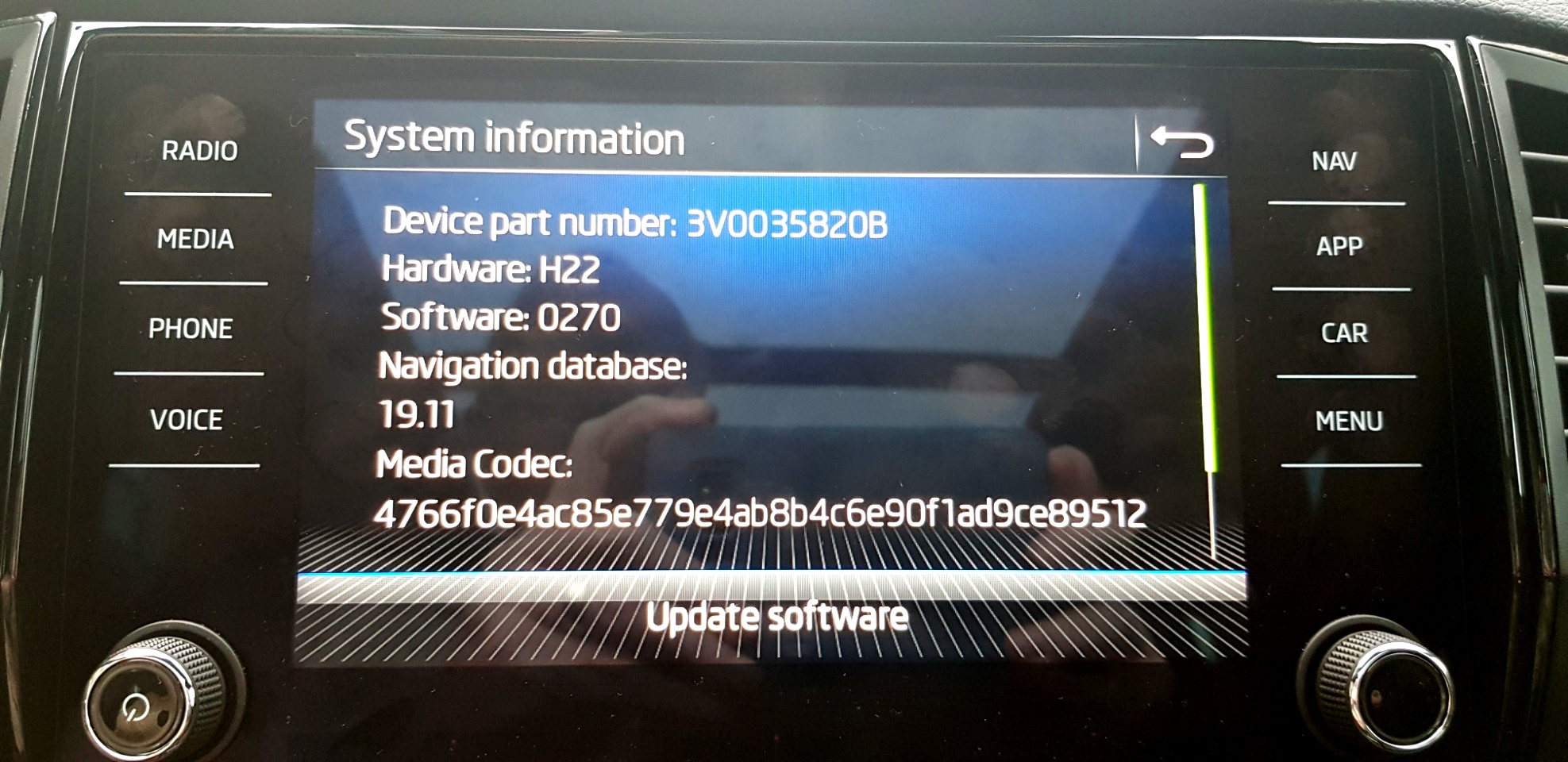
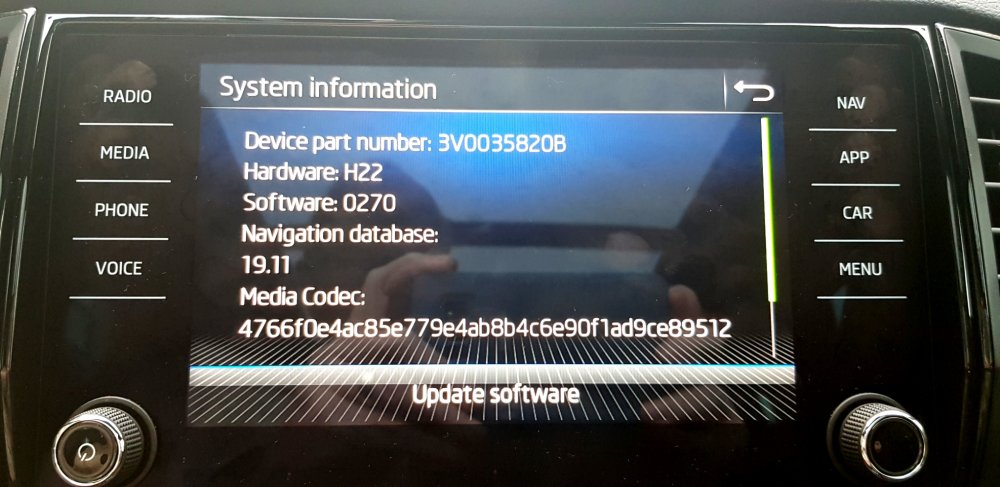
My dealer has confirmed that the Internet Radio is not working as intended, and suggests that Skoda have launched it before the technology is ready. My System Information shows my software as below. Is yours the same, or has your system update given you a more recent release? Chris
-
But has the NAV button and satnav, so is an Amundsen. (And the system info in the OPs pic is identical to my Amundsen.) Chris
-
If that's a MY21 Karoq, it looks like a MIB3 Amundsen. (But how did you get the system info page, I can't find it on mine!) And if it's in a 2017 Octavia, it could be a MIB2 Amundsen? If you download the appropriate owner's manual for your car it should show you pictures of the Amundsen or Columbus satnav systems that could be fitted to your car. Chris
-
That's why I bought a MY21 Karoq before the facelift gave it the same touchscreen controls as the new Tiguan! The Golf SV was much less claustrophobic than the little Golfs, but it's been killed off now as VW ditch MPVs for SUVs.
-
I still can't get it to download the station categories even. I wondered if it needed a better mobile data signal so tried parking near our local mobile phone mast, but it made no difference. Looks like it's a feature that's not been properly developed. But the Skoda Connect service seems to be down (again!) too. Might be connected with the promised updated phone apps which have also been delayed. Chris
-
I've already got a set of 15 inch winter wheels and tyres there from my Golfs... but as the tyres are getting on for 9 years old, they're time-expired despite only being half-worn! (I swapped to all-seasons a couple of years ago to spare my back when changing over every 6 months Chris
-
Yeah... so at my present driving distances, that's either wait for 3+ years to change onto Continental AllSeasonContacts, or get rid of my existing tyres. Why can't manufacturers at least give you the option of buying All Seasons - without having to buy an Audi or Jaguar to go with them!
-
Nope, even the latest Golf 8 charges £950 extra for DCC on the ordinary trim levels. (Reduced to £785 by the time you get up to the R). Chris
-
OK, I was going on the cars listed in recent price lists, and assuming the OP was buying new. But if it's been sitting idle in a store somewhere, the battery could be knackered unless its been charged regularly. Or is it a demo car? The 4x4 is another reason I fancied the 2.0TSI as I have a steep drive with a right angle bend in it, which I have to treat regularly in winter... but I'm also told my old Golf SV with CrossClimate+ tyres would probably out-perform the Karoq 4x4 on its Bridgestone Dueler summer tyres! Chris
-
The Sportline 1.5TSI isn't 4x4, it's FWD. For 4x4 it would be a 2.0TSI (190PS) or 2.0TDI (150PS). I went for the 2.0TSI for several reasons: Pros: - Better rear suspension, - 225/45 tyres instead of 225/40 (so more supple ride), - Avoiding the chances of running into 1.5SI engine problems (my daughter has a 1.5TSI Passat which suffers from lean mixture syndrome even though it's younger than the really problematic cars. - Performance! - Very smooth engine/gearbox combination so far (100 miles!) Cons: - Boot is shallower (but with spacesaver spare instead of full-size ends up much the same size), - Higher fuel consumption (affordable I thought for my lower annual mileage over the last few years) especially if I don't use the performance too much, - Probably higher insurance costs, but still very reasonable for me. Chris
-
My 2.0 TSI Sportline came with 8J x 19" Vega wheels & 225/45 R19 Bridgestone Dueler H/P tyres. Now these are different tyres to those quoted above, with a slightly deeper section, and I also have the DCC option. So I'm not sure which factor is the most important, but I'm finding the ride on my local roads slightly better than my old Golf SV with its 16 inch wheels.
-
According to page 27 of the 2010/05 Yeti Owners handbook, you can set the second speed to mph or km/h as part of the MFA setup. I'm not sure if the OP's car is a 2020/05 or 2010/11, but if he downloads the correct owners manual, I think he will find the answer there. Chris
-
The thread WAS posted in the Karoq section, so your confusion is understandable My Citroen BX GTi was rear ended on the M6 many years ago, and had a crinkled roof just like the OPs. It was about two or three years old I think, and was a write-off.
-
Skoda UK have come back to me with a link to the online handbook, but as I've told them its page sizes mean you can't print it out easily on a home printer! They've now referred me to my dealer (in the hope they may have some printed copies). Chris
-
On most cars it's done by changing the 'Units' settings in the Car/Setup menu. I've always been able to do this in VAG cars when driving in Europe. Is the Yeti the same? Chris
-
@VRT24, Yes I've seen the downloaded handbook, but it's not designed for home printing, and yet contains a lot of useful information about the service and its use in the UK or abroad. I've asked Skoda UK if they supply copies. Chris
-
Good to know, thanks. Chris
-
Mine was built on the 21st of October 2020, and delivered to me on the 16th of November. When I connected it to my Connect account, it downloaded an update over the data connection (but I have no idea what is was). I'll have to ask my dealer if there's an update when I quiz him about the web radio not working, and the fact that I've still not received any details about the Skoda Breakdown Recovery Service we get with a new car in the UK.